Twenty converter engines expose more than 1,000 format paths
ConvertX wraps 20 converter engines in a single web interface. FFmpeg handles hundreds of media formats, while ImageMagick, GraphicsMagick, LibreOffice, Pandoc, Calibre, Inkscape, Assimp, and smaller utilities cover images, office files, books, vectors, data, and 3D assets. Users can submit multiple files, protect access with accounts, and return to conversion history. This is useful when the alternative is teaching every household member which command-line program accepts a particular source file.
The application code is compact relative to the software inside its container. Our checkout had 124 files, about 8,536 lines of source, and occupied 0.6 MB. TypeScript, Bun, and Elysia provide the server and HTML interface; SQLite data and uploaded or converted files live under /app/data. The Dockerfile then installs the actual converter programs from Debian packages. That division keeps the app understandable, though every native engine brings its own file parser, resource profile, and output quirks.
What happened when we ran it
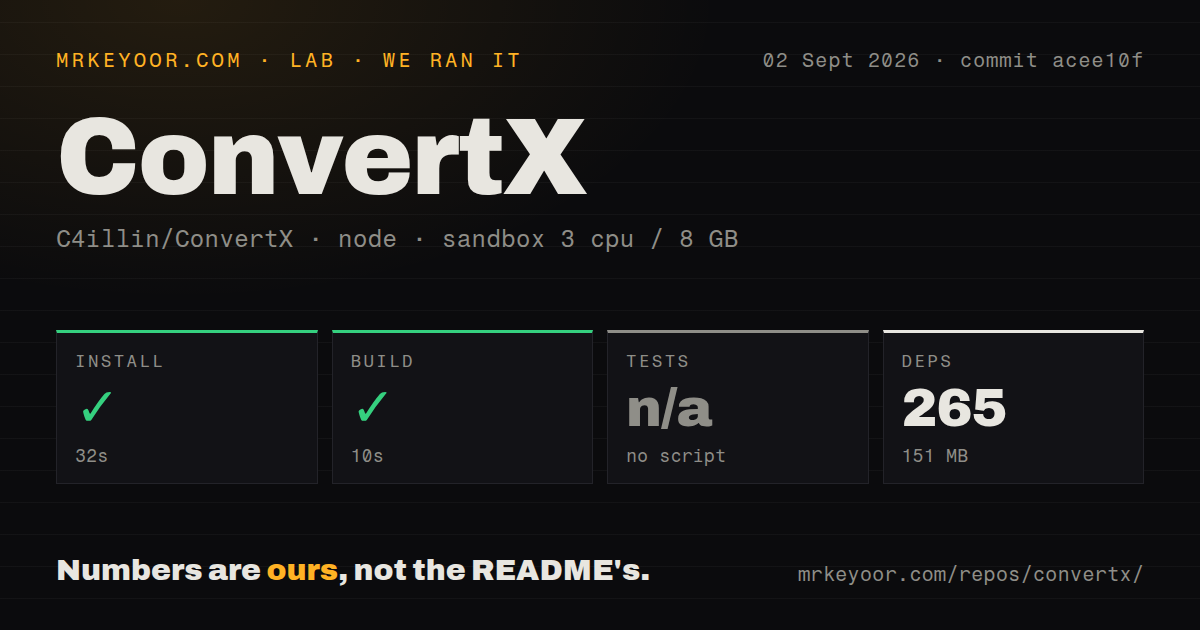
Our sandbox installed 265 packages in 32 seconds and used 151 MB on disk. The build completed successfully in 10 seconds. We tested commit acee10f in a fresh unprivileged container with 3 CPUs and 8 GB of RAM. The source tree included 6 CI workflow files, a Dockerfile, a compose file, and a tests directory. Nothing in the supplied install or build log failed.
The test step was skipped because package.json had no test script or target. That is different from a passing suite, even though the repository contains converter, database, helper, and page test files. Our lab results make no claim about whether those files pass under another command. The 151 MB measurement covers the installed Bun packages in the harness, not the final deployment image with FFmpeg, TeX, LibreOffice, Calibre, and the rest of the native tools.
Port 3000 should sit behind HTTPS and closed registration
The sample deployment maps port 3000 and persists /app/data. On first visit, anyone who reaches an unconfigured instance can create the first account, a risk the README calls out directly. ACCOUNT_REGISTRATION defaults to false after that initial setup. HTTP_ALLOWED and ALLOW_UNAUTHENTICATED are also false by default and are described as local-only switches. An internet deployment needs HTTPS at the reverse proxy, a stable random JWT_SECRET, restricted network access during setup, and a plan for uploaded files.
Our 265-package install did not exercise login, registration, file isolation, or session renewal. ConvertX supports multiple accounts, but issue 146 still requests OpenID Connect, group mappings, per-user limits, and format permissions. Administrators who need those controls would have to place another access layer in front of the app, and that does not create internal authorization between ConvertX users. Hiding the history page is cosmetic; it does not replace access control or deletion.
XeLaTeX still reads paths available to the container
Open issue 573 documents an authenticated file-read path in v0.17.0: a crafted .tex upload can ask XeLaTeX to include a server file in the generated PDF. Current main still passes user-supplied LaTeX to latexmk without content inspection or a converter sandbox, and the Dockerfile does not switch away from root. The latest v0.18.0 notes mention a different path-traversal fix. They do not claim to resolve this LaTeX report, which remained open when checked.
The missing test command matters most around boundaries like this. Six CI workflows exist and the tree contains converter tests, yet our 10-second build was the last runnable verification exposed by the package manifest. A public conversion service accepts hostile parsers' favorite input: arbitrary files. If untrusted users must have access, isolate each conversion with a read-only base, no host secrets, tight CPU and memory limits, bounded execution time, and a job-specific directory. Disabling XeLaTeX is the safer choice until the file-read path is closed.
Large uploads and FUSE cleanup can exhaust a small host
ConvertX defaults MAX_CONVERT_PROCESS to 0, which means unlimited concurrent conversion processes. Issue 364 reports memory exhaustion with a 7.3 GB upload and a later 900 MB conversion on a constrained system. The project does not promise those sizes will fit. Put explicit request-size, memory, process, and time limits around the container, then test the largest files you intend to accept. Unlimited concurrency is a poor default for a shared server running FFmpeg, LibreOffice, or ImageMagick jobs.
Automatic cleanup also deserves a test on the chosen volume. Issue 584 reports that deletion on a FUSE mount looped for 89 days, consumed one CPU core, and prevented later cleanup from being scheduled. Our 3-CPU sandbox did not run the service long enough to assess that path. The default 24-hour retention setting is useful only when deletion completes. Monitor file age and disk use independently, and do not treat the application's timer as your sole data-retention control.
September 2026 work is active, with 129 open issues and PRs
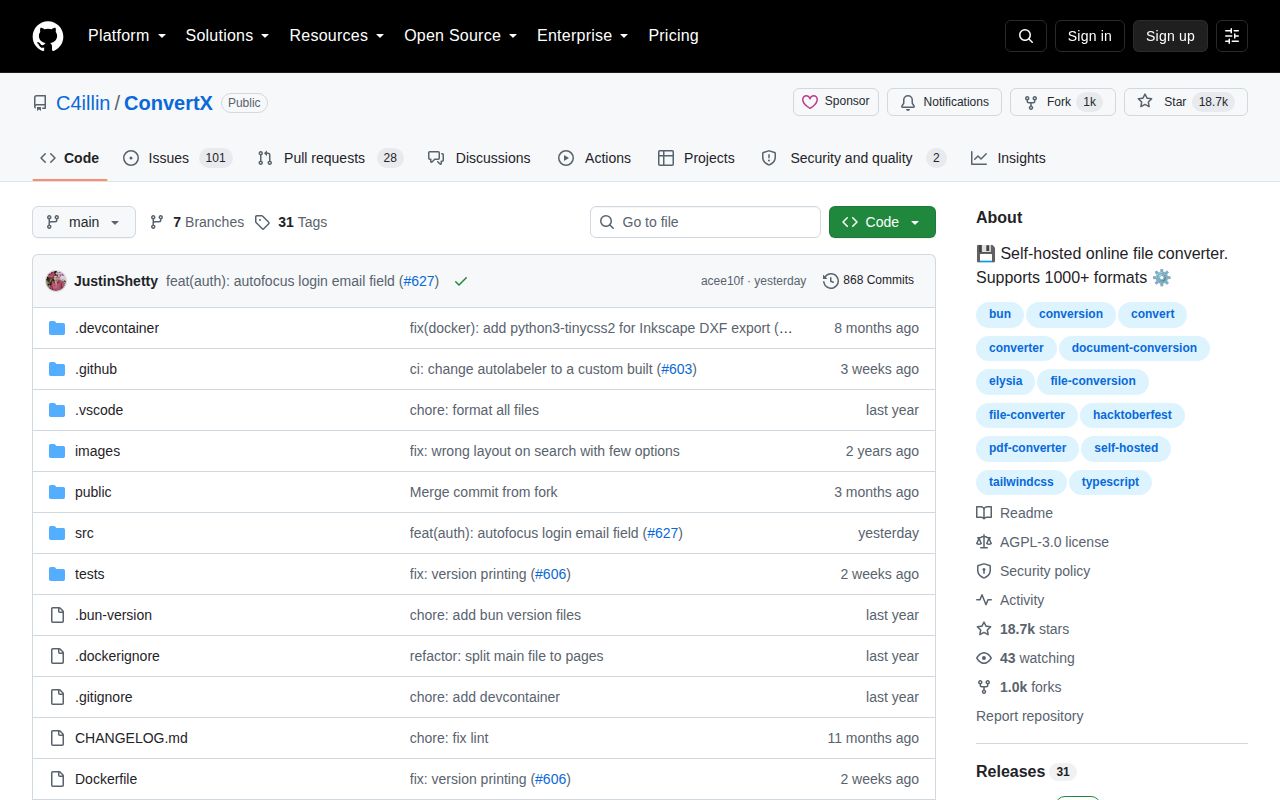
GitHub recorded 18,667 stars, a September 1, 2026 last push, and 129 combined issues and pull requests. Release v0.18.0 arrived on June 21 with PDF-to-DOCX support, a dynamic port fix, an Assimp correction, and a path-traversal security fix. The current push date matters more than the older release date when judging activity. The open queue includes feature requests, support questions, converter-specific failures, resource reports, and security reports, so 129 is not a defect count.
ConvertX earns a trial for a trusted home lab because our 265-package setup built cleanly and the browser workflow covers an unusually wide format catalog. Production judgment turns on isolation, not the polished upload page. Run it behind HTTPS, close registration, set a persistent secret, cap every resource, and verify deletion. For public or mutually untrusted users, the open XeLaTeX report and absent test target are strong reasons to choose a narrower service with a smaller attack surface.