It replaces a drawer of one-job PDF websites
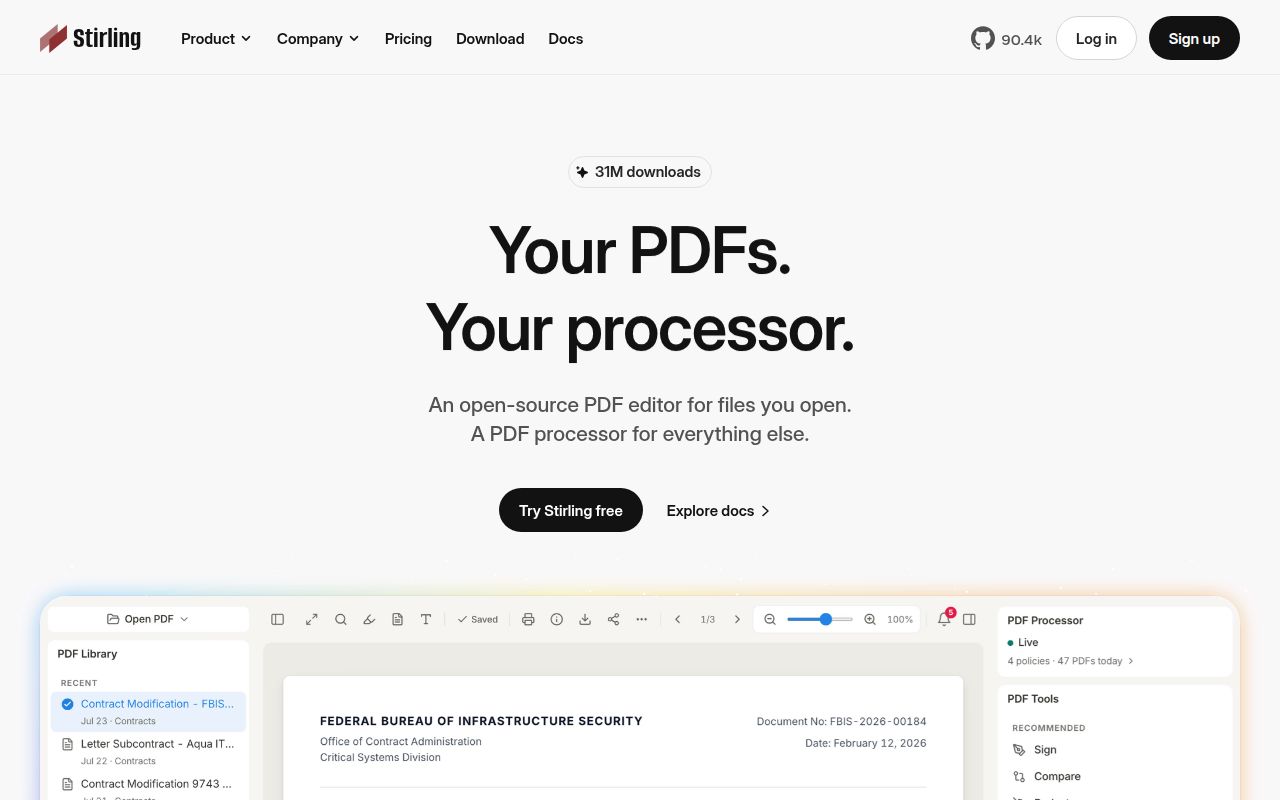
Stirling PDF puts more than 50 PDF operations behind one interface. The README names editing, merging, splitting, signing, redaction, conversion, OCR, compression, and automation. You can use a desktop client, open the browser UI against your own server, or call private APIs for nearly all tools. A team can stop uploading contracts to unrelated web converters and give staff one known place to work.
Its visual pipelines can string operations together, while the API lets an internal application submit the same jobs. That suits recurring work such as splitting intake packets, applying OCR, or converting office files before archival. The README claims workflows can process millions of PDFs, but our lab did not benchmark throughput, document fidelity, or concurrency. Test capacity against your files and hardware.
The published container is the shortest user path
The README's quick start is a single container command that maps port 8080. Desktop and Kubernetes installations have separate documentation, and contributors are pointed to Task, task dev, and a developer guide. Our checkout at commit 353df7a occupied 202.1 MB and contained about 913,852 source lines across 6,860 files.
A production service still needs decisions the quick start cannot make for you. PDFs may contain contracts, financial records, identity documents, or medical information. Decide where files persist, who can reach port 8080, how authentication works, which API routes are exposed, and how backups are handled. The README links paid server options for SSO and auditing. It also calls the licensing model open-core, which matters if procurement assumes every administration feature is community licensed.
What happened when we ran it
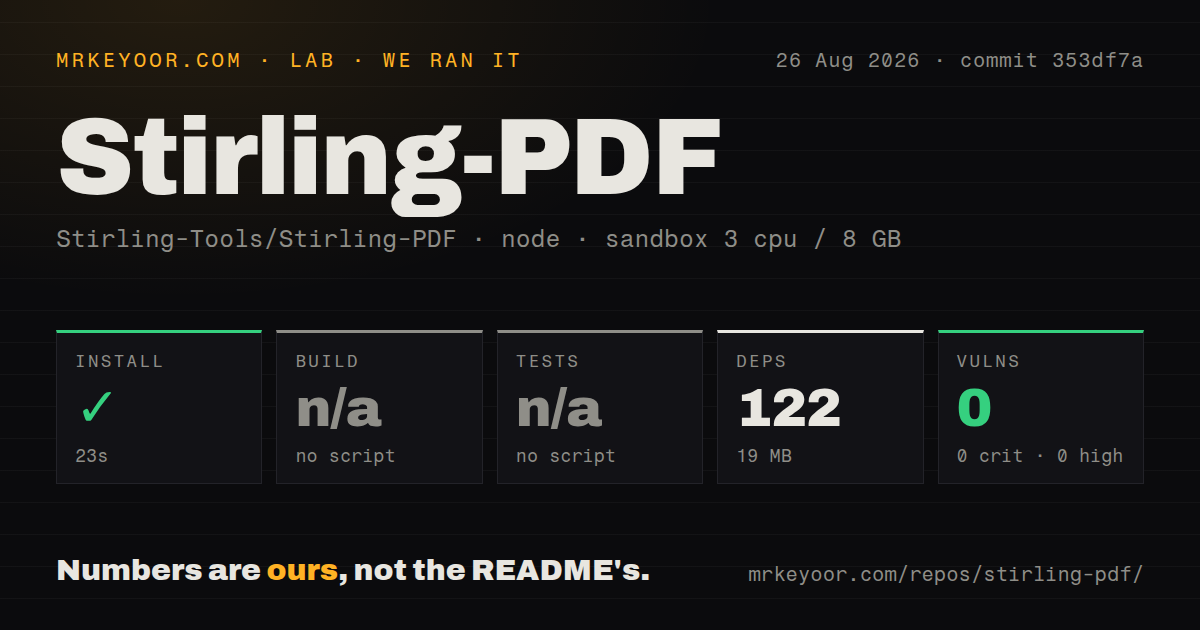
Our sandbox found the npm project under ./devTools/ and installed its 122 packages in 23 seconds. The install used 19 MB on disk, and npm audit returned 0 known vulnerabilities across all four severity levels. That is clean for the measured dependency set. It does not show that the Java application, desktop client, OCR stack, or published container started successfully.
There was no build script or target in that npm project, so our build stage was skipped. Tests were also skipped because no test script or target was available; the harness recorded no tests directory. The checkout exposed 41 CI workflow files but no Dockerfile to the measured target. Our run assessed the repo's developer tooling path, while the README's normal user path pulls a prebuilt Stirling PDF image.
A developer who enters devTools/ gets a quick, small npm install but no command that produces or verifies the PDF service. Application work follows the Task-based contributor route. Product evaluation should start with the published container or desktop package and representative documents. The 23-second install is not Stirling PDF deployment time.
Open-core administration changes the buying decision
The core attraction is local document handling. Files do not have to go to an external conversion site, and a server gives colleagues a browser UI. The API and workflow layer cover jobs that a desktop-only editor cannot share. Support for more than 40 interface languages also helps offices where the people processing documents do not all use English.
Local hosting transfers responsibility. An open report filed on August 22 concerns flat OpenDocument files bypassing external-reference sanitization during Office-to-PDF conversion, with possible server-side requests and local-file readback. We are not treating an open report as a confirmed advisory, but anyone accepting untrusted conversions should examine that issue and the maintainer response before deployment. Network isolation and restricted file permissions belong in the review.
The latest release, v2.14.3 from August 6, was a bug-fix release. Its notes mention repairs for Debian 12 and Fedora 44 operations, concurrent use of tools such as merge, automated image removal, large 2 GB files in some scenarios, and desktop startup. That shows how many operating-system, file-size, and concurrency edges a broad PDF suite must cover.
Desktop users should test their exact operating system
Current issue activity gives Mac users reasons to trial the desktop app. One report describes no visible window on an Intel MacBook Pro running macOS 12.7.6. Another says previously added PDFs remain at Loading tool... after reopening. A separate report describes a hang when quitting through Command-Q. These are specific reports, not proof that every Mac installation fails.
Browser use has rough spots too. Recent reports cover text selection, metadata dates that do not apply, and a Kubernetes deployment failure around a temporary-file shutdown hook. The repository was pushed on August 26, 2026, and current activity includes fixes and feature work. GitHub lists 577 open issues and pull requests combined; a search excluding pull requests returned 369 open issues. The queue is large, but it is moving.
Pick it for shared breadth, not one narrow PDF job
Stirling PDF fits an office that needs many document operations in one private service. A person who only rearranges pages has less to maintain with PDF Arranger. A backend job that stamps, validates, or transforms PDFs may be easier to audit around PDFcpu. Paperless-ngx is the better comparison when the desired outcome is an indexed archive rather than edited files.
Our npm run was clean and small, but it never built or tested the product server. The README offers a short container start, while deployment includes storage, access control, updates, and scrutiny of converters that accept untrusted documents. Stirling PDF earns its operational cost when the shared UI, 50-plus tools, workflows, and API all get used. If only one feature matters, install less software.