When the graph is worth maintaining
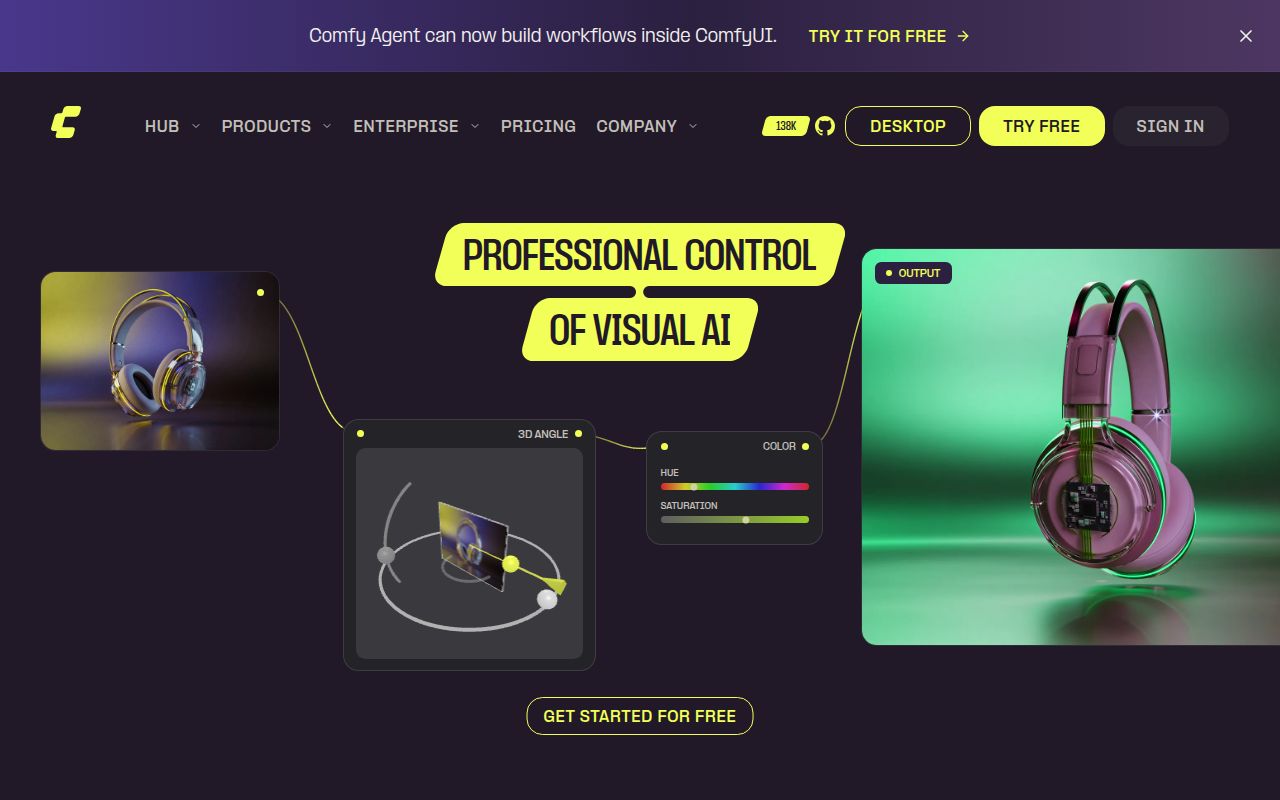
ComfyUI makes sense when you want to keep and revise the steps behind an AI-generated result. The ComfyUI README documents a visual node graph for image, video, audio, 3D and text workflows, along with JSON workflow files and a local API. Those are documented capabilities; our recorded container run did not exercise them.
For an artist, the useful artifact can include the model choices, processing steps and seeds alongside the output. The README says loading a generated PNG can recover its workflow and seeds, and describes workflow recovery from supported generated media. For a developer, a saved graph can become an input to an application through the local API.
That control also creates work. You need the models and any custom nodes the graph expects. If you mainly want a generation form, maintaining a graph may add decisions you do not need.
What our recorded run establishes
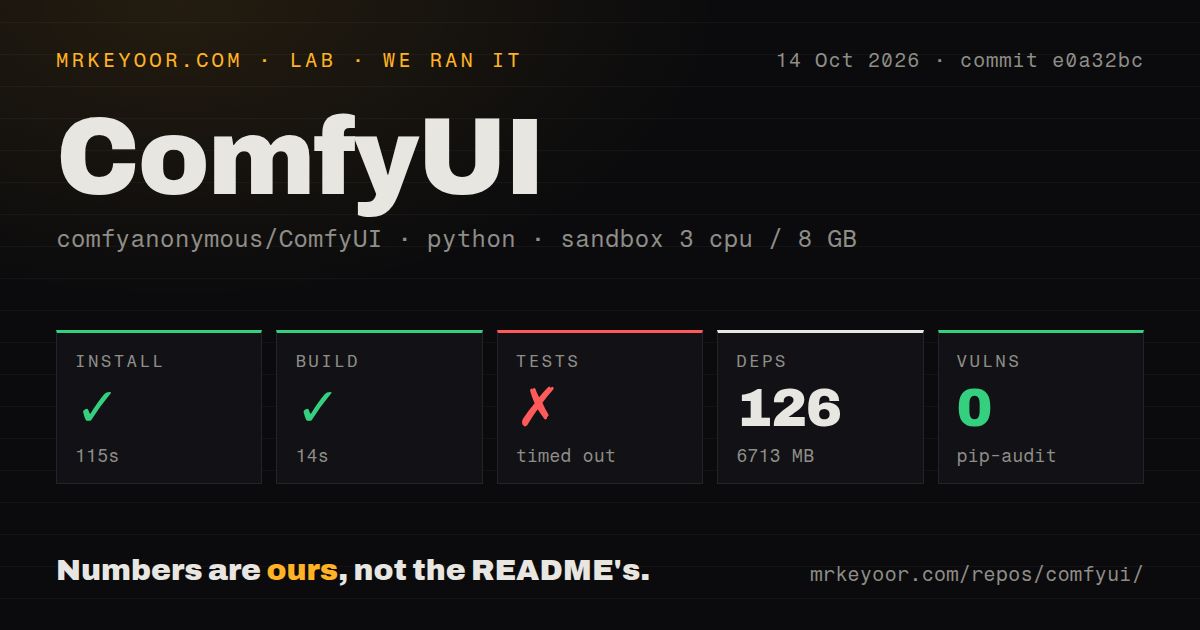
Our run took place on October 14, 2026, at commit e0a32bc (full SHA e0a32bce84f4603f2b61b16b50f8958e68fd6171). The sandbox record specifies 3 CPUs, 8 GB of RAM and the ghcr.io/astral-sh/uv:python3.12-bookworm image. The raw install tail identifies Python 3.12.12. No new execution was performed for this correction.
The checkout scan recorded 1,297 files, approximately 335,653 lines and 49 MB of source. It detected 29 CI workflow files and a tests directory, with no Dockerfile or Compose file. These describe the scanned checkout, not successful execution of its workflows.
| Recorded step | Observation | What it establishes |
|---|---|---|
| Install | Marked successful, exit 0, 115 seconds; 126 dependency packages and 6,713 MB recorded | The harness completed this step, but its raw tail contains failed editable and wheel build attempts for ComfyUI. Installation of the application remains unverified. |
| Build | Exit 0 after about 14 seconds; empty output tail | The separate harness build step completed. The supplied record does not identify its command or artifact. |
| Tests | Exit 124 after 900 seconds; timed out | The test command did not complete within the limit. There is no supported passing-test total. |
| Audit | pip-audit, zero findings, zero packages |
The summary does not establish dependency audit coverage. |
The install errors report that setuptools found multiple top-level packages in a flat layout and would not proceed. That conflicts with treating the overall install-step flag as proof of a successful ComfyUI installation. The recorded dependency footprint also does not establish a model download or provide a storage budget for a model collection.
The test tail contains SQLite asset-schema upgrades and downgrades. It does not identify the cause of the timeout. A timeout leaves the suite unverified; it does not establish that media generation is broken. The record contains no application startup check, installed-binary check, API exercise, image-quality assessment or GPU workload measurement.
Choose setup instructions for your hardware
The README recommends the desktop app for new Windows and macOS users. Its manual instructions cover NVIDIA, AMD, Intel and Apple Silicon, among other hardware paths. Our Python container check does not validate those individual routes.
For manual setup, the README places checkpoints in models/checkpoints and VAEs in models/vae. Larger models can require several components in different folders. extra_model_paths.yaml lets you configure additional model locations, which can help reuse an existing collection.
Start with one workflow whose model files and hardware requirements you understand. Confirm that it loads, executes and produces the result you need. Save the workflow together with the model references and extension versions needed to repeat that check.
Reuse is documented; speed remains unmeasured here
The README describes partial graph re-execution: changing the end of a workflow reruns the changed portion and the steps that depend on it. That is a useful reason to evaluate ComfyUI when you repeatedly adjust output processing while retaining earlier generation steps.
We did not measure that behavior or its performance. The roughly 14-second build-step result is not an inference benchmark, and the README's speed claims are not findings from our run.
The release documentation also warns that commits outside stable release tags may be unstable and break custom nodes. Core, desktop and frontend have interconnected release processes. The supplied release page lists v0.40.0 on October 13; its release commit is 3541246, distinct from our measured checkout. Do not treat our run as validation of that release.
The AMD report includes later working configurations
Issue 15314 began with an August 5, 2026 report of MiniMax H3 noise output on an RX 7900 XTX using the official template. Reading only the opening report gives an incomplete account.
Later comments describe working configurations and revise earlier explanations. An August 9 commenter reported ten clean runs with ComfyUI 0.31.0 and torch 2.14.0.dev20260807+rocm7.14, withdrawing an earlier attribution to ComfyUI's partial eviction itself. An August 21 comment reported clean RX 7900 XTX output using a ROCm 10.1 nightly setup.
On October 15, another commenter reported successful official int8 image-to-video output on an RX 7900 XT with ComfyUI 0.40.0 and torch 2.14.1+rocm7.2. That is a different card and software configuration from the opening report. These are users' reports, not our measurements or a universal fix. They support checking the exact model, hardware, packages and launch settings rather than treating the open issue as evidence that AMD support generally fails.
Check whether imported nodes use local models or services
The README says core can run fully offline. It documents --offline to disable optional paid Comfy API nodes and force built-in functionality to stay offline, and --disable-partner-nodes to disable the API nodes alone. This is the project's documented behavior, which our run did not test.
Inspect an imported workflow before executing it. Local model nodes and nodes that call paid services can appear in the same editor, with different network and billing requirements.
The supplied GitHub snapshot records a push on October 17, 2026, 138,000 stars and 5,220 open issues and pull requests combined. Those figures describe activity and attention, not reliability, support response times or output quality.
Choose ComfyUI when maintaining the workflow itself helps you do repeatable work. The next useful check is a representative graph on your intended machine, with pinned models and extensions and an output you can inspect.