Codex-X edits 2 live Codex files plus local session data
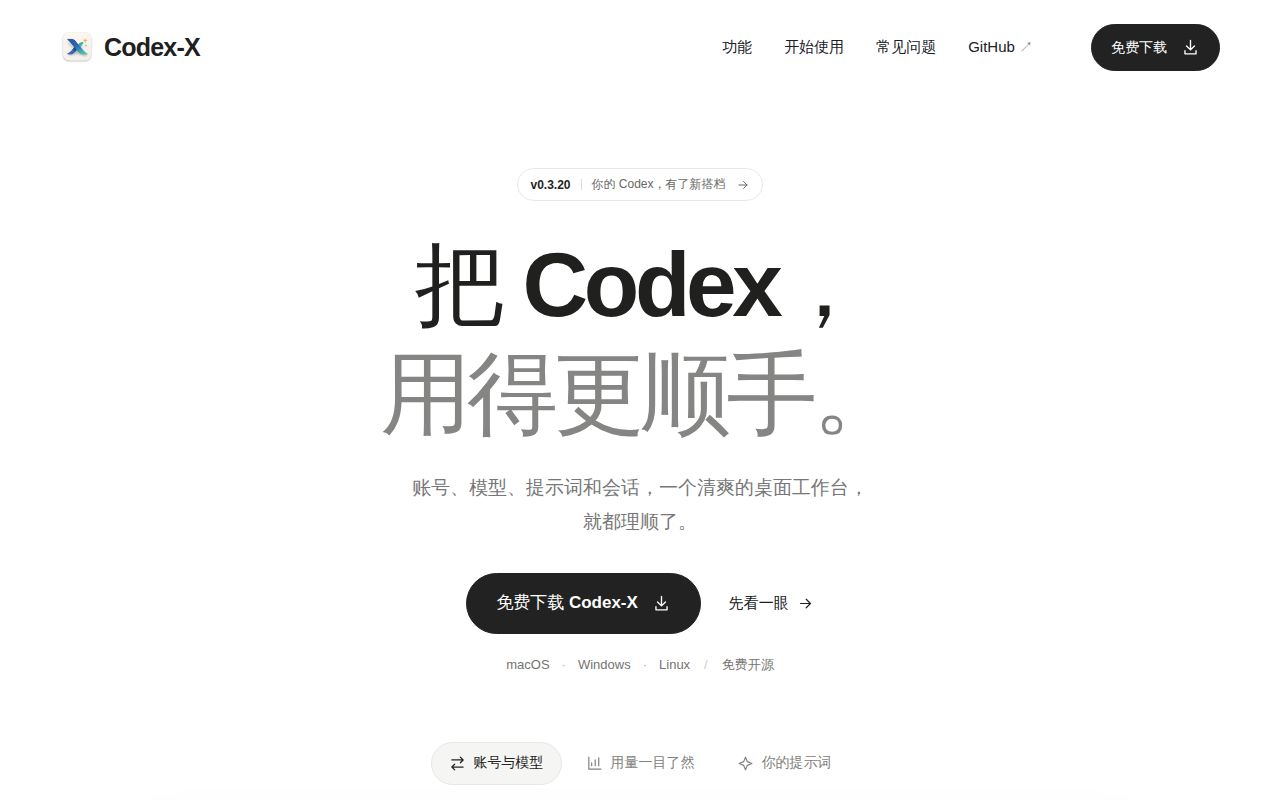
Codex-X puts ~/.codex/config.toml, ~/.codex/auth.json, local sessions, Skills, and MCP entries behind a Tauri desktop interface. You can inspect or edit provider TOML, save official login profiles, import third-party APIs, and see which provider is active. The project is Chinese-first, but it maintains a full English README that covers the same main controls and warnings. That translation makes the app usable for English readers, even though issue discussion and the primary community remain mostly Chinese.
Prompt handling is more opinionated than a generic settings editor. The app bundles 5 templates offline and synchronizes 6 more from GitHub, for 11 listed templates in the current library. You can import a Markdown file, edit it, classify it, then either append its content to existing instructions or replace the current instruction entry. Each enable or disable operation creates a backup. Several bundled prompts are explicitly described as unrestricted or aimed at armor-breaking and reverse-engineering work, so read them before enabling them.
Version 0.3.20 adds provider failover around live credentials
Version 0.3.20 added local provider ordering, timeouts, retries, and automatic failover. Codex-X also reads official login state from auth.json and lets you edit third-party Base URLs, API keys, model names, wire APIs, and complete TOML. It can duplicate a provider, test the connection, fetch models, import cc-switch records, and activate a route for newly opened sessions. That is a useful control panel for someone who changes relays often, but it also concentrates sensitive material in one desktop process and its SQLite state.
Session management reaches beyond display. The app searches by title or project, checks whether stored sessions match the current provider, and can rewrite mismatches. It also reports token use by date and model, attributes subagent use to the main conversation, and shows the 10 most recent main sessions. Deletion can target a single session, several sessions, or every session under selected projects. The README warns that the matching records and derived child sessions are removed permanently. Close active Codex windows and inspect the selection before approving that action.
What happened when we ran it
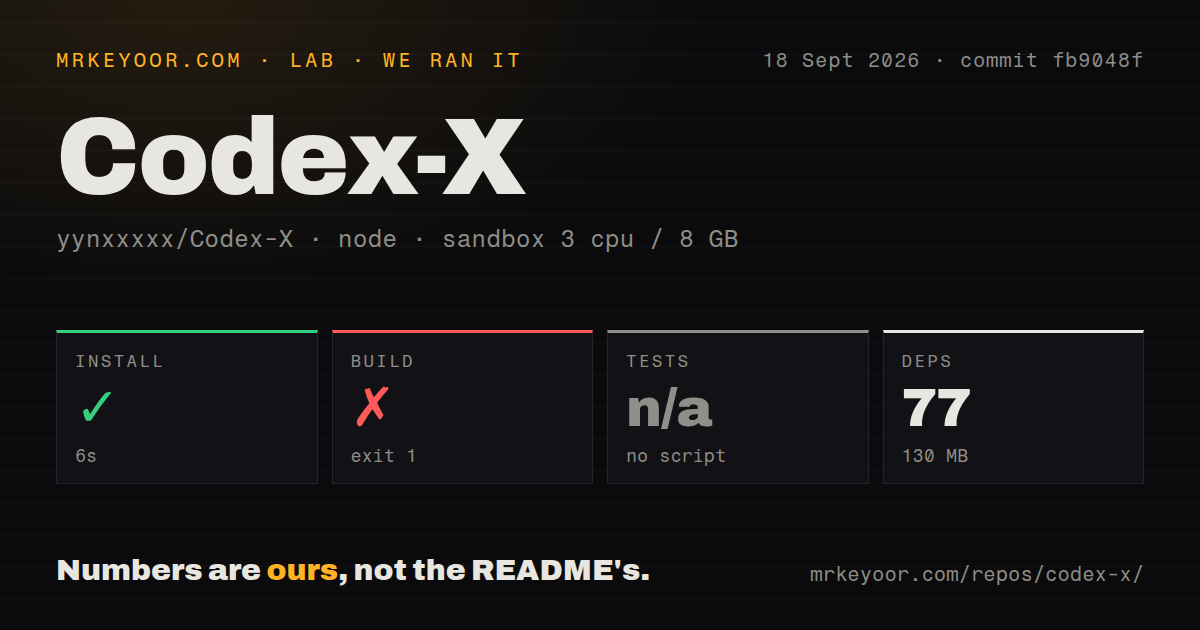
Our sandbox installed 77 pnpm packages in 6 seconds, leaving 130 MB on disk. The build ran for 44 seconds and then exited with code 1. Rust's gdk-sys crate could not find gdk-3.0; the log said the gdk-3.0.pc file was absent and PKG_CONFIG_PATH was unset. The final lines only establish that the required native library was unavailable in the fresh Debian container. They do not show an application-code error.
The checkout at commit fb9048f contained 227 files and about 67,304 lines of source in a 9.5 MB repository. We ran it without secrets in a fresh unprivileged Debian container with 3 CPUs, 8 GB of RAM, and the Node 22 lab image. Our scan found 2 CI workflow files, a pnpm workspace, no Dockerfile, and no tests directory. The project did not expose a test script or target, so tests were skipped rather than passed.
The 44-second source build stopped at an omitted GTK prerequisite
The development guide gives pnpm install, pnpm dev, and a Tauri build command. It does not list the Linux desktop packages needed before Rust can compile the GTK bindings. In our Debian image, JavaScript dependency installation was finished after 6 seconds, yet the native build could not cross that system-library boundary. Linux source builders should use Tauri's platform prerequisite list and record the exact packages in their own build image before judging later compiler output.
Release users have an easier route. The project publishes Windows MSI and portable builds, macOS packages for Intel and Apple Silicon, plus Linux deb, rpm, and AppImage formats. Installed editions can update inside the app, while the Windows portable edition uses manual downloads. The README also says the macOS DMG is unsigned and unnotarized; local testers may need to remove its quarantine attribute. Teams that require signed desktop distribution should settle that policy before rollout.
Version 0.3.20 fixes two reported session and config failures
Issue 50 describes v0.3.17 exposing internal subagent sessions as normal sessions after synchronization. The v0.3.20 release notes say internal tasks are no longer synced incorrectly and that normal sessions are no longer misreported after failover. Issue 41 separately reported MCP settings disappearing when providers changed; the same release says provider switching no longer drops MCP and desktop settings. Automatic backups remain useful because permanent deletion still reaches derived child sessions.
GitHub recorded a push on September 18, 2026, and v0.3.20 was published the same day. The repository had 3,294 stars and 27 combined open issues and pull requests when fetched. Open pull requests were already working on large session lists, including a proposed 32 MiB guard against loading oversized rollout files fully into memory. That activity is a good maintenance sign. It also shows that session handling is still changing quickly in a release line below 1.0.
The 44-second build failure makes packaged releases the first choice
Codex-X earns a trial for a heavy Codex user who switches providers, maintains many prompt files, and wants Skills, MCP, usage, and sessions visible in one place. Use a packaged release, keep the automatic backups, and start with disposable provider and session data. cc-switch is the broader choice when several coding agents share one provider manager. Direct use of openai/codex is safer when a second desktop process should not touch login state or permanently rewrite session storage. The failed source build makes the packaged route the sensible first test.