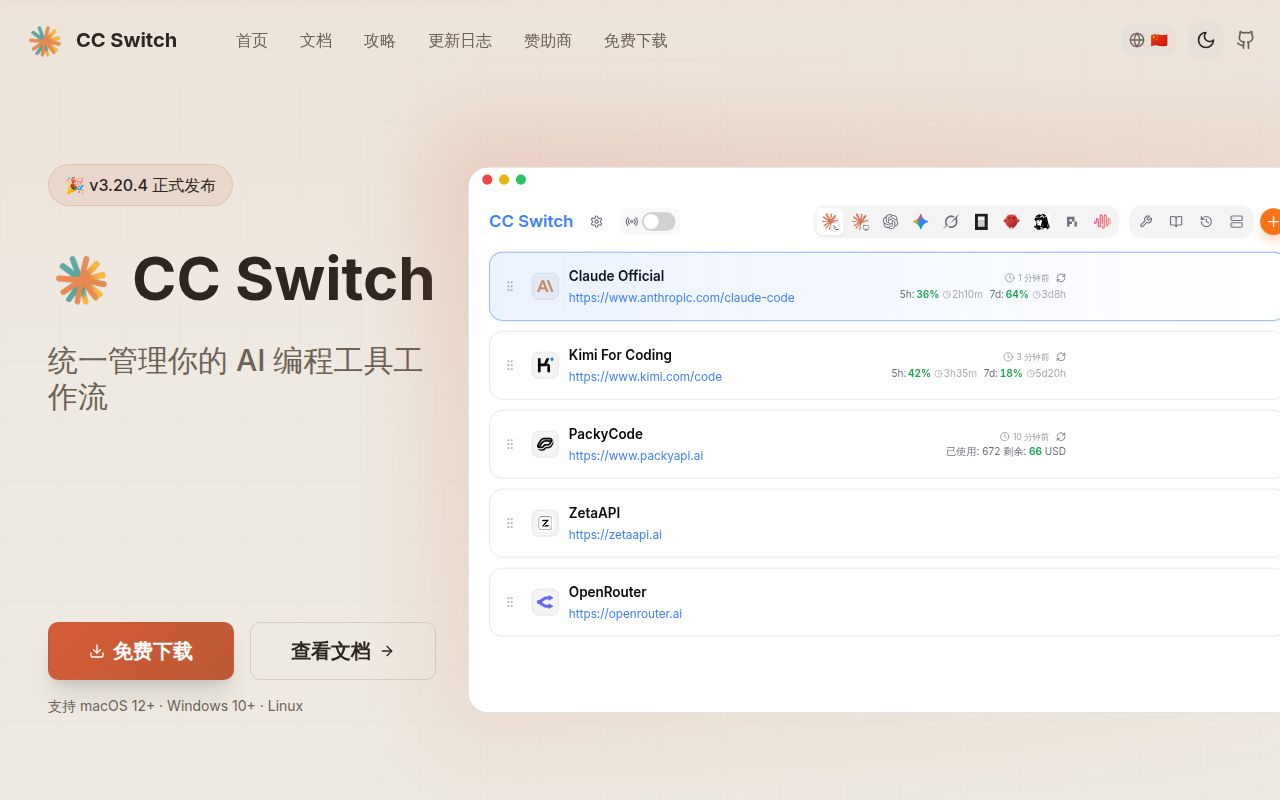
CC Switch brings provider configuration into one desktop app, but the connection mode still matters: direct access, routing, and aggregation send requests through different paths. That distinction is more useful than treating every supported tool as an identical integration.
Current documentation and the measured checkout cover different scopes
The supplied current README lists 12 tools: Claude Code, Claude Desktop, Codex, Gemini CLI, Grok Build, OpenCode, OpenClaw, Hermes, Pi, MiniMax Code, Kimi Code, and Oh My Pi. The README at measured commit 482f57b lists 10, without Kimi Code and Oh My Pi. The September 22, 2026 v3.20.4 release notes identify MiniMax Code as the tenth managed application. These are different source snapshots, not evidence that our run exercised 12 integrations.
Both README snapshots describe more than 90 provider presets and centralized MCP, skills, and prompt management. Those are project claims. We did not validate preset connectivity, configuration preservation, or cross-tool synchronization.
The historical feature matrix also limits what shared management means. Claude Desktop's MCP, skills, prompts, and sessions panels apply to Claude Code. Several tools use coexistence, where multiple providers are written into the tool's configuration and the user selects one inside that tool. A shared interface does not establish identical behavior across integrations.
What our recorded run established
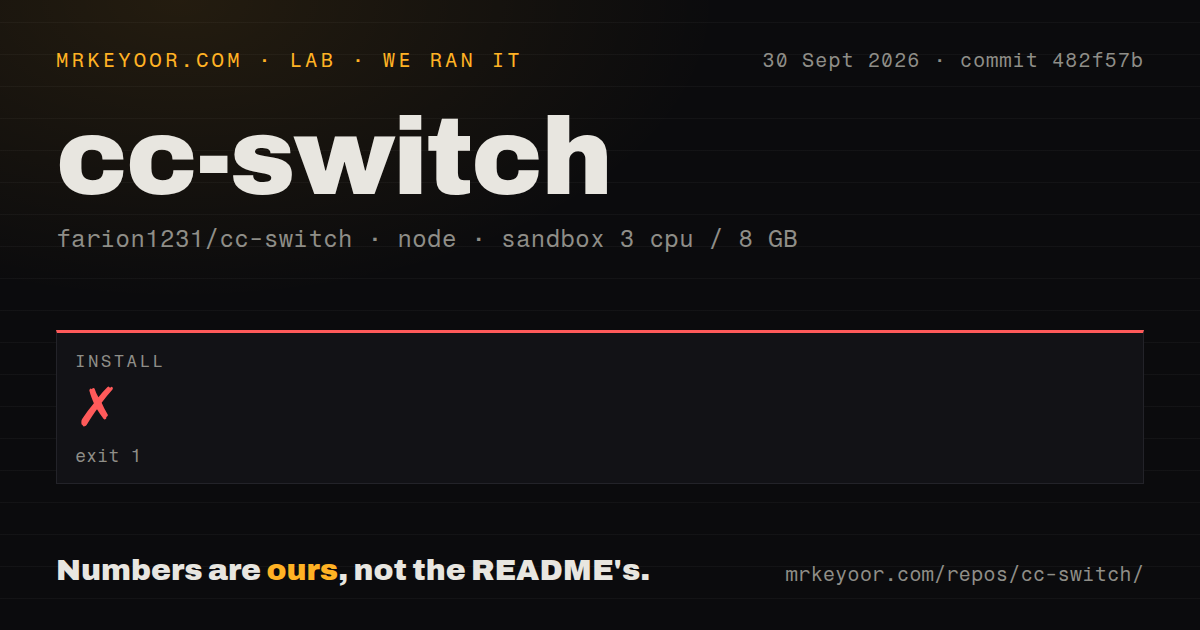
In our run on 2026-09-30 at 03:43:14.795 UTC, dependency installation with pnpm failed at commit 482f57b335ff15e749893990a132a9e54e4eb8e2. It exited with code 1 after 18,824 ms, reported as 19 seconds in the stored summary. The terminating log repeatedly reported Cannot have both neverBuiltDependencies and onlyBuiltDependencies. It also warned about dangerouslyAllowAllBuilds; that warning is not a security finding.
The recorded sandbox configuration was 3 CPUs, 8 GB of memory, and image lab-node:22. The image name alone does not establish the actual runtime version or distribution. The checkout measured 1,325 files, approximately 357,346 source lines, and 48.5 MB. The record identifies seven CI workflows, a tests directory, and workspace configuration, with no Dockerfile or Compose file detected.
Dependency count and installed dependency size are unknown. Build and tests were not reached, so neither failed nor passed in this run. The detected scripts include build, build:renderer, and test:unit; the skipped build does not mean the repository lacks a build step. No installed binary, desktop workflow, provider request, performance workload, or security audit was checked. There was no new execution for this correction.
Choose the connection mode before switching
The current README describes three modes. Direct connects the coding tool to its provider. Routing forwards requests through the local machine, converts API formats, and supports failover. Aggregation combines models from several providers into one model list in Claude Code or Codex, with requests sent to the selected model's provider.
The README says clicking a mode tab changes the view without changing configuration. Applying the mode requires an action such as "Start routing" or "Switch to Aggregation". This matters when diagnosing a provider card that appears different from the live configuration: first establish which mode and selection the interface is showing.
The documented restart rules also differ. Claude Code needs no restart; Codex, Gemini CLI, and Grok Build require restarting the terminal or CLI tool. Claude Desktop requires restarting the app. These are documented instructions, not behavior confirmed by our run.
Issue 7791 needs its follow-up, not just its opening report
Issue 7791 is closed in the supplied extract. Its October 1 report describes v3.20.4 provider-save and switch failures that could leave the database card, live Codex configuration, and current-provider marker inconsistent.
On October 2, a contributor reported that the September 27 write-engine rewrite appeared to close those transaction windows on main at b9e9620. The contributor described rollback and pending-operation recovery and reported passing upstream regression tests. Those are the contributor's observations, not our test results.
A later Windows report concerned CC Switch 4.0.0 with Codex CLI 0.160.0. On October 5, its author corrected the interpretation after a more detailed run: the direct selection and routing selection were separate, and returning from routing restored configuration and authentication files byte-for-byte. The author also withdrew the claim that the switch removed a top-level model setting because the earlier snapshot already lacked it. A leftover provider table was discussed separately as issue 7871.
The thread supports caution about version, mode, and state when investigating configuration drift. It does not support describing issue 7791 as an open, universally unresolved defect or claiming that our September 30 checkout reproduced it.
Installation and upgrade decisions
The README requires Windows 10 or later, macOS 12 or later, or Linux with glibc 2.35+ and WebKitGTK 4.1. It explicitly excludes RHEL, Rocky, and Alma 8 through 9. Check those requirements before selecting a package.
For the historical v3.20.4 upgrade, the release notes document a database migration from schema 18 to 19 and recommend manually copying the database before upgrading. That advice belongs to that version; it is not a verified description of every later migration. The historical README also warns that using subscriptions outside official clients may violate vendor terms. Check the policy for the specific account and upstream provider you intend to use.
For an evaluation, back up the relevant files, configure one tool, and verify its live endpoint and connection mode before expanding to other tools. Our installation result cannot tell you whether a packaged release will work on your machine.
Relevant alternatives
CC Switch CLI documents an interactive TUI and scriptable commands for Claude Code, Codex, Gemini, OpenCode, Hermes, OpenClaw, and Pi. It is the relevant option when terminal operation matters more than a desktop interface. Its WebDAV compatibility claim is narrower than a guarantee that all desktop and CLI database versions can be exchanged safely.
Claude Code Router now describes a multi-agent gateway and control plane with desktop and CLI interfaces, agent profiles, provider management, routing, retries, credential pools, fallbacks, and logs. Compare it when request handling is the main requirement. Calling it only a Claude-specific router would understate the supplied current documentation.
How to read the scores
Scores are provisional editorial judgments about the supplied evidence, not benchmark results. The scale is 1 for a major documented obstacle, 2 for limited or mixed evidence with substantial uncertainty, 3 for documented capability with material validation gaps, 4 for strong evidence across the relevant workflow, and 5 for comprehensive documentation plus corroborated operational evidence. Missing evidence does not prove poor quality, but it limits the rating.
CC Switch's documentation gives a clear reason to evaluate it for recurring configuration work across several tools. Our source-install result leaves operational questions unanswered. Keep that boundary visible when deciding whether to adopt it.