OhMyKeymint replaces KeyMint only for selected Android apps
OhMyKeymint runs its own KeyMint and injector daemons, then routes chosen application requests to that service through Android's keystore path. The project says it implements the AOSP AIDL interface and aims to look closer to the platform service than modules built around TrickyStore. Its own README describes that stealth benefit as theoretical. The FAQ draws the practical boundary: OMK does not hide root, add StrongBox, repair a damaged TEE, or promise that a banking or payment app will accept the phone.
The supported production range is Android 12 through 17 on arm64-v8a, installed through KernelSU or Magisk while Android is running. Recovery installation is unsupported, and the documentation says to run only one keystore replacement at a time. This is a narrow security tool for a spare or recoverable device. A user who only wants Play Integrity or general root hiding is buying risk in the wrong part of the Android stack.
What happened when we ran it
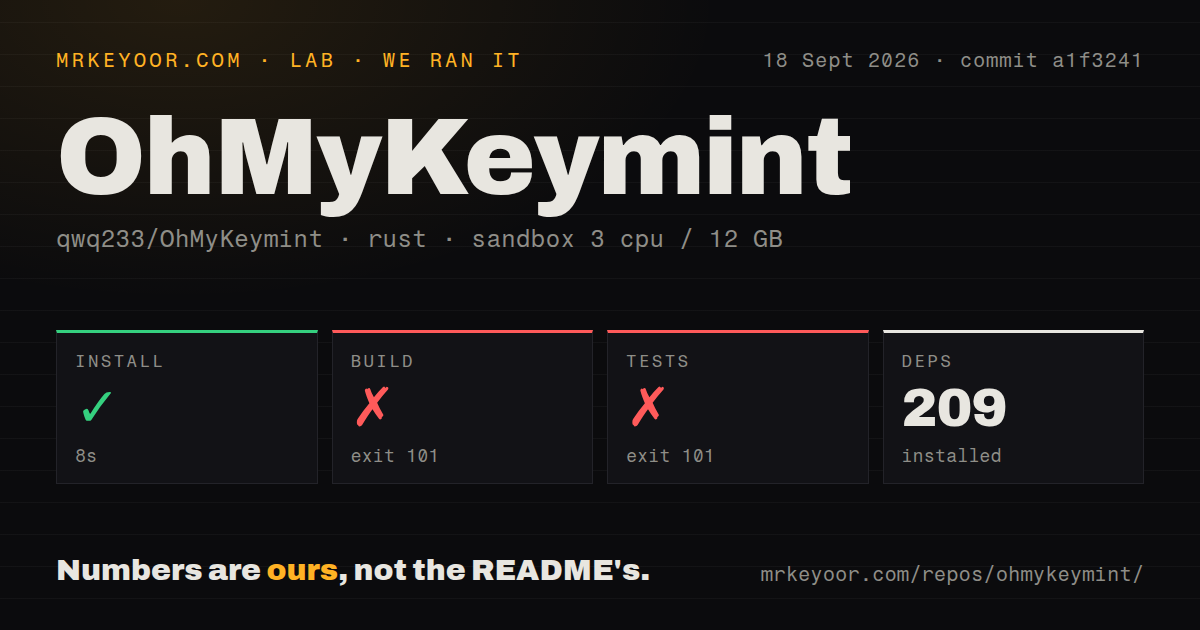
Our sandbox installed 209 Rust packages in 8 seconds at commit a1f3241. The build then ran for 118 seconds and exited with code 101. Cargo reached bssl-sys 0.1.0, whose first source line deliberately raises a compile error saying it is a placeholder package and points readers to its README. The log does not show a later compiler or linker failure because the build stopped at that crate.
Tests failed for the same visible reason after 6 seconds, also with exit code 101. Compilation reached bssl-sys and stopped before the test binaries could run, so this is a failed test command rather than a report of passing or failing test cases. The checkout contained 481 files and about 87,079 source lines in 4 MB. Our scan found 2 CI workflow files, no Dockerfile, and a tests directory.
The official build replaces the placeholder BoringSSL crate
The repository's CI shows the missing preparation. It clones and builds BoringSSL, installs the Android toolchain and protocol-buffer compiler, configures Cargo for an Android target, then patches crates.io's bssl-sys name to the local BoringSSL Rust source. The project build script packages separate KeyMint and injector binaries into a module ZIP. A plain Cargo build in a general Rust container does none of that setup, which explains the exact boundary our run reached without claiming that later stages would pass.
That build path is substantial for a 4 MB checkout. Developers need an Android cross-compilation environment, a separately prepared BoringSSL tree, the local Cargo patch, and the project's packaging script. There is no Dockerfile that freezes those pieces into the repository. Downloading the attested release artifact is the sensible evaluation route for users. Source builders should reproduce the workflow in an isolated machine before changing the code or trusting a locally produced ZIP.
Two TOML files control identity, secrets, and app routing
config.toml contains the reported trust and device identity plus generated crypto seeds. injector.toml decides which packages are routed to OMK. The guide tells ordinary users to change only the scoop list, preserve the safety filters, and leave interception and generated crypto settings alone. It also warns never to publish crypto values, device identifiers, the key database, or an unredacted keybox. Those are operational secrets, even though the software itself is public.
A malformed live file is rejected while a component is running, but startup is harsher. Bad config.toml can prevent KeyMint from starting, while bad injector configuration disables OMK routing. Deleting a config file is a dangerous reset because new crypto values may leave old keys unreadable. Broad routing is worse: the FAQ says intercepting Android, system services, or unknown callers can break unlocking, app storage, or the user interface, and such setups fall outside project support.
Keybox and routing changes can strand existing app keys
OMK keeps System keys and OMK keys separate. Moving an app into or out of scoop does not copy its existing keys, so the app may fail to decrypt data or ask the user to register again. A keybox change can also alter the attestation identity that an app tied to its login. Open issue 74 reports random session loss in several apps; the maintainer replied that certificate-bound keys are retired as designed when the keybox changes, while saying they had not reproduced the other cases.
Backups therefore include 4 sensitive items: both TOML files, keybox.xml, and the OMK data directory. The FAQ says uninstalling the module does not convert OMK keys into System keys, and persistent data may remain outside the module folder. Deleting that data can permanently remove keys apps still need. This is why the right test device is one you can re-register, reset, or recover without losing irreplaceable information.
Active maintenance does not make the license commercial-friendly
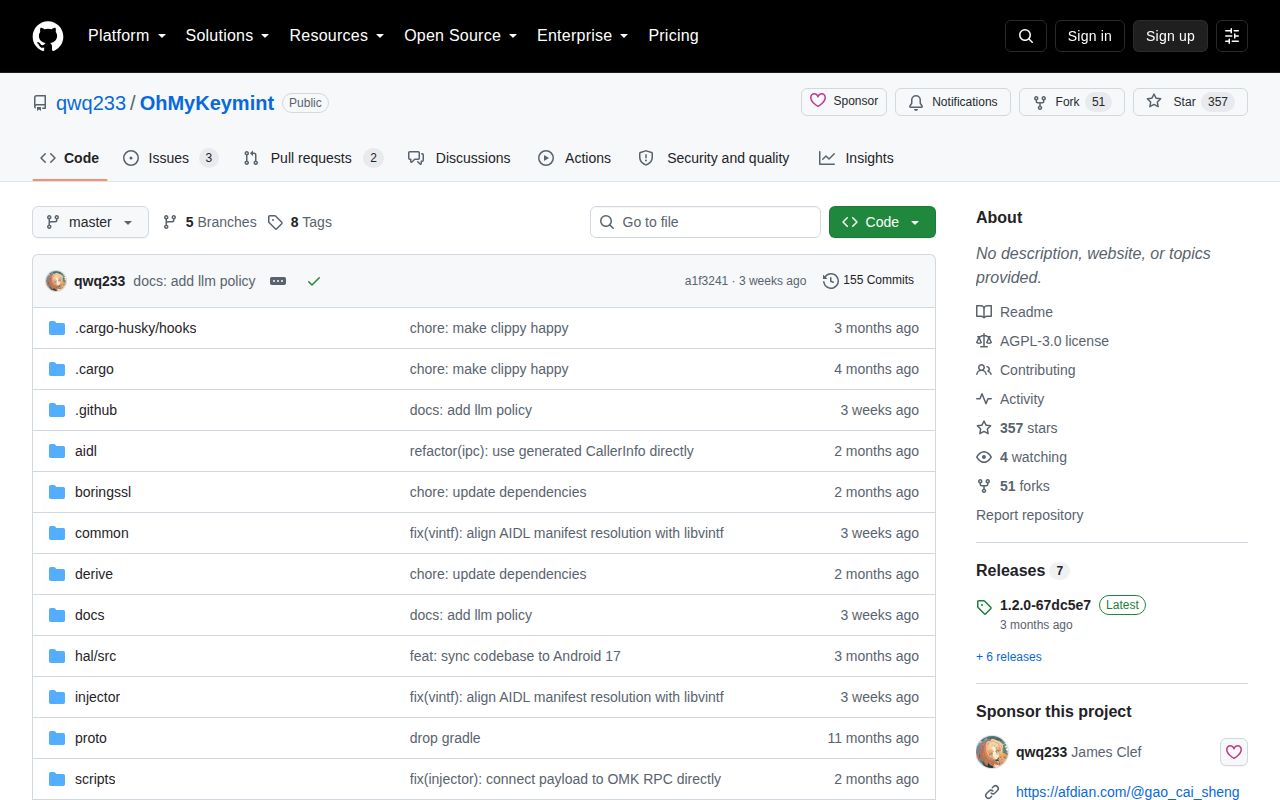
GitHub recorded the last push on September 16, 2026. The repository had 357 stars and 5 combined open issues and pull requests when fetched, while the open FAQ issue was updated on September 18. Release v1.2.0 was published in June with injector routing, local Binder RPC, Android compatibility, and state-handling changes. That combination shows recent work and user reports, including an open Android 17 attestation report that supplied logs after the maintainer requested them.
Two licenses apply together. The repository declares AGPL-3.0-or-later, while its additional Chinese-language license prohibits commercial use and says its terms win where they conflict for code wholly owned by the author. That restriction alone rules out a paid product without separate permission. For noncommercial device research, OMK is unusually well documented and specific. Its failed plain build, private key material, and ability to strand app data make the official ZIP on a disposable phone the only trial we would recommend.