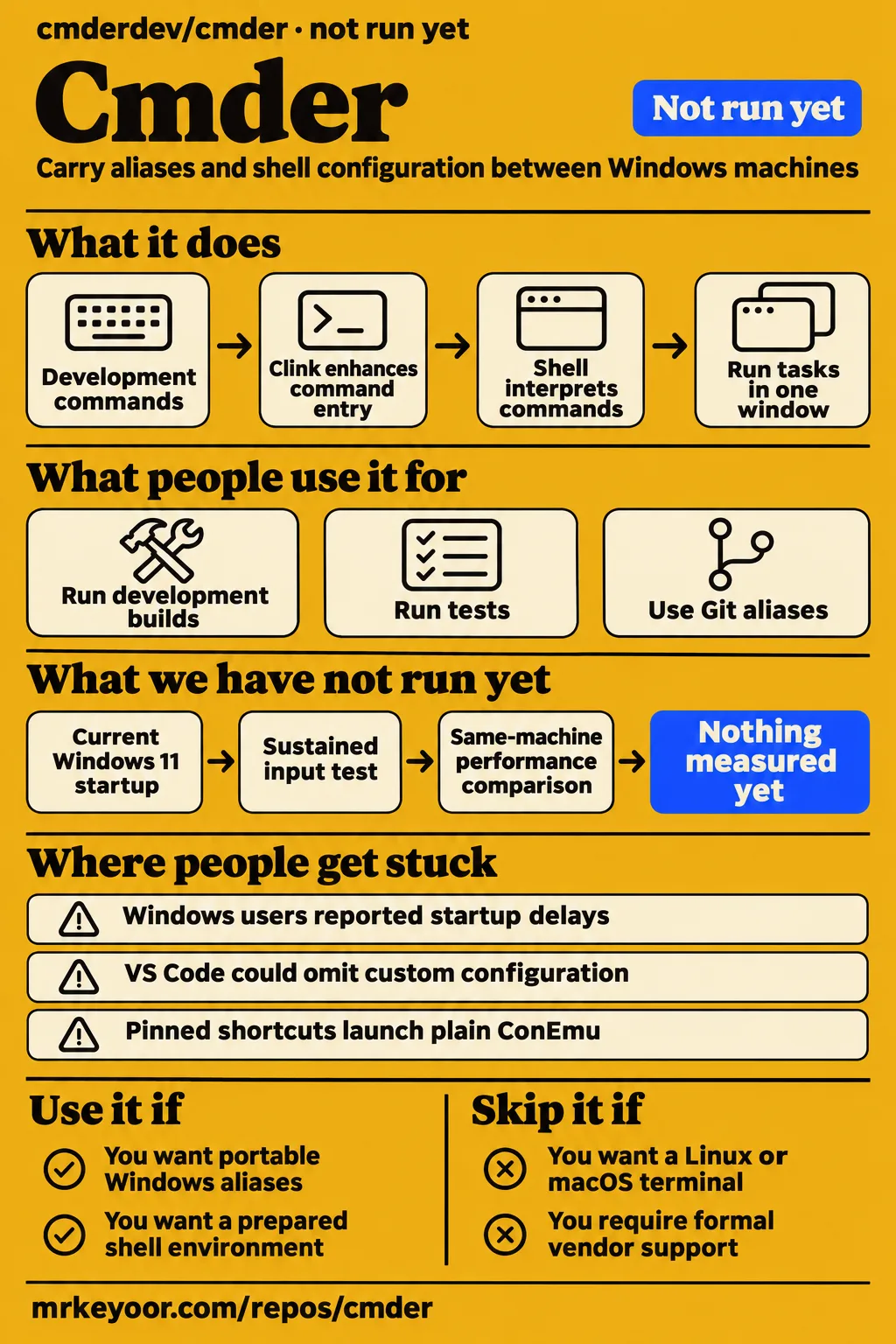
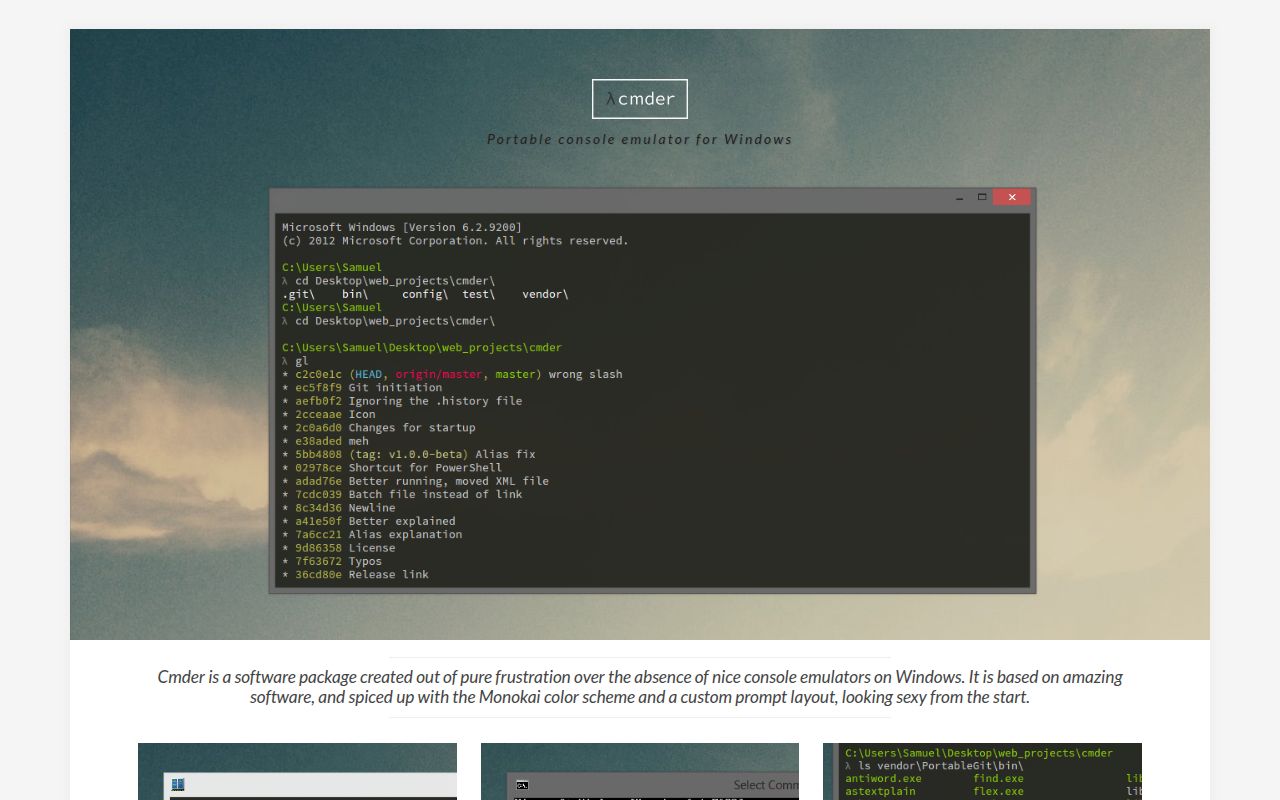
Cmder suits Windows developers who want to carry aliases and shell configuration between machines. Its prepared environment is the reason to choose it over configuring a terminal host yourself. We did not run Cmder: our sandbox stopped before supported execution. Community startup reports differ substantially, including the named configurations in issue #2816, so a workstation trial belongs in the adoption decision.
Cmder carries configuration between Windows machines
Cmder packages shell enhancements with a choice of terminal host, and Full includes Git for Windows. In the ConEmu distribution, ConEmu handles the surrounding window while Clink enhances command entry. The shell interprets commands: cmd.exe, PowerShell and Bash retain their own syntax. The official Cmder component description separates the package from these components, which helps explain why changing the window does not translate a script into another shell language.
The current README offers Windows Terminal, ConEmu and launcher packages, while the v1.3.26 maintenance release excludes Windows Terminal. Those are different distribution choices. For someone following a tutorial, the archive matters before the screenshot does: ConEmu settings belong to ConEmu, and Cmder's shell configuration is another layer. The portable benefit is carrying your configuration, aliases and tools between Windows machines.
What people use cmder for
Matt Ferderer describes running development builds, tests and Git work in parallel terminal layouts. His account of multiple terminal tasks gives a concrete reason to use the package: a build watcher can remain visible while another session runs tests and a third handles Git commands. Other accounts emphasize fewer windows, keyboard access and reusable tasks rather than a change in the commands their development tools accept.
| Person and context | What they did | Reported result |
|---|---|---|
| Matt Ferderer | Ran build watchers, tests and Git work in multiple layouts | Kept several terminal tasks together |
| Driss on DEV in 2020 | Used tabs and aliases for development commands | Reduced separate command windows and shortened repeated commands |
| Kiernian on r/programming in 2013 | Configured a keyboard-summoned window on a company workstation | Reported saving screen space while accessing cmd, PowerShell, Bash and SSH commands |
| Rahul in his walkthrough | Used customized developer tasks and Git aliases | Reported around two years of use |
The mixed-shell demonstration shows PowerShell, Bash through Mintty and cmd in one window. Separately, wycats's Chocolatey setup lists Cmder alongside Yarn, Git, Rust, VS Code and Ruby. The distinction is useful when planning a development machine: those language tools appear as separate installation steps. Cmder supplies the command-line environment around them, while the account describes the broader workstation setup.
What happened when we ran it
Our November 19, 2026 sandbox checkout at commit 5655c5e stopped before application execution because the harness had no supported PowerShell ecosystem and found no Dockerfile. Our run used a recorded allocation of 3 CPUs and 8 GB RAM, with image n/a. These are sandbox settings rather than Cmder hardware requirements. The recorded outcome was NOT RUN, with no application error or passing-test count.
| Recorded check | Outcome | Verdict | Why |
|---|---|---|---|
| November 19 checkout | Commit 5655c5e; unsupported PowerShell ecosystem; no Dockerfile |
No runtime result | The harness stopped before installation, build or tests |
| November 20 safety step | Failed because no Compose file existed | Prerequisite failed | A Compose file was required by this attempt |
| November 20 run summary | Claimed deployment through the project's own Compose configuration, with every port bound to 127.0.0.1 |
Contradictory summary | The safety step says the required configuration was absent |
| November 20 teardown | Reported OK | Cleanup recorded | Teardown describes cleanup rather than an interactive Cmder session |
The failed safety step returned unsafe repo: none of compose.yaml, compose.yml, docker-compose.yaml, docker-compose.yml exists (rule: a compose file is required). The deployment summary's success wording conflicts with that concrete failure. A missing container recipe describes why this attempt stopped; Cmder's documented Windows installation instead starts from an extracted archive and Cmder.exe. The two routes should not be confused when interpreting the result.
Where people get stuck: startup varies by configuration
Lari0 recorded a 22.87-second startup in issue #2816, while chrisant996 reported approximately two seconds on another configuration. Lari0 listed Windows 10 Pro 22H2, build 10.0.19045.2251, and Cmder 1.3.20.151; chrisant996 named Cmder 1.3.21 Mini, Windows 10 Pro 22H2 19045.2486, and separately installed Git for Windows. These are community observations on their named configurations, not our benchmark. Their variation makes a workstation trial necessary before relying on either experience.
Lari0 also reported 20 or more seconds with /f and close to 60 without it. In the same startup discussion, mpitz listed Windows 11 Pro 22H2, Cmder v1.3.21 (1.3.20.151), Clink v1.4.10.45c041, Git 2.39.0.windows.1 and ConEmu 221218. Those component details keep the reports attached to actual installations rather than turning an issue title into a verdict on every Cmder archive.
| Symptom | Attributed finding | Reported response |
|---|---|---|
| Startup delays, #2816 | Slow and fast installations appear in the same discussion | Diagnostics include CPU activity and PATH entries, including network locations |
| Slow tabs and command entry, #763 | Reports include six-second tab creation and remote-desktop input delays of 4-5 seconds per character | MartiUK reported faster completions in CI builds |
| Missing runtime DLL, #501 | Historical installations failed with api-ms-win-crt-runtime-l1-1-0.dll errors |
Affected users reported success with the Visual C++ Redistributable for Visual Studio 2015 |
| IDE path errors, #282 | IntelliJ and PHPStorm users described initialization problems | Replies discuss CMDER_ROOT, initialization and restarting the IDE; MartiUK links the official guide |
| Alias persistence, #421 | Bash entries lacked the required alias prefix |
The affected user added the prefix manually and reported success |
Historical reports also cover launcher and prompt failures. Issue #154 describes pinned shortcuts launching plain ConEmu instead of Cmder, including continued failures after a modified launcher. Issue #223 describes literal {git} and {lamb} prompt placeholders in version 1.1.3, with symptoms reported again in v1.1.4. These are distinct problems: a shortcut can select the wrong launcher, while a broken prompt can appear after the intended executable opens.
Two further historical integration reports concern shell selection and initialization. In issue #901, typing bash opened Git's MINGW64 environment instead of the Windows Linux subsystem; a commenter later described development-build integration. In issue #1806, TCC initialization errors persisted after a maintainer's reported fix. The current v1.3.26 release separately describes restoring four TCC/TCCLE defaults, so the old discussion and the release notes need their own version labels.
Editor integration depends on configuration roots
Cmder's /C option selects a separate user root for shell configuration, but bundled Windows Terminal settings remain shared by the installation. The README states that distinction explicitly. A shared Cmder installation can therefore have individual shell configuration without giving every launch its own Windows Terminal settings file. That difference matters when deciding which preferences should follow a user and which belong to the installed host.
In issue #2299, selimb described different environments in VS Code and standalone Cmder, including omitted custom configuration and repeated PATH enhancement. Wrapper scripts aligned initialization options; later discussion covered configuration variables and initialization guards. Daxgames also explained that /f bypasses protection against duplicate PATH entries. Fast initialization therefore changes behavior as well as startup work. Matching the configuration root and initialization options is the concrete integration task, rather than adding the flag to every profile.
Portable aliases depend on the shell
The README says cmd aliases created through alias.bat are saved automatically, while an interactive Bash alias lasts for the current session. Its alias documentation names the persistent configuration files: cmd uses config\user_aliases.cmd, while portable Bash configuration can go in config/user_profile.sh. Bash settings in $HOME/.bashrc belong to the home directory rather than travelling automatically with the Cmder folder.
That shell distinction explains the missing-prefix report in issue #421. The user added alias to manually stored Bash entries and reported that they worked. Another participant's broken aliases were fixed by downloading a newer version and following the upgrade procedure after assuming Cmder updated automatically. The README's upgrade instructions place user customizations under config and warn that edits under vendor must be reapplied after replacement.
Portable settings include stored history
Cmder's official site says settings, aliases and history travel with the portable environment. Its portability description is therefore also a reminder about the files being moved: copying the environment can copy command history, not merely a color scheme. A USB drive or synced folder needs to be chosen with those contents in mind, particularly when commands contain private hostnames or other internal information.
The US Department of Veterans Affairs entry records no Section 508 assessment and describes a lack of formal vendor support. This is a US procurement context with its own implementation requirements. A developer choosing a personal command-line setup and an organization requiring an approved accessibility assessment are making different decisions; the VA entry is relevant to the latter because it explicitly assigns responsibility for the deployed version to the implementer.
Cmder vs Windows Terminal, ConEmu and Git Bash
Cmder can supply shell configuration inside another terminal, so choosing Windows Terminal does not automatically exclude Cmder. The README documents other terminal hosts and IDE integration. The useful comparison is which component you want to manage: the window, the shell, the Git environment or the prepared configuration connecting them. Those components answer different needs even when they appear together in one downloadable archive.
| Alternative | Choose it for | Relationship to Cmder |
|---|---|---|
| Windows Terminal | Microsoft's terminal host, with tabs and configurable appearance | Cmder documents integration with it |
| ConEmu | A Windows console emulator with tabs and split panes | It is the host included in stable v1.3.26 |
| Git Bash | The Bash environment supplied with Git for Windows | Cmder Full includes the Git for Windows distribution |
| cmd.exe or PowerShell | The command language required by existing scripts | Cmder includes tasks for these shells |
| Alacritty | A different terminal host | A Bilibili listing describes using Cmder's shell inside it |
ConEmu's repository describes a Windows console emulator with tabs. Its feature description also includes split panes and Quake-style modes, so tabs alone do not distinguish Cmder from ConEmu. In a Reddit discussion, Olao99 valued Cmder for simplifying ConEmu setup. That is the configuration-led reason to choose the package; someone who prefers to configure the host directly can make a different choice without changing shells.
What the other reviews get wrong
FindMySoft's 2018 review says there are no obvious drawbacks, while later issue reports describe substantial startup delays. Its five-star review and no-drawbacks wording should be read alongside the named configurations in #2816. The concrete correction is to replace a universal recommendation with the actual split: some participants report slow startup and another reports approximately two seconds.
The WhatIsGitHub explainer promises npm out of the box and labels the Bash stack Cygwin. The README identifies vendored Git for Windows as Full's Bash source and describes Cygwin as an external integration choice. In a setup video, the presenter tries npm run watch and says npm is absent. Installing Cmder and installing a Node development environment are separate tasks; the documented bundle supports no npm promise.
Gappsy's dependency-free description is too broad across the historical Windows installations represented by #501. The VA entry's assertion that Cmder stores no data also conflicts with the official description of saved settings and history. Its historical latest-version note names 1.3.12, whereas the official maintenance release is v1.3.26. A page validation date and a release version describe different things.
Questions people ask
Cmder is a Windows software package around existing shells, rather than a new command language. The README lists cmd.exe, PowerShell and Bash tasks, which answers the basic shell question directly. The download decision then turns on the host package and whether you want bundled Git. IDE integration adds another choice: whether the shell should use the installation's portable configuration or a separate user root.
What is Cmder, and how is it different from a shell?
Cmder supplies the configured environment; cmd.exe, PowerShell or Bash interprets commands. The README's task table names those executable shells separately. That distinction helps when following instructions: a command intended for Bash still belongs in a Bash session, even if another tab in the same window runs PowerShell. Choosing Cmder changes the surrounding package and configuration rather than creating a common scripting syntax.
Where can I download Cmder for Windows 11?
The official download begins at cmder.app and the project's GitHub releases. The v1.3.26 release notes identify Full's bundled Git requirement as Windows 10 or later on x64 and list the ConEmu archives. Downloading by release also keeps the instructions tied to the chosen package, instead of mixing the current README's host options with a maintenance archive's contents.
Should I download Cmder Mini or Full?
Mini omits bundled Git for Windows; Full includes it. The official download labels make that distinction, and the README says the preconfigured Bash tabs can require additional configuration in a no-Git edition. Mini suits someone already managing an external Git installation; Full includes that environment in the archive. The choice is about bundled components rather than a different shell language.
How do I integrate Cmder with VS Code without changing my environment or duplicating PATH entries?
Match the configuration root and initialization options used by VS Code and standalone Cmder. The issue #2299 discussion connects inconsistent initialization with omitted settings and repeated PATH enhancement, and explains the /f trade-off. The README links the VS Code integration guide, providing the current starting point rather than requiring readers to copy historical editor settings verbatim.
What we have not tested yet
Current Windows 11 startup, interactive rendering and IDE behavior have no successful runtime result in our lab. The November 19 harness stopped before execution, and the November 20 Compose records conflict. We have no startup distribution across machines, sustained input test, remote-desktop reproduction, memory benchmark or same-machine performance comparison with Windows Terminal, Alacritty or Tabby. The image label identifies neither an operating system nor a PowerShell version.
Historical reports concern their named builds; their reproduction in v1.3.26 or the newer package line remains untested here. This includes the VS Code workaround, IDE path fix, customized-installation upgrade, runtime-library remedy, pinned-shortcut behavior, prompt placeholders, subsystem selection and TCC errors. The final VS Code response is truncated after introducing an exception, and several closed historical issues contain continued failures. The Bilibili Alacritty item is a listing rather than a watched configuration demonstration.
Accessibility, network behavior and history privacy also need direct assessment. The VA entry is a historical procurement analysis rather than our security audit or an accessibility certification. There are no lab screenshots of a functioning Cmder session. This review covers documented package behavior and attributed user reports; rendered layout, assets, related links and recommendation modules have no assessment here. A supported Windows run is the missing step before a performance verdict.