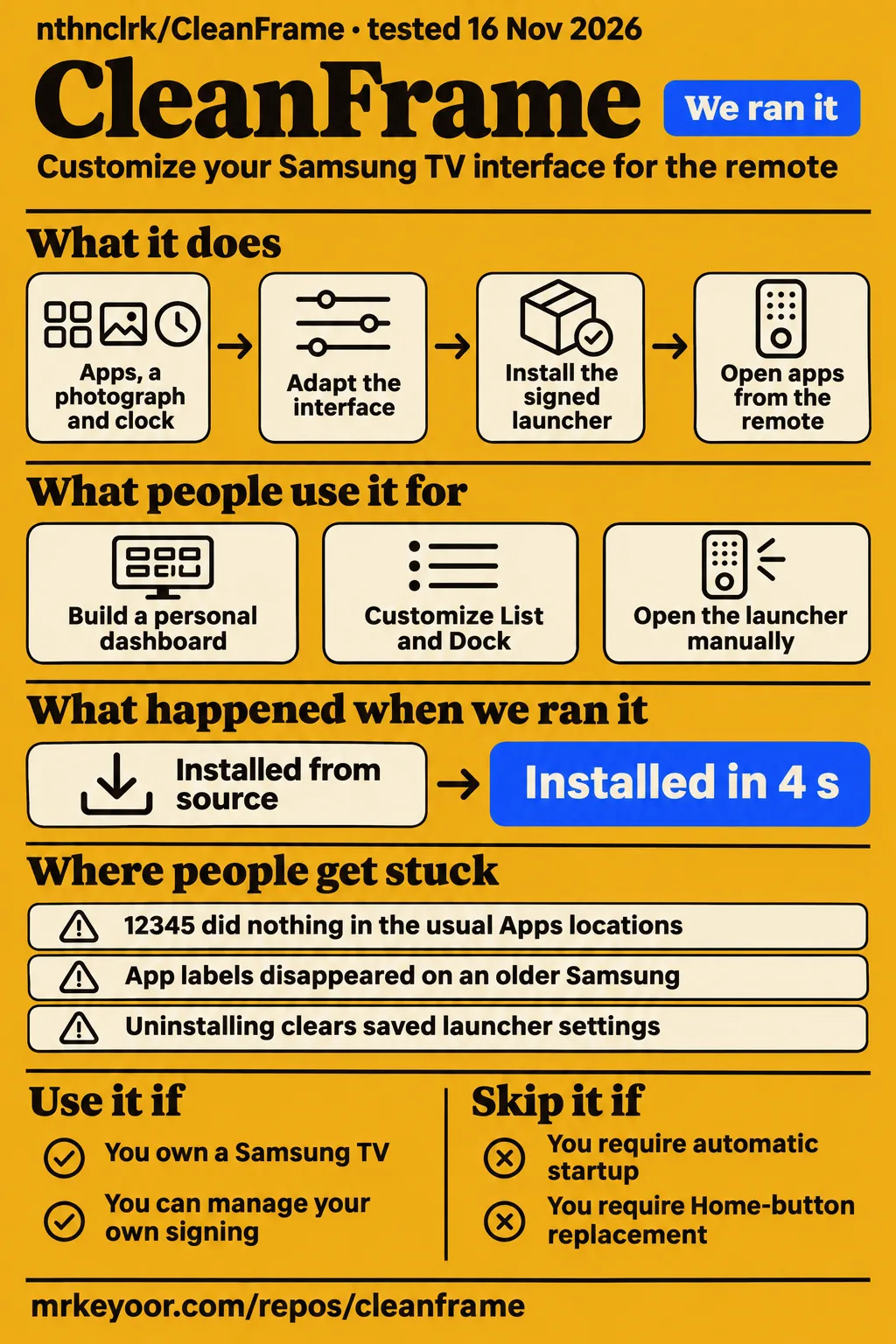
Our run installed CleanFrame's npm dependencies in 4 seconds at commit 845f332. CleanFrame suits Samsung TV owners who want to adapt a launcher and can manage signing and device checks. People who require assured Home-button replacement or automatic startup should choose a different route. The television outcomes below are attributed owner reports, with installation, physical Home routing and startup treated as separate results.
What people use CleanFrame for
CleanFrame puts apps, a photograph and a clock on a Samsung TV interface designed for the remote. The CleanFrame README presents it as a starting point to fork and adapt. Its settings include List and Dock layouts, app ordering, typography and backgrounds. Owners use that starting point in different ways, from opening a signed launcher manually to building a dashboard and separately changing the Home destination.
| Owner and source | Use case | Reported outcome |
|---|---|---|
| Arnaud Etienne, Q70B dashboard account | Personal dashboard on a 2022 Q70B | Home from another app opened his dashboard with a clock, selected apps and console tiles |
| 2022 Frame reporter, issue #27 | Signed launcher with List and Dock | Layouts, focus, Back navigation and saved preferences worked; Samsung Home stayed unchanged |
| Q8F reporter, issue #3 | Locally adapted CleanFrame 0.6.2 | Interface, app launching, remote navigation and saved preferences worked |
| 2018 Frame reporter, issue #17 | Older-TV adaptation | Generated-manifest adjustment and Samsung's official CLI produced an owner-reported working launcher |
Etienne's dashboard worked before he changed Home routing. He then used a separate helper and saved original values off the TV. After that change, pressing Home from another app opened the dashboard. His sequence gives readers two possible stopping points: use the installed interface as an application, or undertake the additional device work needed to change the physical Home destination.
What happened when we ran it
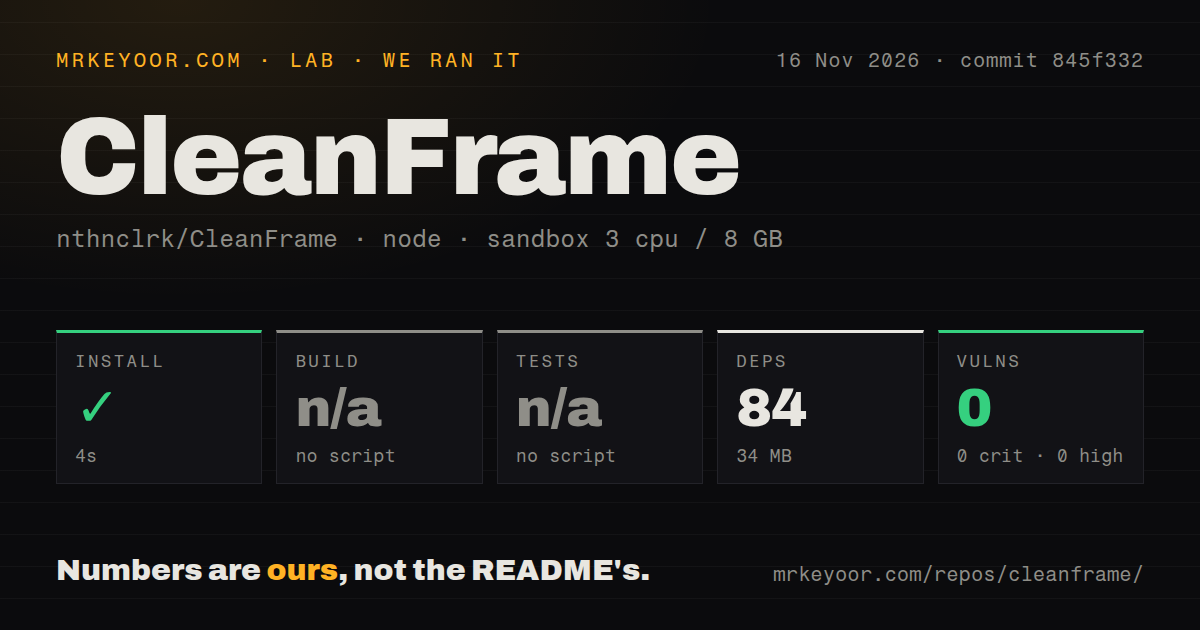
Our sandbox run on 2026-11-16 installed CleanFrame's npm dependencies in 4 seconds at commit 845f332, recording 84 dependencies and 34 MB on disk. The configured environment had 3 CPUs, 8 GB RAM and image label lab-node:22. The checkout contained 217 files, about 5,783 source lines and 20.9 MB of files. These are our repository measurements, separate from the owner-reported television outcomes.
| Recorded repository check | Result |
|---|---|
| npm install | Succeeded in 4 seconds |
| Dependencies | 84 recorded, 34 MB on disk |
| Build | Skipped: no build script or target detected |
| Tests | Skipped: no tests script or target detected |
| npm audit | 0 known vulnerabilities: 0 critical, 0 high, 0 moderate, 0 low |
| Checkout | 217 files, about 5,783 source lines, 20.9 MB |
| Repository signals | 1 CI workflow file, no Dockerfile, no tests directory detected |
The harness recorded skipped build and test steps. The README separately documents source checks, synthetic device-adapter tests and browser checks; those commands are distinct from the checks selected by our harness. The dependency audit reports known advisories for the installed dependencies. Its zero total describes that dependency check rather than the native helper's recovery behavior or the experience of using the launcher on a television.
| Hands-on question or record | Recorded answer | Verdict | Why |
|---|---|---|---|
| Did the safety step permit deployment? | None of compose.yaml, compose.yml, docker-compose.yaml or docker-compose.yml existed | Failed before deployment | The harness required a Compose file and labelled the repository "unsafe repo" for that reason |
| What does the run summary claim? | Deployment with the project's own Docker Compose on 2026-11-16, every port bound to 127.0.0.1 | Conflicts with the safety step | The summary describes deployment after the detailed step stopped for a missing Compose file |
| What teardown result was recorded? | teardown: ok | Recorded as successful | This is the teardown result in the run record |
The failed safety step stopped at a Compose-file requirement, while CleanFrame's documented television route uses Samsung tools and a signed widget. Readers should follow that staged installation route rather than treating this Compose workflow as a CleanFrame deployment recipe. The detailed failure and contradictory summary remain separate results; the teardown entry records cleanup without resolving their disagreement.
Where people get stuck: signing, old browsers and developer access
Owner reports describe signing portability, Developer Mode entry, older-browser CSS and app discovery as distinct obstacles. The staged TV setup guide separates the computer address entered as Host PC IP from the television address used for the developer connection. It also separates package transfer from completed installation and asks for visible launcher checks after the application appears in the installed list.
| Reported obstacle | Response recorded in the evidence | Recorded outcome |
|---|---|---|
| Signing paths and an additional plaintext password file | Issue #6 describes local configuration, existing SDK profiles and stronger credential checks | Maintainer reports resolution through PR #12 |
| 12345 did nothing in the usual Apps locations | Issue #9 records App Settings, the remote's numeric pad, Host PC IP and unplugging for about 60 seconds | Reporter subsequently signed, installed and navigated the launcher |
| Repository SDB installation route failed on a 2018 Frame | Issue #17 records a generated-package manifest adjustment and Samsung's official CLI | Attributed Tizen 4.0 owner experiment |
| App labels disappeared on an older Samsung | tamerica_94's X report attributes zero-width label containers to unsupported inset:0 CSS | Reporter diagnosed the rendering problem through live inspection |
| Installed Prime Video and Apple TV were missing | A commenter on issue #27 describes missing apps alongside Vetro-related difficulties | Comment records an app-discovery problem |
The 2018 Frame owner lowered the manifest requirement from 6.5 to 4.0 in the generated package only and used Samsung's installation tools. Record that package adjustment alongside the installation route when comparing it with another television. A successful transfer, completed installation and visible app launch each answer a different setup question, even when the same sequence of tools handles all three.
Compatibility depends on the flow and the device report
Issue #24 reports working navigation and YouTube launching on GQ65QN85DBTXZG with firmware 2130.0 (T-PTMDDEUC). Its maintainer reply keeps the reference guard unchanged and distinguishes native API and recovery requirements from broad Tizen and CPU labels. The matrix retains each reported model and firmware so readers can compare device details while keeping launcher operation, Home routing and startup in separate columns.
| Reported model and firmware | Launcher and app operation | Physical Home routing | Startup | Recovery-related record |
|---|---|---|---|---|
| QN55LS03BAFXZX, 2022 Frame, Tizen 6.5, ARMv7; firmware not captured, #27 | Signed installation, List, Dock, navigation and preferences worked | Left unchanged | Report concerns installation and launcher behavior | No native change made |
| QA55Q8FAAULXL, Q8F, Tizen 9.0, ARMv7; T-RSLFUABC-0090-1300.9, #3 | Adapted 0.6.2 interface and app launching worked | Owner deliberately avoided native integration | Report concerns launcher behavior | Owner sought a device-specific baseline and independent recovery route |
| UE55LS03N, 2018 Frame, Tizen 4.0, ARMv7; T-KTM2DEUC-1400.2 (BT - S), #17 | Generated-manifest adaptation and official CLI installation worked | Owner experiment concerned the launcher | Owner experiment concerned the launcher | Maintainer retained the owner-experiment classification |
| GQ65QN85DBTXZG, QN85D, Tizen 9.0, ARMv7; 2130.0 (T-PTMDDEUC), #24 | Customized 0.6.2 navigation, six shortcuts and YouTube launching worked | Reference guard stayed unchanged | Last-app autorun worked when CleanFrame was last used | Maintainer separated native support from launcher results |
| GU65TU7079UXZG, 2020, Tizen 5.5, ARMv7; T-KTSU2DEUC-2700.6, #40 | CleanFrame 0.7.0 navigation and installed-app launching worked, including RTL+ | Reporter requested native integration | Power-on autostart failed | Reporter requested a restore option |
| TQ50LS03FAUXXC, 2025 Frame LS03F, Tizen 9.0, ARMv7; T-PTMFDEUC-0090-1301.0, #16 | Another signed launcher installed and ran | Tested developer route was blocked | Power-on assignment was blocked | Maintainer recorded transport separately from CleanFrame UI evidence |
Issue #16 describes another signed launcher, so its row contributes a developer-transport result rather than a CleanFrame installation result. Issue #27 explicitly says the firmware was not captured: the local API returned "Unknown". Those distinctions matter when matching a report to your television. Record the full model, firmware and desired operation together instead of treating a shared model family as the whole compatibility question.
Native Home changes also affect startup settings
The reference helper sets autostart to 1 and handles startup settings, according to the maintainer in issue #21. The owner wanted a Home-only change on a QN55Q60B with firmware T-NKLBAKUC-1710.0. The maintainer's reply says the reference apply command did not fit that goal and that the saved snapshot had become stale after changing the corresponding television setting.
The Q8F owner in issue #3 deliberately stopped at launcher operation while seeking a device-specific baseline and an independent recovery path. Etienne's Q70B account similarly puts querying and saving original values before writing. Decide whether opening the launcher manually meets the household's needs before undertaking the separate work of changing native routing and startup. A working application can be a useful stopping point.
Security and updates use your own signing identity
The release widget is unsigned, and the README directs owners to build with their own SDK-generated identity and certificates. Signing configuration lives in ignored local configuration and can select an existing SDK certificate profile. The earlier signing report in issue #6 explicitly says its authors found no evidence of leaked private keys or passwords in the reviewed source; the report concerns portability and safeguards.
Etienne reports that updates need the same author certificate as the installed application. Uninstalling to get around a certificate mismatch clears saved launcher settings. He also advises keeping the app ID stable because a remapped Home destination points to that identity. The setup guide directs owners to keep certificates and recovery files private and to use a trusted local network for developer access.
CleanFrame vs alternatives
TV Detox targets Android TV, while CleanFrame's instructions target Samsung Tizen. That platform choice comes before layout preferences. The TV Detox README describes a home screen with apps, HDMI inputs and a clock, alongside a cleanup workflow that turns off applications. The LG and Hisense adaptations have separate authors and operating requirements, so each requires its own installation and maintenance decision.
| Alternative | Evidence-backed distinction | When to consider it |
|---|---|---|
| Samsung Smart Hub | Etienne's Q70B account describes replacing its rows with selected apps and console tiles | Keep the existing interface when its behavior meets the household's needs |
| TV Detox | Android TV home screen and application cleanup workflow | Choose an Android implementation for Android TV hardware |
| Unofficial LG webOS port | Port author describes a rooted-TV launcher and one tested 43NANO779PA on webOS 6.5 | Evaluate it as a separate LG project |
| Hisense adaptation | Author requires an always-on home server or NAS | Consider it when maintaining that host is acceptable |
| External SDB watcher | tamerica_94 reports launching the app when the watcher detects the television turning on | Include the additional running device in the setup |
The Hisense author reports working remote navigation and shortcuts for Plex, SBS On Demand and ABC iview. Turning off the host terminates the connection. The LG author reports that LG Home remains the default. These operating differences affect what happens when someone picks up the remote, so compare the required host and Home behavior alongside the interface rather than choosing by the shared CleanFrame name.
What the other reviews get wrong
The Medium account says the dashboard works on any Tizen TV with a little effort. The maintainer instead classifies the Tizen 4.0 result as an owner experiment, and a later issue #27 commenter reports missing installed apps. Etienne's successful Q70B setup supports that particular dashboard and Home-routing outcome. It does not turn the other device reports into universal Tizen compatibility.
The GitHub overview video transcript describes the software as modifying native startup routines. The issue #27 installation report describes signing, installing and using the launcher while leaving Samsung Home untouched. CleanFrame can therefore be used as an installed launcher before any native Home or startup change. Readers interested only in the interface can follow the launcher installation stages and stop there.
FAQ
CleanFrame can open from the physical Home button on Etienne's reported Q70B setup; issue #27 describes a working launcher with Samsung Home unchanged. The distinction answers the recurring Home-button question: installing the application and changing the system's Home destination are separate jobs. The following questions address that decision, browser customization, Developer Mode entry, startup and the unrelated products that share the CleanFrame name.
Can the physical Home button open CleanFrame on my exact Samsung model and firmware?
Etienne reports Home opening his Q70B dashboard, while issue #27 reports a working launcher with Samsung Home unchanged. Start by deciding which outcome you need, then compare your television's model and firmware with the relevant device report. The QN85D discussion records navigation and app launching separately from the request to make Home open CleanFrame instead of Samsung Smart Hub.
Where should I start when building or adapting my own Samsung TV launcher?
The README starts with the public-font browser preview and specifies Node.js 22.13+ on 22 LTS, or 24+, and Python 3.10+. Arrow keys, Enter and Escape operate the preview. Begin with a bounded interface change, such as a layout or typography adjustment, then follow the staged installation guide for the signed television package and visible device checks.
How can I customize CleanFrame's dock, list, fonts and backgrounds?
CleanFrame's Settings provide List and Dock layouts, icon and name choices, typography controls and backgrounds. The README also describes choosing and reordering Home apps and saving preferences locally. For television shortcuts, the setup guide directs owners to discover installed consumer applications and their actual launch IDs. Select the services installed on your television before configuring shortcuts and checking navigation through the chosen set.
How do I enable Developer Mode when the 12345 code does nothing on a 2025 Frame?
The Latin American 2025 Frame reporter in issue #9 entered the code from Home → Apps → App Settings using the remote's numeric pad. After entering Host PC IP, the reporter unplugged for about 60 seconds and subsequently installed and navigated the launcher. The setup guide's Developer Mode stage also places the numeric-pad sequence in App Settings and distinguishes Host PC IP from the TV's address.
Will CleanFrame start when I turn on the TV without a computer or Raspberry Pi?
The GU65TU7079 reporter says power-on autostart failed after enabling Autorun Last App and disabling Autorun Smart Hub. A separate Q60R commenter reports that those settings worked across standby and failed after real power loss. Both reports appear in issue #40. Record standby resume and full power-loss startup separately when deciding whether the reported behavior meets your household's needs.
Is nthnclrk/CleanFrame the same project as the CleanFrame watermark remover or AI video tools?
nthnclrk/CleanFrame is the Samsung TV home-screen repository. The separately supplied CleanFrame watermark product describes video inpainting. Use the repository owner and Samsung TV platform when looking for installation instructions. That identifies the software covered here and directs readers to its signing, preview and remote-control documentation rather than instructions for a video tool with the same name.
What we have not tested yet
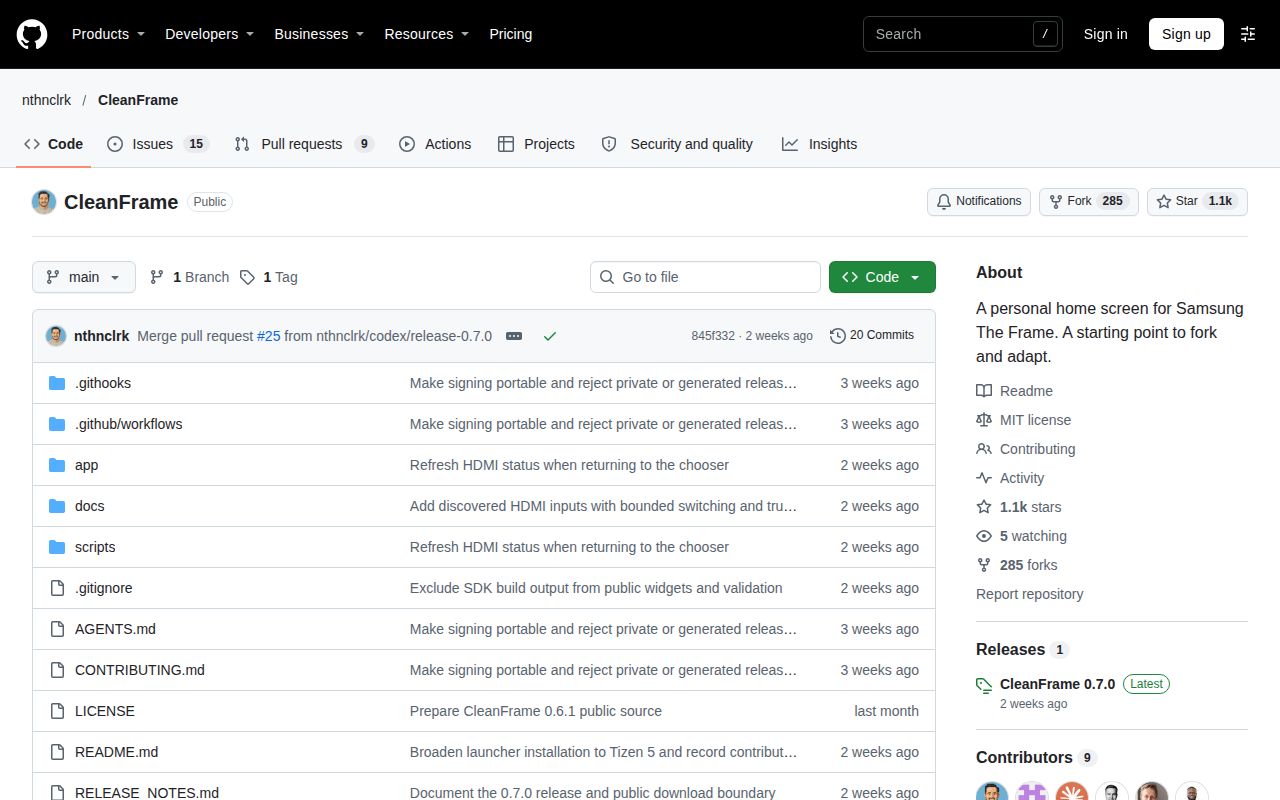
Our 4-second dependency installation provides no basis for estimating TV setup time or confirming launcher operation. Our completed measurement covers dependency installation and audit at commit 845f332, identified with v0.7.0 on the supplied release page. We did not run the preview, a signed widget or a physical Samsung TV. The image label supplies no actual runtime or operating-system version, and the conflicting Compose summary supplies no completed deployment evidence.
The hands-on attempt includes no screenshot records or measured remote-response time, TV memory use, app-launch latency, Art Mode result or long-term reliability result. Owner reports remain attributed observations; our lab has not reproduced their app discovery, Home routing, startup or restoration. The native helper cannot restore empty or missing originals and uses the same transport for apply and restore. The Q8F and LS03B discussions provide no independently confirmed recovery route.
Issue #21 provides no confirmed UID 901 route for that exact Q60B board and firmware. The Tizen 4.0 adaptation remains an owner experiment beneath the published Tizen 5.0 installation target. The missing-app comment and older-browser CSS diagnosis include no resolution. The S95B thread contains no identifiable CleanFrame device test. The video supplies walkthrough evidence, while the unrelated Facebook extract and unidentifiable Bilibili results add no TV findings.
The ports need separate evaluations. The LG author says uninstalling leaves a configuration file containing a Home Assistant token and points to removal instructions. Our lab has not checked that cleanup, root requirements, network exposure or Hisense host availability. Rendered layout, related links, recommendation modules and template content also remain outside this text review. A useful next device record would separate installation, navigation, app discovery, Home from a streaming app, standby, full power loss and restoration.