Short answer: the source passed, the desktop trial stopped at apt
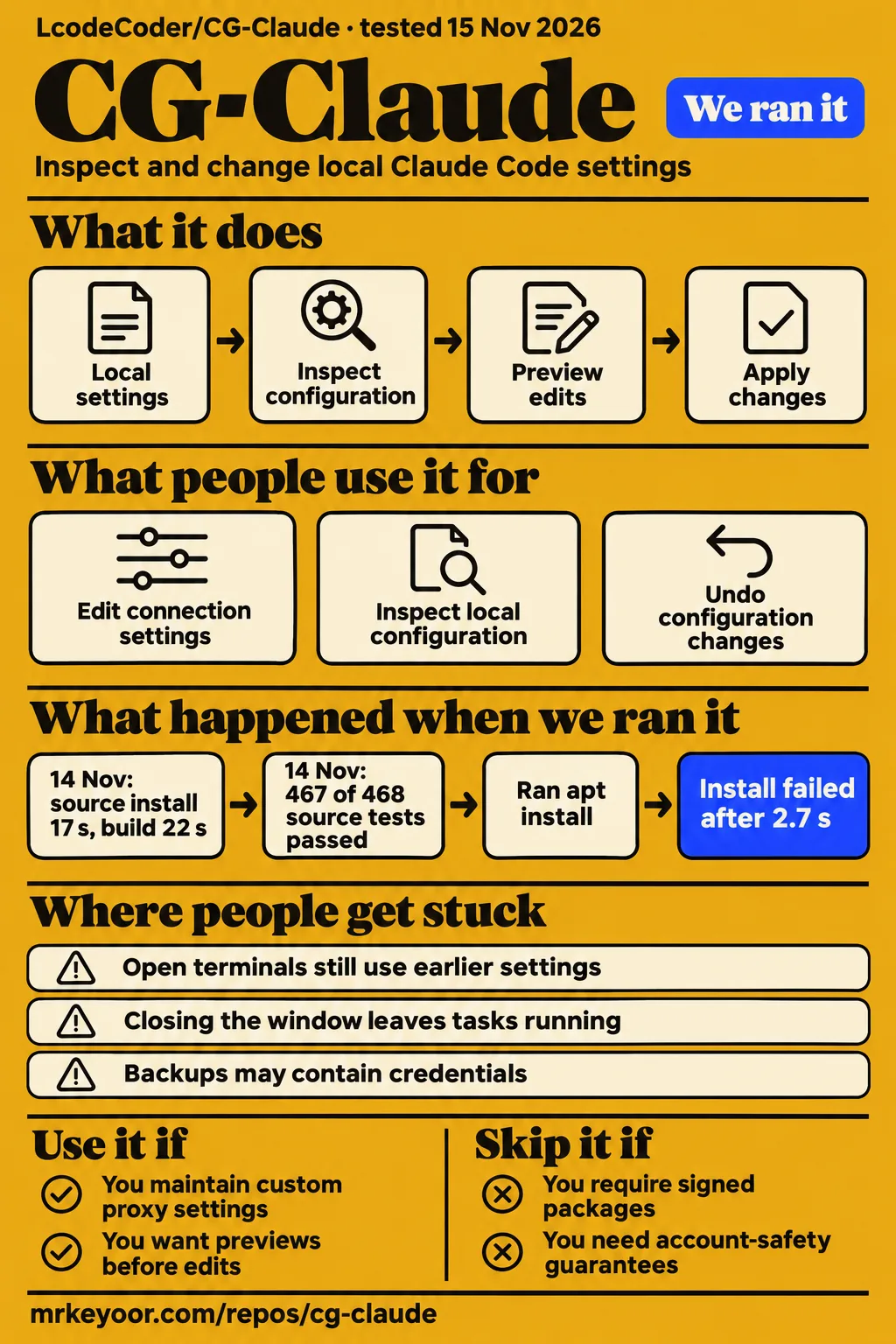
Our sandbox run passed 467 tests with zero failures, while a separate attempt to install the Debian package stopped before the app opened. Use CG Claude if you maintain your own Claude Code configuration and want a desktop place to inspect proposed changes. Skip it if you need signed installers, automatic translation inside Claude Code, or a tool that guarantees your account is safe. Those boundaries matter more than the green test result.
LcodeCoder's CG Claude puts time zones, terminal variables, browser settings and Claude Code configuration in one workspace. The project starts with a Chinese README and provides a separate English README. Its most useful documented design choice is the order of operations: inspect, preview, back up, apply, then restore if needed. That's a sensible approach for software that can touch the configuration you already depend on. English README
What people use CG-Claude for
The maintainer documents local configuration checks and repairs; the research records contain no attributable customer deployment of LcodeCoder/CG-Claude. Treat the following as documented uses to evaluate, rather than stories of teams already getting results. The distinction is especially useful here because several unrelated projects have similar names.
| Job | What the maintainer documents | When it helps |
|---|---|---|
| Investigate conflicting environment settings | Checks for system time zone, terminal environment, browser settings and Claude Code configuration | You want evidence about the setting before changing it |
| Edit connection configuration | Controls for proxy, API endpoint, NO_PROXY and extra CA paths | You maintain a custom connection setup and want a preview of edits |
| Inspect a local project's configuration | Read-only checks of permissions, hooks, MCP, TLS, credential declarations and lock files | You want configuration inspection without executing project scripts |
| Undo configuration changes | Backups of individual changes and full configuration snapshots | You need a recovery path after an edit |
Each row comes from the maintainer's feature description, not a workload completed in our sandbox. The project scan is particularly easy to overread. Seeing MCP and credentials in its checklist doesn't turn it into a full security audit. The README explicitly sends source auditing and dependency vulnerability analysis to separate tools.
The translation page has a narrower purpose than its name suggests. The README describes configuring an OpenAI-compatible or Anthropic endpoint and sending fixed Chinese-English translation samples. Native Claude Code sessions are not connected to the translation feature. Someone wanting every terminal conversation translated should walk away here; a successful sample request would answer a different need.
What happened when we ran it
Our November 15 Debian-package attempt failed after 2.7 seconds with apt exit 100; it never reached a desktop task. The run used commit 2e9d7f97b287 in a fresh debian:bookworm container with 2 CPUs and 4 GB RAM, no published ports and no secrets. Root was used inside that container for apt. The recipe was named quickstart-cli, despite choosing a desktop-package installation route. Run record · Failed step
| November 15 hands-on step | Recorded result |
|---|---|
| Clone | Completed in 2 seconds |
| Install | Failed in 2.7 seconds, exit 100 |
| Error | E: Unsupported file ./CG-Claude-1.2.8-linux-amd64.deb given on commandline |
| Teardown | OK |
The attempt ran apt-get update && apt-get install -y ./CG-Claude-1.2.8-linux-amd64.deb. Apt rejected that local file argument. The record stops there, before a window, scan or configuration edit. It doesn't show enough to diagnose why apt rejected the file. Calling this a broken Linux application would go beyond the error. Install finding · Clone · Teardown
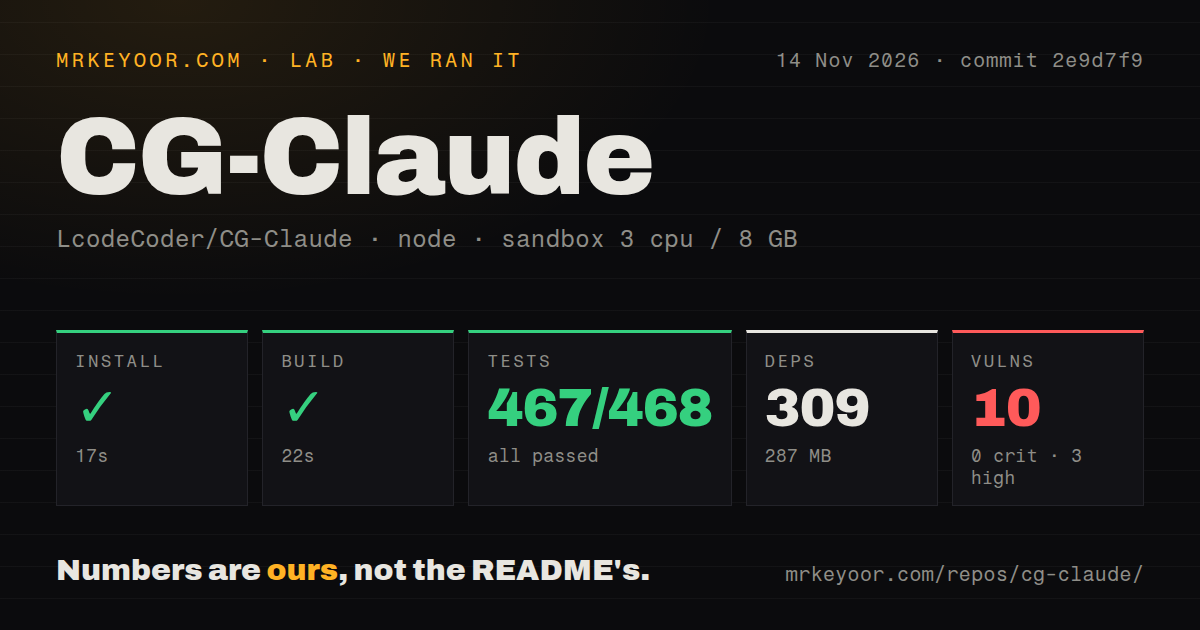
The source-check run on November 14 had a different outcome. At commit 2e9d7f9, npm installation succeeded in 17 seconds, the build succeeded in 22 seconds and tests succeeded in 23 seconds. Vitest reported 467 passed, zero failed and one skipped out of 468. That earns the source tree a useful result for a developer considering changes, without answering the desktop-installation question.
| November 14 source check | Our recorded result |
|---|---|
| npm install step | Succeeded in 17 seconds |
| Dependency record | 309 dependencies, 287 MB on disk |
| Build | Succeeded in 22 seconds |
| Tests | Succeeded in 23 seconds; 467 passed, 0 failed, 1 skipped of 468 |
| npm audit | 10 known vulnerabilities: 3 high, 7 moderate, 0 critical, 0 low |
That sandbox was configured with 3 CPUs, 8 GB RAM and image label lab-node:22. The checkout contained 281 files, approximately 28,512 source lines and 3.8 MB. Our scan found two CI workflow files and a tests directory, with no Dockerfile. The image label identifies the configured image, not the actual Node or operating-system version. The dependency footprint is also a source-environment observation, not the size of an installed desktop application.
Where people get stuck: an edit may need a new session
The README says changing startup files does not update terminals that are already open. Reopen the terminal and Claude Code after the configuration flow, then scan again. Otherwise, you can compare a newly written file against a process that still carries the previous environment and draw the wrong conclusion about whether the change worked. Getting started and scan scope
The same separation applies to browsers. Sampling in CG Claude's built-in window represents that window. An external Chrome, Edge, Firefox or Safari used for sign-in needs its own profile check or the documented manual steps. A green result in the embedded window shouldn't settle a question about a different browser profile.
| Symptom or decision | What the documentation supports doing |
|---|---|
| Terminal still reflects an earlier setting | Reopen the terminal and Claude Code, then rescan |
| External browser differs from the built-in window | Check the relevant external profile separately |
| A configuration workflow finishes with items left | Read its remaining manual checklist |
| You want the app completely stopped | Use Quit CG Claude in the tray or menu-bar icon menu |
| Browser service and desktop app conflict over records | Use separate record directories; the README forbids sharing one concurrently |
This is a documentation-based fix map, not a tally of community complaints. The workflow itself can continue after a node has exhausted its retries, so completion deserves a look at individual results. Closing the window also leaves scans and configuration tasks running in the tray. For a tool that changes local settings, those are practical details to learn before pressing the setup button.
Backups can preserve credentials as well as settings
The README warns that backups and snapshots may contain credentials from the original configuration. Records live under ~/.claude-guard/ by default. Hiding keys in the interface doesn't make those saved files safe to share. Keep that directory out of a public support attachment, and inspect a report before sending it to someone else. Data scope
The documented defaults deserve credit: local scans read configuration, project scans don't execute project scripts, and automatic writes come after a preview and confirmation. Exported reports hide IP addresses and host names by default. Public-egress checks, translation requests and version checks are separate actions that contact an exit-lookup service, your configured model provider and GitHub respectively.
Those protections address different risks from npm audit's findings. Our source run reported 10 known vulnerabilities, including three high and seven moderate. The supplied summary gives no affected-package list or reachability analysis. It would be premature to prescribe a package upgrade or claim a desktop exploit from that count. Ask for the advisory details before deciding which fixes matter for your use.
Account safety is a separate boundary the maintainer states plainly: environment checks do not infer account status or guarantee account security. Regional availability, signed-in devices, billing and account questions require manual review. I would use configuration evidence to investigate a mismatch, and keep account decisions with the service's actual rules and account controls.
English documentation exists; installer signatures are a separate concern
CG Claude has an English README and a documented English interface, with non-Chinese environments defaulting to English on first launch. The first-run choice follows LANG and LC_* locale settings. That's enough to give an English-speaking reader a documented entry point, even though the main README and much of the surrounding material are Chinese. Language and installation notes
The README labels its screenshots as the 1.2.7 macOS desktop build using isolated demo data. Configuration writes in that demonstration target a temporary directory, and the system time zone is simulated. Those pictures illustrate the interface; they aren't pictures from our failed Debian attempt or proof of a successful change to a real system.
The installer caveats are concrete. The maintainer says macOS packages lack signing and notarization, the Windows installer lacks a publisher signature, and Windows/Linux desktop interaction has not been checked on real hardware. An organization whose deployment rules require signed packages has a straightforward reason to skip this release, regardless of whether the interface language fits.
A recent push and 236 stars don't measure support
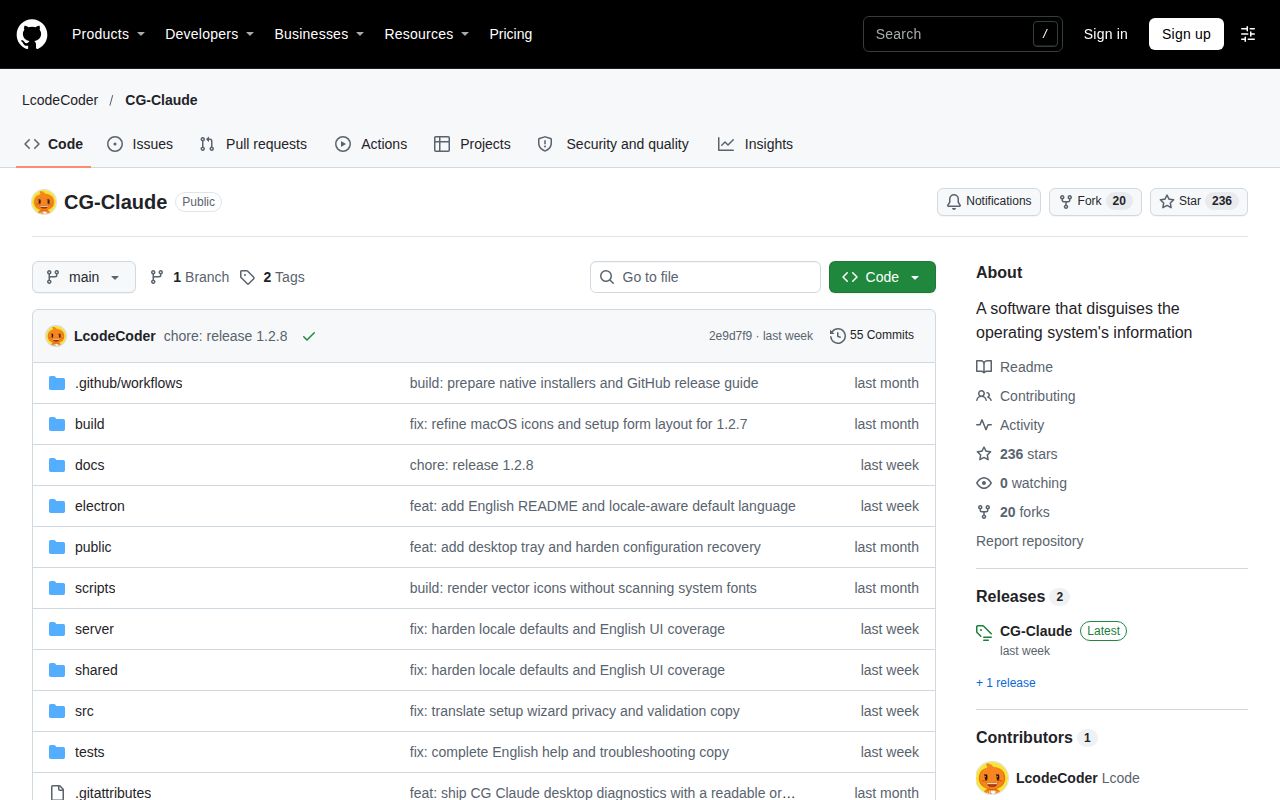
GitHub's public metadata recorded 236 stars and a last push on November 8, 2026. Its combined open-issues-and-PRs count was zero when checked on November 15. The latest-release endpoint returned v1.2.8, published November 8. These are dated repository facts, not evidence of installed users or a response-time commitment. Repository metadata · Release metadata
The README points people to GitHub Issues and the LINUX DO community. The supplied social search instead includes cgtwts discussing Simular's Box, and the Bilibili results include unrelated Claude videos. None is a customer account of CG Claude repairing a local environment. Treating those posts as adoption would attach another product's audience to this one. X search record · Bilibili search record
Our scores separate documented coverage from missing operating evidence. Documentation receives 4/5 on this narrow rubric: 1 means no usable instructions, 2 means a basic start, 3 covers the main workflow, 4 also explains recovery and data boundaries, and 5 adds independently demonstrated coverage of the documented routes. The README earns 4 through its previews, restore flow, data warnings and platform caveats. Setup ease, community support and desktop maturity are N/A: source checks alone don't supply the evidence needed to rate those experiences.
CG-Claude vs CC Switch and LC-time
CC Switch is the more relevant candidate for provider management, while LC-time is the narrower candidate for browser time-zone settings. This is a comparison of documented purposes, not a speed or reliability contest. The research synthesis supplied no comparison involving LcodeCoder/CG-Claude, so the table uses the projects' own READMEs instead of borrowing a winner from an unrelated Claude comparison.
| Project | Documented focus | Choose it for |
|---|---|---|
| CG Claude | Local environment checks, configuration previews and snapshots | Inspecting settings across the terminal, browser and Claude Code |
| CC Switch | API provider switching and management of MCP, skills and prompts | Managing provider choices and agent configuration |
| LC-time | A browser time-zone extension with a time display and time-zone controls | A browser-focused task without the broader desktop workspace |
CC Switch's README describes switching API providers and managing MCP, skills and prompts in one place. That's a closer match if your recurring job is selecting providers. LC-time's README describes a browser time-zone extension with a live clock and controls for choosing a zone or using the current IP's zone. CG Claude links to that extension separately, which helps explain where its desktop workspace ends and an external browser tool begins.
Choose the smallest scope that covers the setting you need to change. Adding a desktop configuration workspace makes sense when several environment layers need inspection together. If one browser setting is the whole job, evaluate the extension directly. Run any candidate against your own configuration before letting it write to the files you use every day.
What the other reviews get wrong
The supplied search results mix several separate Claude projects; their names don't make their features interchangeable. The Chrome Web Store's CG - Claude on google listing advertises Claude answers beside Google searches. That listing's free-query promise belongs to that extension. It says nothing about LcodeCoder's desktop tool or the cost of a model endpoint you configure. Store listing record
The ComplianceGenie workspace-plugin repository describes a private marketplace for Claude Code plugins. Claude Cache Guard describes a usage guard and session handoff. Both are different from CG Claude's environment checks. The distinction matters when a search result offers a command that looks relevant: a plugin-marketplace command won't install this desktop application. ComplianceGenie record · Cache Guard record
The social and video material needs the same filter. The supplied YouTube record for FxTgJ_ryh5g opens on SaaS products, and the CG Python Academy post describes trying Claude and ChatGPT for Blender. Neither documents this repository in use. They provide no basis for inventing a CG Claude user complaint, walkthrough outcome or comparison score. There is no named target-project review here whose technical conclusion we can responsibly overturn. Video record · Blender post
Questions people ask
CG Claude's source route requires Node.js 22.12 or later; the packaged desktop application does not require a separate Node installation. These first-time-user questions come from the installation and scope decisions in the README, because the supplied search records contain no attributable questions about LcodeCoder/CG-Claude. Requirements
How do I install CG Claude?
The README offers platform-specific Release downloads or a source route using npm ci followed by npm run desktop. Choose the asset matching your operating system and CPU architecture, then check it against the release's SHA256SUMS.txt. Downloading an installer is a separate step from cloning source; the README says binary artifacts aren't committed to the repository. Installation instructions
Does CG Claude require Node.js?
Source startup requires Node.js 22.12 or later, while the desktop build bundles what it needs. That distinction lets someone trying the application avoid setting up a development runtime. Our npm dependency footprint describes the source route and should not be presented as a universal desktop requirement. Source and desktop requirements
Does CG Claude translate native Claude Code sessions?
No. The README says its translation feature is not connected to native Claude Code sessions. Its sample tests use a configured OpenAI-compatible or Anthropic endpoint. If native conversation translation is the reason you're choosing a tool, this feature doesn't satisfy that requirement. Translation scope
What we have not tested yet
Our evidence stops at successful source checks and the failed apt step; it contains no completed desktop workflow. We have not tested scan accuracy against deliberately conflicting settings, real configuration writes, restore after subsequent edits, external browser profiles, tray behavior, or English rendering on a running application. The package failure needs a fresh attempt with the downloaded asset and full file-validation logs before assigning a cause.
The source sandbox's actual runtime versions require raw toolchain logs. The audit summary needs advisory-level inspection, and no measured memory use, sustained workload, model quality, provider cost or comparison benchmark accompanies these records. The API's empty license field also leaves redistribution permissions unresolved here; an accessible repository alone doesn't settle them. Community responsiveness and operating-system compatibility need direct evidence beyond a recent push.
The next useful result is one reversible configuration edit and its restoration on a supported desktop, recorded from preview through a new terminal session. Until that loop is demonstrated, the passing source suite is a reason to investigate CG Claude, not permission to trust it with your everyday configuration.