A private PDF counter for the whole office
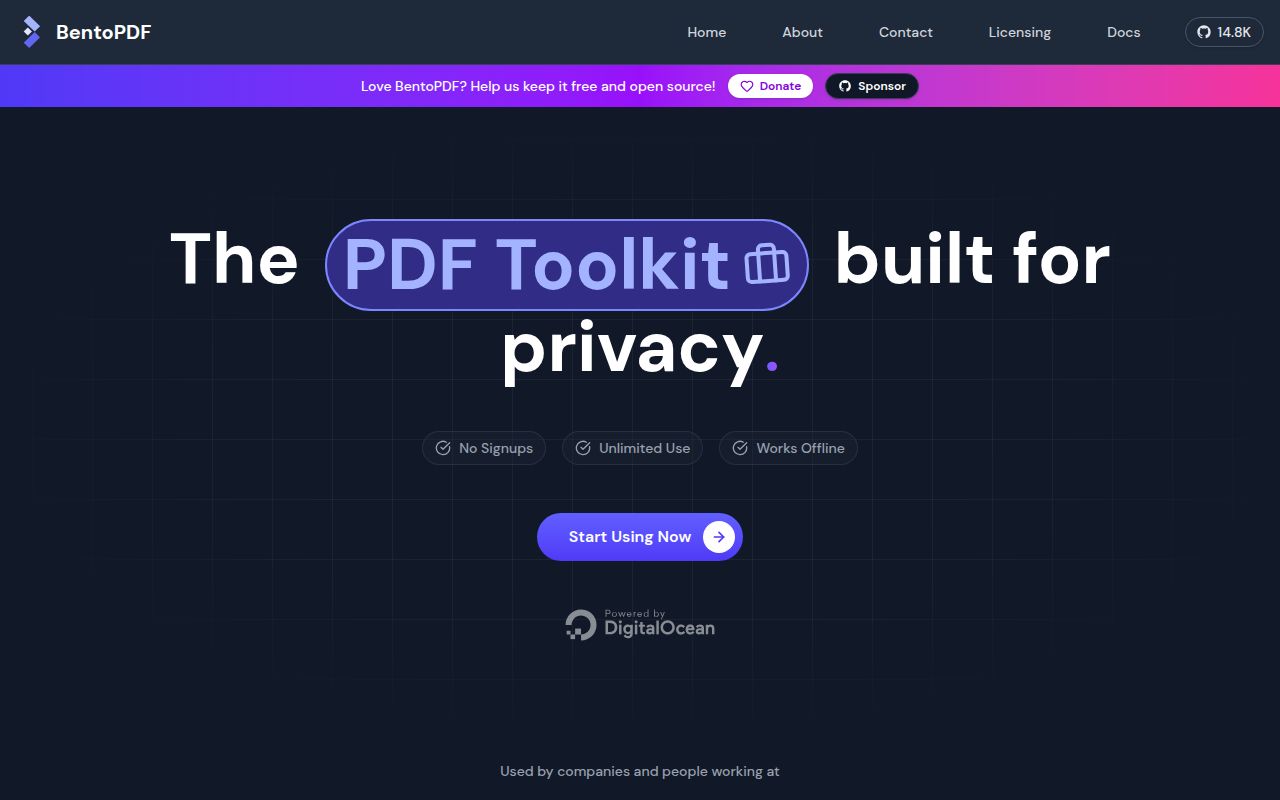
BentoPDF puts a large menu of PDF operations behind a web page while keeping document processing in the browser. It can merge, split, reorder, crop, annotate, redact, fill forms, run OCR, convert office and image formats, manage bookmarks, compare documents, and build repeatable workflows. The server mostly delivers static assets. A file does not need to travel to a PDF-processing backend for the normal tool path.
That architecture is the main reason to choose it. An organization can host one internal URL and give nontechnical staff a familiar upload-and-download interface without creating a central pile of sensitive documents. The self-hosted image contains the same PDF tools as the public-facing build; it removes marketing sections rather than capabilities. Administrators can also disable selected tools through build arguments or runtime configuration.
The privacy claim needs a little precision. Several advanced engines arrive as WebAssembly, and the default production configuration points browsers to jsDelivr for PyMuPDF, Ghostscript, and CoherentPDF assets. The full marketing build can fetch the repository's star count unless that feature is disabled, while Simple Mode skips it. Those requests do not upload the user's PDF. A strict network policy should host all assets locally and inspect the browser's outbound traffic.
What happened when we ran it
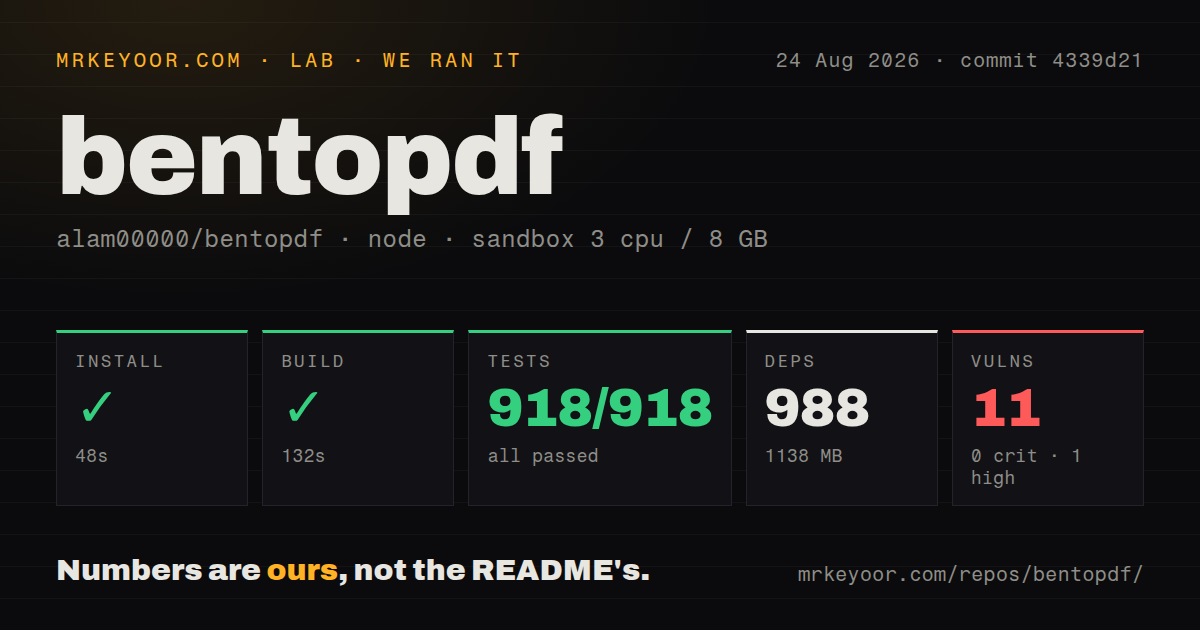
We cloned commit 4339d21 into a fresh Debian container with Node 22, 3 CPUs, 8 GB of RAM, no secrets, and no elevated privileges. The checkout had 1,680 files, roughly 295,361 lines of source, and occupied 181.8 MB. Installation succeeded in 48 seconds. It added 988 packages and took 1,138 MB on disk, which is a substantial development footprint for an application ultimately served as web assets.
The build succeeded in 132 seconds. Vitest completed in 25 seconds with 918 passing tests and no failures. The repository has nine CI workflow files, a Dockerfile, and a compose file. It does not have a top-level tests directory, so the green result matters more than judging test presence from folder layout.
The weak spot in our run was dependency health. npm reported 11 known vulnerabilities: 1 high, 4 moderate, and 6 low. That does not prove an exploitable path in a deployed static build. An operator still needs to triage the findings before approving the image or source build. BentoPDF's latest release specifically addressed earlier security advisories, which shows the maintainer responds to verified reports; it does not make the current audit output disappear.
The easy deployment and the real deployment
For an internal trial, the recommended container is sensible: expose the included nginx service and open it in a browser. A release archive can also be served from an ordinary static host. Source builders get several compression modes, custom branding, language selection, base-path configuration, and a switch between CDN-backed and local WASM assets.
Office conversion is where a basic static site becomes infrastructure work. LibreOffice WASM uses SharedArrayBuffer, so anything outside localhost needs HTTPS and cross-origin isolation headers. An open issue describes Word conversion timing out behind an Nginx HTTPS proxy even though the browser reported a secure, isolated context. The report does not establish one universal cause. Test the actual proxy, browser, and documents your users will have.
Air-gapped deployment uses a preparation script that gathers the container, PDF engines, OCR language data, and fonts on an internet-connected machine. The default page is not ready for a first offline visit. Issue 830 reports that the service worker precaches no critical assets, so a fresh browser can fail after going offline before it has processed a PDF. Use the prepared bundle and verify a cold browser profile with the network disconnected.
Digital signing has another external edge. Some certificate chains require issuer data from servers that do not permit browser CORS requests. BentoPDF documents a Cloudflare Worker proxy for that case. Self-signed certificates may avoid it, but a company PKI should be tested before users are told that signing is entirely self-contained.
Breadth creates uneven edges
A toolbox this wide will not give every operation the same depth. Issue 829 reproduces PDF-to-TIFF exhausting WASM memory on a valid multi-page file while another conversion path accepts the same document. The visible error blames possible file corruption even though the console reports memory exhaustion. Users handling scans or large documents need representative fixtures and a fallback application.
Signed files deserve even stricter checks. One report says merging can remove a signature, and another says the validation tool reports no signatures on a signed PDF. A green application test suite cannot certify every real-world PDF producer, signature profile, font, or malformed object tree. For legal documents, compare the output in a second validator and retain the untouched original.
Subpath deployments also have a current rough edge. Issue 820 says the build-time canonical audit ignores BASE_URL, causing a documented GitHub Pages-style build to fail when hosted below the domain root. Root-hosted containers avoid that exact path, but organizations mounting BentoPDF under an existing portal should reproduce their release build early.
Licensing and the decision
The repository is AGPL-3.0, with a separate commercial license for closed-source use. An internal unmodified deployment and a branded proprietary service are not the same licensing decision. Teams planning to change the application or embed it in a product should review the published license terms before writing integrations.
BentoPDF is easiest to recommend as an internal service for common PDF jobs. It has unusually broad browser-side capability, good deployment documentation, and our build plus all 918 tests passed. Keep the recommendation scoped: large conversions, offline-first use, Office WASM, and signatures need their own acceptance tests. If those paths are central and a server-side processor is acceptable, Stirling PDF or a narrower API may be the safer fit.