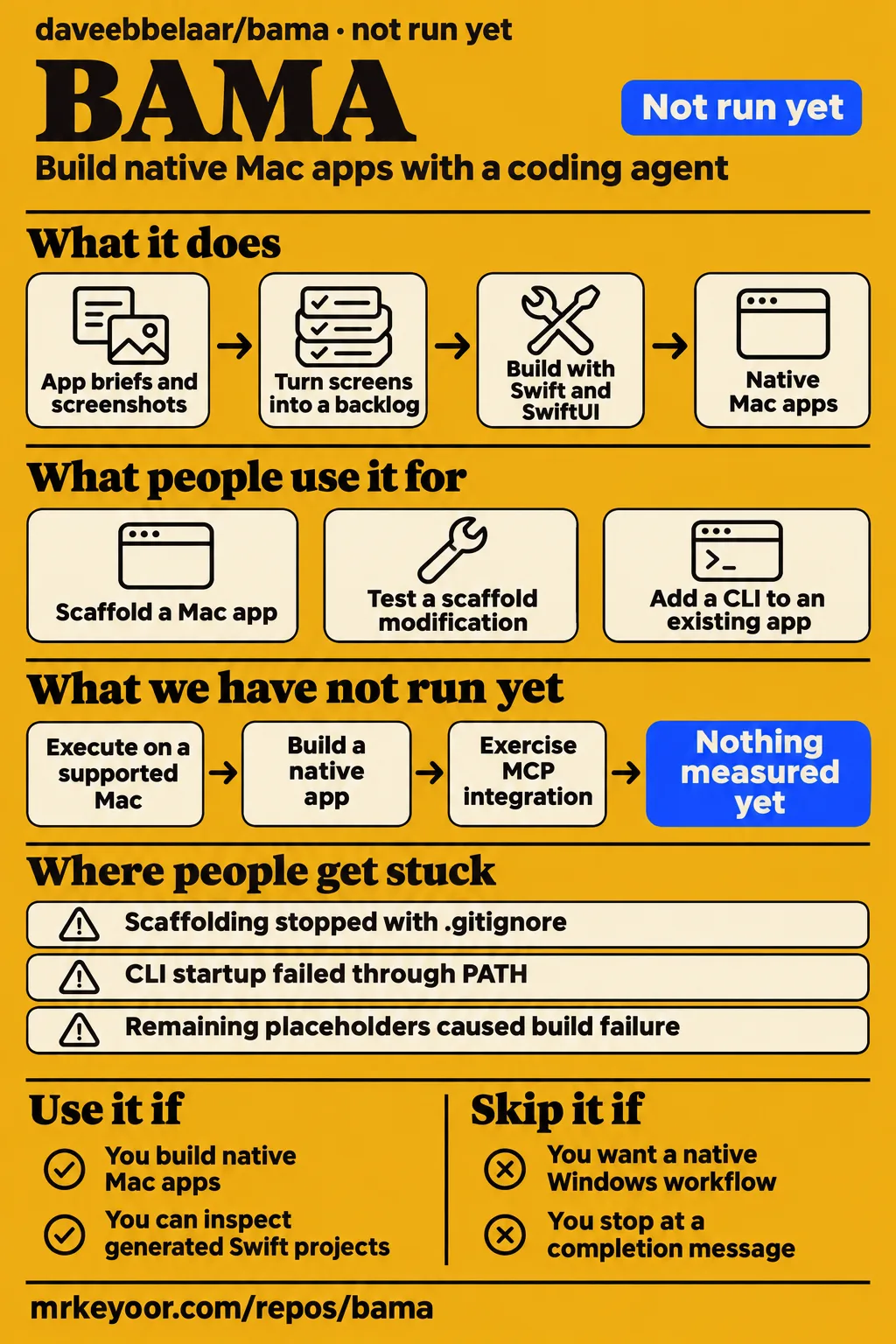
BAMA gives a coding agent a workflow for building native Mac apps with Swift and SwiftUI. The most useful lesson in its sampled issue history is about acceptance: a scaffold completion message and a successful CLI call can each conceal a different problem. The reports also have resolution history. Issues #2 and #4 were closed as completed on October 29, 2026, and #7 followed on November 5. That makes them historical failure modes to turn into checks, rather than a reason to assume every new project needs the reporters' patches.
What people use bama for
Three supplied issue reports describe developers scaffolding a Mac app, testing a scaffold modification and adding a CLI to an existing app. These concrete tasks make a useful starting point for choosing your own first project. They also distinguish different meanings of success: preserving an existing brief, producing a buildable Swift package and letting a shell command find the right app are separate outcomes. Each deserves its own acceptance check.
| Who used it | What they tried | Reported outcome |
|---|---|---|
| The reporter of issue #4 | Added the agent-cli template and compared invocation methods | Full-path invocation worked; PATH invocation failed to start the app and returned the wrong version. |
| The reporter of issue #2 | Tested a scaffold modification in new folders and existing Git repositories | Their modified script produced one commit, resolved placeholders, preserved the brief and avoided duplicate ignore rules. |
| The reporter of issue #7 | Generated a Demo project and attempted a Swift package build | Remaining template placeholders caused the package build to fail. |
The BAMA README describes broader starting points: turn screenshots into user stories, begin with an app brief, or choose a small utility specification. Its specifications include a window snapper, launcher, clipboard history and screen capture tools. For a first task, choose a utility whose main interaction you can describe clearly. That keeps the acceptance decision concrete: the generated app must perform the chosen task, rather than merely resemble a reference screenshot.
What happened when we ran it
Our run at commit 22dc792 recorded NOT RUN because the harness did not support Swift and found no Dockerfile. The November 18, 2026 sandbox allocation was 3 CPUs and 8 GB RAM. The practical outcome was a stopped evaluation before app execution, so the next useful step is a supported Mac toolchain rather than another attempt to treat this checkout as a containerized service. The later Compose attempt reached a similarly concrete prerequisite failure.
| Question | Answer | Verdict | Why |
|---|---|---|---|
| Did the November 18 harness run BAMA at commit 22dc792? | NOT RUN. | Stopped before execution. | Swift was outside the supported ecosystems and no Dockerfile existed. |
| Did the November 19 attempt satisfy its safety prerequisite? | No; the safety step recorded FAILED. | Prerequisite failed. | None of compose.yaml, compose.yml, docker-compose.yaml or docker-compose.yml existed. |
| Does the November 19 summary agree with the step record? | No; it says deployed with its own docker compose. | Conflicting records. | The detailed step records the missing Compose prerequisite. |
| Was teardown recorded? | Yes; teardown: ok. | Cleanup recorded. | The teardown record explicitly reports that outcome. |
The November 19 safety step uses the label "unsafe repo" for its missing-Compose rule. Its failure is a packaging prerequisite in this runner. The run summary also says every port was bound to 127.0.0.1, but its deployment wording conflicts with that failed step. Reading the records together, the supported outcome is the failed prerequisite and the separately recorded successful teardown.
Where people get stuck: scaffolding and PATH invocation
Issues #2, #4 and #7 describe different failures, and all three were closed as completed in linked pull requests. The distinction matters when reading troubleshooting advice: the reports explain symptoms and checks, while the activity history records a maintainer resolution. A developer assessing BAMA should carry those checks into a new project instead of automatically applying an old proposed repair. The table keeps the reported recovery and the recorded closure together.
| Historical symptom and source | Reported explanation and recovery | Recorded resolution |
|---|---|---|
| #2: scaffolding stops with an existing .gitignore | The reporter attributed the stop to cp -n returning status 1 when skipping an existing file; their tested modification used rsync --ignore-existing and merged ignore rules. | Issue #2 was closed as completed in #5 on October 29, 2026. |
| #4: CLI startup and version fail through PATH | The reporter traced bundle discovery to the invocation name, reported full-path invocation working and proposed executable-path resolution through _NSGetExecutablePath. | Issue #4 was closed as completed in #6 on October 29, 2026. |
| #7: scaffold retains template placeholders | The reporter attributed missed substitution to grep portability and proposed separate -e patterns or find-driven substitution. | Issue #7 was closed as completed in #15 on November 5, 2026. |
Issue #2 describes an interrupted copy leaving target directories unrenamed, placeholders unfilled, no commit and no completion message. A retry then failed because Package.swift already existed. Issue #7 describes a different sequence: the script printed completion and committed, but placeholders remained and the package failed to build. Its reproduction includes a target-location error for __APP_NAME__Kit; its proposed find approach also addresses an empty-filename sed error. These reports make partial output worth inspecting before a retry.
Why one CLI check can conceal another failure
The issue #4 reporter saw version dev through PATH and 0.1 by full path. That contrast makes the acceptance problem easy to understand: the same generated CLI could appear to work under the checker's invocation method while ordinary shell use returned a different result. The issue #4 report says check-agent-cli.sh takes a full path, so it misses the reported PATH invocation mode. A passing check must therefore be read alongside the way the command was invoked.
The reporter also describes startup failing when the app was stopped. Their explanation is that bundle discovery began with CommandLine.arguments[0]; an invocation name resolved against the current directory, and the resulting path failed to locate the app bundle. For a generated CLI, compare version output by name and by full path, then try startup with the app stopped. Those are recommended acceptance steps drawn from the report. They test the intended shell workflow more directly than repeating one successful absolute-path command.
The first milestone should prove the generated app works
BAMA's README describes one story per commit, with snapshots in light and dark mode and tests before each commit. Use that documented sequence to make the first milestone small and inspectable. For a utility, start with a launchable window and its main interaction, adding local persistence when the chosen task requires it. A narrow milestone lets you inspect the generated code and compare its behavior with the app brief before a larger backlog accumulates.
For scaffolding, inspect the app name, bundle identifier, package targets and source directories. In an existing repository, compare docs/BRIEF.md and .gitignore before and after generation. These checks follow the specific symptoms in issues #2 and #7: an interrupted script can leave partial output, while a completion message can accompany unresolved placeholders. Preserve a recoverable copy of existing project files so that deciding between repair and regeneration does not depend on reconstructing the brief afterward.
BAMA's performance skill description says "Measure, then fix" and names the main thread, GPU compositing, images and command-line Instruments. That gives a later milestone a different job from the first build: assess the app under its intended workload. A clipboard utility needs its history interaction checked; a screen recorder needs its recording task checked. Screenshots serve the layout review, while the chosen utility's behavior supplies the functional acceptance criteria.
Security starts with reviewing the agent's commands
BAMA's README lists screen capture, window control, global hotkeys, CLI integration and permissions among its OS integration topics. A generated app should request capabilities that match its task, so review the selected scripts and generated changes in that context. A window snapper and a clipboard utility have different jobs even when the same agent workflow builds both. Start in a disposable project directory and keep changes only after reading what the agent generated.
The existing-file report makes this advice practical rather than abstract: scaffolding can operate in a directory that already contains Git metadata, an ignore file and a brief. Review file-copy behavior before running a proposed repair against work you value. The Deduped BAMA overview similarly tells readers to review commands and explicitly says it does not own, audit or vouch for the project. Its advice is a useful prompt to inspect the actual operation being requested.
BAMA vs SwiftUI Pro and SwiftUI Expert
BAMA documents a workflow from app planning through shipping checks, while SwiftUI Pro and SwiftUI Expert describe focused SwiftUI guidance. Choose by the task you have now: creating a project and turning screens into a backlog calls for a different starting point from reviewing state ownership in an existing view. The following comparison uses each project's documented scope and gives a reason to select it, rather than assigning a performance ranking.
| Project | Documented focus | Choose it when |
|---|---|---|
| BAMA | App briefs, screenshot research, user stories, scaffolding, coding and shipping checks | You want an agent workflow that begins before the app code exists. |
| SwiftUI Pro | API usage, design, performance and accessibility guidance | You want focused SwiftUI review, including deprecated APIs or accessibility. |
| SwiftUI Expert | State management, view composition, performance, SDK 27 changes and Liquid Glass | You are reviewing or refactoring SwiftUI views and data flow. |
SwiftUI Pro documents guidance on API usage, design, performance and accessibility. SwiftUI Expert documents state management, view composition, performance, SDK 27 changes and Liquid Glass adoption. BAMA's credits name both projects as skills it works well with, so the documented relationship also allows combining them. Start with the immediate development problem: an existing view review can use a focused skill, while an app brief and scaffold can benefit from BAMA's broader sequence.
What the other reviews get wrong
Deduped's BAMA overview offers app-building prompts but omits the scaffold and PATH symptoms recorded in the supplied issues. Its suggested workflows include rebuilding an app from screenshots, choosing a utility specification and adding a CLI with an MCP server. Those are useful project directions. The missing acceptance detail is consequential: issue #7 describes completion with unresolved placeholders, and issue #4 describes a full-path checker missing the invocation mode a shell user would ordinarily choose.
The correction is to attach those historical checks and their resolution history to the workflow, rather than treating the prompts as a finished-app account. Deduped's alternatives answer also lists general AI repositories without connecting each to a replacement development task. The comparison above instead uses BAMA's named companion skills and their primary descriptions. That gives a reader with an existing SwiftUI codebase a concrete choice between focused review and a broader app-building process.
Finding the right BAMA repository
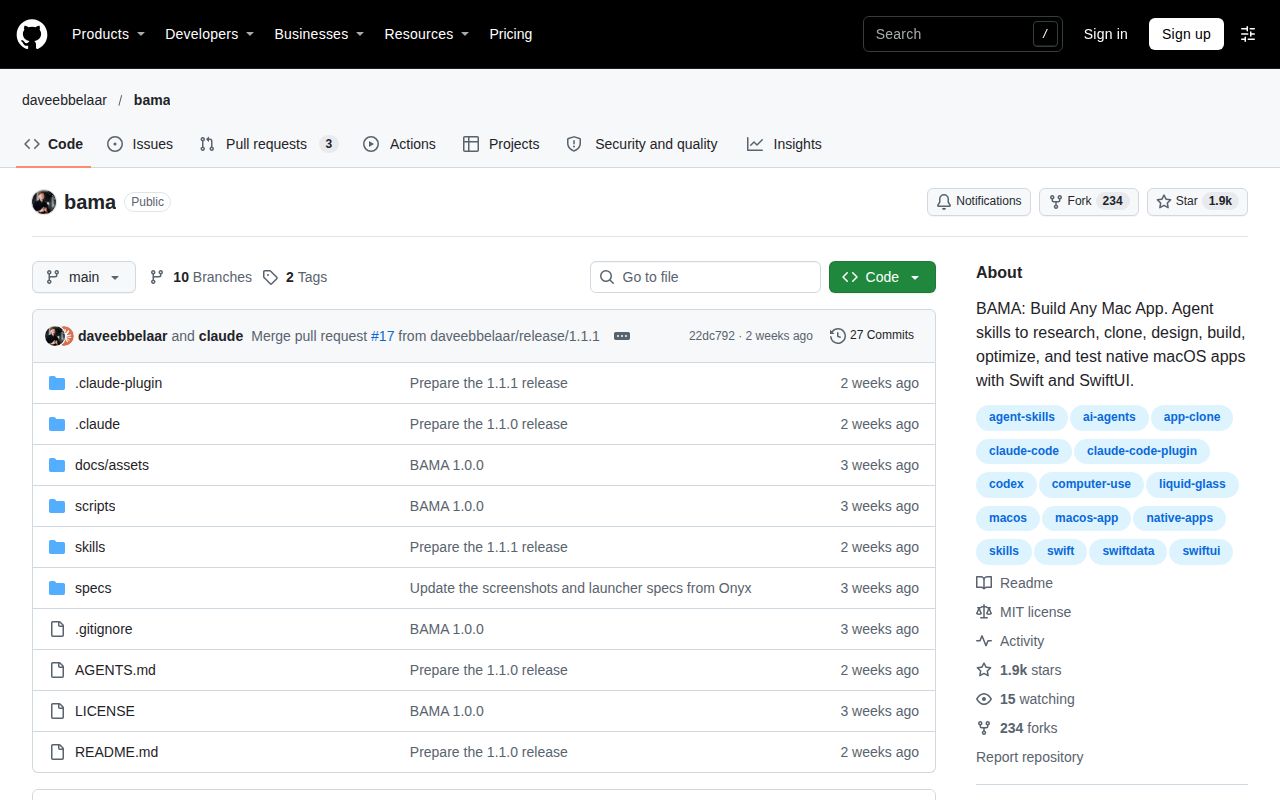
BAMA here is daveebbelaar/bama, Build Any Mac App, rather than the unrelated subjects sharing its short name. Use the repository owner and full software name in troubleshooting searches. The supplied autocomplete and social records include Alabama, entertainment and consumer-product results, so the repository and its issues provide the relevant developer context. This distinction keeps the adoption decision attached to SwiftUI tooling rather than attention paid to another entity called Bama.
Questions people ask
BAMA's README installs the skills with npx skills@latest add daveebbelaar/bama, then asks the user to give their agent an app-building request. The questions below come from the supplied synthesis and issue titles. For a first attempt, the important sequence is to choose one installation route, provide a concrete task and inspect the generated project. The troubleshooting table above supplies the historical symptoms and the associated completed-issue records.
How do I install and use BAMA?
Run the README's documented command, npx skills@latest add daveebbelaar/bama, then give your coding agent an app request. The installation instructions also provide agent-specific plugin routes and warn that using two routes installs every skill twice. Choose one route per agent. The /bama router looks at the project and selects the next skill, which is useful when you already have some project material and need the workflow's next step.
Who is BAMA for?
BAMA targets developers building native Mac apps with an agent that supports skills. Its README requirements name Claude Code, Codex, Cursor and Gemini CLI as examples. Our recommendation is for developers who can inspect generated Swift projects and evaluate the app against concrete acceptance criteria. Someone who accepts a scaffold solely because it printed completion should change that process before using the workflow for a larger project.
What can I build with BAMA?
The README supplies 12 build plans for small Mac apps, including a window snapper, window switcher, launcher, clipboard history, screenshots and a screen recorder. It also describes turning an existing app's screens into user stories. Choose a specification whose main interaction you can assess directly, then make that interaction the first milestone. The BAMA specifications description provides the documented starting points for that choice.
What macOS, Xcode and AI agent setup does BAMA require?
The README requires macOS 26 or later, Xcode 26 or later for the Swift 6.2 toolchain, and an agent that supports skills. Cloning native apps additionally calls for computer use through Claude Pro or Max. The requirements section distinguishes the toolchain from the Xcode interface: the workflow says you never open Xcode, while still requiring its Swift toolchain. Plan the setup around those stated requirements.
What alternatives to BAMA should I consider?
SwiftUI Pro and SwiftUI Expert are documented choices for SwiftUI guidance and review. The comparison table above links their primary descriptions and maps each to an immediate task. Choose SwiftUI Pro for its stated API, design, performance and accessibility guidance, or SwiftUI Expert for its stated view and data-flow review audience. BAMA also covers the earlier app brief, screenshot research and scaffold stages, which changes the starting point of the workflow.
Is BAMA safe to run?
The supplied Deduped overview tells readers to inspect commands and says it does not audit or vouch for BAMA. Read the selected scripts and generated changes before keeping them, using the requested app capabilities as the context for that review. The security section above explains why existing project files and OS permissions deserve attention; the final section records the security assessment boundary alongside the other outstanding evaluation work.
Why does BAMA's generated CLI fail to start the app or show its version when invoked through PATH?
Issue #4 reports bundle discovery using the invocation name, with version dev through PATH and 0.1 by full path. The troubleshooting table records its closure as completed in #6, and the CLI section explains the checker's full-path blind spot. Use the report to define an acceptance check that compares invocation methods and startup with the app stopped, rather than assuming an old proposed patch belongs in a newly generated app.
Why does new-app.sh stop halfway when my project already has a .gitignore?
Issue #2 attributes that historical stop to cp -n returning status 1 when skipping an existing file on the reporter's Mac. It also describes a retry failing because Package.swift already existed. The troubleshooting table records closure as completed in #5 and the reporter's tested modification. Inspect partial output and preserve the brief before deciding how to recover an affected directory; repeated generation against the same partial project can obscure what happened.
Why does my generated BAMA project still contain APP_NAME placeholders and fail to build?
Issue #7 reports missed placeholder substitution despite a completion message and commit, followed by a Swift package build failure. The reporter attributed the substitution failure to grep portability and proposed separate patterns or a find-driven replacement. The troubleshooting table records closure as completed in #15. For acceptance, inspect generated names and build the package before adding features, keeping the historical report's symptom separate from the installed project's actual output.
What we have not tested yet
We did not execute BAMA on a supported Mac, build a native app, exercise MCP integration or complete a screenshot-to-shipped-app workflow. The 3 CPUs and 8 GB RAM describe the sandbox allocation, not BAMA's resource use. Its image label was n/a; actual runtime and operating-system versions require raw toolchain logs. The records supply no installation timings, dependency totals, passing-test counts or vulnerability findings. The Compose prerequisite failure is not a security finding.
The supplied issue pages establish completed closures in #5, #6 and #15, but not the implemented changes, their inclusion in a particular release or behavior at commit 22dc792. Repository metadata lists release bama--v1.1.1 dated November 5, 2026; sharing a date with an issue closure does not connect that release to a particular fix. The reporter's successful scaffold modification in #2 remains their result, and the shell and path explanations remain attributed diagnoses.
Completed app delivery, security, accessibility, sustained workloads, generated-interface localization and comparative performance remain outside this evaluation. Search volume, rankings and software demand are also unknown from the supplied name-collision records. The next useful evidence would be a small utility built on a recorded Mac toolchain, with project files preserved, placeholders resolved, a successful package build and CLI startup checked through PATH and by full path. That would directly extend the acceptance decision developed here.