293 entries make a shortlist, not a buying guide
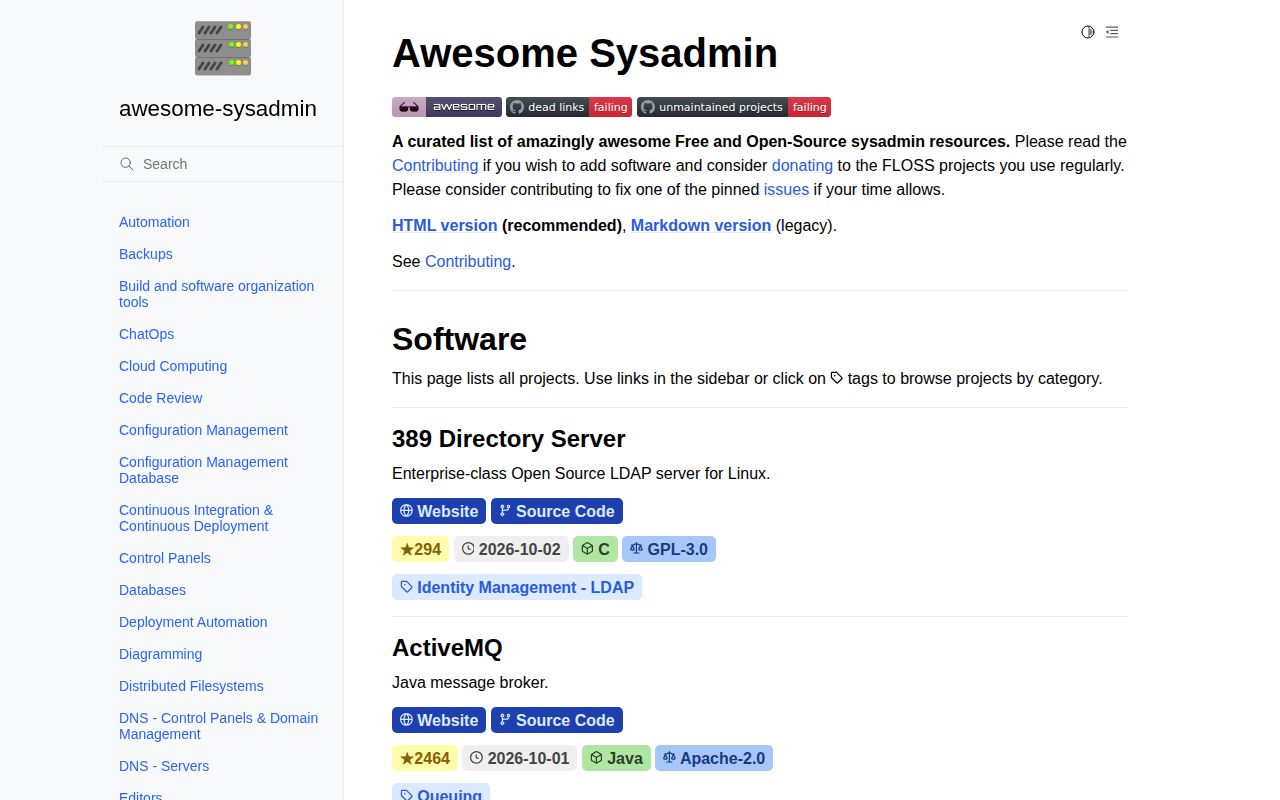
Awesome Sysadmin puts 293 software entries into one catalog for people who run systems. Each line gives you a description, a license, an implementation or deployment tag, and usually a source-code link. That is enough to turn a vague search for backup, monitoring, DNS, or identity software into a handful of names. It is not enough to choose among them. The list does not compare operating costs, upgrade pain, security history, or support quality.
The scope is deliberately professional. Its contribution rules reject libraries and SDKs, software tied to one cloud provider, and ports that only wrap an existing application in Docker. Personal-use projects are outside the stated brief. Those limits save the catalog from becoming a heap of loosely related links, but they also mean a competent tool may be absent for editorial reasons rather than technical weakness.
The 76,101-byte README is easier to use as HTML
GitHub reports a 76,101-byte README, and the project itself labels the Markdown version as legacy. The recommended HTML catalog is the better front door because it turns the same material into something you can search and browse without scrolling through a very long file. Both versions were reachable when checked, and neither asks for an account or API key.
The Markdown still has value as a portable record. Entries remain readable in a clone, links are visible, and license or platform labels sit beside each project. Several categories redirect readers to a stronger specialist source instead of duplicating it. Cloud computing points to the CNCF catalog, for example, while databases and code review direct readers elsewhere. That restraint makes the list smaller and more honest about where its coverage ends.
What happened when we ran it
Our sandbox did not run commit 3086cad. The fresh Debian container had 3 CPUs, 8 GB of RAM, no secrets, and no elevated privileges, but the repository declared no supported language ecosystem and contained no Dockerfile. There was no installation, build, or test command for the harness to execute. That result matches the product: this repository contains a generated README, a license file, and static assets rather than an application.
We did not turn that absence into a synthetic test. No dependency count, build time, test result, or vulnerability total exists for our run. Readers can use the list directly in a browser. Contributors work in awesome-foss/awesome-sysadmin-data, where YAML files hold the software records and automated jobs render the Markdown and HTML outputs.
42 categories cover routine operations, with uneven depth
The 42 software categories span backups, configuration management, CI/CD, control panels, DNS, identity, logging, metrics, monitoring, virtualization, VPNs, and web servers. The count sounds exhaustive, but the sections vary sharply. Backups has many choices, while some headings contain only a pointer to another catalog. Awesome Sysadmin is most useful when you arrive with a job to solve and treat the category as a filter.
Entries are intentionally compact. A row can tell you that a project is written in Go, distributed under Apache-2.0, and has a source repository. It cannot tell you whether its restore procedure works, its defaults fit your threat model, or its latest release upgrades cleanly. Open the upstream documentation and issue tracker for every serious candidate. A license badge and a concise description are screening data, not due diligence.
The October 5 maintenance checks failed
The source of truth moved to awesome-sysadmin-data in 2026, leaving the reviewed repository as generated output. That split is sensible: individual YAML records are easier to validate and reuse than one giant Markdown document. A successful build on October 4 produced commit 3086cad, and the scheduled metadata update passed on October 5. GitHub showed the data repository pushed again that day.
Two other October 5 jobs failed. The dead-link workflow stopped at make url_check, and the unmaintained-project workflow stopped at make awesome_lint_strict. The job summaries do not establish why. The failure matters because these checks support the list's promise to flag broken links and stale projects. Until they pass, treat every entry as a lead that needs a fresh upstream check.
The curation rules are useful and still unsettled
The maintainers may remove software after 6 to 12 months without development, when it no longer works, or when serious security issues persist. They also ask contributors to disclose forks, name non-English documentation, and use established license and platform records. A single anti-feature marker currently flags dependence on a proprietary service outside the user's control.
Open issue 28 shows where judgment still enters. The maintainers broadly agree on professional use, FOSS licensing, and conservative selection, but community-size and maturity thresholds remain undecided. The contribution guide says any maintainer with merge access may accept an entry when confident, with consensus preferred rather than required. That is workable human curation, not a reproducible product-ranking method.
October activity is current, but popularity proves little
The main repository was pushed on October 4, 2026, and GitHub showed 35,330 stars when checked. The data repository had 13 open issues and 8 open pull requests, including recent submissions and corrections. There is no latest GitHub release because the project does not publish releases. For a generated catalog, recent data changes and issue handling say more than a missing tag.
Use Awesome Sysadmin when you need names to investigate, especially outside the few tools everyone already knows. Take two or three candidates from the relevant category, then check their own documentation, releases, issue activity, security record, and recovery procedure. Bookmark the catalog. Do not outsource the final decision to it.