The list contains 1,250 projects in 95 categories
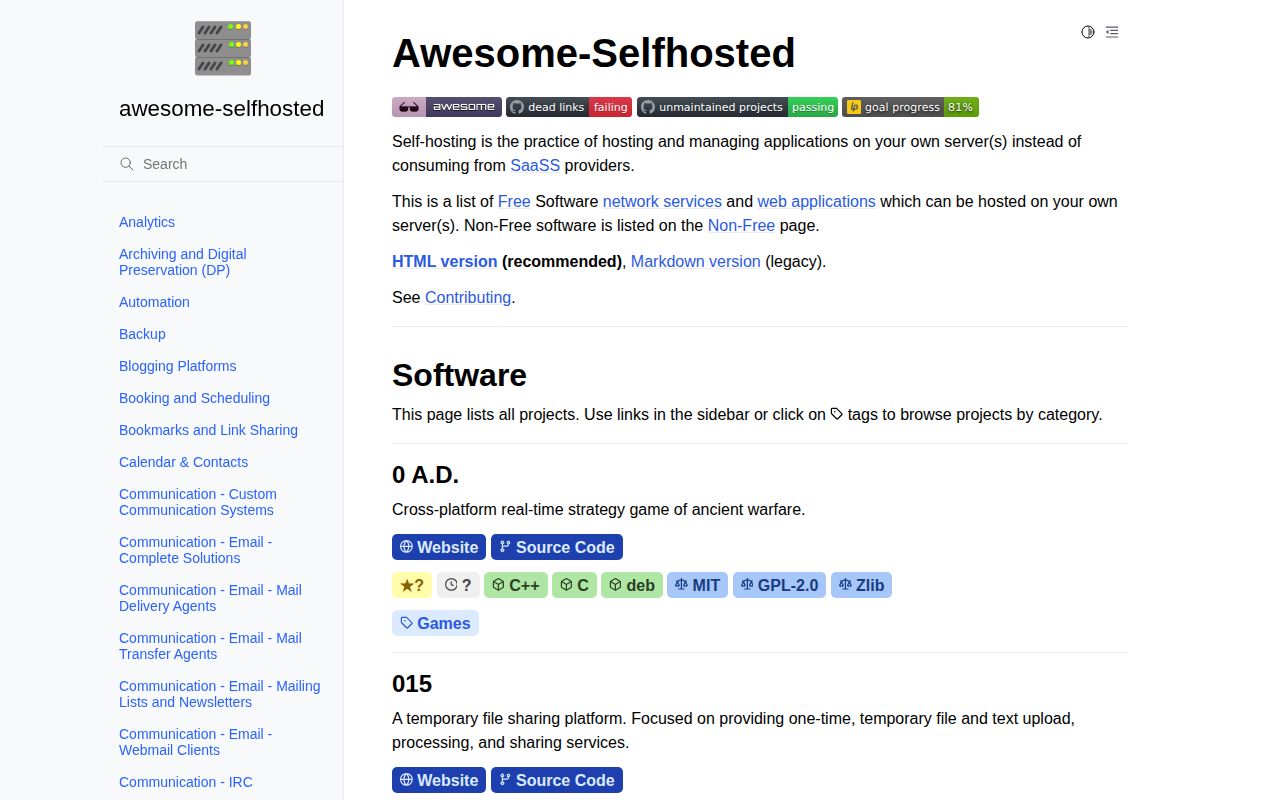
The Awesome Selfhosted Markdown export we fetched contained 1,250 records across 95 categories. It ranges from analytics and archives to mail servers, password managers, VPNs, wikis, and game servers. Each line gives a short description, a license, and one or more platform labels such as Docker, Python, Go, or deb. Many entries also link directly to source code and a demo. That structure makes the catalog unusually fast for building a first shortlist from a very broad field.
The official HTML site gives those 1,250 records a better interface. It exposes category and platform navigation, and project cards can show repository stars plus a recent activity date. The Markdown repository calls its own version legacy and recommends the website. Keeping the export is still useful: it is easy to search locally, link from another document, or inspect in Git history. The data behind both views lives in the separate awesome-selfhosted-data repository rather than this generated list.
Short records narrow the field without choosing a winner
Awesome Selfhosted's 1,250 records solve discovery and little else. A description may tell you that an analytics project uses Go and Docker under an MIT license, but it does not compare migration tools, backup behavior, memory use, release quality, or upgrade failures. Some entries repeat the project's own product wording. Treat the catalog as a set of leads. A serious choice still needs the finalist's documentation, recent releases, security policy, issue activity, and a trial using your data.
Metadata across 1,250 records is still better than an unstructured link dump. Ninety-five categories make it possible to compare a narrow function, while license labels catch an early legal mismatch. Platform tags separate a single binary from PHP, Kubernetes, or a container stack. Source and demo links save another search. What is missing is preference: the list does not say which wiki is easiest to restore, which photo server handles a large library safely, or which mail stack a small team should avoid.
What happened when we ran it
We did not run the project in our sandbox on September 9, 2026. commit f90c301 had no supported ecosystem, GitHub reported no primary language, and the repository contained no Dockerfile. The lab therefore had no install, build, or test step to execute. The configured environment had 3 CPUs and 8 GB of RAM, but those resources tell a reader nothing about a generated catalog whose entries span many unrelated runtimes. Each listed application needs a separate measurement.
The 1,250 records represent unrelated applications, so one lab run would misrepresent them. Awesome Selfhosted is Markdown plus static assets, generated from structured records maintained elsewhere. Our assessment covers how useful the catalog is for selection, how clearly it labels entries, and whether its maintenance process is active. It makes no performance or security claim about software merely because that software appears on the page. Each candidate needs its own setup and test work.
The data repository carries 205 open issues and pull requests
The main Awesome Selfhosted repository showed 0 issues and pull requests because contributions and generated data moved elsewhere. awesome-selfhosted-data had 205 issues and pull requests when fetched, was pushed on September 9, 2026, and included additions or updates touched that same week. The generated Markdown repository was pushed on September 6. Those dates matter more than its lone 1.0.0 release from August 2023, which announced the new website and the split data workflow.
The 205 issues and pull requests need context. Automated jobs check dead links and projects that may be unmaintained. Maintainers review additions in YAML, update repository metadata, and render the HTML and Markdown outputs. Many queued items are proposed additions rather than defects in the published list. Queue size alone says little about catalog accuracy; recent triage and export dates provide the useful evidence. The source records and exports were current in September 2026 even though the release tag was old.
A 4-month minimum keeps brand-new projects out
Awesome Selfhosted requires a project's first tagged release to be at least 4 months old. Software with no development activity for 6 to 12 months may be removed, as may broken projects, abandoned projects without an active community, and software with persistent serious security issues. The rules also reject libraries, generic deployment tools, and software tied to one cloud provider. These filters give the list a defined scope, though they cannot prove that every accepted project remains safe or pleasant to operate.
New categories need at least 3 records for matching software projects. Records must name platforms and licenses, identify forks, and disclose when English documentation is unavailable. The maintainers also prohibit machine-generated submissions that ignore the guidelines. Issue 3053, opened on September 7, discusses applying readiness rules equally to issues and pull requests after a rise in low-quality submissions. This is evidence of hands-on curation, along with a reminder that a popular directory attracts promotional entries that reviewers must screen.
One warning symbol covers one proprietary dependency risk
Across Awesome Selfhosted's 1,250 records, the ⚠ marker has a precise meaning: an application depends on a proprietary service outside the user's control. It does not mean insecure, abandoned, or difficult. Free software stays on the main list, while non-free applications live on another page. Readers with a strict independence requirement must still inspect every marked entry and its dependencies. One anti-feature label cannot capture hosted authentication, optional paid APIs, mobile-app availability, or the operational control retained by an upstream vendor.
Awesome Selfhosted compares 1,250 records, while three adjacent projects solve narrower jobs. Awesome Sysadmin covers infrastructure tools that this catalog excludes. The Self-Hosting Guide spends more time teaching servers and networking. YunoHost Apps narrows the field to packages maintained for one platform and is closer to an installation catalog. Awesome Selfhosted remains the widest discovery tool, and that width is its limit: only project-level research can turn its candidates into a defensible choice.