The packaged app is easier than the 2,788 MB source tree
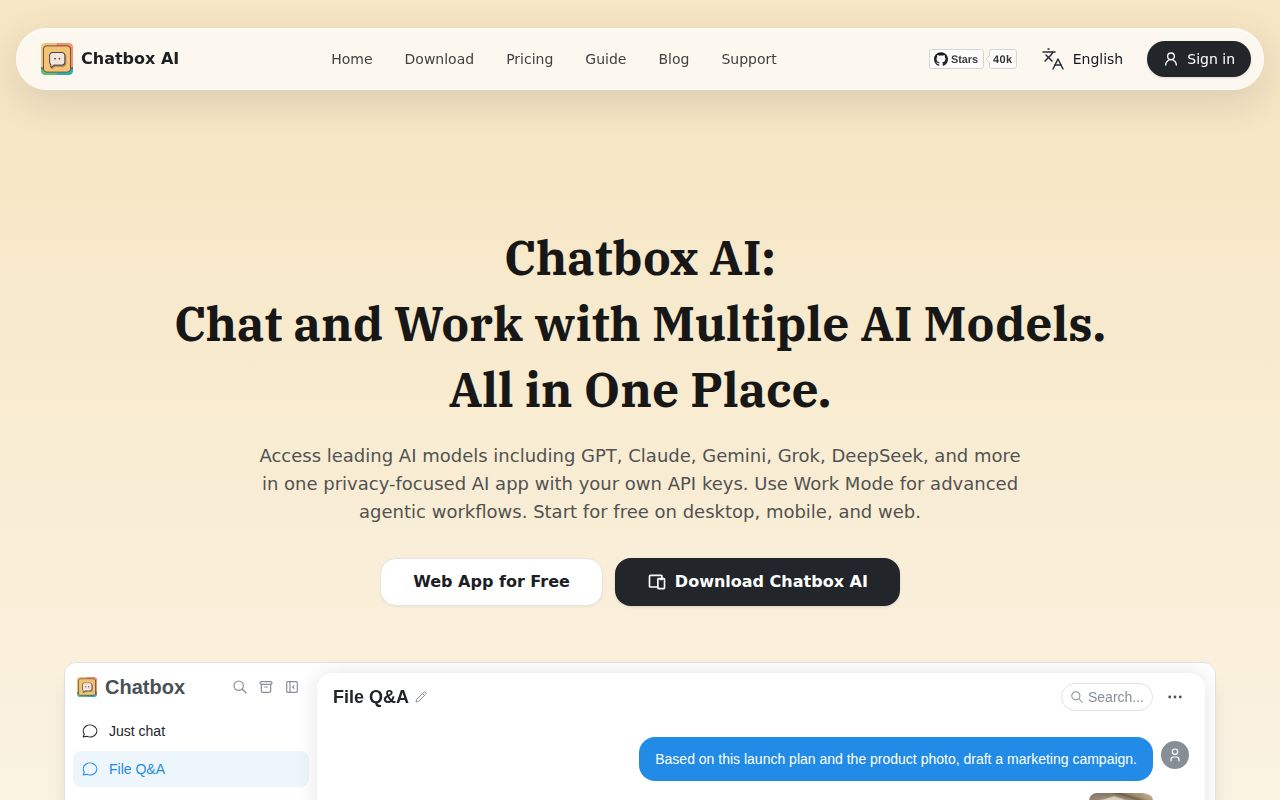
Chatbox gives you one familiar chat window for OpenAI, Claude, Gemini, Azure OpenAI, Ollama, and other compatible services. Conversations stay in the client instead of being split across provider websites. The desktop app also handles Markdown, LaTeX, code highlighting, saved prompts, message quoting, images, and streaming replies. For a person who changes models often, that consolidation is the product.
The supported desktop floor is Windows 10, macOS 11, or Ubuntu 20.04, and the release page supplies installers instead of asking end users to build Electron. Web, iOS, and Android versions are available too. That makes first use much easier than the source repository suggests: download the app, choose a provider, add the required access, and start a conversation.
Local conversation history does not make cloud prompts local
The README's local-storage claim concerns the data kept by the client. If you choose OpenAI, Claude, Gemini, or another hosted service, your request still goes to that provider. The FAQ also makes billing ownership explicit: an exhausted OpenAI quota is an OpenAI account problem, and ChatGPT Plus does not grant OpenAI API access. Chatbox AI is a separate built-in service.
Ollama is the route for keeping model inference on your own machine. That shifts the work to downloading a model, running the local server, and choosing hardware that can handle it. The distinction matters more than the privacy badge: local history with a cloud model and local history with an Ollama model have different network and data paths.
What happened when we ran it
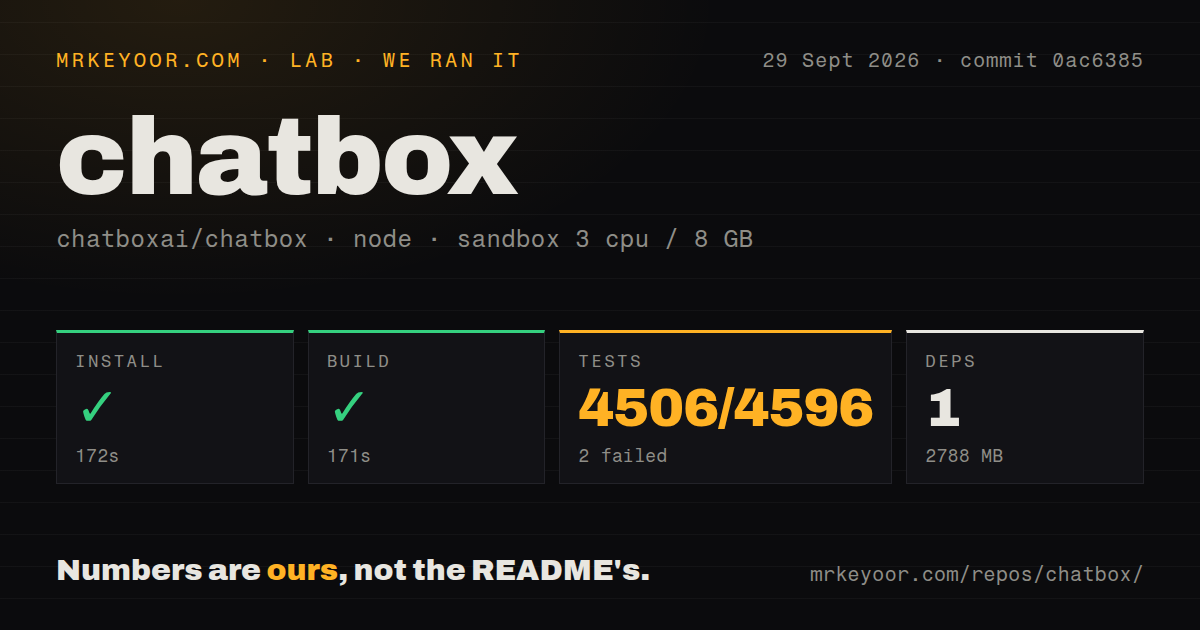
Our sandbox installed commit 0ac6385 in 172 seconds. Pnpm reported 1 package installed, and the dependency tree occupied 2,788 MB. The production build succeeded in 171 seconds. We ran those steps in an unprivileged container with 3 CPUs, 8 GB of RAM, Node 22, and no secrets.
The test command failed with exit 1 after 229 seconds. Vitest reported 4,506 passed, 2 failed, and 88 skipped out of 4,596 tests. Both failures were in src/renderer/stores/session/attachment-ownership.test.ts. A total of 443 test files passed, 1 failed, and 4 were skipped. The supplied log excerpt does not include the failed assertions, so it supports no claim about their cause.
The checkout contained 1,853 files, about 285,688 lines of source, and 28.4 MB before installation. It is a pnpm workspace monorepo with a tests directory. Our scan found 0 GitHub CI workflow files and no Dockerfile. Those absences do not cancel 4,506 passing tests, but they leave contributors to inspect how upstream checks and release builds are run.
Community Edition receives code from a separate pro repository
The README identifies this repository as Chatbox Community Edition under GPLv3 and says code is regularly synchronized with a pro repository in both directions. Issue 2266 says the project reopened its source in April 2025 after two years of closed development. That history is relevant if you care where decisions land and how quickly a public contribution reaches the shipping product.
GPL-3.0 is clear enough for personal use and normal contribution, but companies distributing modified builds should have counsel review their obligations. The repository is real product code rather than a thin public shell: it includes desktop, renderer, preload, shared packages, tests, web targets, and mobile synchronization commands. The separate pro source still means the public repo is not the only place development happens.
MCP works on desktop, while web and Android requests remain open
Release v1.23.5 fixed an external one-click MCP setup link when the desktop app was closed. On September 30, 2026, separate open issues requested MCP support for Android and the web version. Choose the platform before treating MCP as a general Chatbox feature. The desktop implementation is the relevant path today.
Even there, test your server rather than stopping at discovery. Open issue 3908 describes a Windows setup where Chatbox connected to a local stdio MCP server, listed its ping and echo tools, then reported them unavailable when the model invoked them. That is one report, not our lab result, but its minimal reproduction is specific enough to add to an adoption check.
Work Mode can stick on long-running Windows processes
Issue 3958 reports Chatbox Desktop 1.23.5 leaving a Work Mode command and session stuck when a child process outlives its wrapper shell. The reporter reproduced it on Windows 11 and said Stop and Retry did not recover the session until the leaked process was killed or Chatbox restarted. Issue 3959 describes a separate stuck-stop state after a command had already returned as cancelled.
We did not reproduce either Work Mode report in our Debian build container, so they stay user reports rather than lab findings. They still matter to developers who expect the agent to start dev servers, watchers, proxies, or tunnels. Run that exact workflow with the permission mode you intend to use before allowing unattended command execution.
v1.23.5 is active, with 1,313 open issues and pull requests
GitHub showed 41,906 stars, 4,267 forks, and 1,313 combined open issues and pull requests on September 30, 2026. The repository was last pushed on September 24, when v1.23.5 shipped. New issues and pull requests were still arriving and receiving updates through September 30, so the project is active even though the open queue is large.
Chatbox is easiest to recommend as a personal desktop client. A company-wide AI control plane needs different controls. The packaged experience hides a large codebase and mostly passing test suite, while local history and provider choice solve a real daily annoyance. Our two failed tests and the current Work Mode reports are reasons to test attachments, MCP calls, and long-running commands before relying on its agent features.