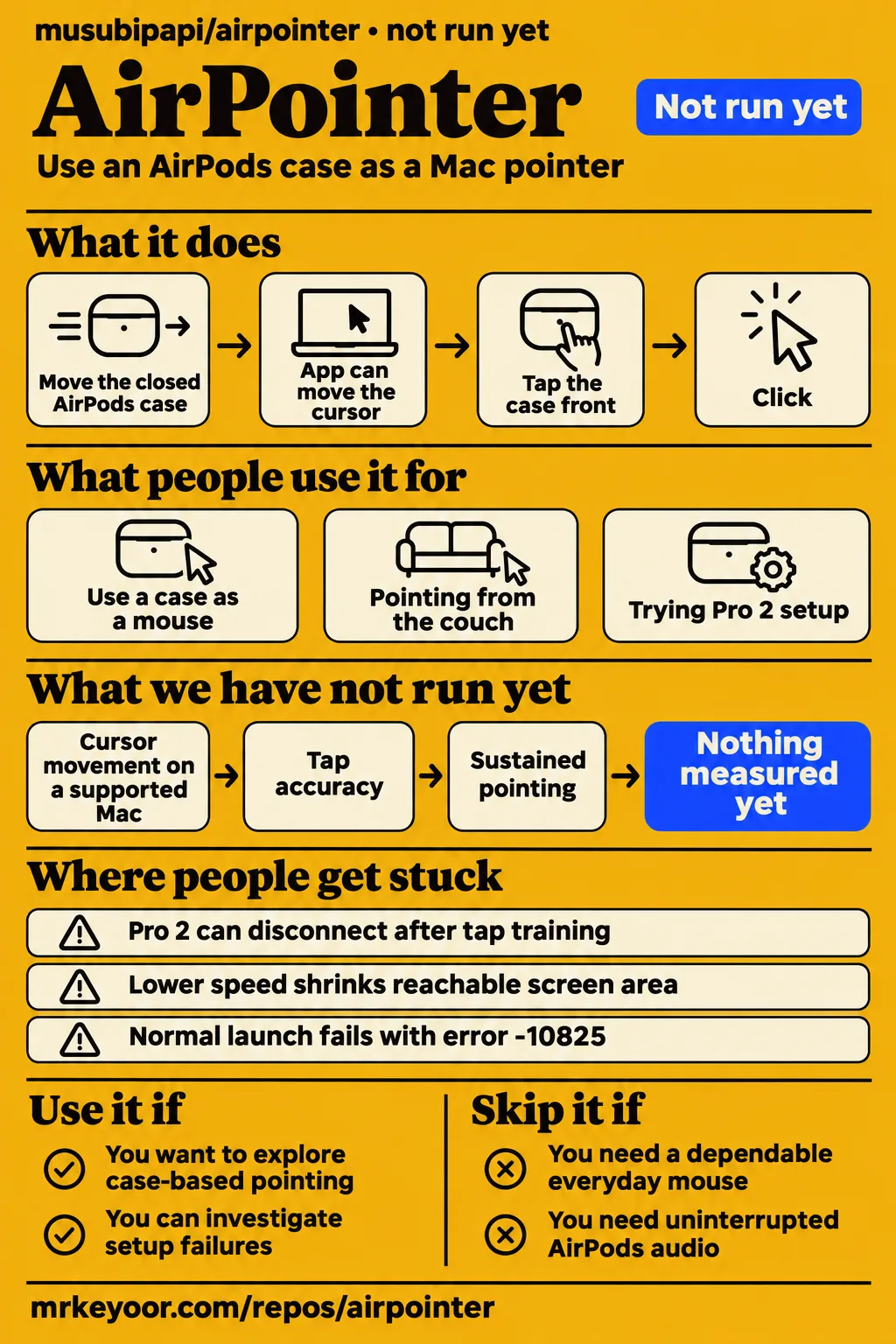
Short answer: treat AirPointer as an experiment
AirPointer is an AirPods-case pointer experiment whose author describes it as a proof of concept. Use it if you want to explore motion input on a Mac and can investigate setup failures. Skip it if you need a dependable everyday mouse or presentation remote: the reporter of issue #10 reached pointing, registered three taps and finished training before the connection ended. That reported sequence gives a concrete reason to separate successful setup from continued operation.
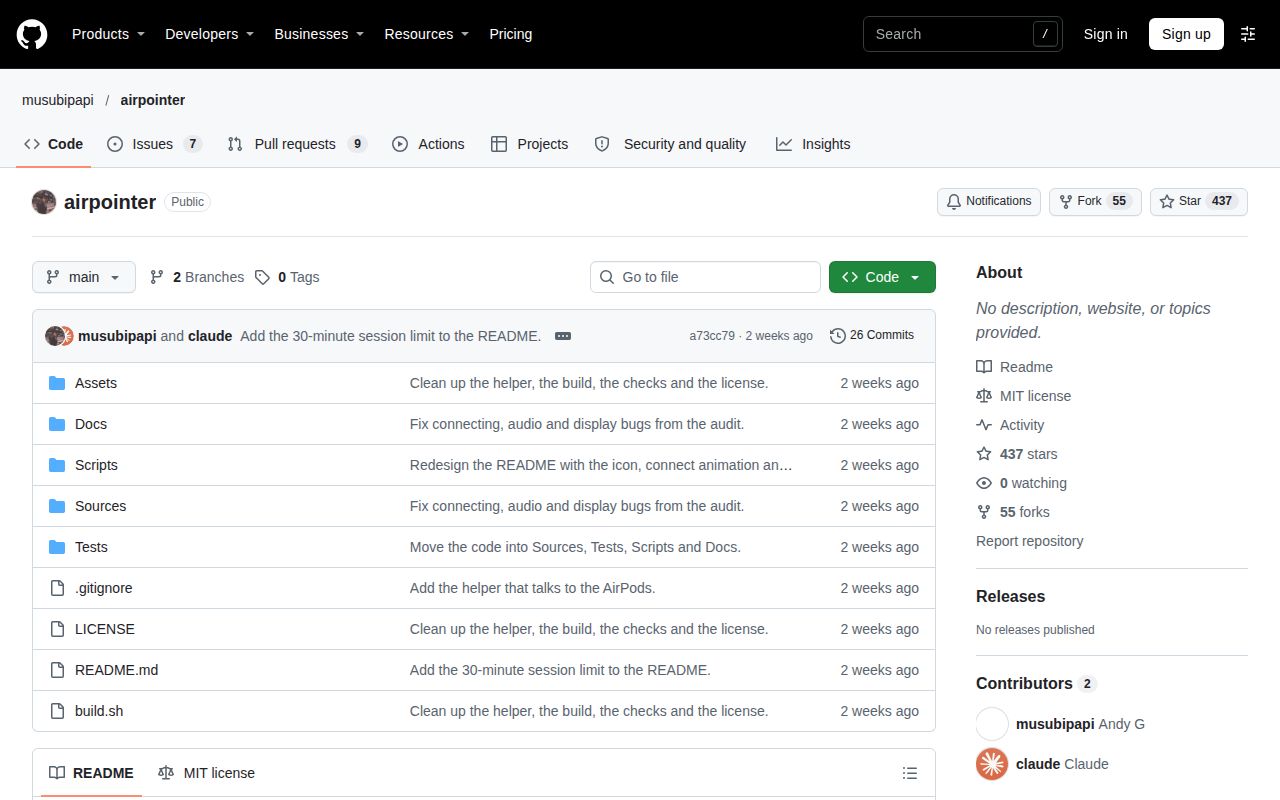
The project reviewed here is musubipapi/airpointer. Its README describes moving a closed AirPods case to move the Mac cursor and tapping the front to click. The author's statement in issue #8 explains the intended scope: a project built out of curiosity, without an intention to make it fully production scale. This review follows the setup stages that users actually reached, including motion reception, case identification, calibration and tap training.
What people use airpointer for
Andy Gao reported turning an AirPods case into a mouse, while arunrafi reported couch pointing with a modified version. The author's demonstration describes case-based input; arunrafi's version adds smoothing and a dead zone for hand shakes. GitHub reports add two development uses: trying Pro 2 setup and changing case-name validation to get a particular pair through Connect, Calibrate and Tap.
| Person and task | Reported outcome | What the example describes |
|---|---|---|
| Andy Gao, posting as instantricecook, used an AirPods case as a mouse | He said it worked well in his project post | The author's case-pointer demonstration |
| Arunrafi built a version for couch pointing | The post describes smoothing, a dead zone and pointing and clicking from the couch | A modified AirPointer version |
| The reporter of issue #10 tried Pro 2 setup on macOS 26 | One session reached pointing and completed three taps before disconnection | Setup and continued use as separate outcomes |
| Panoskentros changed case-name validation | Accepting the returned name completed Connect, Calibrate and Tap | A local change for one pair |
The README's setup sequence explains those stages. Allow grants Accessibility permission so the app can move the cursor and click. Connect asks you to open and close the lid, set the case down and turn it upright. Calibrate uses three dots to locate the screen, and Tap asks for three taps on the case front. Each stage has a specific action and outcome that a developer can match to a session log.
What happened when we ran it
Our November 19, 2026 check at commit a73cc79 recorded NOT RUN because the harness did not support Swift and the repository had no Dockerfile. The recorded sandbox configuration was 3 CPUs and 8 GB RAM, image n/a. These are facts from our run. The harness recorded no install, build or test result. Its status describes where the sandbox attempt stopped before application execution.
| Lab question | Recorded answer | Verdict | Why |
|---|---|---|---|
| Did the November 19 check execute AirPointer at a73cc79? | NOT RUN: unsupported Swift ecosystem; no Dockerfile | Execution stopped before an application run | The harness lacked a supported execution route |
| What resources were configured? | 3 CPUs, 8 GB RAM, image n/a | Configuration recorded | These fields describe the sandbox |
| Did the November 20 safety step pass? | FAILED: all four accepted Compose filenames were absent | Admission check failed | That runner required a Compose file |
| What did the November 20 run description say? | It claimed deployment through the repository's own Docker Compose, with every port bound to 127.0.0.1 | Contradicts the failed safety step | The description and step result disagree |
| Did November 20 teardown complete? | teardown: ok | Cleanup reported successful | The teardown record says so |
The November 20 safety message names compose.yaml, compose.yml, docker-compose.yaml and docker-compose.yml as absent. Its phrase unsafe repo comes from the runner's rule requiring a Compose file. The recorded failure is that admission check. The deployment description says the opposite about Compose deployment, while the teardown entry reports successful cleanup. Keeping all three entries visible preserves the disagreement instead of presenting the attempt as a completed AirPointer session.
Where people get stuck: detection, motion and pointing are separate
Issue #14 reports AirPods Pro 2 USB-C detection followed by zero recognized accelerometer samples and BASELINE_UNAVAILABLE, exit 30. The reporter already had iPhone Bluetooth disabled, yet the app returned to the open-lid prompt after approximately 15 seconds. The reported failure occurs before lid closure and calibration. The issue identifies both the visible symptom and the setup stage at which progress stopped.
| Symptom | Reported evidence | What happened next |
|---|---|---|
| BASELINE_UNAVAILABLE, exit 30 | Issue #14 reports responses but zero accelerometer samples | Setup stops at the open-lid baseline |
| WRONG_CASE_MODEL, exit 34 | Panoskentros in #10 logged MagSafe Charging Case | Accepting that exact name completed setup on that pair |
| INPUT_ENDED, exit 44 | Issue #10 records five such outcomes among ten recent sessions | One described session completed pointing and tap training before disconnection |
| Lower speed shrinks reachable screen area | Issue #5 reports proportional shrinking | The reporter changed the mapping curve locally |
| Normal launch fails with error -10825 | Issue #3 describes Launch Services rejection | Direct executable launch opens the window, but the cursor still does not move |
The reporter of issue #10 describes pointing, three registered taps, completed training and then disconnection. That sequence places the failure after a useful setup milestone. A separate reporter in issue #16 says the AirPods disconnect almost as soon as use begins and suggests case sleep as an explanation. The sleep explanation is that reporter's interpretation of their own session.
Pro 2 reports differ by connector, firmware and build
The Pro 2 reports cover USB-C and Lightning cases, firmware 9B47, several macOS versions and local builds. Keeping those configurations separate makes the table useful for matching a reader's hardware to a reported failure. The README's requirements table lists Pro 3, macOS 26 and Apple Silicon together; the issue reports below identify the other configurations and the exact stages they reached.
| Hardware and firmware | macOS and build reported | Observed stage |
|---|---|---|
| Pro 2 USB-C; firmware unspecified | macOS unspecified | #14: device detected, zero accelerometer samples, baseline failure |
| Pro 2 A3048, firmware 9B47; connector unspecified | Sequoia 15, MacBook Pro M1; PR #13 version | #15: connection reported, motion baseline failure |
| Pro 2 Lightning, firmware 9B47, product ID 0x2014 | macOS 27.2, build 26B123, Apple silicon; two local a73cc79 builds | #17: motion timeout; an earlier attempt reached case rejection |
| Pro 2; connector and firmware unspecified | macOS 26; source build | #10: motion and pointing, followed by setup failure or disconnection |
| Pro 2; connector and firmware unspecified | macOS 27.0.1, MacBook Air M3; main without a recorded hash | #3: normal launch fails; direct launch opens the window without cursor movement |
The Lightning reporter's issue #17 includes both a failed motion baseline and an earlier run that passed it. One run received 12 of 12 version replies and zero motion samples. Both attempts with one earbud out ended before the Close the lid prompt. The earlier run recorded lid closure and exited about two seconds later with WRONG_CASE_MODEL, exit 34. The two local builds used a73cc79 with PR #1 or PR #2's motion fallback plus diagnostic logging.
Local changes target particular setup failures
Panoskentros reported completing Connect, Calibrate and Tap after accepting the exact returned name MagSafe Charging Case. Their comment in issue #10 says the name lacked the AirPods prefix expected by chargingCaseModelMatches. It also says proposed change #7 makes the same adjustment and includes the announced name in the error message. The reported workaround therefore targets one case-identification input and records the setup stages reached afterward.
The reporter of issue #5 describes a different adjustment: pointer speed changes the curve's slope through the center while each calibrated edge still maps to its matching screen edge. They also say disabling ModelName checking let them start using the app. These are two separate changes, one to screen mapping and one to case acceptance. Keeping their purposes separate helps a developer identify which behavior a local change addresses.
Permissions, audio and stored diagnostics
The README says each connection briefly drops the AirPods Bluetooth link and stops their audio. Its before-use table explicitly says not to connect during a call. During a session, the app keeps Mac sound and microphone use off the AirPods and plays silence to keep their audio link active. Accessibility permission authorizes cursor movement and clicking, so setup changes both input control and audio routing.
The developer documentation says application data stays under ~/Library/Application Support/AirPointer/ and is not sent elsewhere. It describes logs from the newest ten sessions, saved screen edges and a sensor offset kept for one week. Saved audio-device names include the AirPods Bluetooth address. The README also says ending a session consumes diagnostic data stored on the case, and some connection settings stay as the session set them.
AirPointer vs local modifications and camera control
CeyntaxTechnologies/Airpointer describes camera-based hand tracking, while musubipapi/airpointer uses an AirPods case. That input distinction gives readers a concrete choice between the two projects. A local modification of musubipapi's project is a third option for investigating a particular setup check. The comparison below identifies the documented input method or reported source change and the task that each option addresses.
| Option | Input or change | Pick it when |
|---|---|---|
| musubipapi/airpointer | Closed AirPods-case movement and front taps | You want to explore case-based Mac pointing |
| A local case-name modification | Accepts MagSafe Charging Case during identification | You are investigating the same returned-name rejection |
| CeyntaxTechnologies/Airpointer | Computer vision and hand tracking for movement and clicks | You want camera gesture control |
The shared name also appears outside these two repositories. The airpointer quick-start guide concerns an air-quality monitoring instrument. The video titled Air Pointer describes a computer-vision gesture system packaged with PyInstaller, using a webcam, OpenCV and MediaPipe. Its Windows executable and camera setup belong to that gesture system. The repository owner and input hardware distinguish these projects more clearly than the shared AirPointer name.
Outdated claims, corrected: the disputed collaboration
Musubipapi denied a commenter's claim that they had built AirPointer together. In issue #8, the commenter claimed collaboration and said maintenance had moved to oscarcreatess/airpointer. Musubipapi replied that they did not know the commenter and had never collaborated with them. The author's direct denial is the reason this review retains musubipapi/airpointer as the project identity rather than adopting the commenter's ownership account or repository recommendation.
The same discussion contains the author's invitation to fork the project and make it production ready. The author describes AirPointer as a proof of concept built out of curiosity, with no intention of making it fully production scale. That statement explains the project's scope and the invitation to develop a fork. The Pro 2 compatibility table instead follows the configurations and outcomes reported in the individual issues.
FAQ
Issue #14 reports AirPods Pro 2 detection with zero accelerometer samples, so detection alone does not mean the case can control the cursor. The five questions below come from reported motion, identification, disconnection, firmware and pointer-speed problems. Each answer names the relevant error or local change so readers can match their own symptom to a particular report rather than a general claim of Pro 2 compatibility.
Why does AirPointer detect my AirPods Pro 2 but receive no motion data?
Issue #14 reports responses from USB-C AirPods but zero accelerometer samples, ending with BASELINE_UNAVAILABLE, exit 30. The reporter already had iPhone Bluetooth disabled and saw the AirPods connected in macOS Bluetooth settings. The failure occurs at the open-lid baseline, before the requested lid closure and calibration stages. After approximately 15 seconds, the app asks for the already-open lid to be opened again.
Why does AirPointer report WRONG_CASE_MODEL for my AirPods charging case?
Panoskentros logged MagSafe Charging Case as the returned model name and said the expected AirPods prefix was missing. Accepting that exact name let the pair complete Connect, Calibrate and Tap. The comment also points to proposed change #7 for the same adjustment and an error message that includes the announced name. This report identifies a specific string rejected during case identification.
Why do AirPods Pro 2 disconnect after I close the lid?
Issue #10 reports disconnection after one session reached pointing and completed three-tap training. Its reported outcome places the interruption after training in that session. In issue #16, another user describes disconnection almost immediately after starting and suggests that the case enters sleep mode. The two reports describe interruption during use, with the sleep explanation attributed to the second reporter.
Does AirPointer work with AirPods Pro 2 firmware 9B47?
Firmware 9B47 appears in failure reports for Pro 2 A3048 on Sequoia 15 and Pro 2 Lightning on macOS 27.2. The A3048 report uses the PR #13 version, while the Lightning report uses two locally changed a73cc79 builds. Both describe missing usable motion; the Lightning reporter also records an earlier run reaching case-name rejection after passing the baseline.
Why does lowering pointer speed reduce the screen area I can reach?
Issue #5 reports that lowering speed proportionally shrinks the controllable region. The reporter's local mapping adjustment changes the center slope while retaining the mapping from each calibrated edge to its corresponding screen edge. Their stated goal is to retain full screen coverage while changing motion near the center. The same report separately describes disabling ModelName checking to start using the app.
What we have not tested yet
Our lab did not run AirPointer on a supported Mac, so installation, builds, cursor movement, tap accuracy and sustained pointing have no firsthand result here. Stock-build latency, battery impact and prolonged-task performance are also unmeasured. The 3 CPUs and 8 GB RAM describe sandbox configuration, not minimum Mac requirements; image n/a identifies no runtime version. The November 20 deployment description conflicts with its failed safety step and supplies no successful execution trace.
The README labels Pro 2 as recognized, not tested, and its Pro 3 testing covers one Mac and one pair. It lists force quit, sleep and wake, Bluetooth loss, and calls during or after a session as cases not intentionally tested. It also leaves persistence of case-data and connection-setting changes after a Bluetooth reset unresolved. Its approximately 30-minute Pro 3 session limit and proposed firmware explanation do not establish the cause of the earlier Pro 2 disconnections.
The issue extracts do not establish a controller-level cause, a Bluetooth-link-release sequence or a definitive trace-capture procedure for issue #10. They supply no confirmed general fix for BASELINE_UNAVAILABLE and no confirmation that the described local workarounds shipped upstream. Issue #14's macOS version is unspecified. The reports also leave missing Lightning-case transmissions versus unrecognized packets unresolved. These boundaries apply to the compatibility and troubleshooting summaries above.
Community demonstrations and local changes are attributed reports, rather than measurements of stock behavior. We have not compared the alternatives under identical tasks, audited network traffic, assessed vulnerabilities or checked rendered layout and related recommendation modules. A useful next hardware test would preserve the exact build and session log while a specified Mac and AirPods pair completes connection, calibration, taps and continued pointing. That is a proposed next test, not a result reported here.