mrkeyoor.com_
Mon 05 Oct 06:28 UTC
Dev Toolsevaluationupdated 05 Oct 2026

AirCard review

AirCard is a macOS utility that changes the artwork shown for existing Apple Wallet cards and applies custom lock-screen passcode themes to an iPhone over USB. It changes appearance only: it does not create a payment card or alter what that card can do.

Verdict

Our AirCard build finished in 2 seconds, but pytest ended with 9 failures, including 4 tests tied to files in the maintainer's personal Downloads folder. The packaged app is worth trying if you have a Mac, a supported iPhone, and a strong reason to customize static Wallet art or keypad themes. Keep expectations narrow: Apple Card is excluded, device coverage is incomplete, and the current guide offers no one-click restoration of original artwork.

We ran it

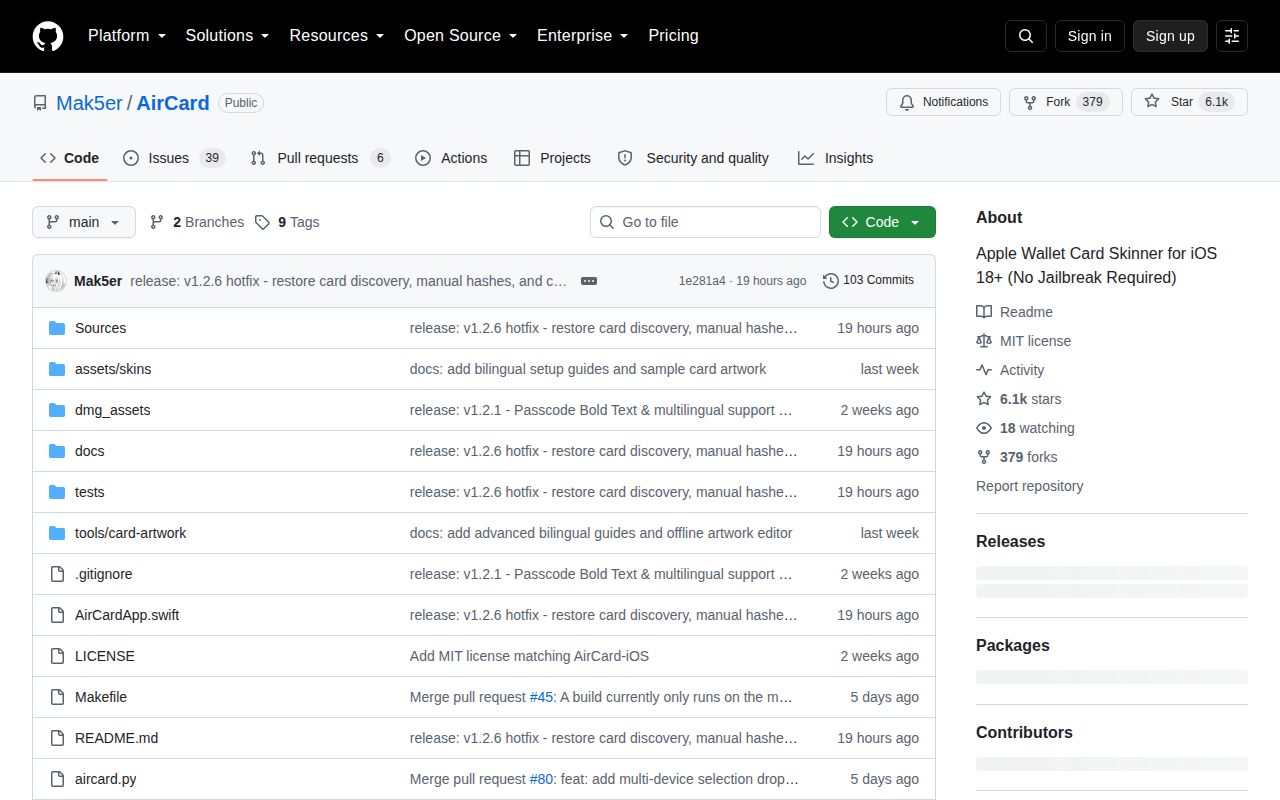
Lab card: what happened when we ran AirCardScreenshot of AirCard (github.com/Mak5er/AirCard)
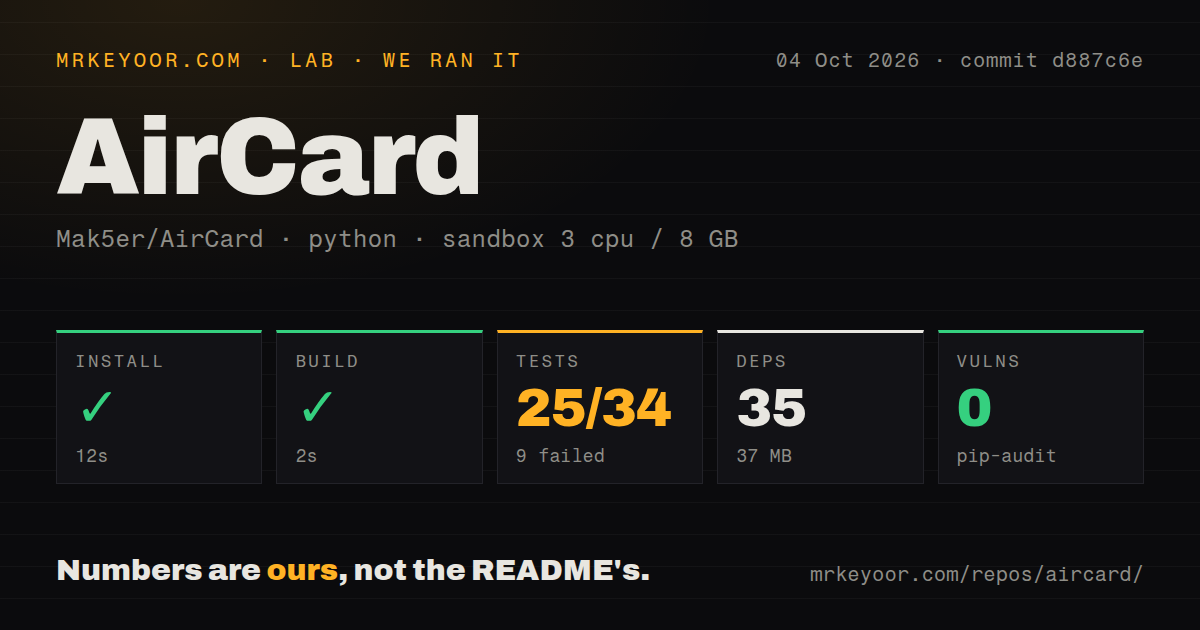
Install✓ · 12s35 packages · 37 MB
Build✓ · 2s
Tests✗ · 3s25 passed · 9 failed · 6 skipped of 34 (pytest)
Known vulns0(pip-audit)
Repo64 files~8,112 lines of source · 10.9 MB · 0 CI workflows · tests dir

Answers from our run

Does AirCard build from source?

Dependencies installed in 12 seconds (35 packages), and the build succeeded in 2 seconds. We cloned commit d887c6e into a clean Debian container with 3 CPUs and no project-specific setup.

Do AirCard's tests pass?

Not all of them: 25 of 34 passed and 9 failed when we ran the project's own test command (pytest). Some failures need services or credentials a bare container does not have.

Does AirCard have known vulnerabilities in its dependencies?

pip-audit found none in the dependency tree at the time of our run.

Who should not use AirCard?

Apple Card owners expecting a static skin: the README says Apple Card uses dynamic rendering and is not covered by the normal artwork path.

What are the alternatives to AirCard?

AirCard Windows, Cowabunga, Nugget. Our AirCard build finished in 2 seconds, but pytest ended with 9 failures, including 4 tests tied to files in the maintainer's personal Downloads folder.

Setup3/5DMG is simple; USB trust, Gatekeeper, and device logs add friction
Docs4/5English and Chinese guides cover setup, limits, and troubleshooting
Community4/56,089 stars and active fixes through 2026-10-04
Maturity2/5No CI workflows and 9 pytest failures in our run

Who it’s for

Mac users with an iPhone on iOS 18 or later who want custom Wallet artwork without jailbreaking.
People prepared to connect by USB, unlock and trust the phone, inspect the preview, and troubleshoot iOS logging.
Theme makers who want to create, edit, preview, export, and apply .passthm keypad packages.
Developers studying a Swift front end around the AirTraffic sync technique.

Who it’s NOT for

Apple Card owners expecting a static skin: the README says Apple Card uses dynamic rendering and is not covered by the normal artwork path.
Users who require a one-click return to original Wallet artwork: the English guide explicitly says the current app does not provide one.
Windows users who want official upstream support: AirCard ships a universal macOS DMG and only links to an unofficial Windows port.
Anyone who needs verified compatibility across iPhones and iOS versions: the documented iPhone 15 Pro test on iOS 18.6.2 verified detection, not artwork flashing, and other combinations still need checks.
Contributors who expect portable fixtures and a clean suite: 4 failures referenced theme files under the maintainer's personal /Users/mak5er/Downloads paths, while 5 flash tests also failed.

Setup reality

Our sandbox installed commit d887c6e in 12 seconds: 35 packages used 37 MB. The build succeeded in 2 seconds. Pytest finished in 3 seconds with 25 passed, 9 failed, and 6 skipped out of 34. pip-audit found 0 known vulnerabilities.

The downloadable macOS app bundles its device tools, but it still needs a Mac, a USB data cable, an unlocked and trusted iPhone, and Python 3 from macOS. Xcode Command Line Tools may be requested on first use. No account credential or hosted API key is needed.

Card discovery depends on what the iPhone exposes through its log services. Values hidden as <private> cannot be recovered. The app is not signed as an identified developer, and the documented launch path may require Gatekeeper approval or clearing extended attributes.

AirCard changes artwork, not the card behind it

AirCard connects a Mac to an unlocked, trusted iPhone and replaces cached images used by Wallet. The bank card, transit pass, or loyalty pass already has to exist on the phone. Its payment permissions do not change. The same app can import .passthm packages for lock-screen keypad art, preview their keys, create themes from a poster or individual images, and flash the resulting assets. That scope is unusually clear: this is a visual customization tool, built on the AirTraffic sync technique, rather than a wallet manager or payment utility.

The normal path is a universal macOS DMG for Apple Silicon and Intel machines. Users connect over USB, scan while opening a card in Wallet, assign an image, and flash the selection. Artwork is center-cropped to 1536 by 969, so a square image can lose important content at the top and bottom. AirCard's offline browser editor can prepare that aspect ratio before flashing. The guide also warns that the app has no one-click restore for original artwork. Removing a selected skin on the Mac does not restore the phone's prior image.

iOS 18 support does not mean every iPhone is verified

The README advertises iOS 18 and later, but its validation notes give a much narrower piece of evidence. An iPhone 15 Pro running iOS 18.6.2 was used to verify discovery after the scanner moved to the unified activity stream. That test found 8 card identifiers and confirmed that cards appeared in the app. It did not flash card artwork. The notes explicitly leave other device and operating-system combinations unverified, including an iPhone 17 case on iOS 27. That is a healthy distinction for prospective users to preserve.

Discovery can fail even when the USB connection works. AirCard reads iPhone logging around Wallet activity, and the README says identifiers replaced by iOS with <private> cannot be recovered. Users may need to unlock the phone, reconnect, restart the scan, authenticate with Face ID, and tap or switch cards while watching the log status. Open issue 114 reports a phone waiting for ReadyForSync, while issue 131 records a 60-second AirTraffic sync timeout. Both are more useful expectations than a generic claim of USB compatibility.

What happened when we ran it

Our sandbox installed commit d887c6e in 12 seconds. The Python environment pulled 35 packages and used 37 MB, while the checkout held 64 files, about 8,112 lines of source, and 10.9 MB. The build succeeded in 2 seconds on 3 CPUs with 8 GB of RAM. pip-audit reported 0 known vulnerabilities. AirCard had a tests directory but no CI workflow files, so the repository does not show an automated GitHub Actions check that would have caught the failures we saw.

Pytest completed in 3 seconds with 25 passed, 9 failed, and 6 skipped out of 34. Four failing passcode-theme tests tried to open files under /Users/mak5er/Downloads, including MinePass_Nightly.passthm and another local theme path. Five more failures covered batch or fallback theme flashing and card-flash progress, PDF writing, and rendered-cache removal. The log gives those facts but does not prove one shared cause for all 9 failures. A contributor should expect to replace local fixtures and then investigate the remaining flash assertions separately.

Apple Card and restoration are firm limits

Apple Card uses dynamic vector rendering based on spending categories, according to the README, so static custom skins apply to ordinary debit or credit cards, transit cards, and passes instead. Open issue 148 also asks about Apple Card and Apple Cash, which reinforces that this is a live source of confusion. The absence of one-click restoration matters just as much. A cosmetic experiment is easier to recommend when users can reverse it from the same interface; AirCard's guide currently tells them that its remove-skin control only clears the Mac-side choice.

Version v1.2.6 was released on 2026-10-04 and fixed regressions from v1.2.5 in card discovery, saved-card visibility, manual hash entry, and cache invalidation. GitHub recorded the latest push on the same date, with 45 open issues and pull requests and 6,089 stars. Current activity is strong, yet the hotfix itself shows how tightly behavior follows changes in iOS logs and caches. Updates deserve a fresh device check before users flash several cards at once.

AirCard is the focused Mac option

AirCard is easiest to justify for a Mac owner who wants this exact pair of features: Wallet art and passcode themes. AirCard Windows is the direct platform alternative when macOS is unavailable. Cowabunga and Nugget cover a wider range of iOS customization, which can be preferable if card art is only one desired tweak. The focused interface is AirCard's advantage, but its 9 failing tests, incomplete device matrix, Apple Card exclusion, and missing restoration button should decide whether the visual payoff is worth the recovery work.

Alternatives

ProjectWhat it isPick it when
AirCard WindowsAn unofficial Windows port for the same Wallet artwork job.pick this instead when the computer connected to the iPhone runs Windows rather than macOS.
CowabungaA broader iOS customization toolbox for supported device and OS combinations.pick this instead when system customization beyond Wallet cards and passcode themes is the goal.
NuggetA desktop utility for applying a wider set of iOS tweaks from a connected computer.pick this instead when you want a general iOS tweak manager and accept its separate compatibility limits.

What people are saying

  1. [velocity-scout] Lumid-Off/AirCard-Windows
  2. [velocity-scout] Mak5er/AirCard-iOS
  3. [velocity-scout] Mak5er/AirCard

Sources

  1. AirCard README
  2. AirCard English user guide
  3. Wallet card detection validation
  4. AirCard v1.2.6 release
  5. AirCard issues and pull requests

More dev tools reviews

learning-python · github-launch-checklist · blitzstrike · github-ranking-audit · gpt_sub_analysis · PythonRobotics · the whole board →