Wallet artwork changes depend on an iPhone sync exploit
AirCard-Windows changes the artwork displayed on Apple Wallet cards and applies lock-screen passcode themes. Its English README also documents a Simplified Chinese interface. The appeal is specific: you can use your own card image or an existing .passthm theme without jailbreaking the phone. The project relies on the AirTraffic sync exploit called airlift, which makes phone compatibility part of every decision to use it.
Our checkout contained 20 files and roughly 5,737 source lines, with a Rust desktop interface. That is a manageable codebase to inspect if you're comfortable with device APIs. It also sits between Windows driver libraries and undocumented iPhone behavior. I'd consider it for an enthusiast who enjoys that kind of troubleshooting. I wouldn't recommend it to someone who expects changing a card picture to be as predictable as changing a desktop wallpaper.
What happened when we ran it
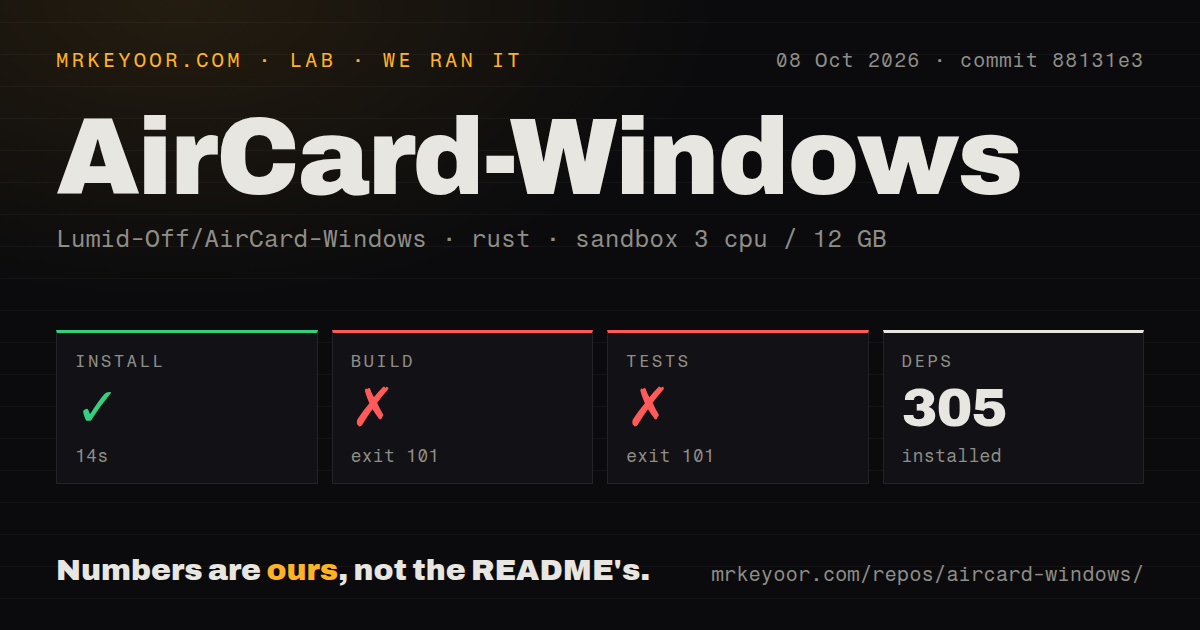
In our sandbox, AirCard installed 305 packages in 14 seconds, but the build failed with exit 101 after 123 seconds. We used commit 88131e3 on October 8, 2026, in an unprivileged Debian container with 3 CPUs and 12 GB of RAM. The source checkout occupied 0.3 MB. Dependency preparation worked, while the compiler could not produce the application on that platform.
The build log points to src/apple.rs, where Rust could not find std::os::windows::ffi::OsStrExt. It also reports that encode_wide was unavailable on OsStr. These errors identify Windows-specific code being compiled in our Debian environment. They do not establish that the documented Windows build is broken, and they give no basis for blaming an Apple driver, a missing phone, or a failed device handshake.
The test command failed with exit 101 in 1 second. Its log included an unresolved setsockopt call in src/scanner.rs alongside the Windows API compilation errors. This was a compilation failure before we could obtain an assertion result. The lab found a tests directory and 1 CI workflow, but no Dockerfile. We have no measured Windows execution, successful device modification, or restore result to report.
Installing Rust dependencies leaves the Apple stack untouched
The 305-package install is separate from the Apple communication setup that a user needs. The README requires a Windows PC, Apple Mobile Device Support or suitable iTunes components, and an initial trusted cable connection. The source loads Apple libraries from Windows installation directories. There is no hosted API key to obtain for this workflow, but the phone and the local Apple stack must cooperate.
Downloading a release executable avoids building Rust locally. It does not remove device pairing or driver dependencies. The README recommends a driver-repair route involving 3uTools, while open issue 8 reports success after removing that tool's drivers and using Apple's iTunes drivers. That conflict deserves attention before you follow a troubleshooting recipe. The report concerns this Windows port's AirTraffic timeout, rather than a similarly named project.
Original artwork is not guaranteed to be available for restore
The 123-second failed build leaves our device behavior unverified, so the source and user reports carry the rollback assessment. In wallet_backup.rs, original artwork is stored locally under the user's AirCard directory. The backup function can return without finding the card directory, and it can continue when no original artwork assets are available. The later restore loader errors if its saved asset list is empty.
That matters more than the presence of a Restore Original button. A backup feature gives you a route back only when the needed files were captured and remain available. Open issue 41 describes a user who could apply skins but could not interact with the restore button. It is a user report, not a reproduced finding, yet it is enough to make me ask for evidence of the original backup before altering a card I care about.
Successful detection does not establish successful writing
Our 14-second install says nothing about the AirTraffic handshake used to write artwork. Open issue 21 reports that the phone was detected and a card hash captured, but asset writing stopped while waiting for ReadyForSync. The same report says the operation continued without an original backup. Issue 49 also reports a card-write sync failure. These observations concern the actual apply operation, not merely downloading or launching the client.
A user can therefore get reassuring progress and still miss the desired outcome. Detecting a device, identifying a card, and replacing artwork are separate steps. I'd keep that distinction in mind when reading success screenshots or troubleshooting advice. The reports do not supply a failure rate, and they do not prove every supported phone is affected. They do show why working detection alone is inadequate evidence for recommending the tool.
Recent development has not removed the compatibility limits
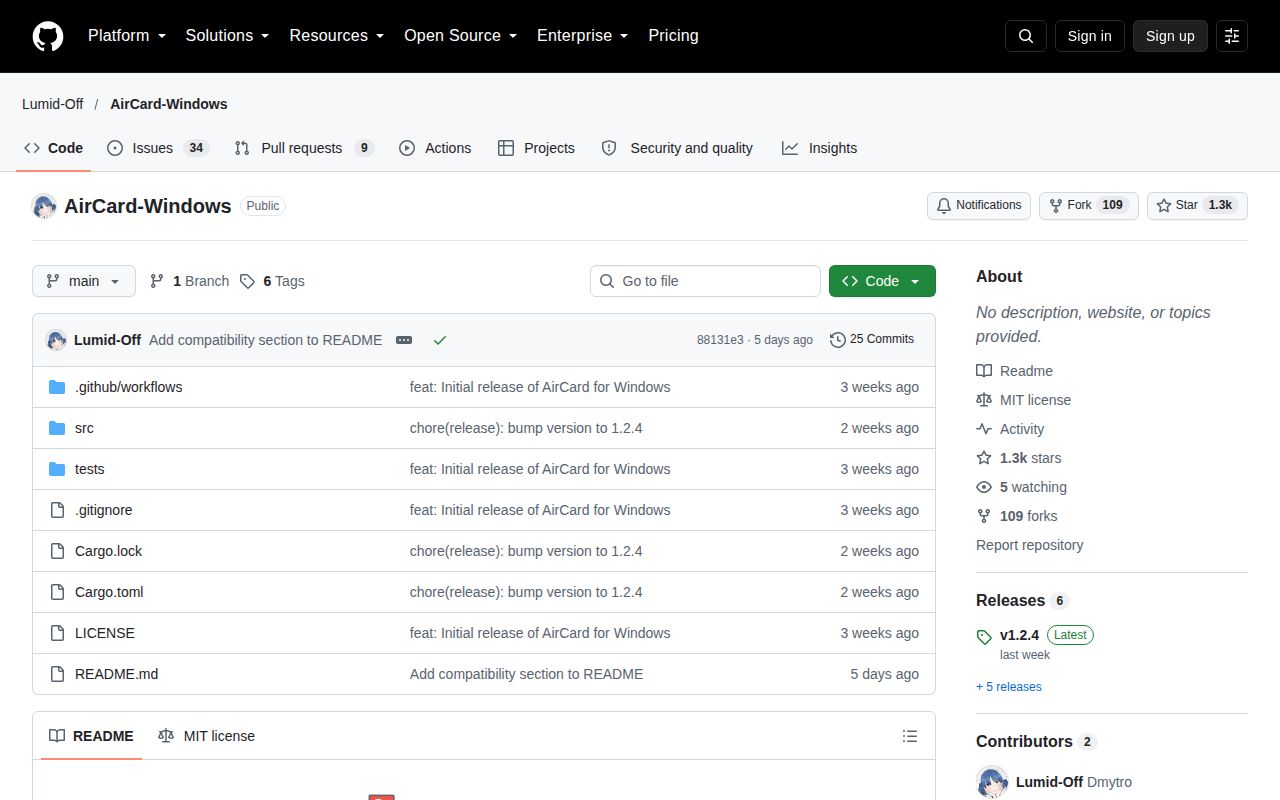
The latest release, v1.2.4, shipped on September 30, 2026, with WiFi transport, Chinese UI, cropping, and card-restore changes. GitHub recorded the last push on October 6 and showed 43 open issues and PRs. Recent reports about writing and scanning give that combined count useful context. The project is being worked on, with unresolved questions in the functions a buyer would actually use.
The README publishes an explicit compatibility cutoff for the underlying exploit. Treat its named supported versions as the project's claims, not a guarantee for your particular device. For Mac users, mak5er's AirCard is the closer alternative, with its own device limitations. Nugget covers broader iPhone customization but documents a different restore method and its own compatibility warnings. Neither is a reason to assume an unsupported phone will work. Choose the tool only after checking the exact task and device against its current documentation.