Forty-five rules turn local session logs into coaching
AI Engineer Coach ships 45 editable rules for prompt quality, session hygiene, code review, tool use, and context management. It parses local agent logs, then presents practice scores, weekly changes, daily activity, generated-code estimates, model use, timelines, and examples behind detected habits. The dashboard is more useful than a raw token counter when the question is how someone works with an agent. Its advice is still an opinionated rubric, so teams should read and tune each rule before treating a score as performance evidence.
The supported-tools guide names 6 sources: the VS Code local agent, Claude, Codex, OpenCode, GitHub Copilot for Xcode, and GitHub Copilot CLI. Filters can separate workspaces and harnesses. This breadth is the project's best idea because many developers move between editor chat and terminal agents during one week. The data stays on the developer's machine for core analysis, which avoids creating a central archive of prompts, command history, and file references merely to draw charts.
What happened when we ran it
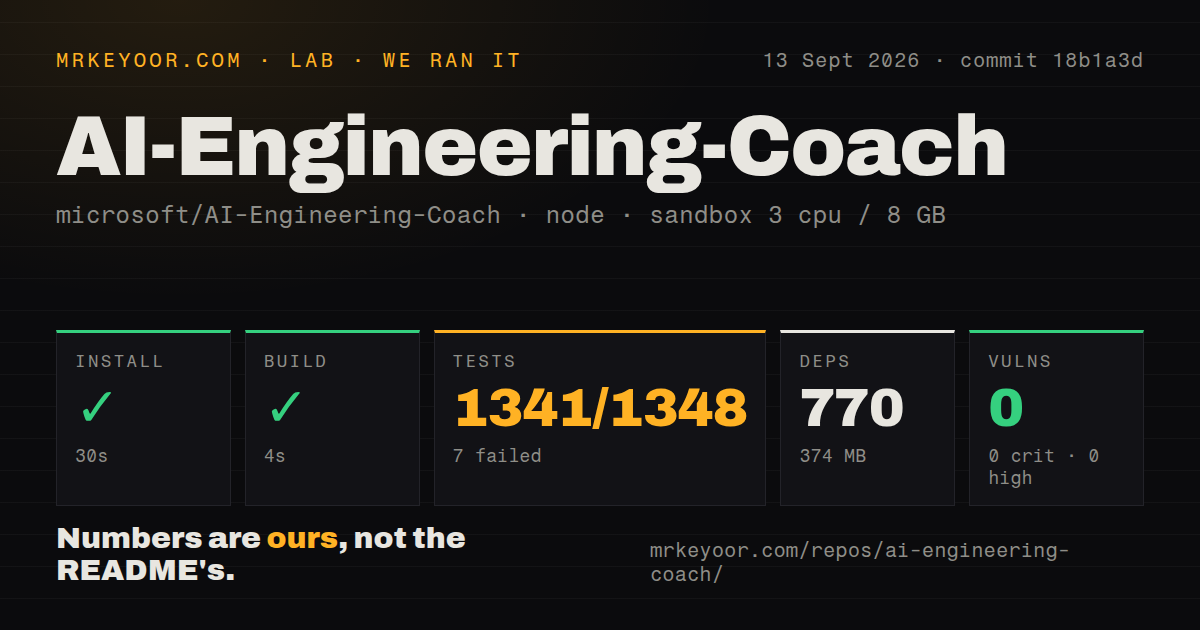
Our sandbox installed 770 npm packages in 30 seconds, consuming 374 MB on disk. The build passed in 4 seconds. Vitest then exited with code 1 after 36 seconds: 1,341 tests passed and 7 failed out of 1,348. We measured commit 18b1a3d in an unprivileged Node 22 container with 3 CPUs and 8 GB of RAM. Npm audit reported 0 known vulnerabilities at every listed severity.
All 7 failures were in src/core/github-app-analytics.test.ts; the other 69 test files passed, while that file failed. The supplied log tail points to line 288 and a helper returning snapshot.metrics, but it does not show enough to assign a cause. The useful conclusion is narrower: installation and build completed, then the full suite did not pass. The 418-file repository had 8 CI workflows, a tests directory, and no Dockerfile, so substantial automation exists even though our fresh run found a regression.
Version 0.1.0 still requires a self-built VSIX
The package manifest reports version 0.1.0, and GitHub's latest-release endpoint returned no release. The README also says the extension is absent from the VS Code Marketplace. Installation means cloning the repository, installing dependencies, running the packaging command, and loading the generated VSIX by command line or the editor UI. That is reasonable for contributors. It creates extra approval and update work for enterprise desktops, which is why issues 92 and 123 ask for a prebuilt artifact.
The local path needs VS Code plus Node and npm. A development-container option substitutes Docker or Podman for local Node setup. Our install's 770 packages and 374 MB show that building a small-looking extension is not a tiny dependency decision. The current manifest requires VS Code 1.125 or newer, while the badge at the top of the README says 1.115+. Trust the manifest for compatibility, and expect older VS Code forks to reject the VSIX as issue 41 describes.
Core analysis stays local, while four AI features use Copilot
The privacy section says session parsing and analytics run locally, session files are read-only, and the extension sends no proprietary telemetry. That is the right default for logs that may contain prompts, filenames, terminal commands, and model output. Optional rule compilation, skill discovery, context review, and learning features use the built-in VS Code language-model API only after a user asks for them. Organizations should treat those actions as a separate data path and apply their existing Copilot policy.
The GitHub Copilot app canvas reuses the dashboard bundle after 1 local build, but 4 areas are unavailable there: Skill Finder, Learning Center, Level Up, and the Context Health AI review. Log-driven pages such as Dashboard, Timeline, Output, Patterns, and Anti-Patterns remain. That makes the canvas a useful viewer for recorded activity, while the VS Code extension remains the full product. Neither route needs a new vendor account for core parsing, though both depend on logs produced by supported tools.
Six supported sources still leave current log formats uncovered
A list of 6 tool families does not guarantee every version and storage format is parsed. Issue 238 says recent OpenCode stores sessions in opencode.db, while the extension searches legacy JSON locations and can report zero sessions without an error. Issue 64 describes a newer GitHub Copilot transcript event stream that is ignored. Missing records are particularly dangerous in an analytics product because a neat chart can look complete even when one source directory was never read.
Remote and mixed environments add more edge cases. Issue 71 lists Linux, Windows-mounted, UNC, and remote URI forms that WSL parsing needs to normalize. Issue 87 tracks the opposite problem: reading two Copilot storage formats can duplicate a session unless the parser has a deduplication rule. Before trusting percentages or trends, compare dashboard totals with a small known set of local sessions from every harness you use. A parser health screen would make that verification easier than silent omission.
A same-day push does not supply a release or passing suite
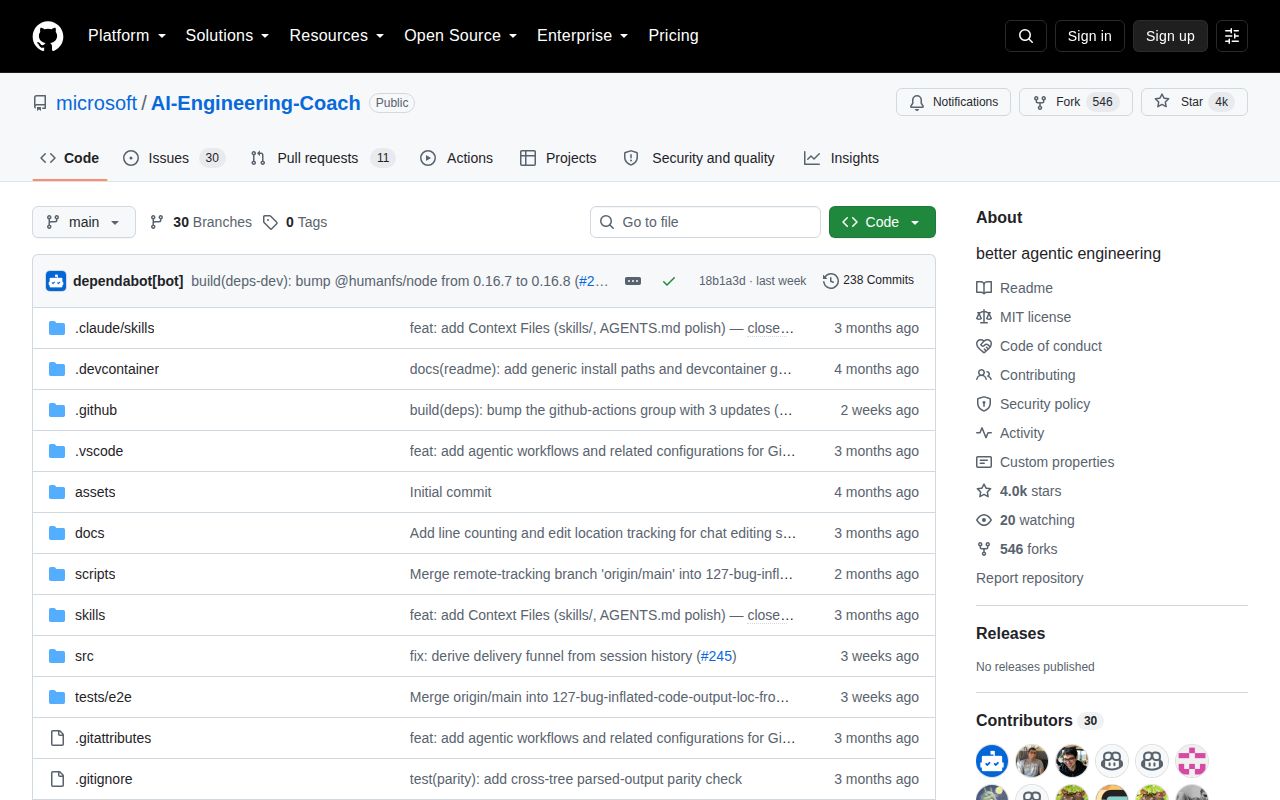
GitHub recorded the last push on September 13, 2026, with 3,990 stars and 41 combined open issues and pull requests. Issue 123 about the missing release was updated two days earlier, and issue 262 received a same-day automated triage response. Those signals show active code and discussion. They also show that packaging remains unresolved months after users asked for a downloadable VSIX. GitHub still returned no latest release despite a release workflow being present in the repository.
Testing has real depth: our run reached 1,348 cases, the checkout has a tests directory, and CI invokes type checks, linting, spelling, dependency checks, tests, a build, size checks, and packaging. The failed 7 analytics cases still block a clean recommendation. Open issue 208 asks for a VS Code end-to-end test, while issue 99 says one timeline browser assertion can pass without proving navigation controls exist. For a local trial, inspect the dashboard. For a team rollout, require a passing pinned commit and a verified parser inventory.