twine review
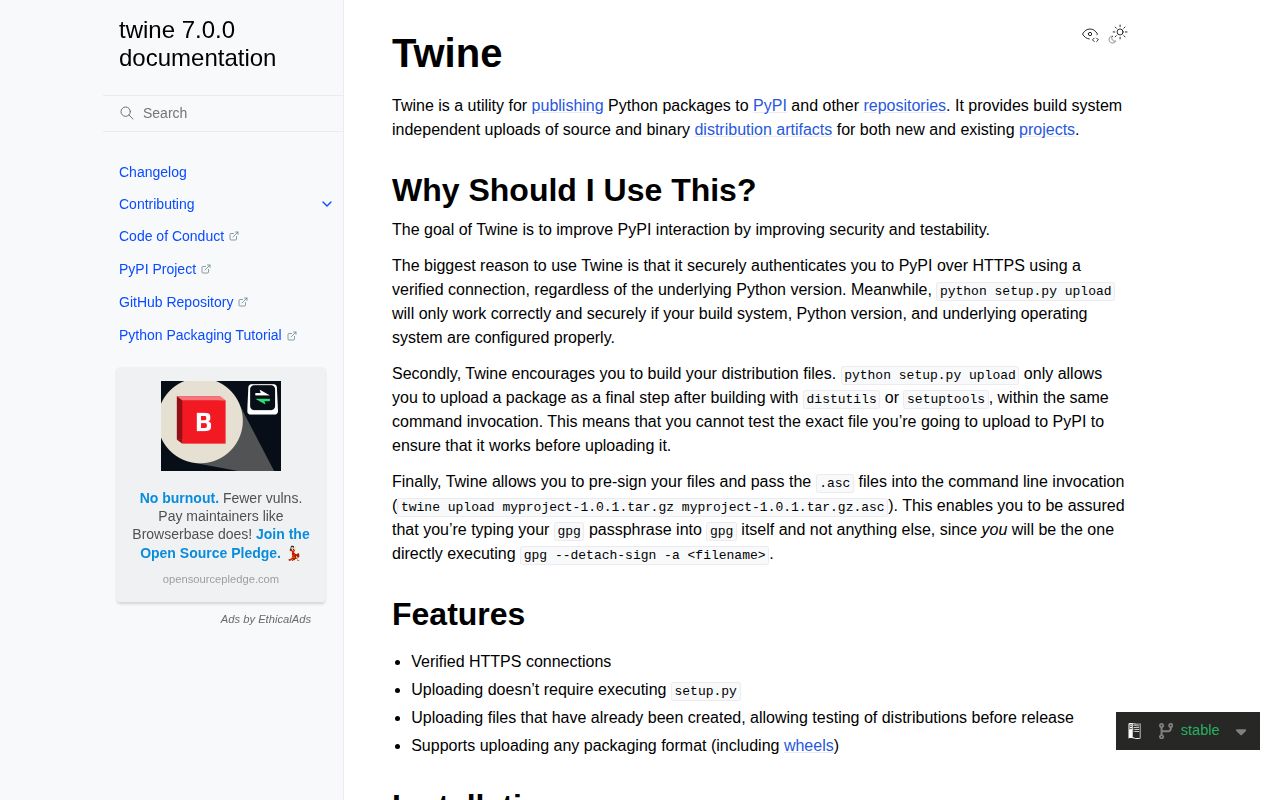
Twine 7.0.0 uploads wheel and source-distribution files that another Python build backend has already created. It can publish to PyPI, TestPyPI, or a compatible private index, and twine check validates distribution metadata and long-description rendering before upload. Authentication can come from environment variables, .pypirc, keyring, or PyPI Trusted Publishing in supported CI. Version 7 reads .pypirc as UTF-8, includes missing subdependencies in version output, avoids a Rich-related hang, handles unusual index status codes more cleanly, accepts metadata 2.5, and stops accepting the never-standardized metadata 2.0.
Twine 7.0.0 installed in 0.7 seconds, used 33 MB, imported in 0.23 seconds, and produced 0 audit findings in our sandbox. Use it when artifact building and index upload are separate release stages; skip it when Hatch, Poetry, or Flit already publishes the tested files.
We installed it
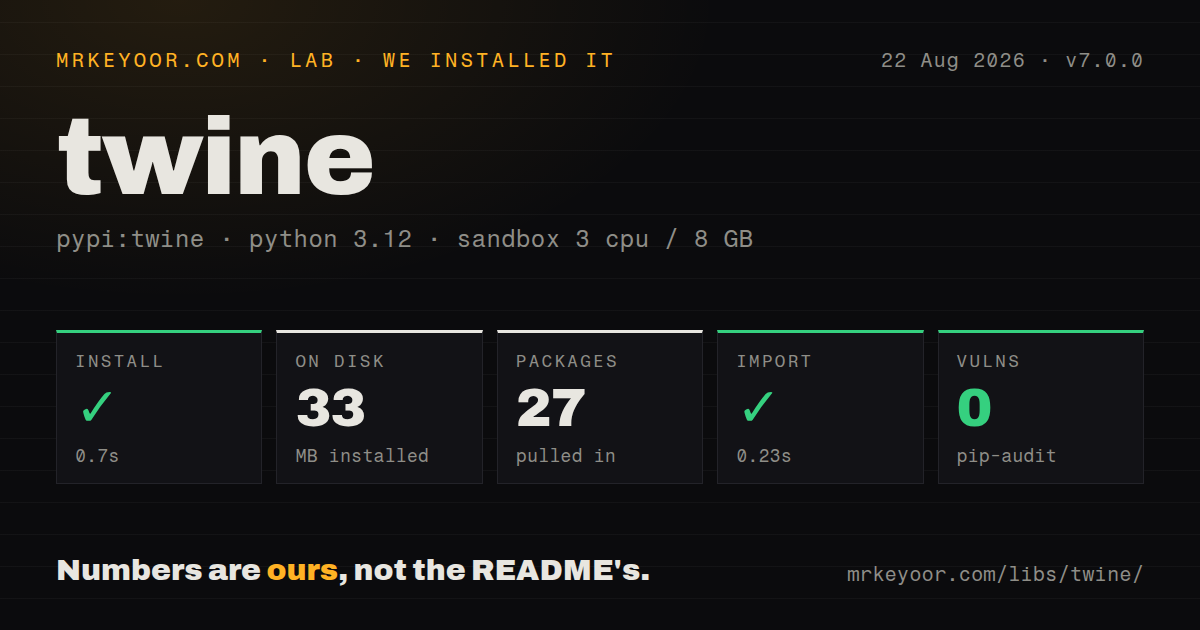
| Install | ✓ · 0.7s | 27 packages on disk · 33 MB |
| Import | ✓ | import twine in 0.23s · pure Python · py.typed · requires Python >=3.10 |
| Known vulns | 0 | (pip-audit) |
Answers from our run
Does twine install cleanly?
Yes. In a fresh container with an empty cache, pip install twine finished in 0.7s, leaving 27 packages and 33 MB on disk. pip-audit reported no known vulnerabilities.
What does twine need to run?
Python >=3.10, and nothing compiled: it is pure Python. In our run import twine succeeded in 0.23s, and the package ships py.typed for type checkers.
twine or hatch: which should you use?
hatch: Use it when Hatch already manages environments, builds, versions, and project publishing. Twine 7.0.0 installed in 0.7 seconds, used 33 MB, imported in 0.23 seconds, and produced 0 audit findings in our sandbox.
When should you not use twine?
You expect a build tool. Twine does not create a wheel or source archive, so an empty or stale dist directory is your problem.
Use it if
- Your build backend produces artifacts but has no upload command, and release jobs should publish those exact files.
- CI must reject malformed metadata or a README that PyPI cannot render before any upload starts.
- The same release process targets PyPI, TestPyPI, and a private index selected by repository name or URL.
- A supported CI provider should use short-lived Trusted Publishing credentials instead of a stored PyPI token.
- You expect a build tool. Twine does not create a wheel or source archive, so an empty or stale dist directory is your problem.
- Hatch, Poetry, or Flit already owns the project's build and publish workflow. Adding Twine can duplicate configuration without improving the release.
- A third-party index must make --skip-existing reliable. Since 6.2.0, special handling is retained for PyPI and TestPyPI, not arbitrary vendor responses.
- Your build backend still emits metadata 2.0. Twine 7 rejects that never-standardized version while adding metadata 2.5 support.
- You want signing alone to establish consumer trust. Uploading attestations or signatures still requires an index and installer path that verifies and exposes them.
Setup reality
We installed twine 7.0.0 in a fresh Python 3.12 Bookworm container. Installation succeeded in 0.7 seconds, left 27 packages on disk, and used 33 MB. Twine declares 10 direct dependencies and requires Python 3.10 or newer. It is pure Python and ships py.typed metadata. Our package measurement did not identify a license. pip-audit found no known vulnerabilities. Importing twine worked in 0.23 seconds.
Twine only uploads. Run python -m build first, inspect dist, then run twine check --strict on the exact files. PyPI never lets you replace an existing filename, even after deleting a release, so a mistaken artifact needs a new version. TestPyPI has separate accounts and tokens. A token upload uses the literal username token; --non-interactive keeps a missing secret from hanging CI.
Prefer Trusted Publishing where PyPI supports the CI identity. Otherwise place TWINE_USERNAME and TWINE_PASSWORD in the job secret environment or use keyring. A .pypirc is useful for repository URLs and usernames, but putting plaintext tokens there raises file-permission and backup risks. Headless keyring backends can prompt or fail unexpectedly, so test credential discovery inside the actual runner.
Private indexes differ in upload paths, certificates, status codes, and duplicate-file responses. --repository-url overrides a named .pypirc entry, and --client-cert expects a file containing both certificate and private key. Version 7 handles nonstandard HTTP statuses more gracefully, yet the server decides acceptance. Treat --skip-existing as PyPI and TestPyPI behavior unless your private index is tested. Upload attestations only after the matching .publish.attestation files exist.
Patterns
Build, validate, then upload release-artifacts
python -m build
python -m twine check --strict dist/*
python -m twine upload dist/*
Inspect the filenames before upload. Twine publishes existing files and does not know whether dist contains an older build.
Fail on description warnings check-metadata
python -m twine check --strict dist/*.whl dist/*.tar.gz--strict turns rendering warnings into a nonzero exit before PyPI receives the artifacts.
Rehearse against TestPyPI test-pypi
python -m twine upload \
  --repository testpypi \
  --non-interactive \
  dist/*
TestPyPI uses a separate account and token. A successful rehearsal does not reserve the version or filename on production PyPI.
Supply a token in CI token-auth
export TWINE_USERNAME=__token__
export TWINE_PASSWORD="$PYPI_API_TOKEN"
python -m twine upload --non-interactive dist/*
__token__ is the literal PyPI username. Store PYPI_API_TOKEN in the CI secret system, never in the repository.
Name public and private indexes configure-repositories
# ~/.pypirc
[distutils]
index-servers =
    pypi
    internal

[pypi]
username = __token__

[internal]
repository = https://packages.example.com/legacy/
username = ci-publisher
Version 7 reads this file as UTF-8. Keep passwords out of it when environment secrets or keyring can supply them.
Override the upload endpoint upload-private-index
python -m twine upload \
  --repository-url https://packages.example.com/legacy/ \
  --client-cert /run/secrets/publisher.pem \
  dist/*
The endpoint is an upload API, which may differ from the simple install index URL. client-cert expects certificate and private key in one file.
Use an ambient CI identity trusted-publishing
# Configure this workflow identity as a PyPI Trusted Publisher.
# Grant the CI job permission to request an OIDC token.
python -m twine upload --non-interactive dist/*
Twine can mint a short-lived PyPI credential only in supported and correctly configured CI. Do not add a fallback long-lived token without a deliberate policy.
Resume a partial PyPI upload skip-pypi-duplicates
python -m twine upload --skip-existing dist/*Depend on this for PyPI and TestPyPI only. Third-party index duplicate responses are no longer covered by vendor-specific detection hacks.
Publish generated attestations upload-attestations
python -m twine upload --attestations dist/*Generate matching .publish.attestation files first. The flag is an error when the required files are absent.
Publish one platform artifact upload-one-wheel
python -m twine upload dist/acme_tools-1.2.0-py3-none-any.whlPyPI accepts additional distinct files for an existing release, but rejects a filename that was already uploaded.
Choose a .pypirc section select-repository
python -m twine upload \
  --repository internal \
  --non-interactive \
  dist/*
The section controls the endpoint and optional username. Confirm the selected repository in CI logs without printing credentials.
Read an index rejection debug-rejection
python -m twine upload \
  --verbose \
  --disable-progress-bar \
  dist/*
Verbose logs can contain repository details. Review artifacts and metadata before retrying, and keep secrets redacted.
Alternatives
| Package | Registry | Pick it when |
|---|---|---|
| hatch | PyPI | Use it when Hatch already manages environments, builds, versions, and project publishing. |
| poetry | PyPI | Use it when Poetry owns dependency, build, and repository configuration for the package. |
| flit | PyPI | Use it for a small pure-Python package that fits Flit's combined build and publish workflow. |
More cli & tooling guides
commander · chalk · typescript · esbuild · yargs · click · the whole shelf →
How this guide is made: grounded in the library's documentation, release notes, changelog, and issue history, on a fixed rubric — not a hands-on install of every release. The 50 most-downloaded entries are additionally install-verified in clean containers. Corrections: contact the desk.