hatch review
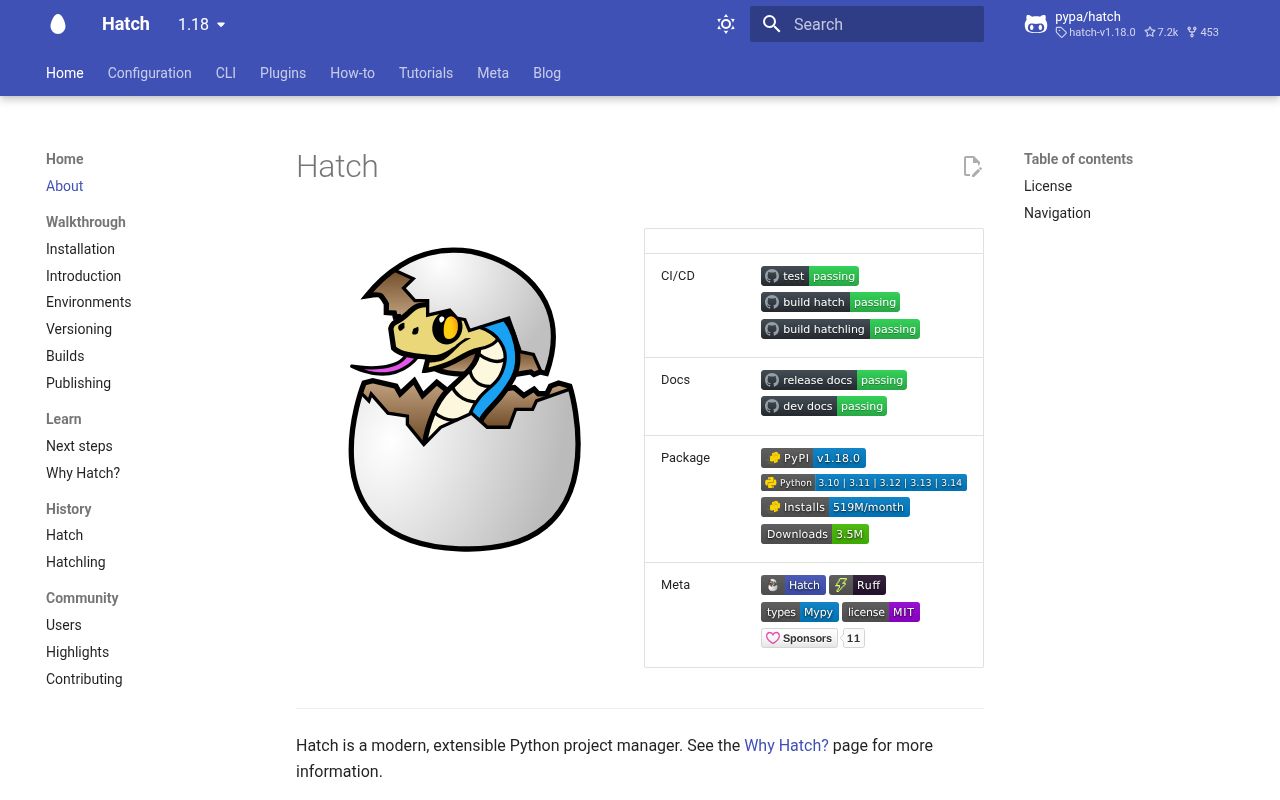
Hatch 1.18.0 is PyPA's command-line workbench for Python projects. It creates isolated environments, runs scripts and test matrices, manages Python installations, builds through Hatchling, edits versions, and publishes distributions. Configuration lives in `pyproject.toml`, so the same named environments can run locally and in CI. The current release adds dependency source redirection, workspace-wide builds, a minimum-Hatch constraint, free-threaded Python selectors, Python 3.15 management, and static version editing. This is a project manager with its own environment model, not a library imported by application code.
Hatch 1.18.0 installed 44 packages and used 41 MB in our sandbox, so it earns its place only when its environment matrices, build, and release commands replace several tools. For a small deployable app that mainly needs lock and run, start with uv.
We installed it
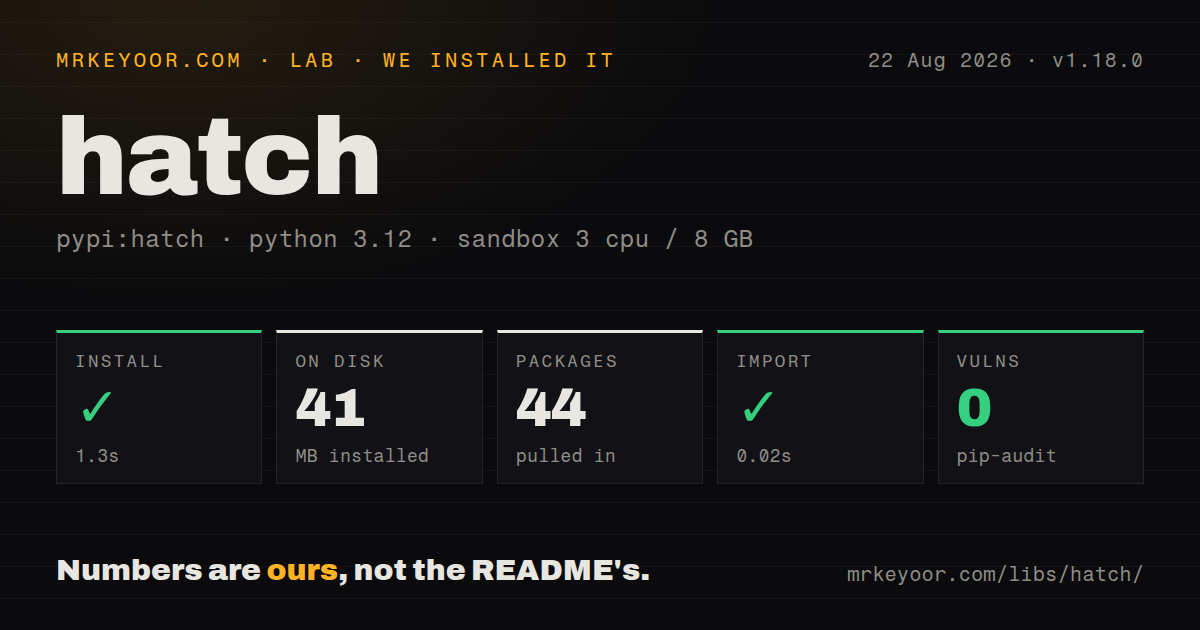
| Install | ✓ · 1.3s | 44 packages on disk · 41 MB |
| Import | ✓ | import hatch in 0.02s · pure Python · py.typed · requires Python >=3.10 |
| Known vulns | 0 | (pip-audit) |
Answers from our run
Does hatch install cleanly?
Yes. In a fresh container with an empty cache, pip install hatch finished in 1 seconds, leaving 44 packages and 41 MB on disk. pip-audit reported no known vulnerabilities.
What does hatch need to run?
Python >=3.10, and nothing compiled: it is pure Python. In our run import hatch succeeded in 0.02s, and the package ships py.typed for type checkers.
hatch or uv: which should you use?
uv: Use it for fast project locking, interpreter management, tools, and script execution with a smaller configuration vocabulary. Hatch 1.18.0 installed 44 packages and used 41 MB in our sandbox, so it earns its place only when its environment matrices, build, and release commands replace several tools.
When should you not use hatch?
Your application only needs dependency locking and command execution. uv has fewer Hatch-specific concepts and a project-centered lock workflow.
Use it if
- You maintain Python packages and want environments, tests, builds, version changes, and publishing behind one CLI.
- A matrix must exercise several Python versions or optional dependency combinations from shared `pyproject.toml` settings.
- Your project already builds with Hatchling and you want the matching environment and release commands.
- A workspace needs one command to build its root and every selected member into a common distribution directory.
- Your application only needs dependency locking and command execution. uv has fewer Hatch-specific concepts and a project-centered lock workflow.
- The tool must run on Python 3.9 or earlier. Hatch 1.18.0 requires Python 3.10 or newer.
- A 41 MB tool environment and 44 installed packages are excessive for a one-command CI job.
- You need Conda as a built-in environment type. Hatch's own documentation sends that workflow to the separate hatch-conda plugin.
- Your team cannot carry plugin and environment configuration across CI. Custom builders, hooks, installers, and publishers must be installed in the Hatch tool environment.
Setup reality
We installed Hatch 1.18.0 in a fresh, unprivileged Python 3.12 sandbox. The install took 1.3 seconds, produced 44 packages using 41 MB, and declared 19 direct dependencies. pip-audit found 0 known vulnerabilities, while import hatch worked in 0.02 seconds. Our measurement setup had 3 CPUs, 8 GB of RAM, and no cache. The package is pure Python, ships py.typed, and declares Python 3.10 or newer; its package metadata did not state a license.
Install Hatch as a tool with uv tool install hatch or pipx so those 44 packages do not enter the application's runtime environment. A project can use standard [project] metadata plus [tool.hatch.envs.*] tables. hatch run creates a missing environment, resolves dependencies, and normally installs the project, so the first command can fail on packaging metadata before its script starts. Version 1.18.0 can enforce the running CLI through tool.hatch.requires-hatch.
Hatch keeps environments outside the repository by default. hatch env find, hatch env remove, and hatch env prune expose or clear that cached state. The new sources option can redirect a dependency to a path, Git URL, alternate index, or workspace member without changing published metadata; set HATCH_NO_SOURCES when CI must test only declared package sources. Interpreter matrices still need matching interpreters, either discoverable on the host or installed with Hatch.
Publishing requires repository credentials, usually a token supplied by environment variables, an auth file, or keyring. Build first and inspect dist; do not let publish hide an unexpected build. In 1.18.0, hatch build --all collects workspace artifacts at the root. Free-threaded selectors such as 3.14t are now recognized, and prerelease Python 3.15 is installed only when explicitly requested.
Patterns
Create a packaged project create-project
hatch new acme-widget
cd acme-widget
hatch run python -c "import acme_widget"
`hatch run` creates the default environment on first use and installs the project unless configuration disables that behavior.
Define a development environment define-environment
[tool.hatch.envs.dev]
dependencies = [
  "pytest>=8",
  "coverage[toml]>=7",
]

[tool.hatch.envs.dev.scripts]
test = "pytest {args:tests}"
Named environments live under `tool.hatch.envs`; script arguments after the command replace the `{args:...}` default.
Run a named script run-script
hatch run dev:test -qThe `environment:script` form selects `dev`; omitting the prefix uses the default environment.
Test several Python versions test-matrix
[[tool.hatch.envs.test.matrix]]
python = ["3.11", "3.12", "3.13"]

[tool.hatch.envs.test.scripts]
run = "pytest {args:tests}"
Each Python value creates a matrix environment. The requested interpreters must be installed or available to Hatch.
Use a local dependency during development redirect-dependency
[tool.hatch.sources]
shared-lib = { path = "../shared-lib" }
Version 1.18.0 source redirection changes installation only; published dependency metadata stays unchanged. Set `HATCH_NO_SOURCES=1` to disable redirects.
Require a compatible Hatch CLI require-hatch-version
[tool.hatch]
requires-hatch = ">=1.18,<2"
Commands that read project metadata reject a running Hatch version outside this specifier.
Build wheel and source archive build-artifacts
hatch build
ls dist/
Hatchling builds reproducible artifacts by default. Inspect both outputs before publishing them.
Build every workspace member build-workspace
hatch build --allAdded in 1.18.0, `--all` builds the selected workspace members and places artifacts in the root `dist` directory by default.
Update a static project version bump-version
hatch version minorHatch 1.18.0 can rewrite a static `project.version` in pyproject.toml. Use `--force` only when an explicit downgrade is intended.
Publish built distributions publish-release
export HATCH_INDEX_USER=__token__
export HATCH_INDEX_AUTH="$PYPI_TOKEN"
hatch publish
Publishing needs index credentials and consumes files from `dist`; build and inspect those artifacts first.
Remove cached environments prune-environments
hatch env show
hatch env prune
Hatch stores managed environments outside the repository. Pruning deletes environments that no longer match project configuration.
Install a free-threaded interpreter install-free-threaded-python
hatch python install 3.14tVersion 1.18.0 understands free-threaded names such as `3.14t` in both Python commands and environment configuration.
Alternatives
| Package | Registry | Pick it when |
|---|---|---|
| uv | PyPI | Use it for fast project locking, interpreter management, tools, and script execution with a smaller configuration vocabulary. |
| poetry | PyPI | Use it when the team prefers one opinionated dependency, lock, build, and publish workflow. |
| pdm | PyPI | Use it for standards-based project metadata, lockfiles, scripts, and builds without Hatch's environment matrix model. |
More cli & tooling guides
commander · chalk · typescript · esbuild · yargs · click · the whole shelf →
How this guide is made: grounded in the library's documentation, release notes, changelog, and issue history, on a fixed rubric — not a hands-on install of every release. The 50 most-downloaded entries are additionally install-verified in clean containers. Corrections: contact the desk.