tsx review
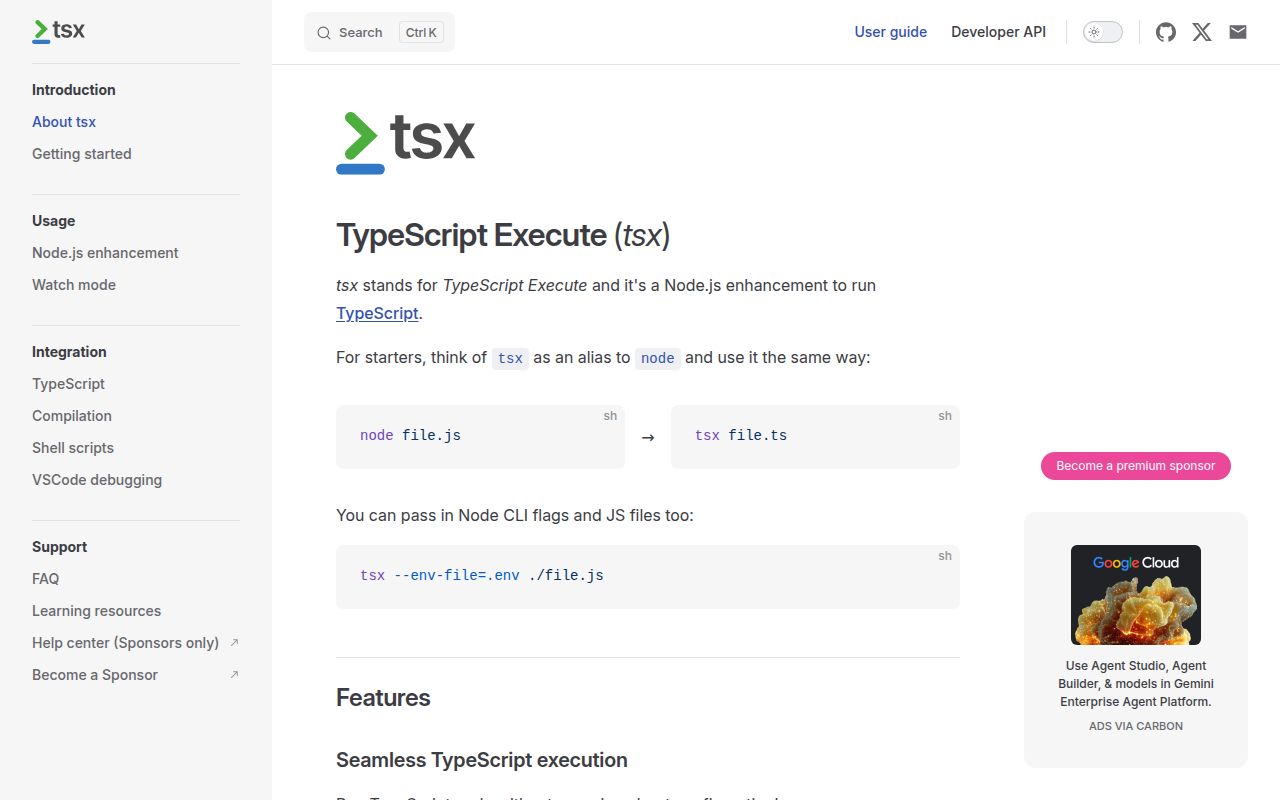
tsx 4.23.12 runs TypeScript and current JavaScript directly in Node by transforming syntax with esbuild and handing execution back to Node's module system. Its CLI supports CommonJS and ESM projects, tsconfig path aliases, watch restarts, Node flags, the Node test runner, shell evaluation, and scoped registration APIs. It removes types but does not check whether they are correct, emit declaration files, or create a deployable build directory. The current patch fixes import.meta shimming when comments or newlines split those tokens; nearby 4.23 patches repair async ESM require fallback and nyc coverage discovery.
tsx 4.23.12 installed in 1.8 seconds and used 12 MB across 3 packages in our sandbox, with working require and import and 0 audit findings; its browser bundle failed. Use it for Node development execution when tsc checks types elsewhere, and keep a separate build when production needs emitted artifacts.
We installed it
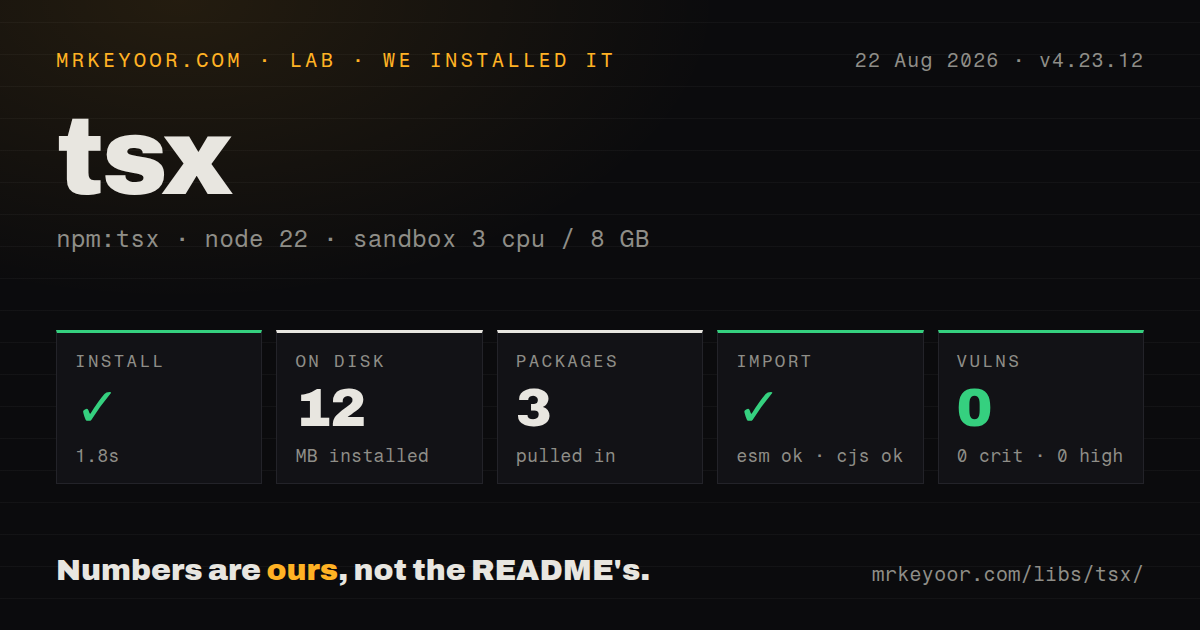
| Install | ✓ · 1.8s | 3 packages on disk · 12 MB |
| Import | ✓ | ESM import works · require() works · ESM package with exports map |
| Browser | n/a | could not be bundled for the browser (Node-only code, most likely) |
| Types | — | no TypeScript types found |
| Known vulns | 0 | 0 critical · 0 high · 0 moderate · 0 low (npm audit) |
Answers from our run
Does tsx install cleanly?
Yes. In a fresh container with an empty cache, npm install tsx finished in 2 seconds, leaving 3 packages and 12 MB on disk. npm audit reported no known vulnerabilities.
Can tsx run in a browser?
Not directly: esbuild could not bundle it for the browser in our run, which normally means it depends on Node built-ins. Use it on the server, or find a browser-targeted alternative.
Does tsx work with both ESM and CommonJS?
Yes. Both import 'tsx' and require('tsx') worked in Node 22 in our run. The package is published as ESM with an exports map.
Does tsx include TypeScript types?
No type declarations were found in our install, so TypeScript users need their own declarations.
tsx or ts-node: which should you use?
ts-node: Choose it when TypeScript compiler integration and optional type checking matter more than esbuild transformation speed. tsx 4.23.12 installed in 1.8 seconds and used 12 MB across 3 packages in our sandbox, with working require and import and 0 audit findings; its browser bundle failed.
When should you not use tsx?
Execution must fail on a type error; tsx strips TypeScript syntax and leaves semantic checking to tsc or an editor
Use it if
- Development scripts, migrations, generators, or local servers should execute TypeScript without a separate output directory
- A repository crosses CommonJS and ESM boundaries and needs Node-aware transformation during development
- Watch mode should restart an entry point when its imported TypeScript files or selected extra files change
- TypeScript tests should run through Node's built-in test runner while type checking remains a separate CI command
- Execution must fail on a type error; tsx strips TypeScript syntax and leaves semantic checking to tsc or an editor
- Production requires committed or inspectable JavaScript, declaration files, controlled source maps, or a build artifact independent of tsx
- Code depends on TypeScript transforms that need type information rather than syntax-only esbuild conversion
- The target runtime is a browser; our esbuild browser bundle failed because tsx is a Node loader and command
- A short script already runs under Node's built-in type stripping and the measured 12 MB install is not justified
Setup reality
We installed tsx 4.23.12 without a cache in a fresh Node 22 Bookworm sandbox. npm took 1.8 seconds and left 3 packages occupying 12 MB. The tsx package is 692 KB unpacked, declares 1 direct dependency and no peers, uses the MIT license, and requires Node 18 or newer. npm audit found 0 known vulnerabilities. It is ESM with an exports map; require and ESM import both worked. Our package scan found no TypeScript types.
No credential or tsx-specific config file is required. tsx reads the project's tsconfig for path aliases and relevant compiler settings, while package.json type and file extensions still tell Node whether a module is ESM or CommonJS. Put Node flags before the entry file and application arguments after it. Keep tsc --noEmit in CI because a successful tsx run proves only that the executed path could be transformed.
Version 4 watch mode follows imported files and skips node_modules, vendor, dist, and hidden directories by default. Use --include for non-imported config or data and --exclude for generated files that would create restart loops. Each restart replaces the child process, so servers and workers need signal handlers that close sockets, database pools, and temporary resources promptly.
Our browser bundle attempt failed in esbuild, as expected for a Node execution hook. Programmatic registration can affect every later import or require in the process; call its unregister function or use a namespaced tsImport and require helper for narrow scope. CommonJS transformation cannot support top-level await, and dynamic import from a CommonJS-loaded file needs the ESM hook instead.
Patterns
Execute a TypeScript command directly run-typescript-file
npx tsx src/index.ts --port 3000Flags after src/index.ts belong to the application. Put Node runtime flags before that entry path.
Run development and type checks separately add-package-script
{"scripts":{"dev":"tsx watch src/server.ts","check":"tsc --noEmit"}}The dev command transforms and executes. The check command is what reports invalid TypeScript types.
Restart when an imported module changes watch-import-graph
npx tsx watch --clear-screen=false src/worker.tstsx restarts the child process. Close open connections on signals and exclude generated files that would trigger a loop.
Execute TypeScript with Node's test runner run-node-tests
npx tsx --test "test/**/*.test.ts"The quoted glob reaches the Node test runner instead of being expanded differently by each user's shell.
Apply Node options before the entry point pass-node-flags
npx tsx --env-file=.env --trace-warnings src/index.tsNode options must precede src/index.ts. A flag after it is passed to the script instead.
Evaluate a typed expression from the shell evaluate-expression
npx tsx -e "const n: number = 4; console.log(n ** 2)"Evaluation removes the annotation and runs the JavaScript. It does not reject a wrong annotation.
Attach tsx through Node's import hook import-tsx-loader
node --import tsx ./src/index.tsCurrent Node uses --import for this hook. Avoid copying older --loader examples into a new setup.
Load one TypeScript module with local scope register-scoped-import
import { tsImport } from 'tsx/esm/api'

const module = await tsImport('./tool.ts', import.meta.url)
tsImport transforms this request without registering TypeScript handling for every later ESM import in the process.
Include config changes and ignore generated data watch-extra-files
npx tsx watch \
  --include "config/*.json" \
  --exclude "data/generated/**/*" \
  src/server.ts
Imported source files are watched automatically. --include adds outside dependencies, while --exclude prevents unwanted restarts.
Run an executable TypeScript script typescript-shell-script
#!/usr/bin/env -S npx tsx

const name: string = process.argv[2] ?? 'world'
console.log(`hello ${name}`)
Make the file executable on POSIX systems. env -S is needed because the shebang passes npx and tsx as separate arguments.
Enable and then remove the ESM hook register-esm-temporarily
import { register } from 'tsx/esm/api'

const unregister = register()
try {
  await import('./task.ts')
} finally {
  unregister()
}
This registration changes later ESM loads process-wide until unregister runs. A namespace is safer when only one importer needs it.
Load one TypeScript file from CommonJS require-typescript-from-cjs
const tsx = require('tsx/cjs/api')

const loaded = tsx.require('./file.ts', __filename)
const resolved = tsx.require.resolve('./file.ts', __filename)
Pass the current filename so relative resolution has context. CommonJS transformation does not support top-level await or enhance dynamic import calls.
Alternatives
| Package | Registry | Pick it when |
|---|---|---|
| ts-node | npm | Choose it when TypeScript compiler integration and optional type checking matter more than esbuild transformation speed. |
| jiti | npm | Choose it for loading configuration files with mixed module syntax and runtime interop. |
| vite-node | npm | Choose it inside Vite-based tools that need Vite plugins, transforms, and module graph behavior. |
More cli & tooling guides
commander · chalk · typescript · esbuild · yargs · click · the whole shelf →
How this guide is made: grounded in the library's documentation, release notes, changelog, and issue history, on a fixed rubric — not a hands-on install of every release. The 50 most-downloaded entries are additionally install-verified in clean containers. Corrections: contact the desk.