ts-node review
ts-node 10.9.2 installs hooks that compile TypeScript while Node loads a script, and maps runtime stacks back to the source. It can typecheck before execution, switch to transpilation-only mode, open a TypeScript REPL, or register inside another Node tool. The current release contains one targeted fix for tsconfig.json discovery with newer TypeScript; it was published in December 2023. The package is CommonJS with an exports map, and our checks loaded it through require and ESM import. Its browser build failed in esbuild, matching a tool built around Node's loaders rather than frontend execution.
ts-node 10.9.2 took 5.8 seconds and 37 MB to install in our sandbox, passed npm audit, and failed the browser bundle because it is Node loader tooling. Keep it where typechecked execution or an established register hook earns that cost; for a new transpile-only script, compare tsx and run tsc separately.
We installed it
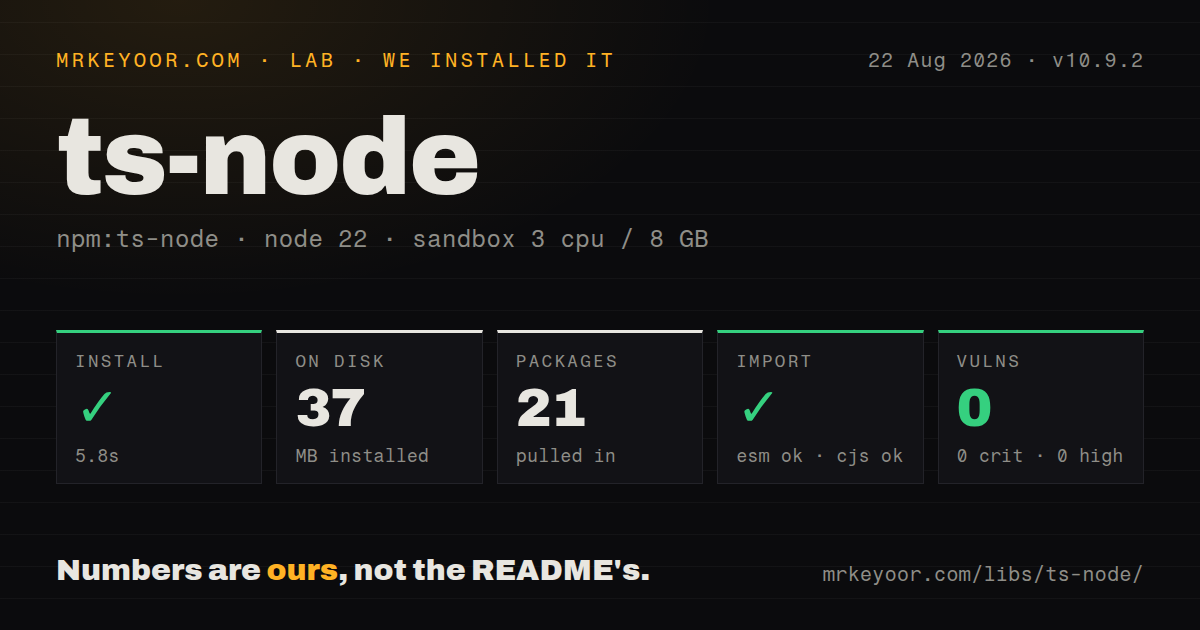
| Install | ✓ · 5.8s | 21 packages on disk · 37 MB |
| Import | ✓ | ESM import works · require() works · CommonJS package with exports map |
| Browser | n/a | could not be bundled for the browser (Node-only code, most likely) |
| Types | ✓ | TypeScript types bundled |
| Known vulns | 0 | 0 critical · 0 high · 0 moderate · 0 low (npm audit) |
Answers from our run
Does ts-node install cleanly?
Yes. In a fresh container with an empty cache, npm install ts-node finished in 6 seconds, leaving 21 packages and 37 MB on disk. npm audit reported no known vulnerabilities.
Can ts-node run in a browser?
Not directly: esbuild could not bundle it for the browser in our run, which normally means it depends on Node built-ins. Use it on the server, or find a browser-targeted alternative.
Does ts-node work with both ESM and CommonJS?
Yes. Both import 'ts-node' and require('ts-node') worked in Node 22 in our run. The package is published as CommonJS with an exports map.
Does ts-node include TypeScript types?
Yes, type declarations ship inside the package, so no @types install is needed.
ts-node or tsx: which should you use?
tsx: Choose it for quick TypeScript script execution when typechecking already runs as a separate command. ts-node 10.9.2 took 5.8 seconds and 37 MB to install in our sandbox, passed npm audit, and failed the browser bundle because it is Node loader tooling.
When should you not use ts-node?
A new project only needs fast execution and runs tsc separately; tsx has a smaller configuration surface for that split workflow
Discussed on
Use it if
- An existing CommonJS tool or test command already loads ts-node/register and should keep typechecking during execution
- A standalone TypeScript script needs source-mapped errors and the same tsconfig options as the rest of the project
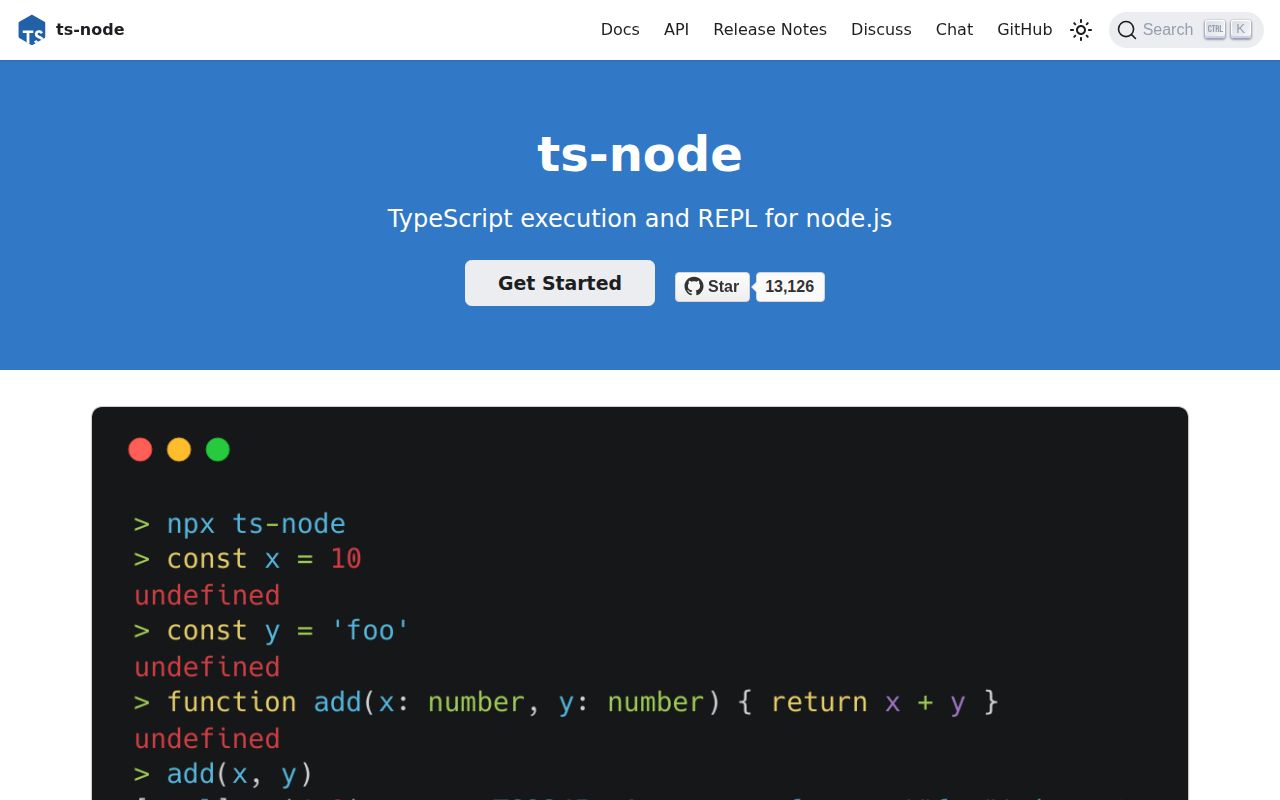
- You need the TypeScript REPL or programmatic compiler service exposed by ts-node
- Custom TypeScript transformers or a third-party transpiler must sit inside Node's module-loading path
- A new project only needs fast execution and runs tsc separately; tsx has a smaller configuration surface for that split workflow
- Production uses native ESM: the ts-node README calls its ESM loader experimental, dependent on Node APIs that may break, and unsuitable for production
- Imports rely on tsconfig paths aliases; ts-node intentionally leaves those unresolved unless another hook such as tsconfig-paths/register is installed
- The runner must bundle for a browser or edge runtime; our esbuild browser attempt failed because ts-node depends on Node-specific code
- Recent maintenance is required: version 10.9.2 was published on 2023-12-08 and GitHub reports the last repository push on 2024-07-18
Setup reality
We installed ts-node 10.9.2 without a cache on Node 22. npm took 5.8 seconds, left 21 packages, and used 37 MB on disk. It declares 13 direct dependencies and 4 peers; the package itself is 1,120 KB unpacked. npm audit returned 0 known vulnerabilities. TypeScript declarations are bundled. Both require() and ESM import worked against its CommonJS package and exports map.
Install TypeScript and Node type declarations alongside ts-node; SWC support instead needs @swc/core or @swc/wasm. Put ts-node options in the ts-node object inside tsconfig.json so register hooks and shebang scripts see them. CLI flags go before the entry file. Node flags belong on node itself or in NODE_OPTIONS. When discovery is confusing, ts-node --showConfig prints the merged configuration and -vv prints the selected Node and compiler versions.
Typechecking is the slow path. transpileOnly starts sooner but executes code even when the type checker would reject it, so run tsc --noEmit elsewhere if correctness depends on types. ts-node does not eagerly load every files or include entry by default, and it skips node_modules. Use files or skipIgnore only for a concrete missing-type or unpublished-TypeScript case because each widens the compilation work.
CommonJS registration uses node -r ts-node/register. Native ESM uses ts-node-esm or the ts-node/esm loader, which the project labels experimental because Node loader APIs can change. Paths aliases still need a runtime resolver. Watching and restart behavior is outside the project's scope. Our esbuild browser bundle failed rather than producing a size, which confirms this package should remain in Node scripts, tests, and development tools.
Patterns
Execute one TypeScript script run-script
npm install --save-dev ts-node typescript @types/node

npx ts-node src/report.ts

# Skip typechecking for this run
npx ts-node --transpileOnly src/report.ts
ts-node options must precede src/report.ts. Arguments after the file are passed to the script itself.
Keep runtime options in tsconfig.json configure-tsconfig
{
  "extends": "ts-node/node16/tsconfig.json",
  "ts-node": {
    "transpileOnly": true,
    "files": true
  },
  "compilerOptions": {
    "strict": true,
    "target": "ES2022"
  }
}
The ts-node object is read by the CLI and register hooks. files true loads tsconfig files and include entries at startup, which can increase startup work.
Register TypeScript in a CommonJS process register-commonjs-hook
node -r ts-node/register src/index.ts

# Transpile without typechecking
node -r ts-node/register/transpile-only src/index.ts
The -r hook applies to later CommonJS require calls in that process. It must load before the first TypeScript module.
Enable the hook in child processes propagate-register-hook
NODE_OPTIONS='-r ts-node/register' node scripts/parent.jsNODE_OPTIONS is inherited by child Node processes unless the parent changes the environment. That can compile TypeScript in tools that were not expected to load it.
Start a native ESM entry point run-native-esm
// package.json includes: { "type": "module" }
// tsconfig.json includes: { "ts-node": { "esm": true } }

npx ts-node-esm src/index.ts
The project documents native ESM support as experimental and unsuitable for production because it depends on Node loader hooks that can change.
Use SWC for transpilation enable-swc
npm install --save-dev @swc/core @swc/helpers

// tsconfig.json
{
  "ts-node": {
    "swc": true
  }
}
swc true implies transpileOnly, so ts-node will not typecheck the program. @swc/helpers is needed when TypeScript importHelpers behavior is enabled.
Add a resolver for paths aliases resolve-path-alias
npm install --save-dev tsconfig-paths

{
  "compilerOptions": {
    "baseUrl": ".",
    "paths": { "@app/*": ["src/*"] }
  },
  "ts-node": {
    "require": ["tsconfig-paths/register"]
  }
}
ts-node does not implement paths resolution by itself. Without the extra register hook, @app imports can compile and then fail during Node resolution.
Load CommonJS Mocha tests run-mocha-tests
{
  "require": ["ts-node/register"],
  "extensions": ["ts", "tsx"],
  "spec": ["test/**/*.spec.ts"]
}
Save this as .mocharc.json. Mocha loads ts-node/register before it discovers the .ts and .tsx test files.
Compile one config file as CommonJS override-module-type
{
  "ts-node": {
    "moduleTypes": {
      "webpack.config.ts": "cjs",
      "scripts/**/*.ts": "cjs"
    }
  },
  "compilerOptions": {
    "module": "ESNext"
  }
}
moduleTypes overrides package.json type and the compiler module setting for matching files. It is configured through tsconfig.json or the API, not a CLI flag.
Use the TypeScript REPL open-repl
npx ts-node
> const port: number = 3090
> port + 1
3091

npx ts-node -p -e '40 + 2'
With no entry file, config discovery starts from the current working directory. Starting the REPL elsewhere can select a different tsconfig.json.
Install the compiler hook from JavaScript register-programmatically
// bootstrap.cjs
require('ts-node').register({
  project: './tsconfig.scripts.json',
  transpileOnly: true,
});

require('./src/job.ts');
register installs hooks for subsequent requires. Requiring job.ts before register runs will leave Node unable to compile that file.
Print the effective configuration inspect-configuration
npx ts-node --showConfig
npx ts-node -vv

TS_NODE_DEBUG=true npx ts-node src/index.ts
showConfig prints the merged TypeScript and ts-node settings. -vv reports the selected ts-node, Node, and TypeScript versions; TS_NODE_DEBUG adds loader diagnostics.
Alternatives
| Package | Registry | Pick it when |
|---|---|---|
| tsx | npm | Choose it for quick TypeScript script execution when typechecking already runs as a separate command. |
| @swc-node/register | npm | Choose it when an existing require-hook workflow needs SWC-based transpilation. |
| esbuild-register | npm | Choose it for a small esbuild require hook around config files and short Node scripts. |
| jiti | npm | Choose it when a configuration loader must accept TypeScript and mixed module formats with little setup. |
More cli & tooling guides
commander · chalk · typescript · esbuild · yargs · click · the whole shelf →
How this guide is made: grounded in the library's documentation, release notes, changelog, and issue history, on a fixed rubric — not a hands-on install of every release. The 50 most-downloaded entries are additionally install-verified in clean containers. Corrections: contact the desk.