tqdm review
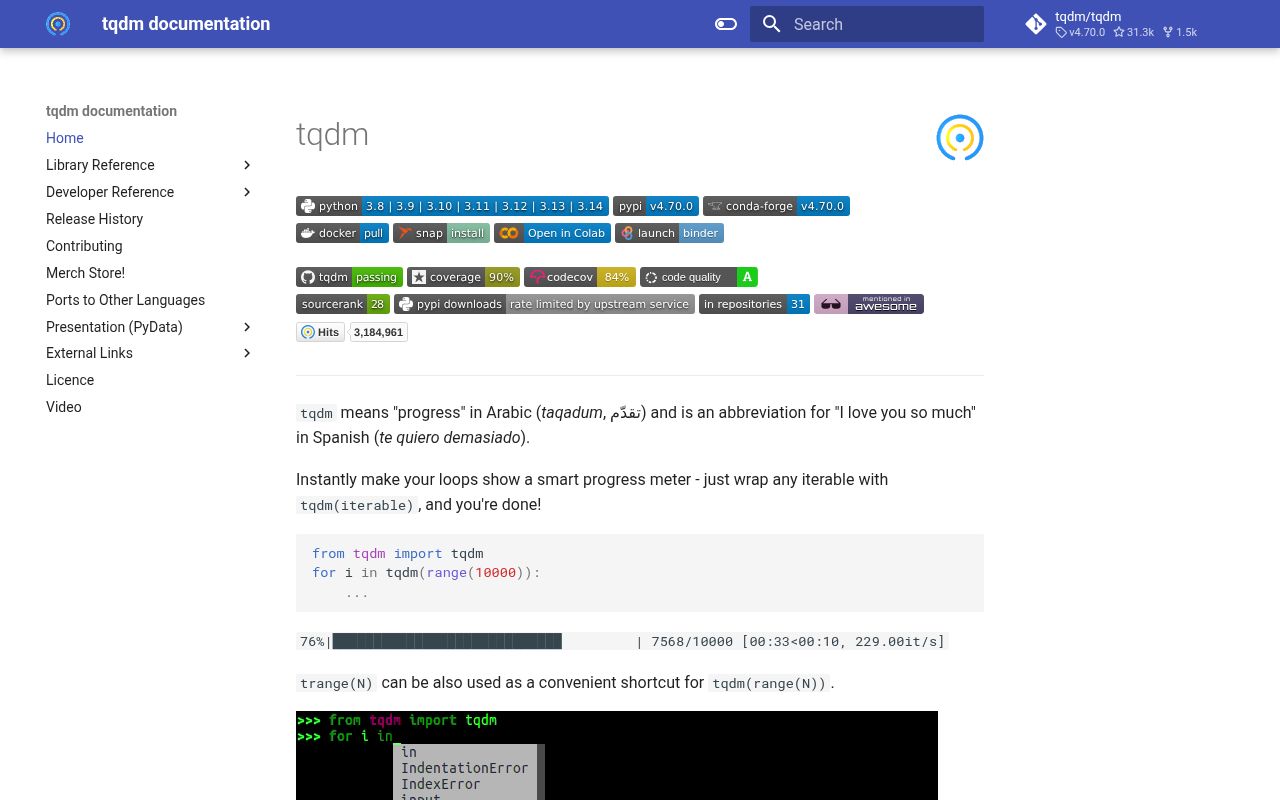
tqdm 4.70.0 draws a terminal progress meter while Python consumes an iterable, receives manual increments, awaits an async iterator, maps work through an executor, or copies a shell pipeline. Output goes to stderr by default, leaving stdout available for the program's actual data. The release expands thread_map and process_map with executor controls, chooses the shortest input length as their total, improves their ETA, adds interpreter_map for Python 3.14+, and accepts async objects that expose only __aiter__. Our import succeeded in 0.26 seconds, though the distribution does not include py.typed.
tqdm 4.70.0 installed in 0.3 seconds and occupied 1 MB in our sandbox, with a 0.26-second import and no pip-audit findings. Add it to operator-facing Python loops and shell filters; leave it out of structured service logs or choose Rich when progress is only one part of a larger live terminal screen.
We installed it
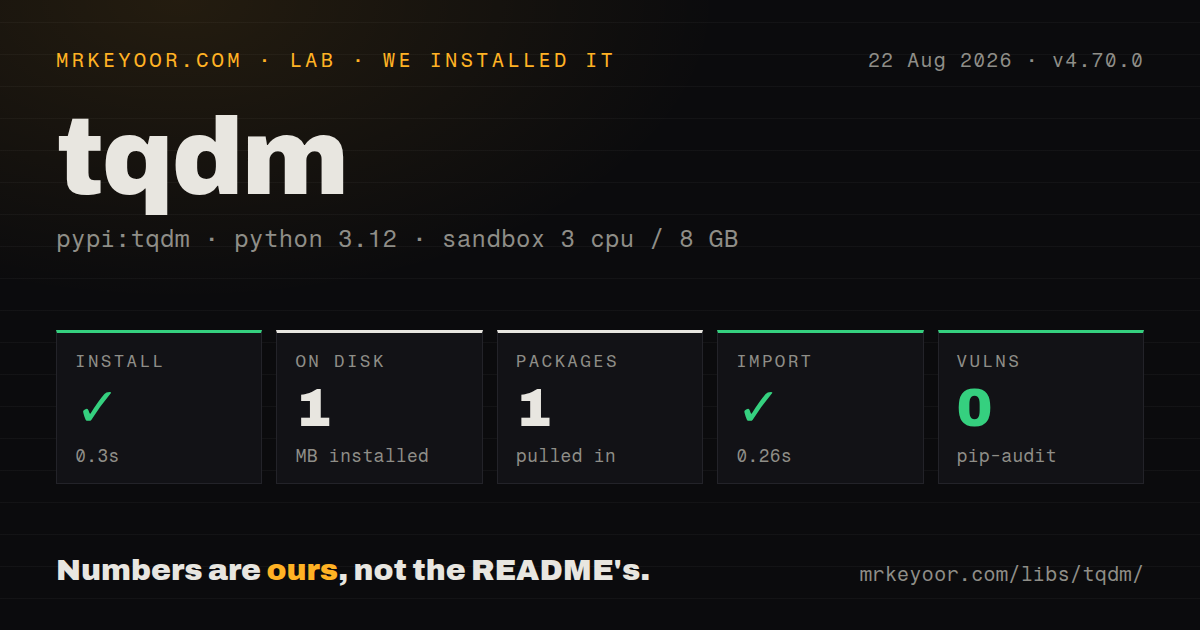
| Install | ✓ · 0.3s | 1 package on disk · 1 MB |
| Import | ✓ | import tqdm in 0.26s · pure Python · requires Python >=3.8 |
| Known vulns | 0 | (pip-audit) |
Answers from our run
Does tqdm install cleanly?
Yes. In a fresh container with an empty cache, pip install tqdm finished in 0.3s, leaving 1 package and 1 MB on disk. pip-audit reported no known vulnerabilities.
What does tqdm need to run?
Python >=3.8, and nothing compiled: it is pure Python. In our run import tqdm succeeded in 0.26s.
tqdm or rich: which should you use?
rich: Choose it when progress must share a styled live display with tables, logs, status panels, or several tasks. tqdm 4.70.0 installed in 0.3 seconds and occupied 1 MB in our sandbox, with a 0.26-second import and no pip-audit findings.
When should you not use tqdm?
Output is headed to JSON logs, a service collector, or another noninteractive sink. Carriage-return redraws become repeated log lines instead of a useful history.
Discussed on
Use it if
- A script has a countable loop and a live item rate or ETA tells the operator whether the job is still moving.
- Download, upload, parsing, or migration code can report completed bytes or records through manual update() calls.
- A Unix pipeline must preserve data on stdout while a byte or line counter appears on stderr.
- A thread, process, interpreter, or async map needs one parent progress meter around completed futures.
- Output is headed to JSON logs, a service collector, or another noninteractive sink. Carriage-return redraws become repeated log lines instead of a useful history.
- The interface needs tables, prompts, logs, and several coordinated live regions. Rich provides a larger terminal layout system, while tqdm is centered on meters.
- The total is unknowable and task durations vary sharply. tqdm can count completions without total, but its percentage and ETA cannot answer how much work remains.
- Notebook widgets are unavailable in the deployment. The notebook extra declares ipywidgets >=6, and the plain terminal renderer is the safer fallback.
- Worker functions need to print freely from many processes. Nested bars require stable positions and a shared lock; ordinary print calls can break the display.
Setup reality
We installed tqdm 4.70.0 in a fresh Python 3.12 Bookworm sandbox. pip completed in 0.3 seconds and left 1 package using 1 MB. pip-audit found 0 known vulnerabilities. Metadata contains 8 direct dependency entries, mostly guarded by platform or optional-extra markers. tqdm requires Python 3.8 or later, is pure Python, and has no py.typed marker. The installed license is MPL-2.0 AND MIT. import tqdm worked in 0.26 seconds.
No account, secret, or config file is required. The standard renderer writes carriage returns to stderr. Use disable=None or an isatty check when redirected output should stay plain, and raise TQDM_MININTERVAL in CI when occasional snapshots are still useful. The command-line filter copies stdin to stdout while its meter uses stderr. A misplaced 2>&1 can mix progress text into the data you meant to pipe.
A known total comes from len(iterable) or the total argument. Generators often hide their length, especially after enumerate() or zip(), so wrap the original iterable or pass total yourself. update(n) adds an increment; it does not set the absolute count. mininterval and miniters limit repainting. Recomputing a postfix on every cheap iteration can become the expensive part of the loop. A manually created bar needs close(), and a with block handles that reliably.
The notebook, asyncio, thread, process, and interpreter adapters have separate runtime constraints. tqdm.notebook needs working front-end widgets. Version 4.70.0 adds thread names, multiprocessing context, worker recycling, timeout, buffersize, and interpreter_map; buffersize and interpreter_map need Python 3.14. Process arguments must be picklable, and a large process_map should set chunksize. When other output shares the terminal, use tqdm.write() so the active line can be cleared and redrawn cleanly.
Patterns
Show progress for a known list wrap-finite-loop
from tqdm import tqdm

for path in tqdm(paths, desc='indexing', unit='file'):
    index_file(path)
A sized collection provides its own total, and tqdm yields each original path unchanged.
Use the range shortcut wrap-range-loop
from tqdm import trange

for row_number in trange(10_000, desc='rows'):
    import_row(row_number)
trange(10_000) is the compact form of tqdm(range(10_000)) and therefore has an exact total.
Update a bar by downloaded bytes track-stream-bytes
from tqdm import tqdm

with tqdm(total=content_length, unit='B', unit_scale=True) as bar:
    for chunk in response.iter_bytes():
        destination.write(chunk)
        bar.update(len(chunk))
update() adds len(chunk) to the current count. Passing the cumulative byte position would overcount the transfer.
Display a changing loss value show-live-metric
from tqdm import tqdm

with tqdm(batches, desc='training') as bar:
    for batch in bar:
        loss = train_step(batch)
        bar.set_postfix(loss=f'{loss:.3f}', refresh=False)
refresh=False lets the 0.1-second default mininterval schedule the redraw instead of repainting after every batch.
Count work with no known total count-unknown-stream
from tqdm import tqdm

for event in tqdm(read_events(), unit='event'):
    handle(event)
Without total, the display can show completed events, elapsed time, and rate. It cannot calculate a percentage or remaining time.
Disable the meter when stderr is redirected preserve-clean-logs
import sys
from tqdm import tqdm

for item in tqdm(items, disable=not sys.stderr.isatty()):
    process(item)
The isatty check keeps carriage-return redraws out of CI and structured log collectors.
Write warnings above the meter print-around-active-bar
from tqdm import tqdm

for item in tqdm(items):
    if item.warning:
        tqdm.write(f'warning: {item.name}')
tqdm.write() clears active meter lines, writes the message, and redraws the display.
Use the notebook widget explicitly select-notebook-renderer
from tqdm.notebook import tqdm

for sample in tqdm(samples, desc='cleaning'):
    clean(sample)
The notebook renderer needs a compatible Jupyter front end and ipywidgets >=6. tqdm.auto can choose between notebook and terminal classes.
Count an asynchronous iterator wrap-async-stream
from tqdm.asyncio import tqdm

async for message in tqdm(message_stream(), total=expected):
    await consume(message)
Version 4.70.0 accepts objects with only __aiter__. Synchronous CPU work inside the loop still blocks the event loop.
Track threaded I/O work map-io-with-threads
from tqdm.contrib.concurrent import thread_map

responses = thread_map(
    fetch_url,
    urls,
    max_workers=8,
    thread_name_prefix='fetch',
    desc='fetching',
)
thread_name_prefix is supported in 4.70.0. The map returns a list, so memory use follows the number and size of results.
Track a process pool with recycling map-cpu-with-processes
from multiprocessing import get_context
from tqdm.contrib.concurrent import process_map

results = process_map(
    transform,
    records,
    max_workers=4,
    chunksize=50,
    max_tasks_per_child=500,
    mp_context=get_context('spawn'),
)
Version 4.70.0 forwards worker recycling and multiprocessing context. The function, arguments, and returned values must be picklable.
Count bytes without changing pipeline data meter-shell-pipeline
tar -cf - data/ | python -m tqdm --bytes --total 104857600 > data.tarThe 104857600-byte total drives percentage and ETA. File bytes pass through stdout while the meter stays on stderr.
Alternatives
| Package | Registry | Pick it when |
|---|---|---|
| rich | PyPI | Choose it when progress must share a styled live display with tables, logs, status panels, or several tasks. |
| alive-progress | PyPI | Choose it for an opinionated animated meter with dedicated handling for pauses and unknown totals. |
| progressbar2 | PyPI | Choose it when an existing project already uses its widget-based formatting and callback conventions. |
More cli & tooling guides
commander · chalk · typescript · esbuild · yargs · click · the whole shelf →
How this guide is made: grounded in the library's documentation, release notes, changelog, and issue history, on a fixed rubric — not a hands-on install of every release. The 50 most-downloaded entries are additionally install-verified in clean containers. Corrections: contact the desk.