svelte review
Svelte 5.56.10 is a component compiler and browser runtime. A build plugin turns .svelte files into JavaScript that updates the affected DOM rather than diffing a virtual tree. Svelte 5 uses runes such as $state, $derived, $effect, and $props for component and shared-module reactivity; legacy version 4 syntax still has a compatibility path. The package also contains the compiler, scoped-style processing, transitions, stores, server rendering, custom-element support, and TypeScript declarations. Version 5.56.10 fixes CSS selector escaping, falsy component custom properties, await-block printing, SSR derived references, event-handler cleanup, and several async compilation cases.
Svelte 5.56.10 installed in 3.6 seconds, used 9 MB across 21 packages, and produced a 16.6 KB gzipped namespace bundle in our sandbox. Choose it with SvelteKit when runes and compiled components fit the team; stay with React or Vue when ecosystem compatibility matters more than the authoring model.
We installed it
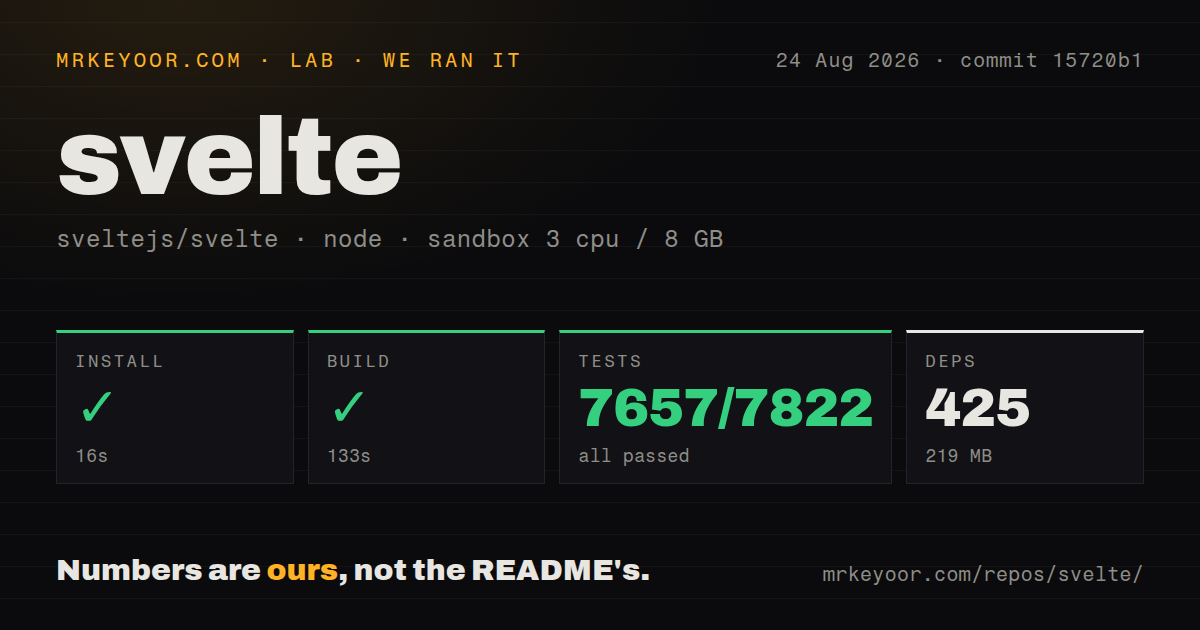
| Install | ✓ · 3.6s | 21 packages on disk · 9 MB |
| Import | ✓ | ESM import works · require() works · ESM package with exports map |
| Browser | 16.6 KB | gzipped (46.2 KB minified), bundled with esbuild |
| Types | ✓ | TypeScript types bundled |
| Known vulns | 0 | 0 critical · 0 high · 0 moderate · 0 low (npm audit) |
Answers from our run
Does svelte install cleanly?
Yes. In a fresh container with an empty cache, npm install svelte finished in 4 seconds, leaving 21 packages and 9 MB on disk. npm audit reported no known vulnerabilities.
How much does svelte add to a browser bundle?
16.6 KB gzipped (46.2 KB minified) when the whole package is bundled for the browser with esbuild. Importing only part of it is usually smaller.
Does svelte work with both ESM and CommonJS?
Yes. Both import 'svelte' and require('svelte') worked in Node 22 in our run. The package is published as ESM with an exports map.
Does svelte include TypeScript types?
Yes, type declarations ship inside the package, so no @types install is needed.
svelte or react: which should you use?
react: Use it when the largest component, hiring, and React Native ecosystem outweighs additional runtime and conventions. Svelte 5.56.10 installed in 3.6 seconds, used 9 MB across 21 packages, and produced a 16.6 KB gzipped namespace bundle in our sandbox.
When should you not use svelte?
The project cannot use a compiler or build plugin. .svelte files are source input, not browser-ready modules.
Use it if
- A team wants HTML-like single-file components with explicit fine-grained state and derived values.
- SvelteKit will supply routing, server rendering, data loading, forms, and deployment around the component layer.
- Scoped component CSS and compiler diagnostics should be part of the default authoring model.
- Shared reactive state can live in .svelte.js or .svelte.ts modules without adding a separate store package.
- The project cannot use a compiler or build plugin. .svelte files are source input, not browser-ready modules.
- Most dependencies and internal examples still target Svelte 4. Runes, snippets, callback props, and event attributes make old tutorials easy to misapply.
- Your organization depends on React-only component systems, hiring, or native tooling. A rewrite pays for a different ecosystem as well as different syntax.
- The browser payload must be judged from importing all of svelte. Our namespace test was 16.6 KB gzipped, while real output depends on which compiled features each component uses.
- The team expects $effect to behave like a general data-flow primitive. It runs only in the browser and tracks synchronous reads, so server data belongs in SvelteKit load code and computed state belongs in $derived.
Setup reality
We installed svelte 5.56.10 in 3.6 seconds in a fresh Node 22 container. It left 21 packages and 9 MB on disk. npm audit reported 0 known vulnerabilities. The package has 16 direct dependencies, no peers, and 4,052 KB unpacked. It requires Node 18 or newer, is ESM with an exports map, includes TypeScript declarations, and worked through require() and ESM import in our checks.
A normal application uses sv create for SvelteKit or the Svelte Vite plugin; installing svelte alone does not teach a bundler to compile .svelte files. No runtime credentials are required. Browser-only APIs belong in onMount or $effect because SSR evaluates components without window or document. SvelteKit owns routes and server data, so do not mistake the component package for the full application framework.
Runes are compiler syntax, not imported functions. They work in .svelte files and in .svelte.js or .svelte.ts modules. $effect records values read synchronously; reads after await or inside a timer do not become dependencies. Props are one-way unless the child marks one with $bindable. Snippets replace most slot patterns, and callback props replace createEventDispatcher in current code, although legacy syntax can still appear in older packages.
Our import-all browser build measured 46.2 KB minified and 16.6 KB gzipped. That is a namespace test, not the size of a compiled Hello component; generated output varies with transitions, stores, reactivity, and other helpers. Version 5.56.10 fixes event-target retention and effect teardown values, so test cleanup-heavy components when upgrading. Await blocks can restart as their expression changes, keyed each blocks preserve identity during reorder, and SvelteKit load functions are the safer place for SSR data fetching.
Patterns
Update state from a DOM event declare-reactive-state
<script>
  let count = $state(0);
</script>

<button onclick={() => count += 1}>
  Clicked {count} times
</button>
$state is compiler syntax and is not imported. It works only in .svelte and rune-enabled .svelte.js or .svelte.ts files.
Compute state without an effect derive-value
<script>
  let quantity = $state(2);
  let unitPrice = $state(12.5);
  let total = $derived(quantity * unitPrice);
</script>

<p>Total: {total}</p>
$derived recalculates from values read by its expression. Use $derived.by for a multi-statement calculation.
Cancel work before an effect reruns clean-up-effect
<script>
  let query = $state('');

  $effect(() => {
    const id = setTimeout(() => search(query), 300);
    return () => clearTimeout(id);
  });
</script>
Only synchronous reads are tracked. Reading query for the first time inside the timer would not make it a dependency.
Destructure component props accept-props
<script lang="ts">
  let { label, tone = 'neutral', ...rest }: {
    label: string;
    tone?: string;
  } = $props();
</script>

<span class="badge {tone}" {...rest}>{label}</span>
$props replaces export let in current rune syntax. A destructured fallback is used when the parent passes undefined.
Opt a child prop into two-way binding bind-component-prop
<!-- TextField.svelte -->
<script>
  let { value = $bindable('') } = $props();
</script>
<input bind:value />

<!-- Parent.svelte -->
<TextField bind:value={name} />
A child must declare $bindable before its parent can bind the prop. Ordinary props remain one-way.
Use event attributes and callback props handle-events
<script>
  let { onRemove } = $props();
</script>

<button onclick={() => onRemove?.()}>Remove</button>
<input oninput={(event) => console.log(event.currentTarget.value)} />
Current Svelte uses onclick-style attributes. on:click and createEventDispatcher belong to the legacy component style.
Preserve row identity during reorder render-keyed-list
{#each todos as todo (todo.id)}
  <label>
    <input type="checkbox" bind:checked={todo.done} />
    {todo.text}
  </label>
{:else}
  <p>No tasks</p>
{/each}
The key controls DOM identity. An unkeyed list updates rows by position, which can preserve the wrong local input state after sorting.
Show pending, success, and failure states render-promise
{#await request}
  <p>Loading</p>
{:then records}
  <p>{records.length} records</p>
{:catch error}
  <p>Failed: {error.message}</p>
{/await}
The block follows the current promise expression. Put route-level SSR fetching in a SvelteKit load function.
Pass named and default markup pass-snippet
<!-- Panel.svelte -->
<script>
  let { header, children } = $props();
</script>
<header>{@render header?.()}</header>
<section>{@render children?.()}</section>

<!-- caller -->
<Panel>
  {#snippet header()}<h2>Orders</h2>{/snippet}
  <OrderList />
</Panel>
Unwrapped child content arrives as the children snippet. Named snippets replace most slot-based Svelte 4 examples.
Export a reactive object from a module share-rune-state
// counter.svelte.ts
export const counter = $state({ value: 0 });

// Counter.svelte
<script lang="ts">
  import { counter } from './counter.svelte';
</script>
<button onclick={() => counter.value += 1}>{counter.value}</button>
The module filename must include .svelte. Export an object whose properties change; reassigning an exported binding does not update importers.
Initialize a DOM-only library run-browser-lifecycle
<script>
  import { onMount } from 'svelte';
  let canvas;

  onMount(() => {
    const chart = createChart(canvas);
    return () => chart.destroy();
  });
</script>

<canvas bind:this={canvas}></canvas>
onMount runs only in the browser. Its returned function is called when the component is destroyed.
Send plain data across an API boundary snapshot-proxy-state
<script>
  let form = $state({ name: '', tags: [] });

  async function save() {
    const body = JSON.stringify($state.snapshot(form));
    await fetch('/api/profile', { method: 'POST', body });
  }
</script>
$state.snapshot creates a non-proxy snapshot for logging or serialization. Later mutations do not update the saved snapshot.
Alternatives
| Package | Registry | Pick it when |
|---|---|---|
| react | npm | Use it when the largest component, hiring, and React Native ecosystem outweighs additional runtime and conventions. |
| vue | npm | Use it for single-file components with a larger plugin market and an optional no-build path. |
| solid-js | npm | Use it for fine-grained signals with JSX instead of Svelte's template compiler. |
| preact | npm | Use it when React-compatible APIs and a small runtime matter more than changing the component model. |
More web frontend guides
postcss · react · react-dom · tailwindcss · clsx · htmlparser2 · the whole shelf →
How this guide is made: grounded in the library's documentation, release notes, changelog, and issue history, on a fixed rubric — not a hands-on install of every release. The 50 most-downloaded entries are additionally install-verified in clean containers. Corrections: contact the desk.