smart-open review
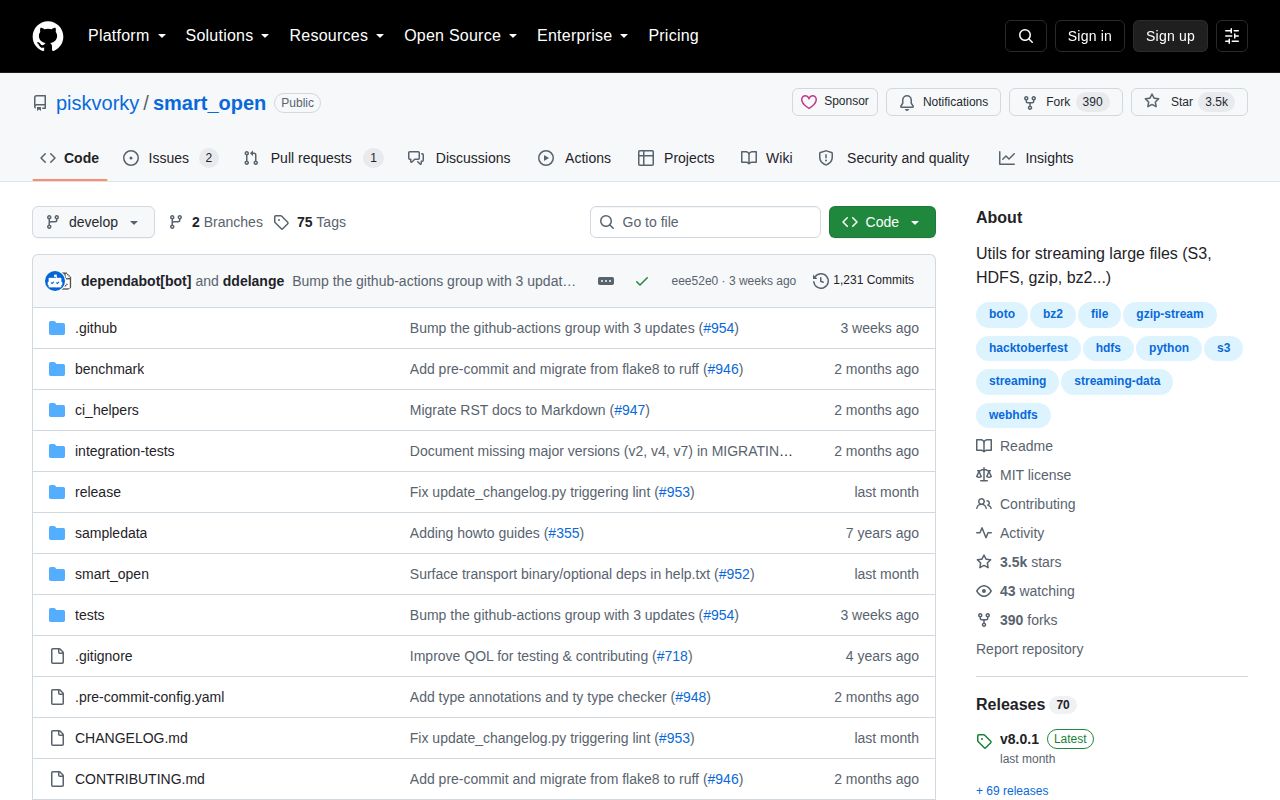
smart-open 8.0.1 makes remote objects look like Python file handles. Its open function reads and writes local paths, S3, Google Cloud Storage, Azure Blob Storage, HDFS, WebHDFS, and SSH-family URIs, while HTTP is read-only. Iteration and chunked reads let callers consume a large object without first loading all of it, and filename suffixes can select gzip, bzip2, xz, zstd, or LZ4 compression. The 8.0.1 patch fixes the compression_kwargs documentation, lists transport dependencies in built-in help, and fills missing major-version migration notes. Our Python 3.12 import completed in 0.49 seconds and the package shipped py.typed.
smart-open 8.0.1 installed in 0.2 seconds and occupied 2 MB in our sandbox, with a 0.49-second import and no pip-audit findings. It fits code that wants one streaming file handle across local and remote objects; choose fsspec once listing, globbing, deletion, or caching enters the requirement.
We installed it
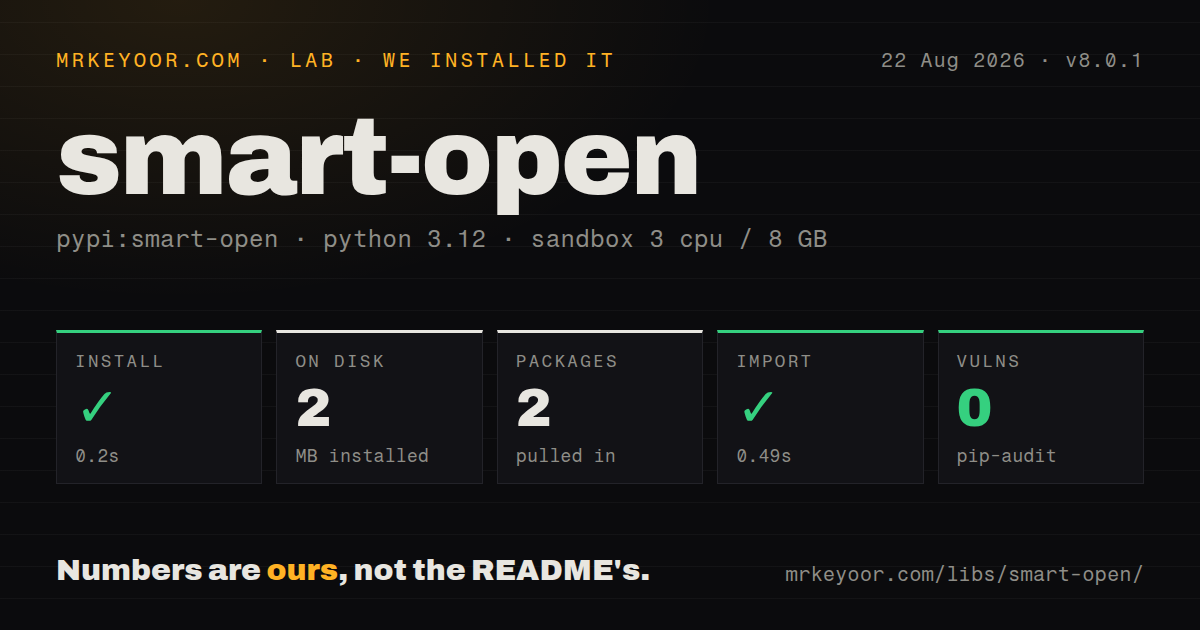
| Install | ✓ · 0.2s | 2 packages on disk · 2 MB |
| Import | ✓ | import smart_open in 0.49s · pure Python · py.typed · requires Python <4.0,>=3.10 |
| Known vulns | 0 | (pip-audit) |
Answers from our run
Does smart-open install cleanly?
Yes. In a fresh container with an empty cache, pip install smart-open finished in 0.2s, leaving 2 packages and 2 MB on disk. pip-audit reported no known vulnerabilities.
What does smart-open need to run?
Python <4.0,>=3.10, and nothing compiled: it is pure Python. In our run import smart_open succeeded in 0.49s, and the package ships py.typed for type checkers.
smart-open or fsspec: which should you use?
fsspec: Choose it when the same backend abstraction also needs listing, globbing, deletion, caching, or filesystem objects. smart-open 8.0.1 installed in 0.2 seconds and occupied 2 MB in our sandbox, with a 0.49-second import and no pip-audit findings.
When should you not use smart-open?
The application needs list, glob, delete, rename, or directory semantics; fsspec and s3fs expose filesystem operations that smart-open's open function does not
Use it if
- One reader or writer must accept local paths in development and cloud object URIs in deployed jobs
- Large text or binary objects should be processed through iteration or bounded reads instead of one full download
- Compression should follow .gz, .bz2, .xz, .zst, or .lz4 suffixes while the caller keeps a file-object API
- S3 upload code only needs a stream and can avoid repeated boto3 file-wrapper plumbing
- The application needs list, glob, delete, rename, or directory semantics; fsspec and s3fs expose filesystem operations that smart-open's open function does not
- pandas, Dask, or PyArrow already uses fsspec paths throughout the project, because a second storage abstraction adds another set of clients and credential behavior
- S3 is the only backend and the service already uses boto3 for object metadata, signed URLs, or bucket operations; smart-open still relies on boto3 for that transport
- Code still calls the removed smart_open.smart_open function, top-level s3_iter_bucket alias, concurrency.create_pool, or legacy custom-endpoint URI syntax from before version 8
- A polished searchable API site is required; the project publishes its detailed transport reference as help.txt and Python's help('smart_open') output
Setup reality
We installed smart-open 8.0.1 on Python 3.12 in 0.2 seconds. The clean environment contained 2 packages and used 2 MB afterward; pip-audit found 0 known vulnerabilities. Our package inspection counted 26 direct dependencies, requires Python 3.10 or newer, and identified a pure-Python MIT package with py.typed. import smart_open worked in 0.49 seconds.
A successful import does not prove a transport is ready. Install the matching extra, such as smart_open[s3] for boto3 or smart_open[gcs] for google-cloud-storage. Version 8.0.1's help now names dependencies that extras do not cover: HTTP Kerberos needs requests-kerberos, SSH GSSAPI needs Paramiko's gssapi extra, and hdfs or viewfs URIs shell out to an hdfs executable on PATH.
Credentials come from each transport SDK. S3 can use boto3's normal environment, profile, and instance-role chain; custom endpoints and retry settings belong on a client passed through transport_params. Azure examples construct a BlobServiceClient and pass it the same way. Keep secrets out of URIs because URLs can reach logs and tracebacks. HTTP and HTTPS only read, while write behavior varies across the object stores.
Compression is inferred from the final suffix unless compression is set explicitly. Wrong suffixes therefore decode the wrong way, and zstd or LZ4 needs its optional package. S3 writes use multipart behavior by default and finish when the handle closes, so use a context manager. Setting multipart_upload to false buffers the object before one upload; supply a temporary-file writebuffer when that object should not sit in memory.
Patterns
Iterate lines from S3 stream-s3-lines
# pip install 'smart_open[s3]'
from smart_open import open

with open('s3://commoncrawl/robots.txt', encoding='utf-8') as source:
    for line in source:
        print(line.rstrip())
        break
The s3 extra installs the transport SDK. The with block closes the ranged reader when the loop exits early.
Write through a configured S3 client write-s3-object
import boto3
import botocore
from smart_open import open

config = botocore.client.Config(max_pool_connections=32)
client = boto3.Session(profile_name='reports').client('s3', config=config)

with open('s3://bucket/report.jsonl', 'wb',
          transport_params={'client': client}) as sink:
    sink.write(b'{"ready": true}\n')
transport_params uses the supplied boto3 client, including its profile, endpoint, retries, and connection pool. Closing the handle completes the upload.
Infer compression from a suffix read-compressed-file
from smart_open import open

with open('s3://bucket/events.jsonl.gz', encoding='utf-8') as source:
    first_line = source.readline()
The .gz suffix selects gzip decompression before text decoding. A misleading object name requires an explicit compression argument.
Force or disable decompression override-compression
from smart_open import open

with open('archive.gzip', compression='.gz', encoding='utf-8') as source:
    text = source.read()

with open('archive.gz', 'rb', compression='disable') as source:
    magic = source.read(2)
compression='.gz' handles a nonstandard suffix. compression='disable' returns the original compressed bytes even when the name ends in .gz.
Set the gzip compression level tune-compression
from smart_open import open

with open(
    's3://bucket/report.txt.gz',
    'wb',
    compression_kwargs={'compresslevel': 6},
) as sink:
    sink.write(b'report contents')
compression_kwargs goes directly to the selected codec. gzip and bzip2 call the option compresslevel; other codecs use different names.
Connect to an S3-compatible service use-custom-s3-endpoint
import boto3
from smart_open import open

client = boto3.client(
    's3',
    endpoint_url='https://objects.example.com',
)
with open('s3://bucket/key.csv',
          transport_params={'client': client}) as source:
    header = source.readline()
Version 8 removed the old URI form that embedded a custom S3 host. Build the client with endpoint_url and pass it through transport_params.
Open one S3 object version read-object-version
from smart_open import open

with open(
    's3://bucket/config.json',
    'rb',
    transport_params={'version_id': '3Lg...'},
) as source:
    payload = source.read()
version_id selects an immutable S3 object version. Without it, the request reads the current version at the time the handle opens.
Buffer a single-part S3 upload on disk buffer-single-upload
import tempfile
from smart_open import open

with tempfile.TemporaryFile() as buffer, open(
    's3://bucket/small.bin',
    'wb',
    transport_params={
        'multipart_upload': False,
        'writebuffer': buffer,
    },
) as sink:
    sink.write(b'payload')
multipart_upload false waits and sends one object request at close. writebuffer replaces the default in-memory buffer with a temporary file.
Read a Google Cloud Storage blob read-gcs-object
# pip install 'smart_open[gcs]'
from smart_open import open

with open('gcs://analytics/events.csv', encoding='utf-8') as source:
    columns = source.readline().rstrip().split(',')
The gcs extra supplies google-cloud-storage. Authentication follows that SDK's application-default credential rules.
Pass an Azure Blob client read-azure-blob
import os
from azure.storage.blob import BlobServiceClient
from smart_open import open

client = BlobServiceClient.from_connection_string(
    os.environ['AZURE_STORAGE_CONNECTION_STRING']
)
with open('azure://reports/daily.csv',
          transport_params={'client': client}) as source:
    header = source.readline()
The Azure transport expects a client through transport_params in the documented example. Install smart_open[azure] before importing BlobServiceClient.
Read a file over SFTP read-sftp-file
# pip install 'smart_open[ssh]'
from smart_open import open

with open('sftp://batch-host/export.csv', encoding='utf-8') as source:
    header = source.readline()
The ssh extra installs Paramiko. Put host, user, and key configuration in SSH settings so credentials do not appear in the URI.
Register an application compression suffix register-compressor
import lzma
from smart_open import open, register_compressor

def open_archive(file_obj, mode, **kwargs):
    return lzma.open(filename=file_obj, mode=mode, **kwargs)

register_compressor('.archive', open_archive)

with open('s3://bucket/data.archive', 'rb') as source:
    payload = source.read()
register_compressor changes the process-wide suffix table. Register once during startup; the callback receives an already-open byte stream.
Alternatives
| Package | Registry | Pick it when |
|---|---|---|
| fsspec | PyPI | Choose it when the same backend abstraction also needs listing, globbing, deletion, caching, or filesystem objects. |
| s3fs | PyPI | Choose it for S3 paths that must work with fsspec consumers and support bucket-level filesystem operations. |
| boto3 | PyPI | Use the AWS SDK directly when signed URLs, metadata, tags, or bucket APIs matter as much as streaming bytes. |
| requests | PyPI | Use it for HTTP-only downloads when status handling, headers, sessions, and request controls are the main concern. |
More data guides
numpy · pandas · fsspec · pyarrow · lxml · sqlalchemy · the whole shelf →
How this guide is made: grounded in the library's documentation, release notes, changelog, and issue history, on a fixed rubric — not a hands-on install of every release. The 50 most-downloaded entries are additionally install-verified in clean containers. Corrections: contact the desk.