sglang review
SGLang runs large language, multimodal, embedding, and diffusion models behind HTTP endpoints, including an OpenAI-compatible API. Its runtime schedules batches, reuses shared-prefix KV cache through RadixAttention, supports constrained decoding, and distributes work across tensor, data, pipeline, expert, and context parallel layouts. Release 0.5.18 moves its CUDA stack to PyTorch 2.13, consolidates compiled-kernel caches under `SGLANG_CACHE_DIR`, adds overlapped checkpoint staging, expands model and accelerator support, bounds remote media downloads, and removes the broken torchao integration. This is GPU-serving infrastructure, not a light Python client.
Evaluate SGLang for a measured GPU-serving workload, then deploy a pinned image with an audited lock and model-specific load tests. Do not add it to an application environment as a convenient way to make one inference call.
We installed it
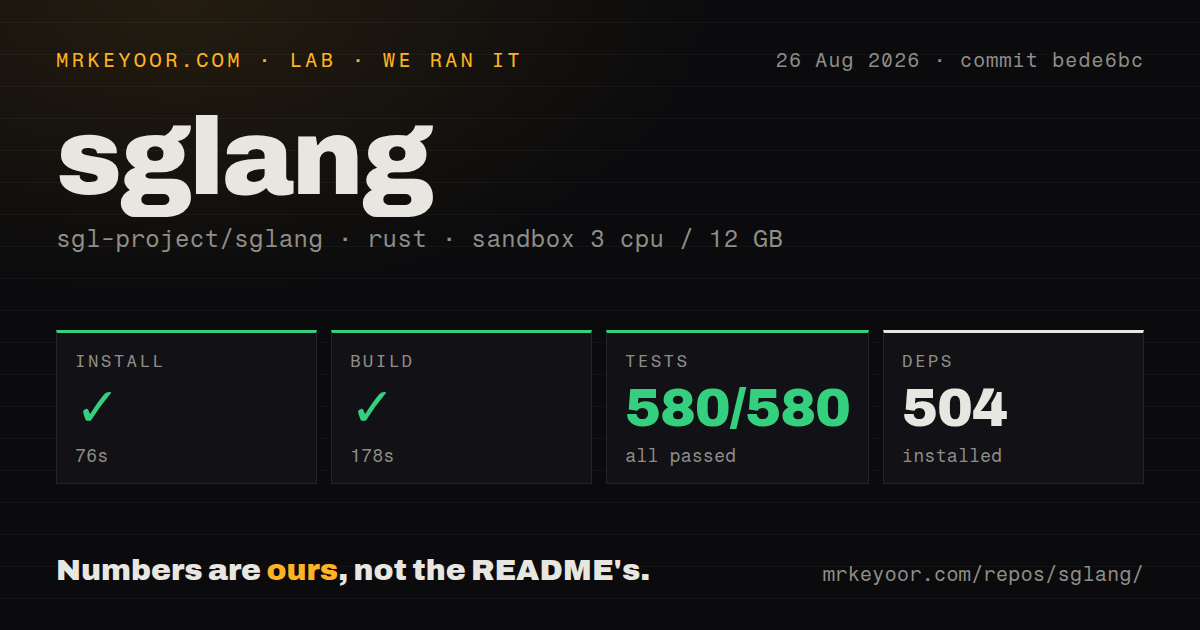

| Install | ✓ · 65.3s | 167 packages on disk · 10112 MB |
| Import | ✓ | import sglang in 2.64s · pure Python · requires Python >=3.10 |
| Known vulns | 21 | (pip-audit) |
Answers from our run
Does sglang install cleanly?
Yes. In a fresh container with an empty cache, pip install sglang finished in 65 seconds, leaving 167 packages and 10112 MB on disk. pip-audit reported 21 known vulnerabilities.
What does sglang need to run?
Python >=3.10, and nothing compiled: it is pure Python. In our run import sglang succeeded in 2.64s.
sglang or vllm: which should you use?
vllm: Use it when its model support, deployment guides, or your existing operational experience outweigh SGLang-specific cache and scheduler features. Evaluate SGLang for a measured GPU-serving workload, then deploy a pinned image with an audited lock and model-specific load tests.
When should you not use sglang?
You only need to call a model provider. Installing a full server tree, GPU kernels, Torch, model weights, and monitoring is the wrong side of the API boundary
Use it if
- You operate NVIDIA or another documented accelerator backend and need to serve supported open-weight models at sustained concurrency
- Requests share long system prompts, agent history, or few-shot prefixes that can benefit from a radix KV cache
- The deployment needs OpenAI-compatible chat or completion endpoints plus engine-specific scheduling and parallelism controls
- An RL or offline generation pipeline needs an in-process engine with batched prompts and direct sampling parameters
- You only need to call a model provider. Installing a full server tree, GPU kernels, Torch, model weights, and monitoring is the wrong side of the API boundary
- Disk or image size is constrained. Our version 0.5.9 install left 167 packages and 10,112 MB before any model weights were downloaded
- A clean dependency audit is mandatory at install time. pip-audit reported 21 known vulnerabilities in the exact 0.5.9 environment we measured; current pinned images must be audited independently
- The target is an ordinary laptop or CPU-only service. CPU and Apple backends have dedicated paths, while llama-cpp-python is designed around quantized local inference
- Your operations team cannot test every upgrade against its model, quantization, driver, kernel backend, and parallel layout. The 0.5.x release notes contain frequent dependency moves, defaults, removals, and known issues
Setup reality
Our unprivileged Python 3.12 sandbox installed SGLang 0.5.9 in 65.3 seconds. The environment contained 167 packages and occupied 10,112 MB afterward, before model weights. import sglang worked in 2.64 seconds. pip-audit found 21 known vulnerabilities in that resolved environment. The measured distribution declared 97 direct dependencies, required Python 3.10 or newer, was pure Python, carried Apache License 2.0 metadata, and had no py.typed marker. Those measurements belong to 0.5.9; PyPI now publishes 0.5.18.
For 0.5.18, the installation guide recommends uv with prereleases allowed because some dependencies publish prerelease wheels. It also warns that older uv can silently resolve SGLang 0.5.9 without that flag. CUDA 13 is the default stack. CUDA 12, AMD, TPU, Apple Metal, Intel CPU, XPU, Ascend, and other platforms each have separate instructions. A version-pinned official runtime container is usually easier to reproduce than rebuilding the wheel matrix.
The first server start downloads model weights unless the cache is already populated. Gated Hugging Face models need HF_TOKEN; production endpoints need SGLang's API-key option or an authenticated proxy. Mount the model cache and compiled-kernel cache on persistent storage. Version 0.5.18 gathers Triton, FlashInfer, Inductor, DeepGEMM, and CUDA driver caches beneath SGLANG_CACHE_DIR, so the first launch after upgrading recompiles unless old caches are migrated or individual cache variables stay set.
GPU memory is reserved for weights, KV cache, CUDA graphs, and kernels. Tune --mem-fraction-static, tensor parallel size, maximum context, and concurrency with the exact checkpoint and hardware. Health endpoints can become ready only after weights and warmup complete, so orchestration timeouts must account for cold starts. Remote image, video, and audio URLs are an input boundary: 0.5.18 adds redirect validation, a default size cap, and exact-host allowlisting, which should complement network egress policy rather than replace it.
Patterns
Start a version-pinned NVIDIA container run-pinned-container
docker run --gpus all --ipc=host --shm-size 32g \
  -p 30000:30000 \
  -v /srv/hf-cache:/root/.cache/huggingface \
  -v /srv/sglang-cache:/var/cache/sglang \
  -e HF_TOKEN \
  -e SGLANG_CACHE_DIR=/var/cache/sglang \
  lmsysorg/sglang:v0.5.18-runtime \
  python3 -m sglang.launch_server \
    --model-path meta-llama/Llama-3.1-8B-Instruct \
    --host 0.0.0.0 --port 30000
Pin the image tag instead of `latest`. Persistent weight and kernel caches prevent full downloads and recompilation on each replacement container.
Launch one model from the Python environment launch-local-server
export HF_TOKEN='hf_...'
export SGLANG_CACHE_DIR=/var/cache/sglang
python -m sglang.launch_server \
  --model-path meta-llama/Llama-3.1-8B-Instruct \
  --host 127.0.0.1 \
  --port 30000 \
  --api-key '$SGLANG_API_KEY'
The server downloads missing weights and may compile kernels before readiness. Bind to localhost unless a protected network layer is intentional.
Call chat completions through the OpenAI client send-openai-chat
from openai import OpenAI

client = OpenAI(
    base_url='http://127.0.0.1:30000/v1',
    api_key=sglang_api_key
)
response = client.chat.completions.create(
    model='meta-llama/Llama-3.1-8B-Instruct',
    messages=[{'role': 'user', 'content': 'Summarize this incident.'}],
    temperature=0.2
)
print(response.choices[0].message.content)
The model name must match what the server exposes. Configure an API key on both sides rather than relying on placeholder credentials outside a private test network.
Consume incremental chat output stream-chat-tokens
stream = client.chat.completions.create(
    model='meta-llama/Llama-3.1-8B-Instruct',
    messages=[{'role': 'user', 'content': 'Explain prefix caching.'}],
    stream=True
)
for event in stream:
    text = event.choices[0].delta.content
    if text is not None:
        print(text, end='', flush=True)
A stream event may contain no content delta. Client disconnect handling should also cancel work upstream so abandoned generations stop using GPU time.
Constrain a chat response to a JSON schema generate-structured-json
response = client.chat.completions.create(
    model='meta-llama/Llama-3.1-8B-Instruct',
    messages=[{'role': 'user', 'content': 'Extract the incident fields.'}],
    response_format={
        'type': 'json_schema',
        'json_schema': {
            'name': 'incident',
            'schema': {
                'type': 'object',
                'properties': {
                    'service': {'type': 'string'},
                    'severity': {'type': 'integer'}
                },
                'required': ['service', 'severity']
            }
        }
    }
)
Grammar-constrained output ensures syntactic shape. The prompt still needs to define the meaning of fields and the application must validate semantic ranges.
Generate a batch without an HTTP server run-offline-engine
import sglang as sgl

engine = sgl.Engine(model_path='meta-llama/Llama-3.1-8B-Instruct')
outputs = engine.generate(
    ['Paris is the capital of', 'Tokyo is the capital of'],
    {'temperature': 0, 'max_new_tokens': 24}
)
for output in outputs:
    print(output['text'])
engine.shutdown()
Engine construction allocates model and GPU resources in the process. Shut it down explicitly and avoid creating one engine per task.
Shard one model across four GPUs use-tensor-parallelism
python -m sglang.launch_server \
  --model-path Qwen/Qwen3-32B \
  --tp-size 4 \
  --port 30000
The model architecture, GPU count, memory, and interconnect constrain useful tensor-parallel sizes. Benchmark the complete topology instead of copying a count from another checkpoint.
Reduce the engine's static GPU-memory fraction tune-static-memory
python -m sglang.launch_server \
  --model-path meta-llama/Llama-3.1-8B-Instruct \
  --mem-fraction-static 0.80 \
  --port 30000
Lowering the fraction can avoid startup allocation failures when the GPU is shared, at the cost of KV-cache capacity and concurrency.
Use the native generation endpoint call-native-generate
import requests

response = requests.post(
    'http://127.0.0.1:30000/generate',
    headers={'Authorization': f'Bearer {sglang_api_key}'},
    json={
        'text': 'The failure began when',
        'sampling_params': {'temperature': 0.3, 'max_new_tokens': 80}
    },
    timeout=120
)
response.raise_for_status()
print(response.json()['text'])
The native endpoint uses `max_new_tokens` inside `sampling_params`; OpenAI-compatible requests use that API's field names.
Check health and the loaded model probe-server-health
curl -fsS -H "Authorization: Bearer $SGLANG_API_KEY" \
  http://127.0.0.1:30000/health
curl -fsS -H "Authorization: Bearer $SGLANG_API_KEY" \
  http://127.0.0.1:30000/get_model_info
Use readiness thresholds that include weight loading and warmup. A running container is not evidence that the model can accept requests.
Expose metrics for a protected scraper enable-prometheus-metrics
python -m sglang.launch_server \
  --model-path meta-llama/Llama-3.1-8B-Instruct \
  --enable-metrics \
  --port 30000

curl -fsS http://127.0.0.1:30000/metrics
Metrics are opt-in. Keep the endpoint on an internal interface or behind the same access controls as the inference service.
Persist version 0.5.18 kernel caches set-compiled-cache-directory
export SGLANG_CACHE_DIR=/var/cache/sglang
mkdir -p "$SGLANG_CACHE_DIR"
python -m sglang.launch_server \
  --model-path meta-llama/Llama-3.1-8B-Instruct \
  --port 30000
Version 0.5.18 consolidates several compiled caches here. The first start after an upgrade recompiles unless earlier cache directories are migrated or their specific variables remain set.
Alternatives
| Package | Registry | Pick it when |
|---|---|---|
| vllm | PyPI | Use it when its model support, deployment guides, or your existing operational experience outweigh SGLang-specific cache and scheduler features. |
| llama-cpp-python | PyPI | Use it for quantized GGUF inference on CPUs, Apple machines, or consumer GPUs with a much smaller serving stack. |
| transformers | PyPI | Use it for research scripts and custom model experimentation where serving throughput and an HTTP control plane are secondary. |
More ai / ml guides
@modelcontextprotocol/sdk · openai · mcp · huggingface-hub · @anthropic-ai/sdk · openai · the whole shelf →
How this guide is made: grounded in the library's documentation, release notes, changelog, and issue history, on a fixed rubric — not a hands-on install of every release. The 50 most-downloaded entries are additionally install-verified in clean containers. Corrections: contact the desk.