pypdfium2 review
pypdfium2 5.13.0 is a Python binding to Google's PDFium C library, with helper classes above the raw ctypes interface. It opens PDFs, renders pages to bitmaps, reads text and coordinates, searches text, walks bookmarks, imports or deletes pages, and saves documents. Rendering and low-level inspection are its center of gravity; it does not reconstruct tables or reading order for you. Version 5.13 restores Python 3.6 and 3.7 compatibility after cached-property changes and adds experimental Pyodide artifacts. The maintainers do not publish those browser artifacts to PyPI because their own notes report crashes and shutdown freezes.
pypdfium2 5.13.0 installed as one 9 MB package in 0.2 seconds and imported in 0.26 seconds with 0 audit findings in our sandbox. It is the practical permissive choice for rendering and PDFium-level inspection, but avoid it for threaded rendering, browser deployment, or automatic document-layout recovery.
We installed it
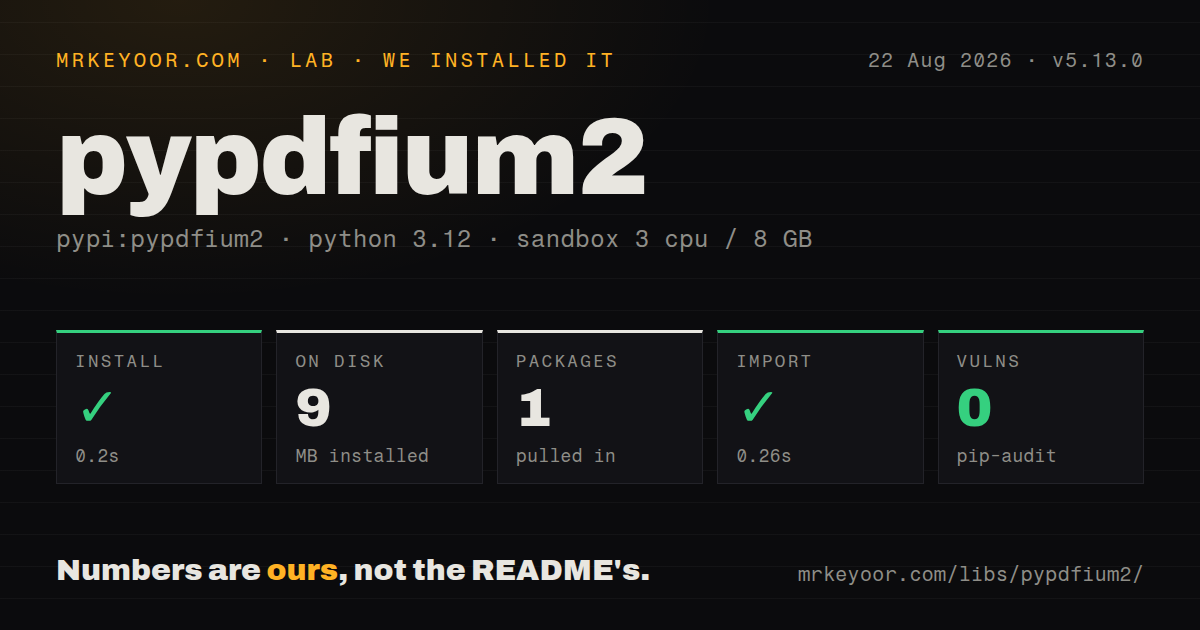
| Install | ✓ · 0.2s | 1 package on disk · 9 MB |
| Import | ✓ | import pypdfium2 in 0.26s · compiled extensions · requires Python >= 3.6 |
| Known vulns | 0 | (pip-audit) |
Answers from our run
Does pypdfium2 install cleanly?
Yes. In a fresh container with an empty cache, pip install pypdfium2 finished in 0.2s, leaving 1 package and 9 MB on disk. pip-audit reported no known vulnerabilities.
What does pypdfium2 need to run?
Python >= 3.6, and a platform wheel with compiled extensions. In our run import pypdfium2 succeeded in 0.26s.
pypdfium2 or pypdf: which should you use?
pypdf: Choose it for pure-Python splitting, merging, metadata, forms, and page transforms when raster rendering is unnecessary. pypdfium2 5.13.0 installed as one 9 MB package in 0.2 seconds and imported in 0.26 seconds with 0 audit findings in our sandbox.
When should you not use pypdfium2?
You need high-level table extraction or reliable multi-column reading order. PDFium exposes text and geometry, leaving document structure to your code.
Use it if
- PDF pages must become thumbnails, previews, OCR images, or visual-test inputs through PDFium.
- A permissive license is required and PyMuPDF's AGPL or commercial terms do not fit.
- The job needs character boxes, text search, outlines, page import, or access to a missing raw PDFium function.
- Your deployment target has an official wheel that can carry PDFium without a system PDF installation.
- You need high-level table extraction or reliable multi-column reading order. PDFium exposes text and geometry, leaving document structure to your code.
- Concurrent rendering must happen in threads. The project says PDFium is not thread-safe; use processes with separate document handles.
- Static typing is mandatory for the public API. Our 5.13.0 distribution check found no py.typed marker.
- The target lacks a published wheel and your team does not own a PDFium build chain. Source fallback can require GN, Ninja, compilers, headers, downloads, and ABI matching.
- Browser or s390x operation must be production-supported. The 5.13 notes call those builds experimental or affected by crashes, freezes, and endianness trouble.
Setup reality
Our pypdfium2 5.13.0 install finished in 0.2 seconds in a fresh Python 3.12 Bookworm container. One package used 9 MB, import pypdfium2 worked in 0.26 seconds, and pip-audit found 0 known vulnerabilities. It declares 0 direct dependencies and Python >=3.6. The installed wheel contains compiled .so files and no py.typed marker. Package metadata lists BSD-3-Clause, Apache-2.0, and dependency licenses.
On a supported platform, the wheel carries PDFium and needs no service, credentials, or config. Pillow is optional but required for bitmap.to_pil(); NumPy is likewise optional for to_numpy(). If pip cannot find a wheel, setup may download a PDFium binary, locate a system copy, or start a source build. System PDFium requires bindings generated against matching headers because an ABI mismatch can crash Python.
Helper objects own native handles. Close search objects, text pages, bitmaps, pages, and documents in parent-safe order, preferably through context managers. A NumPy result may view a PdfBitmap buffer, so using it after the bitmap is closed can access invalid memory. Keep source documents alive until a destination that imported their pages has been saved.
Rendering scale is pixels per PDF point, so target DPI is dpi / 72. PDFium is not thread-safe; process workers must each open their own PdfDocument. Text extraction follows content-stream order and scanned pages contain no searchable text until another OCR tool supplies it. Treat an untrusted PDF as native-parser input: cap bytes, pages, render dimensions, CPU, and memory, and isolate the worker process.
Patterns
Inspect a PDF inside a context manager open-document
import pypdfium2 as pdfium

with pdfium.PdfDocument('report.pdf') as pdf:
    print(len(pdf))
    print(pdf.get_metadata_dict(skip_empty=True))
    print(pdf[0].get_size())
The constructor also accepts bytes and a password. The context manager releases the native document handle.
Render page 1 at 200 DPI render-png
import pypdfium2 as pdfium

with pdfium.PdfDocument('report.pdf') as pdf:
    bitmap = pdf[0].render(scale=200 / 72)
    bitmap.to_pil().save('page-1.png')
PDF coordinates use 72 points per inch. `to_pil()` needs Pillow, which is not a base dependency.
Read text from one page extract-text
with pdfium.PdfDocument('report.pdf') as pdf:
    with pdf[0].get_textpage() as text_page:
        text = text_page.get_text_range()
        print(text)
Returned order follows the PDF content stream. Multi-column pages may need region-based extraction.
Read text inside page coordinates extract-region
with pdf[0].get_textpage() as text_page:
    header = text_page.get_text_bounded(left=0, bottom=700, right=595, top=842)
Bounds are PDF canvas units. Confirm page rotation and coordinate origin against a sample document.
Walk text-search matches search-text
with page.get_textpage() as text_page:
    search = text_page.search('invoice', match_case=False)
    while (hit := search.get_next()) is not None:
        index, count = hit
        print(text_page.get_text_range(index, count))
A hit gives a character index and length, not a rectangle. Resolve character boxes separately when highlighting.
Isolate parallel page rendering render-in-processes
from concurrent.futures import ProcessPoolExecutor

def render_one(index):
    with pdfium.PdfDocument('report.pdf') as pdf:
        pdf[index].render(scale=2).to_pil().save(f'page-{index}.png')

with ProcessPoolExecutor() as pool:
    list(pool.map(render_one, range(page_count)))
Each process opens its own document because PDFium is not thread-safe. Do not substitute ThreadPoolExecutor.
Merge selected pages import-pages
with pdfium.PdfDocument('a.pdf') as first, pdfium.PdfDocument('b.pdf') as second:
    with pdfium.PdfDocument.new() as output:
        output.import_pages(first)
        output.import_pages(second, pages=[0, 2])
        output.save('merged.pdf')
Keep both sources open until save finishes because imported pages may still depend on source handles.
Pass grayscale pixels to OCR bitmap-to-numpy
with pdfium.PdfDocument('scan.pdf') as pdf:
    bitmap = pdf[0].render(scale=300 / 72, grayscale=True)
    pixels = bitmap.to_numpy()
    text = run_ocr(pixels)
The array can share the bitmap buffer. Consume it before closing the bitmap or call copy() for independent storage.
Print the document outline walk-bookmarks
with pdfium.PdfDocument('book.pdf') as pdf:
    for item in pdf.get_toc(max_depth=12):
        destination = item.get_dest()
        page_index = destination.get_index() if destination else None
        print(item.level, item.get_title(), page_index)
Some outline entries trigger actions instead of page destinations, so get_dest() may return None.
Delete pages without shifting targets delete-pages
with pdfium.PdfDocument('scan.pdf') as pdf:
    for index in sorted([1, 4, 7], reverse=True):
        del pdf[index]
    pdf.save('trimmed.pdf')
Delete from the highest index downward so an earlier removal does not change a later target.
Read the PDF file version through ctypes call-raw-api
import ctypes
import pypdfium2.raw as pdfium_c

version = ctypes.c_int()
ok = pdfium_c.FPDF_GetFileVersion(pdf, version)
print(version.value if ok else None)
Raw calls follow C ownership and pointer rules. A wrong signature or expired buffer can crash the interpreter.
Alternatives
| Package | Registry | Pick it when |
|---|---|---|
| pypdf | PyPI | Choose it for pure-Python splitting, merging, metadata, forms, and page transforms when raster rendering is unnecessary. |
| pymupdf | PyPI | Choose its broader high-level PDF and document API when AGPL or commercial licensing is acceptable. |
| pdfplumber | PyPI | Choose it for word geometry and table-oriented extraction rather than fast PDFium rendering. |
More data guides
numpy · pandas · fsspec · pyarrow · lxml · sqlalchemy · the whole shelf →
How this guide is made: grounded in the library's documentation, release notes, changelog, and issue history, on a fixed rubric — not a hands-on install of every release. The 50 most-downloaded entries are additionally install-verified in clean containers. Corrections: contact the desk.