moo-color review
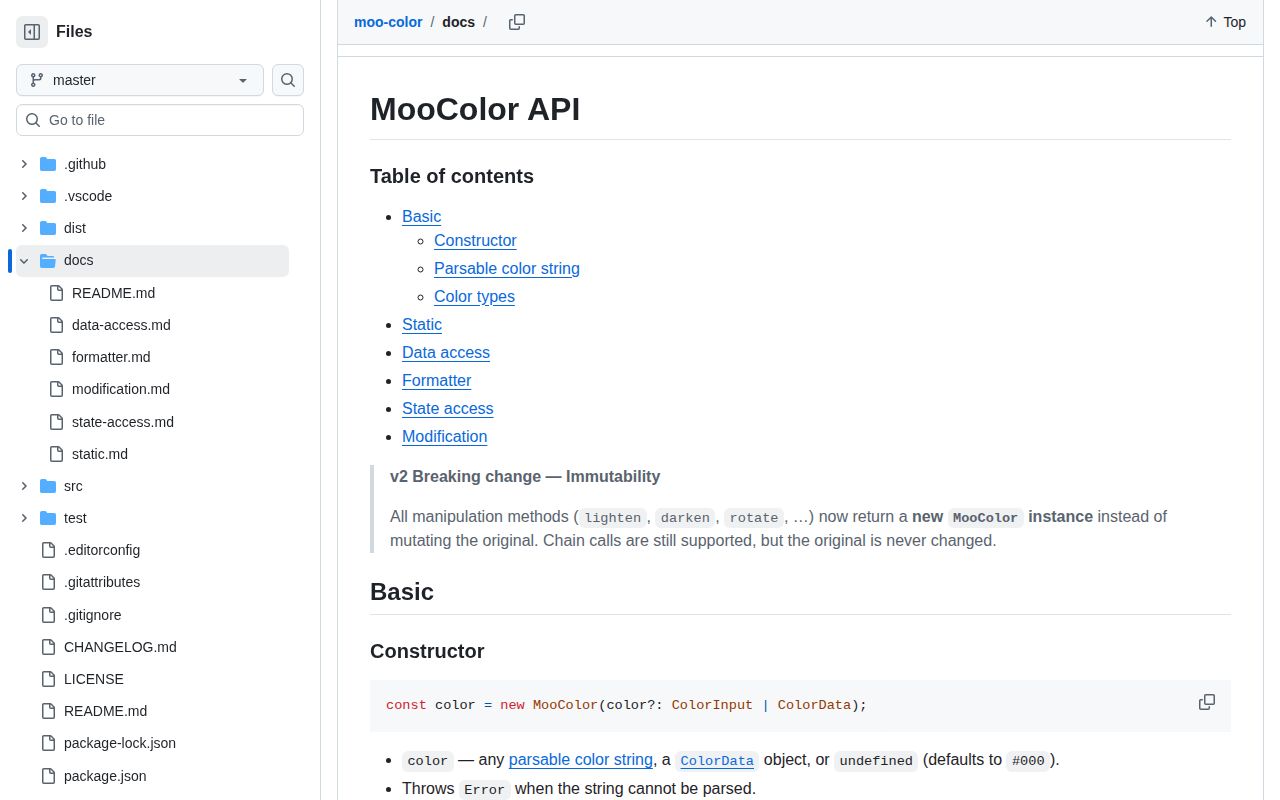
moo-color 2.0.0 is an immutable TypeScript color class that parses hex, named colors, transparent, RGB, HSL, HWB, HSV, and CMYK. It converts between those models, formats CSS strings, adjusts channels, mixes colors, and calculates WCAG 2.1 relative luminance and contrast. Version 2 rewrote the package in TypeScript, raised the Node floor to 18, removed `setColor`, and changed mutating methods to return new instances. Our install supplied declarations and working ESM and CommonJS entries; the measured browser import was 4.4 KB gzipped.
Our moo-color 2.0.0 install took 1 second and produced a 4.4 KB gzipped browser bundle with bundled types, making it a sensible small choice for RGB, HSL, HWB, HSV, and CMYK work. Choose Culori when current CSS color spaces or perceptual color math enter the requirements.
We installed it
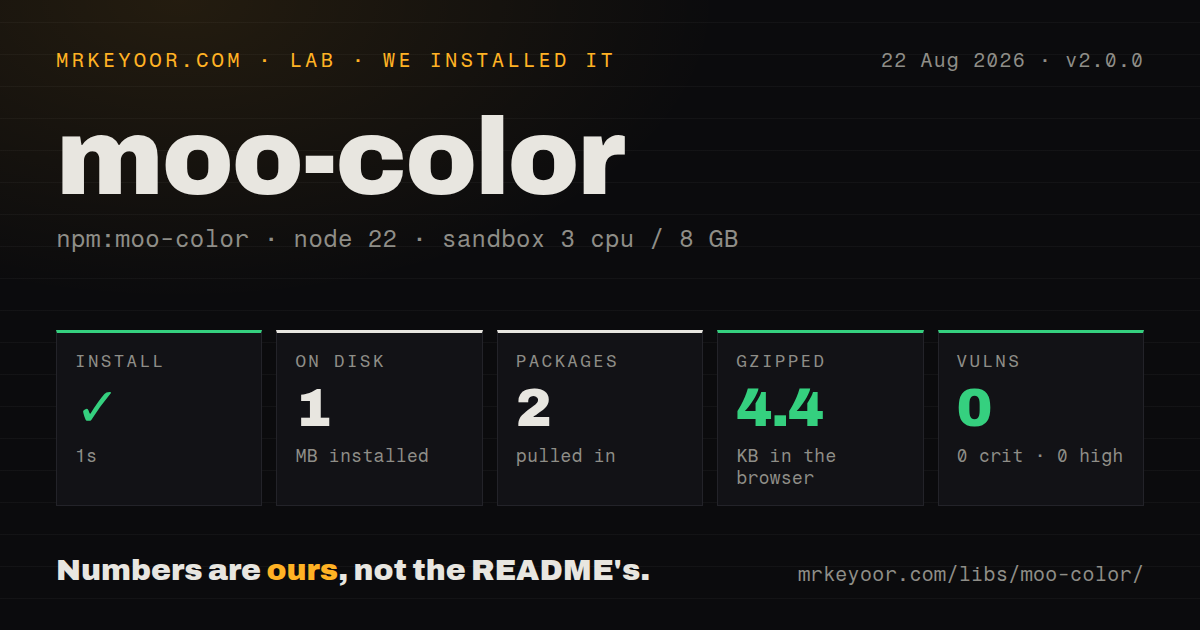
| Install | ✓ · 1s | 2 packages on disk · 1 MB |
| Import | ✓ | ESM import works · require() works · ESM package with exports map |
| Browser | 4.4 KB | gzipped (12.4 KB minified), bundled with esbuild |
| Types | ✓ | TypeScript types bundled |
| Known vulns | 0 | 0 critical · 0 high · 0 moderate · 0 low (npm audit) |
Answers from our run
Does moo-color install cleanly?
Yes. In a fresh container with an empty cache, npm install moo-color finished in 1 seconds, leaving 2 packages and 1 MB on disk. npm audit reported no known vulnerabilities.
How much does moo-color add to a browser bundle?
4.4 KB gzipped (12.4 KB minified) when the whole package is bundled for the browser with esbuild. Importing only part of it is usually smaller.
Does moo-color work with both ESM and CommonJS?
Yes. Both import 'moo-color' and require('moo-color') worked in Node 22 in our run. The package is published as ESM with an exports map.
Does moo-color include TypeScript types?
Yes, type declarations ship inside the package, so no @types install is needed.
moo-color or culori: which should you use?
culori: Use it for Lab, LCH, OKLab, OKLCH, gamut mapping, interpolation, and a function-oriented color API. Our moo-color 2.0.0 install took 1 second and produced a 4.4 KB gzipped browser bundle with bundled types, making it a sensible small choice for RGB, HSL, HWB, HSV, and CMYK work.
When should you not use moo-color?
The product accepts Lab, LCH, OKLab, OKLCH, color(), or relative color syntax; version 2 does not list those spaces
Use it if
- One small immutable object should cover conventional CSS colors plus HSV and CMYK working values
- Code needs WCAG 2.1 luminance and contrast ratios alongside parsing and formatting
- The package must load through ESM, CommonJS, or a direct browser script while sharing one API
- A TypeScript project wants bundled declarations for color objects and model data
- The product accepts Lab, LCH, OKLab, OKLCH, `color()`, or relative color syntax; version 2 does not list those spaces
- Runtime support includes Node 16 or older; package metadata requires Node 18 or newer
- Existing v1 code assumes `lighten`, `setAlpha`, or `changeModel` mutate in place; version 2 returns a fresh value and removed `setColor`
- Contrast must account for translucent foregrounds; `contrastRatioWith` uses RGB luminance without compositing alpha against the actual background
- You need data-visualization scales, gamut mapping, perceptual interpolation, or palette generation; moo-color provides color operations rather than a color-science toolkit
Setup reality
Our install of moo-color 2.0.0 finished in 1 second. It left 2 packages and 1 MB on disk; moo-color itself was 284 KB unpacked with 1 direct dependency and no peer dependencies. npm audit found 0 known vulnerabilities. The package requires Node 18 or newer, uses ESM with an exports map, and loaded through both ESM import and CommonJS require. TypeScript declarations were bundled. Our esbuild browser run measured 12.4 KB minified and 4.4 KB gzipped.
No credentials, config files, or native compilation are involved. Import MooColor, then construct it from a supported string or color-data object. Invalid user strings throw during construction, and the package's broad string types cannot prove validity before runtime. Wrap untrusted input in try/catch. Modern CSS strings such as OKLCH need a different parser.
Version 2's migration trap is immutability. Calls such as color.lighten(10), color.setAlpha(0.5), and color.changeModel('hsl') leave the original untouched; assign or chain the returned instance. Replace the removed setColor(next) pattern with new MooColor(next). Conversions often pass through RGB, so repeated cross-model edits can introduce rounding differences.
The WCAG helpers calculate relative luminance and a contrast ratio, and isContrastEnough checks the 4.5 normal-text threshold. It does not choose the 3.0 large-text or 7.0 AAA thresholds for you. Alpha also needs manual compositing against the rendered background before a contrast decision. The IIFE build exposes a browser global, while module bundlers should use the package exports.
Patterns
Catch an invalid color string parse-input
import { MooColor } from 'moo-color';

function parseColor(input: string) {
  try { return new MooColor(input); }
  catch { return null; }
}
Version 2 throws during construction for unsupported input. Its TypeScript string types do not replace this runtime check.
Format one parsed color format-output
const color = new MooColor('rgba(255, 128, 0, 0.5)');

console.log(color.toHex());
console.log(color.toRgb('percent'));
console.log(color.toHsl());
console.log(color.toHwb());
An alpha below 1 produces alpha-bearing output such as eight-digit hex, rgba, or hsla where that formatter supports it.
Keep immutable adjustments together chain-edits
const base = new MooColor('hsl(210, 60%, 40%)');
const accent = base.lighten(15).saturate(10).rotate(20);

console.log(base.toHsl());
console.log(accent.toHsl());
Every manipulation in 2.0.0 returns a new instance; `base` remains unchanged.
Assign version 2 return values migrate-mutation
let color = new MooColor('#336699');
color = color.lighten(10);
color = color.setAlpha(0.8);
Ignoring either return value leaves `color` unchanged. This is the common v1 migration failure.
Inspect converted HSL channels read-model-data
const color = new MooColor('#ff8000');
const hsl = color.getColorAs('hsl');

console.log(hsl.model, hsl.values, hsl.alpha);
`getColorAs` returns copied data, so editing its values array does not mutate the MooColor instance.
Calculate normal-text contrast check-contrast
const foreground = new MooColor('#1f2937');
const background = new MooColor('#ffffff');

const ratio = foreground.contrastRatioWith(background);
const passesNormalAA = foreground.isContrastEnough(background);
`isContrastEnough` uses 4.5. Apply 3.0 for qualifying large text or 7.0 for AAA according to your own rule.
Mix with an explicit weight mix-colors
const red = new MooColor('red');
const blue = new MooColor('blue');

const mostlyRed = MooColor.mix(red, blue, 75);
const mostlyBlue = red.mix(blue, 75);
Static mix weights its first color, while instance mix weights the argument. Read the 75 percent from the correct side.
Use version 2 from CommonJS load-commonjs
const { MooColor } = require('moo-color');

const color = new MooColor('cmyk(0%, 100%, 100%, 0%)');
console.log(color.toRgb());
The CommonJS entry worked in our Node 22 check. Package metadata requires Node 18 or newer.
Alternatives
| Package | Registry | Pick it when |
|---|---|---|
| culori | npm | Use it for Lab, LCH, OKLab, OKLCH, gamut mapping, interpolation, and a function-oriented color API. |
| chroma-js | npm | Use it when chart scales, domains, interpolation modes, and palette generation drive the requirement. |
| color | npm | Use it for another immutable chainable object with a larger established user base. |
| tinycolor2 | npm | Use it when legacy browser support or tinycolor-compatible parsing matters more than current TypeScript design. |
More web frontend guides
postcss · react · react-dom · tailwindcss · clsx · htmlparser2 · the whole shelf →
How this guide is made: grounded in the library's documentation, release notes, changelog, and issue history, on a fixed rubric — not a hands-on install of every release. The 50 most-downloaded entries are additionally install-verified in clean containers. Corrections: contact the desk.