chroma-js review
Chroma.js 3.2.0 turns color strings or channel values into objects you can convert, adjust, compare, and serialize. Its stronger reason to exist is data color: it builds continuous or classed scales, interpolates in Lab, Lch, OKLab, and other spaces, includes ColorBrewer ramps, and calculates contrast or perceptual difference. Version 3.2.0 fixes multi-stop scale domains so calling `domain()` returns every supplied position instead of only the endpoints. Our browser test measured 42.2 KB minified and 17.1 KB gzipped for a full namespace import, so this is a deliberate visualization dependency rather than a tiny helper for one CSS color.
Chroma.js 3.2.0 installed in 0.3 seconds with one package and no audit findings, but its full browser import measured 17.1 KB gzipped and shipped no TypeScript types. Install it for visualization scales and color math; use a narrower converter for routine UI color edits, and avoid the broken ESM light entry in this release.
We installed it
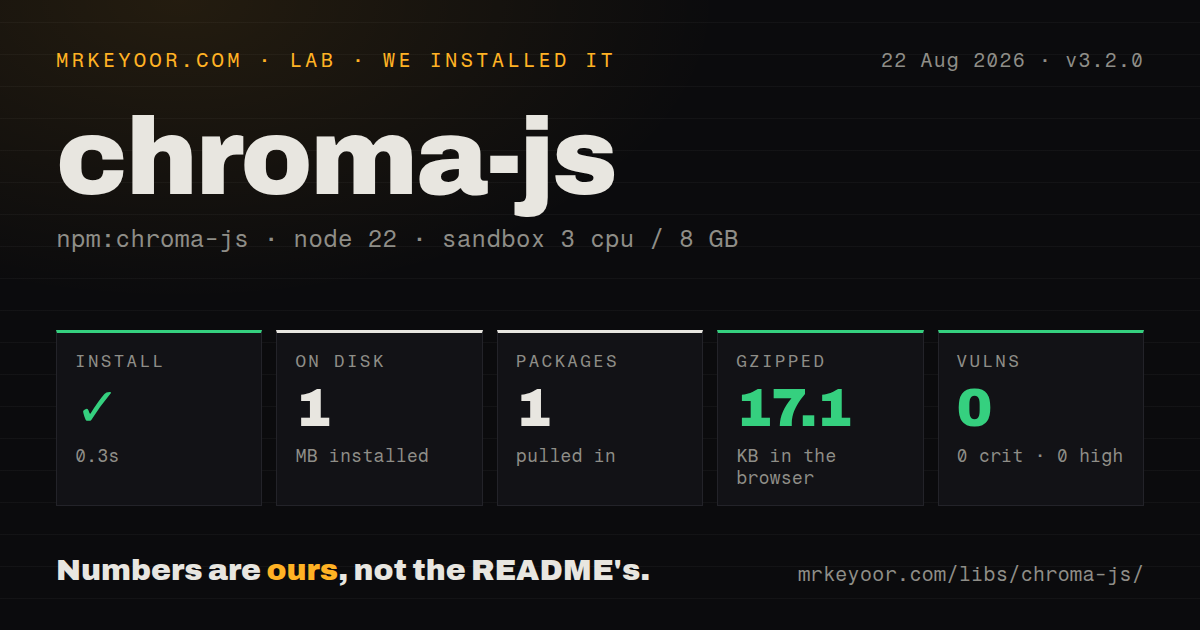
| Install | ✓ · 0.3s | 1 package on disk · 1 MB |
| Import | ✓ | ESM import works · require() works · ESM package with exports map |
| Browser | 17.1 KB | gzipped (42.2 KB minified), bundled with esbuild |
| Types | — | no TypeScript types found |
| Known vulns | 0 | 0 critical · 0 high · 0 moderate · 0 low (npm audit) |
Answers from our run
Does chroma-js install cleanly?
Yes. In a fresh container with an empty cache, npm install chroma-js finished in 0.3s, leaving 1 package and 1 MB on disk. npm audit reported no known vulnerabilities.
How much does chroma-js add to a browser bundle?
17.1 KB gzipped (42.2 KB minified) when the whole package is bundled for the browser with esbuild. Importing only part of it is usually smaller.
Does chroma-js work with both ESM and CommonJS?
Yes. Both import 'chroma-js' and require('chroma-js') worked in Node 22 in our run. The package is published as ESM with an exports map.
Does chroma-js include TypeScript types?
No type declarations were found in our install, so TypeScript users need their own declarations.
chroma-js or culori: which should you use?
culori: Pick it for function-level imports and wider modern color-space work without Chroma's scale-centric API. Chroma.js 3.2.0 installed in 0.3 seconds with one package and no audit findings, but its full browser import measured 17.1 KB gzipped and shipped no TypeScript types.
When should you not use chroma-js?
The job is one CSS parse or a single lighten call. Our full-import browser build was 17.1 KB gzipped, while color covers the narrower manipulation case.
Use it if
- A chart or map needs numeric domains, quantile breaks, ColorBrewer ramps, and explicit interpolation spaces in the same API.
- Your code accepts several color formats and must emit RGB, hex, Lab, Lch, OKLab, OKLch, CMYK, or numeric channels.
- You need WCAG contrast ratios, the beta APCA calculation, Delta E 2000, blending, weighted averaging, or temperature-derived colors.
- A zero-dependency package is preferable to joining separate parsers, converters, and palette generators.
- The job is one CSS parse or a single lighten call. Our full-import browser build was 17.1 KB gzipped, while `color` covers the narrower manipulation case.
- First-party TypeScript declarations are required. The 3.2.0 package contains no types, so TypeScript users must maintain a local boundary or depend on community declarations.
- You plan to import `chroma-js/light` from ESM. The 3.2.0 exports map points at `index-light.js`, but that file is absent from the published package even though the CommonJS light target exists.
- Snapshot tests or downstream consumers require comma-separated legacy RGB strings. Chroma.js 3 emits modern space-separated CSS color syntax.
- APCA output will make a compliance decision that cannot tolerate algorithm changes. The project documentation labels `contrastAPCA` beta and warns that its calculation may change.
Setup reality
We installed chroma-js 3.2.0 in 0.3 seconds in a fresh Node 22 Bookworm sandbox. It left one package and 1 MB on disk. The package itself is 868 KB unpacked, declares no direct or peer dependencies, and npm audit found 0 known vulnerabilities. Both require() and ESM import worked through its exports map. The published license expression is BSD-3-Clause AND Apache-2.0.
No credentials, native compiler, peer setup, or config file is involved. TypeScript is the first catch: our install contained no declaration files. The second is packaging. The full entry works in both module systems, but the advertised ESM chroma-js/light path targets a file missing from 3.2.0. Deep src exports exist for smaller imports, though those modules are lower-level pieces and do not all reproduce the assembled default API.
Our esbuild check of import * produced 42.2 KB minified and 17.1 KB gzipped. Scales are callable objects whose configuration methods and cache affect later calls, so create separate scales for unrelated domains. Version 3.2.0 matters when you use more than two domain stops: a no-argument domain() now returns the complete position array after fixes in two release pull requests.
Serialization deserves tests during a v3 move. css() uses modern space-separated syntax, and .hex() includes alpha when opacity is below 1 unless you request .hex('rgb'). Validate user input with chroma.valid() before construction. Check .clipped() after edits in perceptual spaces, and set .nodata() explicitly when null or non-numeric values can reach a scale.
Patterns
Normalize a color into explicit formats parse-color
import chroma from 'chroma-js';

const value = chroma('rgba(255, 0, 0, 0.5)');
console.log(value.css());
console.log(value.hex());
console.log(value.hex('rgb'));
console.log(value.rgba());
Version 3 writes modern CSS syntax. A translucent color makes `.hex()` return eight digits, while `.hex('rgb')` always requests six.
Reject an invalid color before construction guard-user-input
import chroma from 'chroma-js';

function normalize(input) {
  if (!chroma.valid(input)) return null;
  return chroma(input).hex('rgb');
}

console.log(normalize('oklch(70% 0.1 30)'));
console.log(normalize('bread'));
`chroma(input)` can throw when parsing fails. `chroma.valid()` gives untrusted form or file input a cheap guard first.
Read and rebuild perceptual channels convert-spaces
import chroma from 'chroma-js';

const source = chroma('#663399');
const channels = source.oklch();
const rebuilt = chroma.oklch(...channels);

console.log({ rgb: source.rgb(), lab: source.lab(), channels });
console.log(rebuilt.hex(), rebuilt.clipped());
Perceptual-space values may fall outside displayable RGB. Inspect `.clipped()` when channel edits must remain in gamut.
Create active and disabled color variants adjust-appearance
import chroma from 'chroma-js';

const base = chroma('#6699cc');
const active = base.darken(0.6).saturate(0.4).alpha(0.85);
const disabled = base.desaturate(1.2).alpha(0.5);

console.log(active.css(), disabled.css(), base.hex());
Adjustment calls return new color objects, leaving `base` unchanged. Their amounts are Chroma.js units rather than CSS percentages.
Choose the space used for a color mix interpolate-colors
import chroma from 'chroma-js';

const halfway = chroma.mix('#ff0000', '#0000ff', 0.5, 'oklch');
const quarter = chroma.mix('#ff0000', '#0000ff', 0.25, 'lab');

console.log(halfway.hex(), quarter.hex());
RGB, Lab, Lch, and OKLch take different paths between the same endpoints. Name the mode when visual output must stay repeatable.
Map temperatures across three fixed stops map-domain
import chroma from 'chroma-js';

const temperature = chroma
  .scale(['#2166ac', '#f7f7f7', '#b2182b'])
  .domain([-20, 0, 40])
  .mode('lab');

console.log(temperature(-8).hex());
console.log(temperature(25).hex());
console.log(temperature.domain());
Version 3.2.0 makes `domain()` return all three supplied positions here. Earlier behavior exposed only the outer pair.
Build quantile breaks before coloring rows classify-values
import chroma from 'chroma-js';

const values = [3, 4, 4, 8, 12, 19, 21, 80, 110];
const breaks = chroma.limits(values, 'q', 5);
const scale = chroma.scale('YlGnBu').classes(breaks);
const rows = values.map((value) => ({ value, color: scale(value).hex() }));

console.log(breaks, rows);
Quantiles balance observation counts rather than numeric width. Repeated values can yield repeated breaks, so inspect the array used for the legend.
Sample a seven-color sequential ramp sample-ramp
import chroma from 'chroma-js';

const colors = chroma
  .scale(['#440154', '#21918c', '#fde725'])
  .mode('lab')
  .correctLightness()
  .colors(7);

console.log(colors);
`correctLightness()` shifts sample positions toward an even perceived-lightness progression. Do not apply it blindly to a diverging scale with a meaningful midpoint.
Read a bundled ColorBrewer ramp use-brewer-palette
import chroma from 'chroma-js';

const name = 'RdYlBu';
if (!(name in chroma.brewer)) throw new Error('unknown palette');

const continuous = chroma.scale(name).domain([0, 100]);
console.log(chroma.brewer[name]);
console.log(continuous.colors(9));
Interpolating a named ramp can differ from ColorBrewer's official swatches for a particular class count. Use the stored array when exact official colors matter.
Keep WCAG and APCA results separate compare-contrast
import chroma from 'chroma-js';

const text = '#222222';
const surface = '#ffffff';
const wcag = chroma.contrast(text, surface);
const apca = chroma.contrastAPCA(text, surface);

console.log({ wcag, apca });
The 2 calculations use different scales and meanings. Chroma.js labels its APCA implementation beta, so do not substitute that value for a WCAG ratio.
Compare Delta E with plain Lab distance measure-difference
import chroma from 'chroma-js';

const expected = '#ff0000';
const measured = '#fe0100';
const deltaE2000 = chroma.deltaE(expected, measured);
const euclideanLab = chroma.distance(expected, measured, 'lab');

console.log({ deltaE2000, euclideanLab });
`deltaE()` implements CIEDE2000, while `distance()` calculates Euclidean separation in the selected space. Their numbers are not interchangeable thresholds.
Reserve a scale color for absent values mark-missing-data
import chroma from 'chroma-js';

const scoreColor = chroma
  .scale(['#f7fbff', '#08306b'])
  .domain([0, 100])
  .nodata('#bdbdbd');

console.log(scoreColor(72).hex());
console.log(scoreColor(null).hex());
console.log(scoreColor(undefined).hex());
Null, undefined, and non-numeric inputs use the no-data color. Set it explicitly so missing records do not look like valid low scores.
Alternatives
| Package | Registry | Pick it when |
|---|---|---|
| culori | npm | Pick it for function-level imports and wider modern color-space work without Chroma's scale-centric API. |
| color | npm | Pick it when immutable CSS parsing, conversion, and simple adjustments cover the whole requirement. |
| d3-color | npm | Pick it inside a D3 stack that already supplies separate interpolation and scale modules. |
More utils guides
lru-cache · type-fest · ajv · zod · p-limit · find-up · the whole shelf →
How this guide is made: grounded in the library's documentation, release notes, changelog, and issue history, on a fixed rubric — not a hands-on install of every release. The 50 most-downloaded entries are additionally install-verified in clean containers. Corrections: contact the desk.