color review
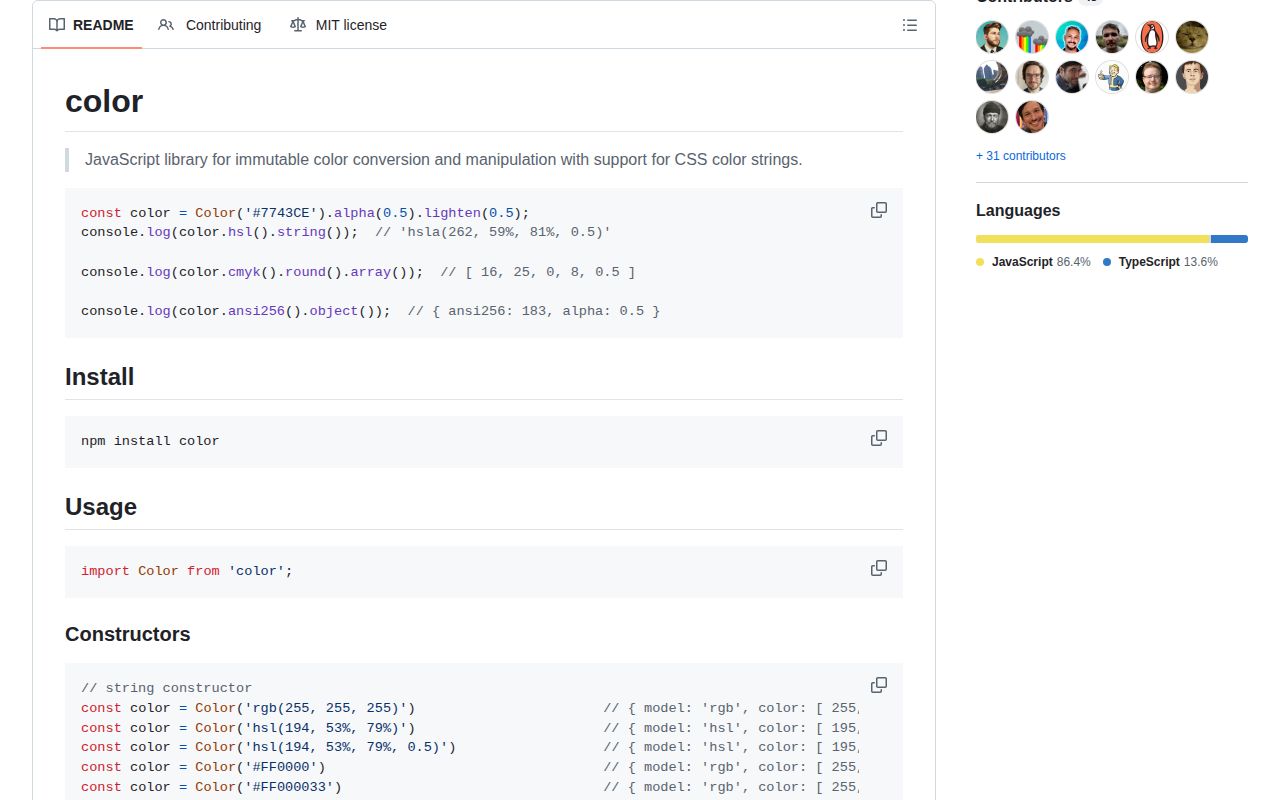
color 5.0.3 is an immutable JavaScript value object for ordinary CSS colors and several conversion models. Feed it a named color, hex string, CSS rgb or hsl string, packed RGB number, channel array, or labeled channel object. It can then convert among RGB, HSL, HSV, HWB, CMYK, XYZ, Lab, LCH, HCG, Apple, ANSI 16, and ANSI 256; calculate WCAG luminosity and contrast; adjust channels; or serialize the result. The current patch changes only the allowed versions of color-convert and color-string. Its public methods are unchanged from 5.0.2.
color 5.0.3 installed in 0.4 seconds and occupied 1 MB in our sandbox, but its full browser import still cost 23.6 KB minified and 8.3 KB gzipped. Install it when one code path truly needs parsing, model conversion, manipulation, and contrast checks; choose a narrower helper or a modern perceptual-color library when it does not.
We installed it
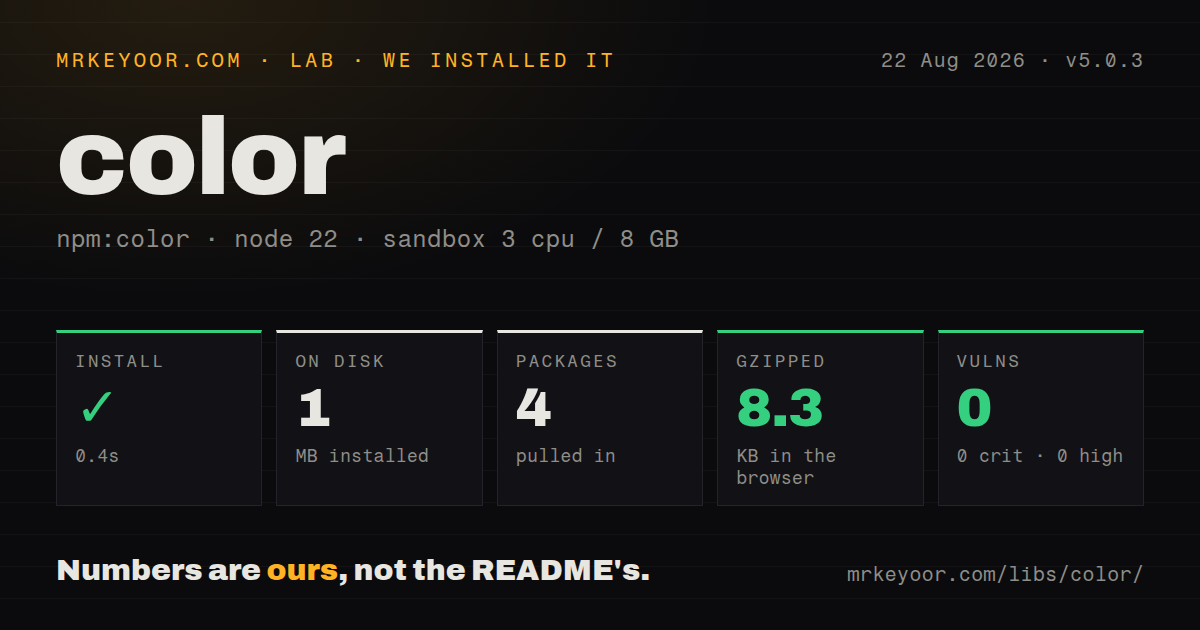
| Install | ✓ · 0.4s | 4 packages on disk · 1 MB |
| Import | ✓ | ESM import works · require() works · ESM package with exports map |
| Browser | 8.3 KB | gzipped (23.6 KB minified), bundled with esbuild |
| Types | ✓ | TypeScript types bundled |
| Known vulns | 0 | 0 critical · 0 high · 0 moderate · 0 low (npm audit) |
Answers from our run
Does color install cleanly?
Yes. In a fresh container with an empty cache, npm install color finished in 0.4s, leaving 4 packages and 1 MB on disk. npm audit reported no known vulnerabilities.
How much does color add to a browser bundle?
8.3 KB gzipped (23.6 KB minified) when the whole package is bundled for the browser with esbuild. Importing only part of it is usually smaller.
Does color work with both ESM and CommonJS?
Yes. Both import 'color' and require('color') worked in Node 22 in our run. The package is published as ESM with an exports map.
Does color include TypeScript types?
Yes, type declarations ship inside the package, so no @types install is needed.
color or culori: which should you use?
culori: Pick it for OKLCH, wide-gamut CSS colors, gamut mapping, or perceptual interpolation. color 5.0.3 installed in 0.4 seconds and occupied 1 MB in our sandbox, but its full browser import still cost 23.6 KB minified and 8.3 KB gzipped.
When should you not use color?
Your parser must accept OKLCH, OKLab, color(display-p3 ...), or other CSS Color 4 strings. The documented constructor does not cover those forms; Culori does.
Discussed on
- hnAre changelogs dead?3 points
Use it if
- You receive several older CSS color formats and want one constructor that normalizes them into a chainable value.
- Theme or design-token code needs channel conversion, alpha handling, hue rotation, and lightness changes in the same API.
- A UI check needs WCAG contrast ratios or AA and AAA level labels for two known colors.
- Terminal tooling starts with RGB or CSS input and must select an ANSI 16 or ANSI 256 approximation.
- Your parser must accept OKLCH, OKLab, `color(display-p3 ...)`, or other CSS Color 4 strings. The documented constructor does not cover those forms; Culori does.
- You are generating perceptually even ramps. `mix()` blends through RGB, and color has no scale builder or gamut-mapping API; Chroma.js or Culori fits that work better.
- The only job is turning one fixed hex string into three integers. Our browser build was 23.6 KB minified and 8.3 KB gzipped, too much for that single operation.
- Callers expect setters to mutate an existing object. Each Color instance is frozen, and channel or manipulation methods produce another instance.
- Eight-digit hex must be the default output. `hex()` deliberately discards alpha, so every such call has to use `hexa()` instead.
Setup reality
We installed color 5.0.3 in a fresh Node 22 Bookworm container in 0.4 seconds. The install left 4 packages using 1 MB, while the package itself is 44 KB unpacked and declares 2 direct dependencies with no peers. npm audit found 0 known vulnerabilities. The package requires Node 18 or newer and includes its TypeScript declarations. Both import and require() loaded it in our sandbox despite its ESM metadata and exports map.
Setup ends at npm install color; there are no credentials, native compilers, peer packages, or configuration files. Construction is also the validation boundary. An unsupported string or an object with the wrong channel labels throws, so values from a CMS or color picker need a try/catch. The README covers named colors, hex, RGB, HSL, and HWB strings, but does not promise OKLCH or Display P3 parsing.
A Color object does not change after creation. base.alpha(0.5) returns the adjusted value, and ignoring that return leaves base untouched. Serialization depends on the active model: calling object() after hsl() yields HSL keys, while rgb().object() yields r, g, and b. Alpha is another deliberate edge: hex() writes six digits and hexa() writes eight.
Our full-package browser import measured 23.6 KB minified and 8.3 KB gzipped. That is reasonable when conversion, manipulation, and contrast all ship together, but tree shaking cannot turn the default constructor into a one-line hex helper. The math matters too: lighten(0.2) scales current HSL lightness, so black stays black, and mix() uses RGB rather than a perceptual space.
Patterns
Normalize a CSS color parse-css-string
import Color from 'color';

const value = Color('rgba(30, 64, 175, 0.75)');
console.log(value.rgb().object());
console.log(value.hsl().round(1).object());
The constructor throws when a string cannot be parsed. Wrap untrusted form or CMS values in error handling.
Create a color from labeled channels parse-channel-object
const ink = Color({ r: 17, g: 24, b: 39, alpha: 0.9 });
const print = Color({ c: 70, m: 20, y: 0, k: 15 });

console.log(ink.string(), print.rgb().string());
Object keys identify the model. A partial or mixed set of channel labels causes construction to fail.
Keep alpha in hexadecimal output serialize-alpha-hex
const shade = Color('#2563eb80');

console.log(shade.hex());  // #2563EB
console.log(shade.hexa()); // #2563EB80
`hex()` always omits transparency. Use `hexa()` when the output must carry alpha.
Test a foreground against a background check-aa-contrast
const foreground = Color('#ffffff');
const background = Color('#1d4ed8');

const ratio = foreground.contrast(background);
const level = foreground.level(background);
console.log({ ratio, level });
`contrast()` returns a ratio from 1 to 21, while `level()` returns `AA`, `AAA`, or an empty string.
Choose black or white text select-readable-text
function textFor(backgroundValue) {
  const background = Color(backgroundValue);
  const candidates = [Color('#000'), Color('#fff')];
  return candidates.sort(
    (a, b) => background.contrast(b) - background.contrast(a),
  )[0].hex();
}

console.log(textFor('#7c3aed'));
This compares the two actual WCAG ratios. `isDark()` alone does not prove a required contrast threshold.
Set and scale opacity change-alpha
const base = Color('#0f172a').alpha(0.8);
const faded = base.fade(0.25);
const restored = faded.opaquer(0.5);

console.log(base.alpha(), faded.alpha(), restored.alpha());
`alpha()` sets opacity. `fade()` and `opaquer()` scale the current alpha rather than replacing it.
Derive hover and pressed colors derive-state-colors
const normal = Color('#15803d');
const hover = normal.lighten(0.1);
const pressed = normal.darken(0.15);

console.log({ normal: normal.hex(), hover: hover.hex(), pressed: pressed.hex() });
Lighten and darken multiply HSL lightness by a ratio. They do not add fixed percentage points.
Keep immutable results preserve-original-value
const original = Color('tomato');
const changed = original.red(180).alpha(0.6);

console.log(original.string());
console.log(changed.string());
Channel setters return a new frozen Color instance. The object they were called on remains unchanged.
Blend two RGB colors blend-colors
const left = Color('#06b6d4');
const right = Color('#facc15');

console.log(left.mix(right).hex());
console.log(left.mix(right, 0.2).hex());
`mix()` works through RGB. It is a poor substitute for perceptual interpolation in a long palette ramp.
Generate a hue-relative accent rotate-hue
const primary = Color('hsl(25, 85%, 52%)');
const opposite = primary.rotate(180);
const nearby = primary.rotate(-24);

console.log(opposite.hsl().string());
console.log(nearby.hsl().string());
Hue rotation wraps at 360 degrees, including when the input angle is negative.
Control output precision emit-stable-css
const generated = Color('#7c3aed').lighten(0.125).hsl();

console.log(generated.string());
console.log(generated.string(2));
`string()` rounds to 1 decimal place by default. Pass the precision when generated snapshots must stay stable.
Approximate a web color in ANSI 256 map-to-ansi256
const accent = Color('#7c3aed');
const ansi = accent.ansi256().array()[0];

console.log(`\u001B[38;5;${ansi}mPreview\u001B[0m`);
ANSI 256 has a limited palette, so this conversion cannot preserve the exact RGB value.
Alternatives
| Package | Registry | Pick it when |
|---|---|---|
| culori | npm | Pick it for OKLCH, wide-gamut CSS colors, gamut mapping, or perceptual interpolation. |
| colord | npm | Pick it when a smaller core with opt-in plugins covers the formats and operations you use. |
| chroma-js | npm | Pick it for palette scales, class breaks, and interpolation across selectable color spaces. |
More utils guides
lru-cache · type-fest · ajv · zod · p-limit · find-up · the whole shelf →
How this guide is made: grounded in the library's documentation, release notes, changelog, and issue history, on a fixed rubric — not a hands-on install of every release. The 50 most-downloaded entries are additionally install-verified in clean containers. Corrections: contact the desk.