moment review
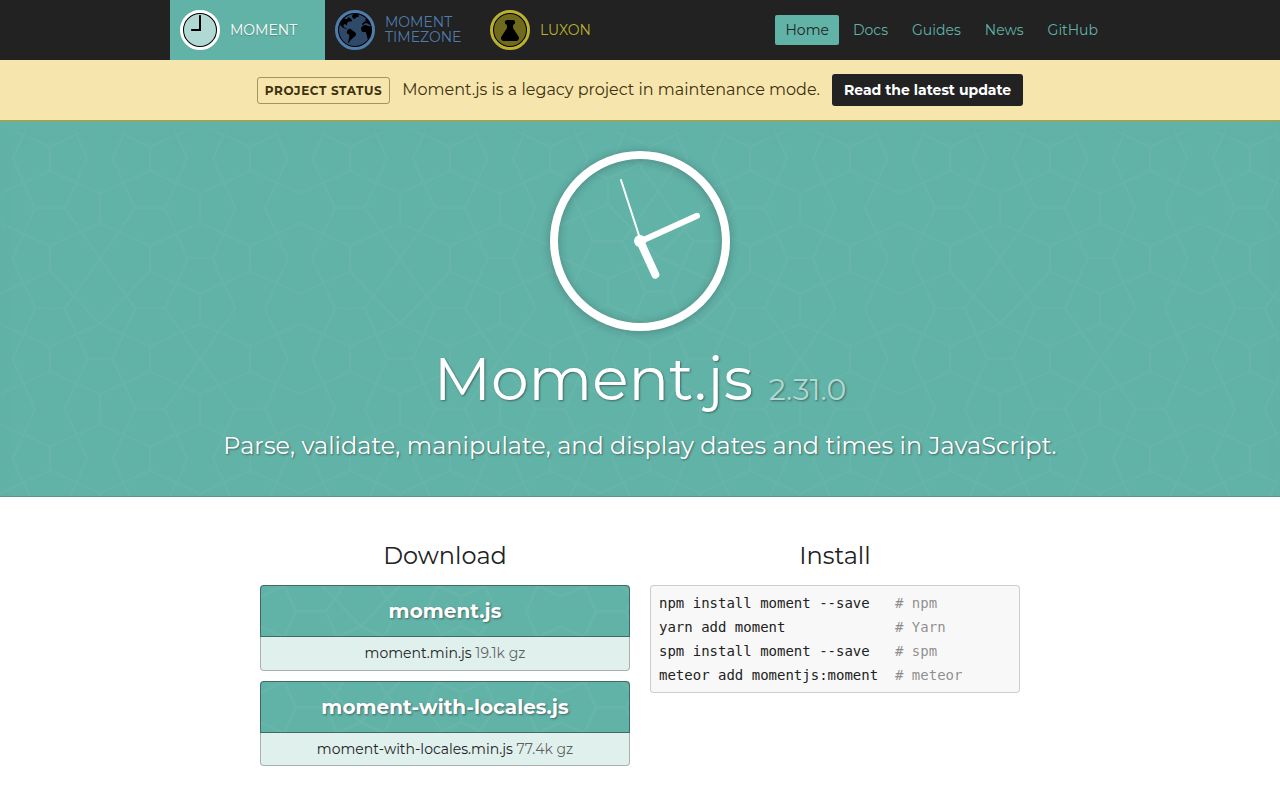
Moment 2.30.1 puts parsing, formatting, calendar arithmetic, durations, relative labels, UTC mode, and locale output on a chainable wrapper around JavaScript `Date`. Those wrappers are mutable: calls such as `add()`, `startOf()`, and `local()` change the same object. Named IANA zones require the separate `moment-timezone` package. The README now labels Moment a legacy project in maintenance mode and says new features are closed. Version 2.30.1 itself is a December 2023 patch that reverted a TypeScript change from 2.30.0 after it broke substantial user code.
Our Moment 2.30.1 browser build weighed 60.4 KB minified and 19.5 KB gzipped, while the maintainers accept maintenance fixes instead of new features. Keep it inside existing systems that depend on its mutable semantics; choose a maintained date model for greenfield code.
We installed it
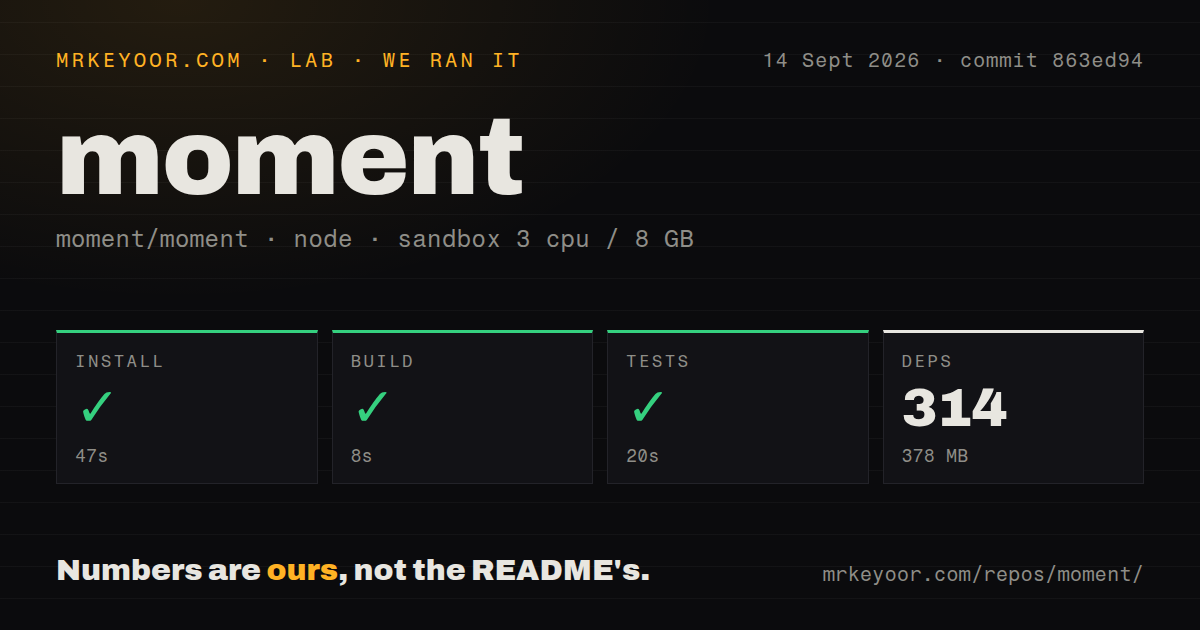
| Install | ✓ · 0.7s | 1 package on disk · 6 MB |
| Import | ✓ | ESM import works · require() works · CommonJS package |
| Browser | 19.5 KB | gzipped (60.4 KB minified), bundled with esbuild |
| Types | ✓ | TypeScript types bundled |
| Known vulns | 0 | 0 critical · 0 high · 0 moderate · 0 low (npm audit) |
Answers from our run
Does moment install cleanly?
Yes. In a fresh container with an empty cache, npm install moment finished in 0.7s, leaving 1 package and 6 MB on disk. npm audit reported no known vulnerabilities.
How much does moment add to a browser bundle?
19.5 KB gzipped (60.4 KB minified) when the whole package is bundled for the browser with esbuild. Importing only part of it is usually smaller.
Does moment work with both ESM and CommonJS?
Yes. Both import 'moment' and require('moment') worked in Node 22 in our run. The package is published as CommonJS.
Does moment include TypeScript types?
Yes, type declarations ship inside the package, so no @types install is needed.
moment or dayjs: which should you use?
dayjs: Use it when a Moment-like chain and immutable instances make an incremental migration practical. Our Moment 2.30.1 browser build weighed 60.4 KB minified and 19.5 KB gzipped, while the maintainers accept maintenance fixes instead of new features.
When should you not use moment?
This is a new application. The project README calls Moment legacy, places it in maintenance mode, and declines new features.
Discussed on
- hnWe now consider Moment.js to be a legacy project in maintenance mode1,129 points
- hnThat awkward moment when Apple mocked good hardware and poor people1,078 points
- hnAsk HN: Comment here about whatever you're passionate about at the moment982 points
- hnLarge language models are having their Stable Diffusion moment811 points
- hnAsk HN: What was your "oh shit" moment with GenAI?739 points
Use it if
- An established product already passes Moment objects across application or plugin boundaries.
- A repair must preserve existing parsing, locale, duration, or `moment-timezone` output before a separately tested migration.
- An older CommonJS or browser stack values long-standing behavior more than tree shaking and immutable values.
- A required dependency returns Moment instances, making a second date model more confusing than a contained use of the same API.
- This is a new application. The project README calls Moment legacy, places it in maintenance mode, and declines new features.
- Your code assumes date values stay unchanged. Moment documents that every Moment is mutable, so arithmetic and boundary methods can alter values held elsewhere.
- Frontend weight has a strict budget. Our package-wide browser import measured 60.4 KB minified and 19.5 KB gzipped before any separate time-zone data.
- IANA time zones must work from the base install. Core Moment handles local offsets and UTC; named-zone parsing lives in `moment-timezone` with its own data updates.
- You need tree-shaken functions or distinct plain-date and instant types. Moment is CommonJS without an exports map and wraps the broad behavior of `Date` in one mutable type.
Setup reality
We installed Moment 2.30.1 in a clean Node 22 Bookworm container. npm finished in 0.7 seconds and left 1 package using 6 MB. The audit returned 0 vulnerabilities at all 4 severities. Moment declares 0 direct dependencies and 0 peer dependencies, reports 5,412 KB unpacked, bundles TypeScript declarations, and accepts every Node version through node: *. Both require() and ESM import worked in our checks.
There is no required config file. Input handling is the first sharp edge: free-form strings may fall through to the host Date parser, and invalid input produces an invalid Moment instead of throwing. For form or file data, supply the expected format, enable strict parsing, and check isValid(). Every Moment is mutable, so clone before add(), subtract(), startOf(), endOf(), utc(), or local() when another caller still needs the original value.
Our esbuild test of a package-wide import produced 60.4 KB minified and 19.5 KB gzipped. The package is CommonJS and has no exports map. Moment also resolves locales dynamically, which can make webpack include far more locale code than the application uses. Restrict or ignore the locale context, import each supported locale explicitly, and test the production artifact. Calling moment.locale() changes the default globally; server code should prefer an instance locale.
Core 2.30.1 does not ship IANA zone rules. Install moment-timezone when named zones are required, then plan for zone-data updates as governments change rules. Calendar boundaries deserve tests around daylight-saving changes. endOf('day') mutates and creates a final millisecond; database filters are easier to reason about with an inclusive start and an exclusive next-day value.
Patterns
Parse an ISO instant and format local time parse-iso
const moment = require('moment');

const value = moment('2026-08-24T09:30:00Z');
console.log(value.format('YYYY-MM-DD HH:mm'));
console.log(value.toISOString());
A string ending in `Z` describes UTC, but a normal Moment displays it in the machine's local zone unless you keep UTC mode.
Reject input outside one date format parse-strict-format
const value = moment('24/08/2026', 'DD/MM/YYYY', true);
if (!value.isValid()) {
  throw new Error('Expected DD/MM/YYYY');
}
The third argument enables strict mode. Without it, separators and partial matches may be accepted.
Read strict-parsing failure details inspect-invalid-input
const value = moment(userInput, 'YYYY-MM-DD', true);
if (!value.isValid()) {
  const flags = value.parsingFlags();
  console.error(flags.overflow, flags.unusedInput);
}
Construction does not throw for an invalid date. Check validity at the input boundary before the value reaches arithmetic or storage.
Keep the source date unchanged clone-before-arithmetic
const openedAt = moment('2026-08-24T09:00:00Z');
const expiresAt = openedAt.clone().add(30, 'minutes');

console.log(openedAt.toISOString());
console.log(expiresAt.toISOString());
`add()` mutates its receiver. `clone()` creates the separate Moment needed when both values remain in use.
Create a half-open UTC day range build-day-range
const start = moment.utc('2026-08-24').startOf('day');
const nextDay = start.clone().add(1, 'day');

const inside = candidate.isSameOrAfter(start) && candidate.isBefore(nextDay);
The exclusive next-day boundary avoids relying on the millisecond made by `endOf('day')`. Both boundary methods mutate.
Request whole or fractional differences measure-difference
const placed = moment('2026-08-01');
const shipped = moment('2026-08-24');

const wholeDays = shipped.diff(placed, 'days');
const exactWeeks = shipped.diff(placed, 'weeks', true);
`diff()` truncates unless its third argument is `true`. Choose the result shape explicitly.
Format a relative deadline render-relative-time
const deadline = moment().add(3, 'hours');
console.log(deadline.fromNow());
console.log(deadline.fromNow(true));
Relative phrases use configurable rounding thresholds. Keep exact scheduling logic on numeric timestamps or durations.
Parse directly into UTC mode stay-in-utc
const recorded = moment.utc('2026-08-24 09:30', 'YYYY-MM-DD HH:mm');
console.log(recorded.format());
console.log(recorded.toISOString());

const localCopy = recorded.clone().local();
`local()` changes display mode on that instance. Clone first when code still needs the UTC-mode object.
Convert between named IANA zones convert-time-zone
const moment = require('moment-timezone');

const meeting = moment.tz('2026-08-24 18:00', 'Asia/Kolkata');
const london = meeting.clone().tz('Europe/London');
console.log(london.format('YYYY-MM-DD HH:mm z'));
This requires the separate `moment-timezone` package and its zone database. Update that data when rule changes matter to the application.
Separate duration components from totals read-duration-total
const elapsed = moment.duration(1500, 'minutes');
console.log(elapsed.days());
console.log(elapsed.hours());
console.log(elapsed.asHours());
`hours()` returns the component left after whole days. `asHours()` converts the complete duration.
Set locale on one Moment localize-one-value
require('moment/locale/fr');

const label = moment('2026-08-24')
  .locale('fr')
  .format('dddd D MMMM');
console.log(label);
`moment.locale('fr')` changes the global default. Instance locale avoids one server request changing another request's language.
Exclude automatic locale loading in webpack trim-webpack-locales
const webpack = require('webpack');

module.exports = {
  plugins: [
    new webpack.IgnorePlugin({
      resourceRegExp: /^\.\/locale$/,
      contextRegExp: /moment$/
    })
  ]
};
Ignoring the locale context makes unimported locales unavailable. Import each language the application supports and verify the production bundle.
Alternatives
| Package | Registry | Pick it when |
|---|---|---|
| dayjs | npm | Use it when a Moment-like chain and immutable instances make an incremental migration practical. |
| date-fns | npm | Use it when independent functions over native dates suit per-function imports. |
| luxon | npm | Use it when immutable date-time objects and IANA zones should be built around `Intl`. |
More utils guides
lru-cache · type-fest · ajv · zod · p-limit · find-up · the whole shelf →
How this guide is made: grounded in the library's documentation, release notes, changelog, and issue history, on a fixed rubric — not a hands-on install of every release. The 50 most-downloaded entries are additionally install-verified in clean containers. Corrections: contact the desk.