find-up review
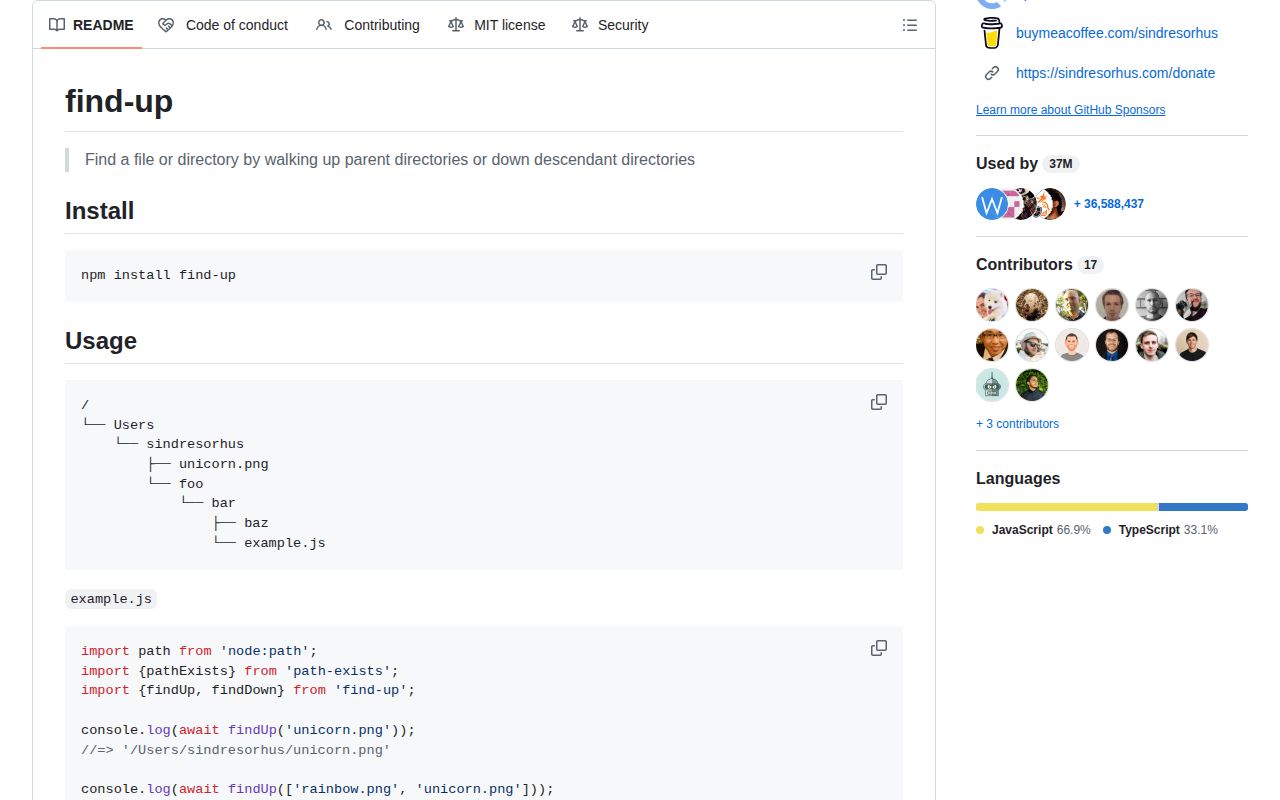
find-up locates a named file or directory relative to a starting path. Its original operation checks the current directory and each parent until it reaches a boundary; version 8 also adds findDown for a depth-limited descendant search. Async and sync variants accept one name, an ordered list, or a matcher callback. The same release adds type: 'both' for entries such as .git that may be a file in a worktree or a directory in a normal checkout, requires Node 20, and stops re-exporting path-exists.
find-up 8 is a good fit for bounded project-root discovery on Node 20 or 22, especially now that .git files and shallow downward checks are first-class cases. Skip it for browser code, globbing, or plain module resolution.
We installed it
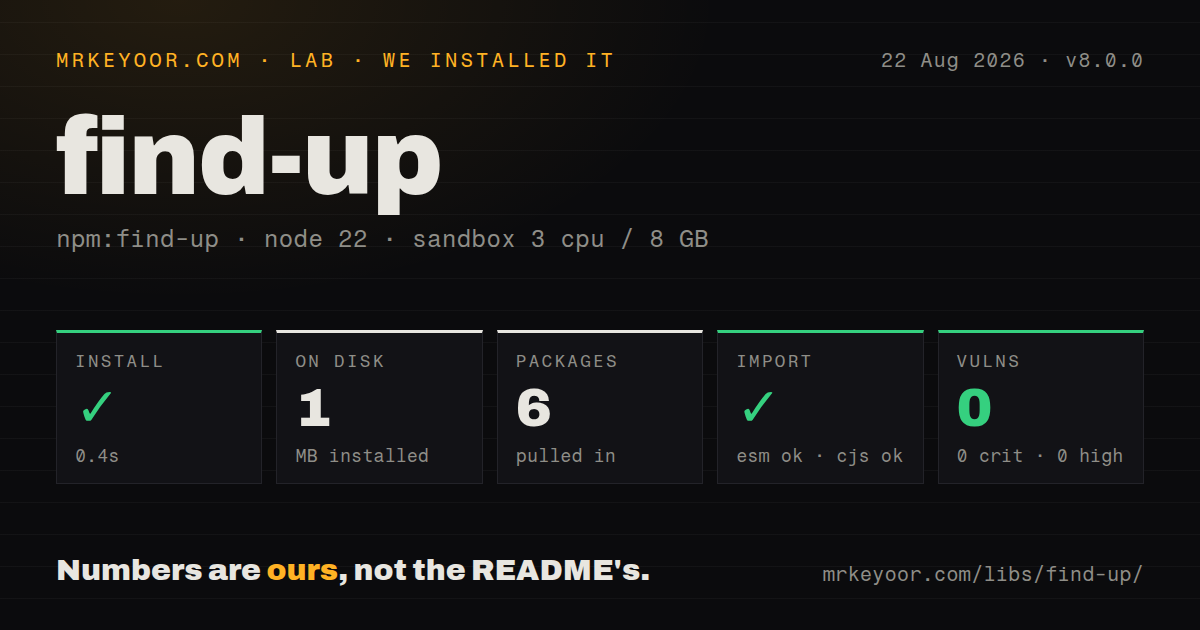
| Install | ✓ · 0.4s | 6 packages on disk · 1 MB |
| Import | ✓ | ESM import works · require() works · ESM package with exports map |
| Browser | n/a | could not be bundled for the browser (Node-only code, most likely) |
| Types | ✓ | TypeScript types bundled |
| Known vulns | 0 | 0 critical · 0 high · 0 moderate · 0 low (npm audit) |
Answers from our run
Does find-up install cleanly?
Yes. In a fresh container with an empty cache, npm install find-up finished in 0.4s, leaving 6 packages and 1 MB on disk. npm audit reported no known vulnerabilities.
Can find-up run in a browser?
Not directly: esbuild could not bundle it for the browser in our run, which normally means it depends on Node built-ins. Use it on the server, or find a browser-targeted alternative.
Does find-up work with both ESM and CommonJS?
Yes. Both import 'find-up' and require('find-up') worked in Node 22 in our run. The package is published as ESM with an exports map.
Does find-up include TypeScript types?
Yes, type declarations ship inside the package, so no @types install is needed.
find-up or pkg-dir: which should you use?
pkg-dir: Use it when the only target is the nearest package directory. find-up 8 is a good fit for bounded project-root discovery on Node 20 or 22, especially now that .git files and shallow downward checks are first-class cases.
When should you not use find-up?
You are writing browser code; our esbuild browser bundle failed because the package relies on Node filesystem and path behavior
Use it if
- A CLI must find the nearest package.json, tsconfig.json, .git entry, or project marker from an arbitrary working directory
- A monorepo tool needs an explicit stopAt boundary instead of accidentally walking to the filesystem root
- You need all matching parent files with a hard limit, or a callback that can stop before crossing an ownership boundary
- You need a shallow descendant lookup and can bound it with findDown's depth option
- You are writing browser code; our esbuild browser bundle failed because the package relies on Node filesystem and path behavior
- Your runtime is Node 18 or older; find-up 8 declares Node >=20
- You need glob patterns, ignore files, or recursive content search; find-up accepts exact names and its downward search has no glob language
- You need path existence alone; version 8 removed the path-exists re-export, and the release notes tell callers to install that package directly
- You are resolving installed modules; Node's import resolution or resolve-from matches that job better than walking for a same-named file
Setup reality
Our clean Node 22 install of find-up 8.0.0 succeeded in 0.4 seconds. It left six packages using 1 MB, and npm audit found no known vulnerabilities. The package declares two direct dependencies and no peers; its own unpacked package is 40 KB. It is ESM with an exports map. Both require() and ESM import worked in our sandbox, and TypeScript declarations were bundled. The browser build failed in esbuild, which is consistent with a filesystem utility meant for Node.
No credentials or config file are involved. cwd defaults to process.cwd(), so commands launched from an editor, workspace task, or child process can start somewhere different from the script file. Pass an explicit cwd when the caller's current directory is not the intended search origin. A URL is accepted as well as a string. stopAt applies only to upward searches and should be set when a tool must stay inside a workspace.
findUp checks one directory at a time toward the root. With an array of names, order wins among candidates found at the same level. findUpMultiple can return matches from several levels; set limit when only the nearest few matter. Matcher callbacks run once per visited directory and may return a path, falsey value, or findUpStop. Avoid expensive directory scans inside that callback.
findDown is new in v8 and searches descendants from cwd. Its default depth is 1 and its default strategy is breadth-first, which favors shallower matches. A depth-first strategy can reach one branch before checking its siblings. Neither direction watches for later filesystem changes or caches answers. Symlinks may match by default; set allowSymlinks: false when the returned entry itself must be a regular file or directory.
Patterns
Find the nearest package file find-nearest-file
import {findUp} from 'find-up';

const packageFile = await findUp('package.json');
The search starts at process.cwd() unless cwd is provided and returns undefined at the root.
Search from a known module directory set-start-directory
import {findUp} from 'find-up';

const config = await findUp('tool.config.json', {
  cwd: new URL('.', import.meta.url),
});
Pass cwd when process.cwd() belongs to the caller rather than this module.
Try ordered marker names find-first-name
const config = await findUp(['tool.config.js', 'tool.config.json']);At a matching directory, array order decides which name is returned.
Accept a .git file or directory find-git-entry
const gitEntry = await findUp('.git', {type: 'both'});Worktrees and submodules may represent .git as a file. type: 'both' was added in version 8.
Stop at a workspace boundary stay-in-workspace
const config = await findUp('service.json', {
  cwd: '/work/repo/apps/api/src',
  stopAt: '/work/repo',
});
stopAt is available only on upward searches and prevents a match above the chosen boundary.
Return a matching parent directory find-parent-directory
import path from 'node:path';
import {findUp} from 'find-up';

const root = await findUp(async directory => {
  const marker = await findUp('workspace.json', {cwd: directory, stopAt: directory});
  return marker ? directory : undefined;
}, {type: 'directory'});
A matcher may return the path you want, not only a candidate filename.
End a callback search early stop-matcher
import path from 'node:path';
import {findUp, findUpStop} from 'find-up';

const result = await findUp(directory => {
  if (path.basename(directory) === 'vendor') return findUpStop;
  return 'package.json';
});
Returning findUpStop produces undefined immediately instead of checking higher parents.
Collect several parent configs collect-parent-matches
import {findUpMultiple} from 'find-up';

const configs = await findUpMultiple('.editorconfig', {limit: 3});
Results follow the upward walk. Set limit to avoid collecting every match to the root.
Resolve a marker during synchronous startup use-sync-search
import {findUpSync} from 'find-up';

const tsconfig = findUpSync('tsconfig.json', {cwd: process.argv[2]});
The sync form blocks filesystem work; keep it out of request handlers and hot loops.
Search one level below a root find-shallow-descendant
import {findDown} from 'find-up';

const manifest = await findDown('package.json', {
  cwd: '/work/repo/packages',
  depth: 1,
});
findDown is new in version 8. Its default depth is already 1.
Search one branch before its siblings choose-depth-strategy
const fixture = await findDown('expected.json', {
  cwd: './test/fixtures',
  depth: 4,
  strategy: 'depth',
});
Depth-first order may return a deeper match before a shallower file in another branch.
Require a non-symlink candidate reject-symlink-match
const secrets = await findUp('secrets', {
  type: 'directory',
  allowSymlinks: false,
});
The default permits symlink candidates when their targets match the requested type.
Alternatives
More utils guides
lru-cache · type-fest · ajv · zod · p-limit · uuid · the whole shelf →
How this guide is made: grounded in the library's documentation, release notes, changelog, and issue history, on a fixed rubric — not a hands-on install of every release. The 50 most-downloaded entries are additionally install-verified in clean containers. Corrections: contact the desk.