Markdown review
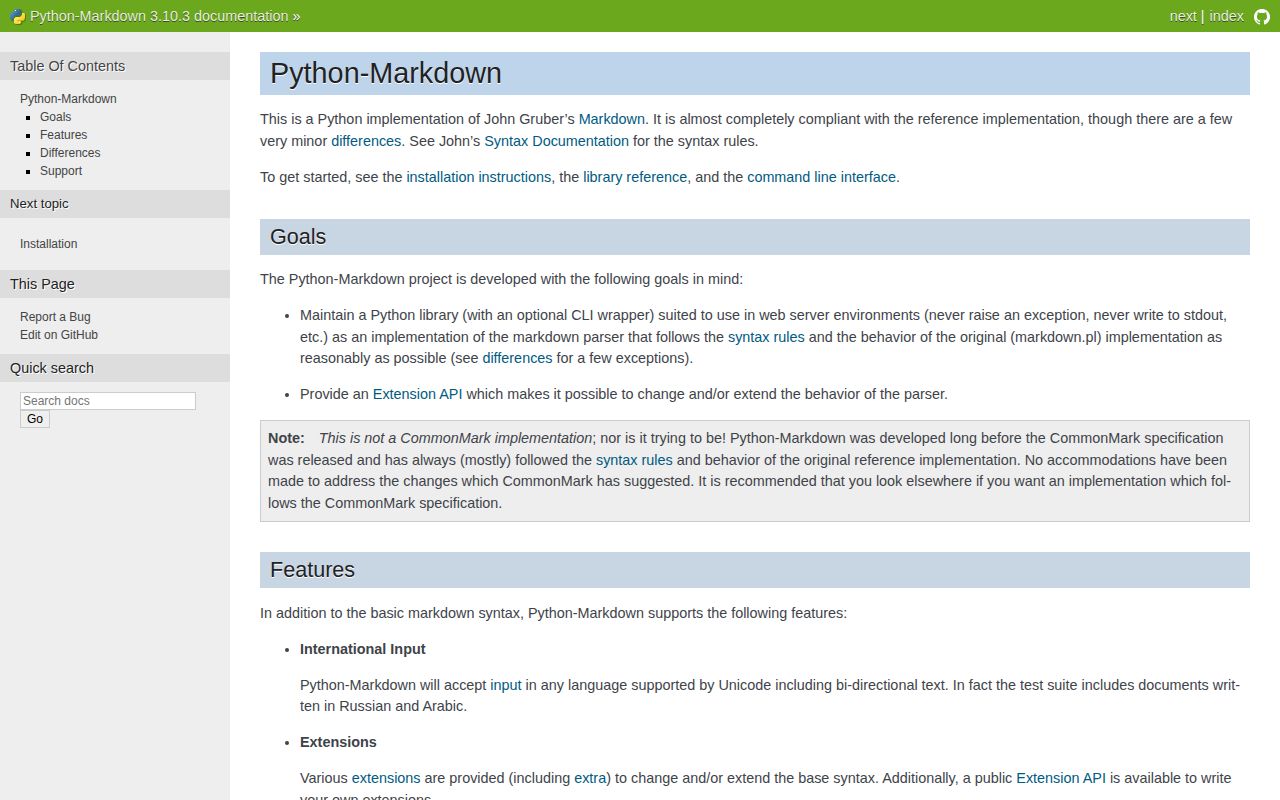
Markdown 3.10.3, imported as markdown, turns the original Markdown dialect into HTML through a configurable processor pipeline. Its bundled extensions cover tables, footnotes, fenced code, attributes, metadata, definition lists, and generated heading indexes. MkDocs and many older Python documentation stacks use that extension API. It does not promise CommonMark or GitHub Flavored Markdown output, and it does not clean raw HTML. The current patch rejects mixed `=` and `-` underline characters as Setext headings and labels every included extension as maintenance-only.
Markdown 3.10.3 installed as one 1 MB package in 0.3 seconds on our box, with 0 audit findings and no py.typed marker. Use it for trusted Python documentation stacks that depend on its extension pipeline; choose a CommonMark parser for cross-platform agreement and add a sanitizer for user content.
We installed it
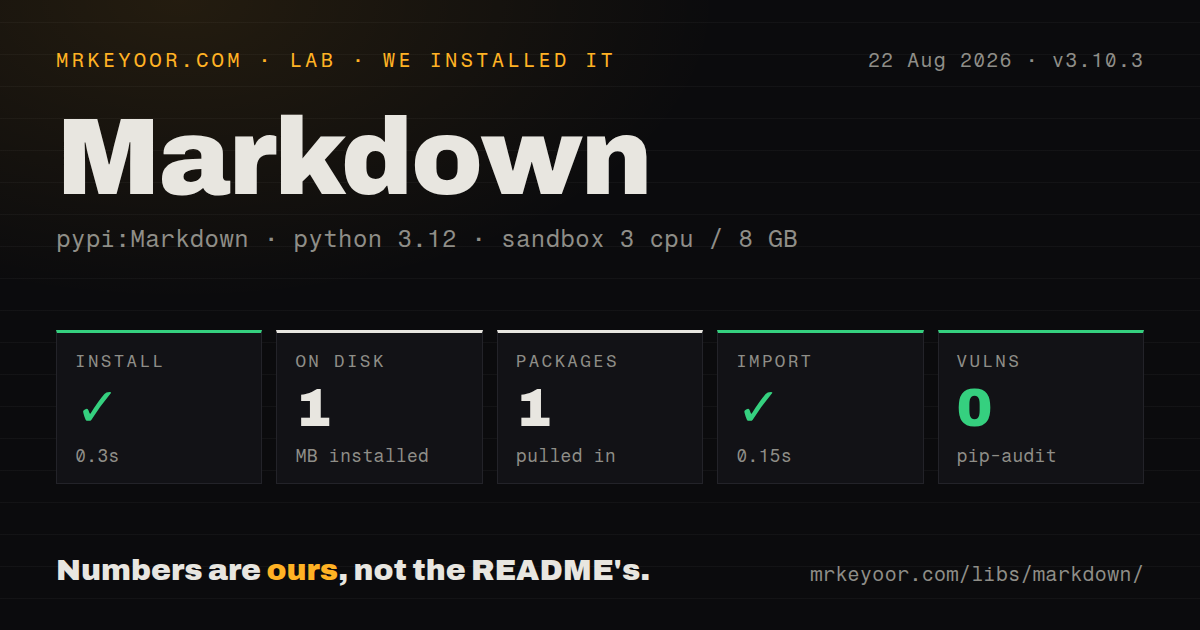
| Install | ✓ · 0.3s | 1 package on disk · 1 MB |
| Import | ✓ | import markdown in 0.15s · pure Python · requires Python >=3.10 |
| Known vulns | 0 | (pip-audit) |
Answers from our run
Does Markdown install cleanly?
Yes. In a fresh container with an empty cache, pip install Markdown finished in 0.3s, leaving 1 package and 1 MB on disk. pip-audit reported no known vulnerabilities.
What does Markdown need to run?
Python >=3.10, and nothing compiled: it is pure Python. In our run import markdown succeeded in 0.15s.
Markdown or markdown-it-py: which should you use?
markdown-it-py: Choose it for CommonMark parsing, token access, and markdown-it style plugins. Markdown 3.10.3 installed as one 1 MB package in 0.3 seconds on our box, with 0 audit findings and no py.typed marker.
When should you not use Markdown?
Authors are untrusted and no HTML sanitizer follows conversion; raw HTML is allowed and safe_mode no longer exists
Use it if
- An existing MkDocs or Python documentation build already depends on Python-Markdown extension names
- Trusted documents need tables, footnotes, attributes, fenced code, metadata, or a generated table of contents
- A custom extension must inspect or modify the parsed ElementTree before HTML serialization
- A Python process needs direct text-to-HTML conversion and exact CommonMark parity is not required
- Authors are untrusted and no HTML sanitizer follows conversion; raw HTML is allowed and safe_mode no longer exists
- Output must agree with CommonMark or GitHub on nested lists, emphasis, and HTML block edge cases
- The next stage needs a documented token stream or AST instead of serialized HTML
- You expect fresh features from the bundled extensions; 3.10.3 places all of them in maintenance mode
- Static typing policy requires py.typed in every dependency; our installed 3.10.3 package did not ship it
Setup reality
Our Python 3.12 sandbox installed Markdown 3.10.3 in 0.3 seconds. The single installed package occupied 1 MB, and pip-audit found 0 known vulnerabilities. Inspection reported 9 direct dependencies, pure Python code, and a Python 3.10 minimum. import markdown completed in 0.15 seconds. There was no py.typed marker, and the installed metadata did not identify a license.
The one-call markdown.markdown() function creates a parser for that conversion. Reusing Markdown(extensions=...) avoids rebuilding it in a loop, but call reset() after reading outputs such as md.toc or md.Meta. Footnote, abbreviation, metadata, and table-of-contents extensions keep state on the parser instance. extension_configs keys must match the enabled extension name. Syntax highlighting can also bring an optional package such as Pygments into the deployment.
Python-Markdown follows the original dialect and its own extensions. Golden tests should cover nested lists, punctuation next to emphasis, raw HTML blocks, and fenced code inside other containers. Version 3.10.3 no longer interprets a mixed = and - underline as a Setext heading. The default serializer writes XHTML-style empty tags; output_format=html changes snapshots that care about <br> or <img> spelling.
No credential or project file is necessary. Conversion is still a security boundary: the parser accepts raw HTML and does not make tags, attributes, or links safe for display. Clean the generated HTML with a maintained allow-list sanitizer when content is not fully trusted. Sanitizing the source first misses HTML created during parsing. Custom processors use numeric priorities, so register them relative to a documented built-in stage and test them beside every enabled extension.
Patterns
Convert a string with HTML-style empty tags convert-string
import markdown

html = markdown.markdown(
    '# Release notes\n\nFixed **two** parser bugs.',
    output_format='html',
)
The convenience call builds a parser for one document. output_format=`html` changes the serializer from its XHTML-style default.
Reset a shared parser after each document reuse-parser
from markdown import Markdown

md = Markdown(extensions=['extra', 'toc'])
for document in documents:
    body = md.convert(document.source)
    toc = md.toc
    save(document.id, body, toc)
    md.reset()
Read extension values after convert(), then call reset() before another input so state does not carry over.
Turn on the bundled documentation extensions enable-extensions
html = markdown.markdown(
    source,
    extensions=['extra', 'toc', 'sane_lists'],
)
The `extra` bundle enables several syntaxes that the default parser does not recognize, including tables and footnotes.
Set heading IDs and table-of-contents depth configure-toc
md = Markdown(
    extensions=['toc'],
    extension_configs={
        'toc': {
            'permalink': True,
            'toc_depth': '2-4',
            'slugify': slugify,
        }
    },
)
html = md.convert(source)
items = md.toc_tokens
The extension_configs name must match `toc`. md.toc_tokens is populated only after convert() runs.
Clean HTML after rendering untrusted input sanitize-output
import markdown
import nh3

rendered = markdown.markdown(user_markdown, extensions=['extra'])
safe_html = nh3.clean(
    rendered,
    tags={'p', 'em', 'strong', 'a', 'ul', 'ol', 'li', 'code', 'pre'},
    attributes={'a': {'href', 'title'}},
)
Python-Markdown permits raw HTML. Apply an application-specific allow list to the generated HTML, not just the source text.
Read simple header metadata read-metadata
md = Markdown(extensions=['meta'])
html = md.convert('Title: Example\nTags: python, docs\n\nBody')
metadata = md.Meta
The meta extension lowercases field names and returns lists of strings. It does not parse YAML front matter.
Convert a UTF-8 file render-file
markdown.markdownFromFile(
    input='README.md',
    output='README.html',
    encoding='utf-8',
    extensions=['extra'],
    output_format='html',
)
markdownFromFile accepts paths and suitable file objects. Without an output target it writes the result to standard output.
Render a document from the Python module use-cli
python -m markdown -x extra -x toc -o html README.md > README.htmlThe `-x` flag enables an extension. Use `-c` when those extensions need settings from a configuration file.
Modify parsed elements before serialization add-tree-processor
from markdown.extensions import Extension
from markdown.treeprocessors import Treeprocessor

class Tables(Treeprocessor):
    def run(self, root):
        for table in root.iter('table'):
            table.set('class', 'data-table')

class TablesExtension(Extension):
    def extendMarkdown(self, md):
        md.treeprocessors.register(Tables(md), 'table_classes', 5)
Numeric processor priority decides ordering. Test the chosen value with the built-ins and third-party extensions enabled in production.
Attach source-level IDs and classes add-element-attributes
source = '''
## Install instructions {: #install .guide-heading }
{: loading=lazy width=640 }
'''
html = markdown.markdown(source, extensions=['attr_list'])attr_list applies to the element immediately before it. Whitespace and placement change which node receives the attributes.
Enable pipe-table syntax render-table
source = '''
| Name | State |
| --- | --- |
| api | ready |
'''
html = markdown.markdown(source, extensions=['tables'])
Tables are extension syntax, so the same source renders as ordinary paragraphs unless `tables` or `extra` is enabled.
Highlight fenced code with CodeHilite highlight-fenced-code
html = markdown.markdown(
    source,
    extensions=['fenced_code', 'codehilite'],
    extension_configs={'codehilite': {'guess_lang': False}},
)
CodeHilite uses Pygments when available. CSS for the emitted token classes must be shipped separately with the page.
Alternatives
| Package | Registry | Pick it when |
|---|---|---|
| markdown-it-py | PyPI | Choose it for CommonMark parsing, token access, and markdown-it style plugins. |
| mistune | PyPI | Choose it for pluggable renderers and workloads that prioritize conversion speed. |
| commonmark | PyPI | Choose it when direct implementation of the CommonMark specification is the main requirement. |
| pymdown-extensions | PyPI | Add it to Python-Markdown for actively developed documentation syntax such as superfences and tabs. |
More utils guides
lru-cache · type-fest · ajv · zod · p-limit · find-up · the whole shelf →
How this guide is made: grounded in the library's documentation, release notes, changelog, and issue history, on a fixed rubric — not a hands-on install of every release. The 50 most-downloaded entries are additionally install-verified in clean containers. Corrections: contact the desk.