mistune review
Our Python 3.12 sandbox installed Mistune 3.3.4 in 0.2 seconds and imported it in 0.16 seconds. It turns Markdown into HTML, a dictionary AST, normalized Markdown, or reStructuredText, with hooks for custom renderers and syntax plugins. Tables, footnotes, task lists, math, definition lists, directives, and formatting extensions are available without changing parsers. Release 3.3.4 corrects malformed table handling and a definition-list tab case, caps deeply nested image-alt parsing, and adjusts the inline parser using work from the author's newer Wenmode parser.
Mistune 3.3.4 is a good fit when Python code needs a configurable parser, AST, or custom renderer without a large extension stack. Configure raw HTML explicitly, sanitize user output, and compare Wenmode before committing to new parser-heavy work.
We installed it
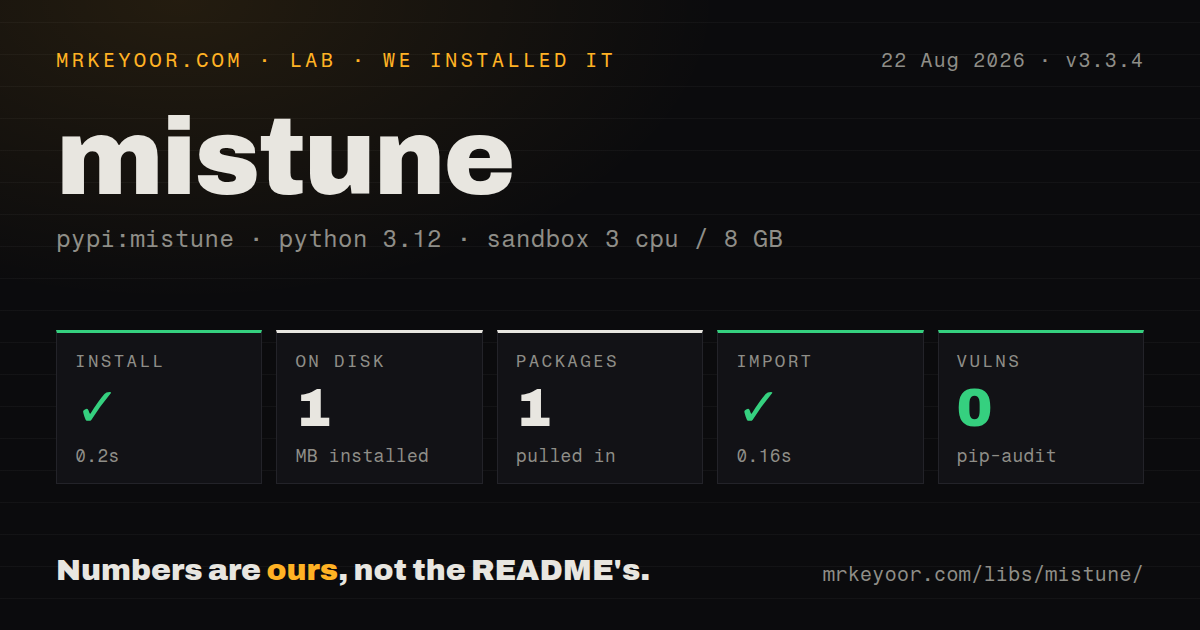
| Install | ✓ · 0.2s | 1 package on disk · 1 MB |
| Import | ✓ | import mistune in 0.16s · pure Python · py.typed · requires Python >=3.8 |
| Known vulns | 0 | (pip-audit) |
Answers from our run
Does mistune install cleanly?
Yes. In a fresh container with an empty cache, pip install mistune finished in 0.2s, leaving 1 package and 1 MB on disk. pip-audit reported no known vulnerabilities.
What does mistune need to run?
Python >=3.8, and nothing compiled: it is pure Python. In our run import mistune succeeded in 0.16s, and the package ships py.typed for type checkers.
mistune or markdown-it-py: which should you use?
markdown-it-py: Use it for a CommonMark-oriented token stream and compatibility with markdown-it concepts. Mistune 3.3.4 is a good fit when Python code needs a configurable parser, AST, or custom renderer without a large extension stack.
When should you not use mistune?
You plan to send mistune.html() output from users straight to a browser: that shortcut permits raw HTML and no renderer is an HTML sanitizer
Use it if
- A Python service needs one reusable Markdown callable that can emit HTML or structured nodes
- You need to override one output node, such as fenced code or links, through a renderer subclass
- Your accepted syntax includes Mistune's table, footnote, task-list, math, definition-list, or directive plugins
- A pure Python wheel with py.typed suits your deployment and static type checks
- You plan to send mistune.html() output from users straight to a browser: that shortcut permits raw HTML and no renderer is an HTML sanitizer
- Strict CommonMark reference behavior is a product contract: markdown-it-py is built around that token and compatibility model
- You depend on the broad Python-Markdown extension catalog or pymdown-extensions features that Mistune does not provide
- You are dropping a 0.x or 2.x renderer into v3: construction, plugin registration, AST nodes, and renderer signatures changed between majors
- You want the author's newest parser design: Mistune's README points new work toward Wenmode, including safer HTML defaults, mdast output, and streaming
Setup reality
Our clean mistune==3.3.4 install took 0.2 seconds and left one installed package occupying 1 MB. pip-audit found zero known vulnerabilities. The distribution has one direct dependency, conditional typing-extensions for Python below 3.11, and requires Python 3.8 or newer. It is pure Python, carries a BSD-3-Clause license, includes py.typed, and imported successfully in 0.16 seconds on Python 3.12.
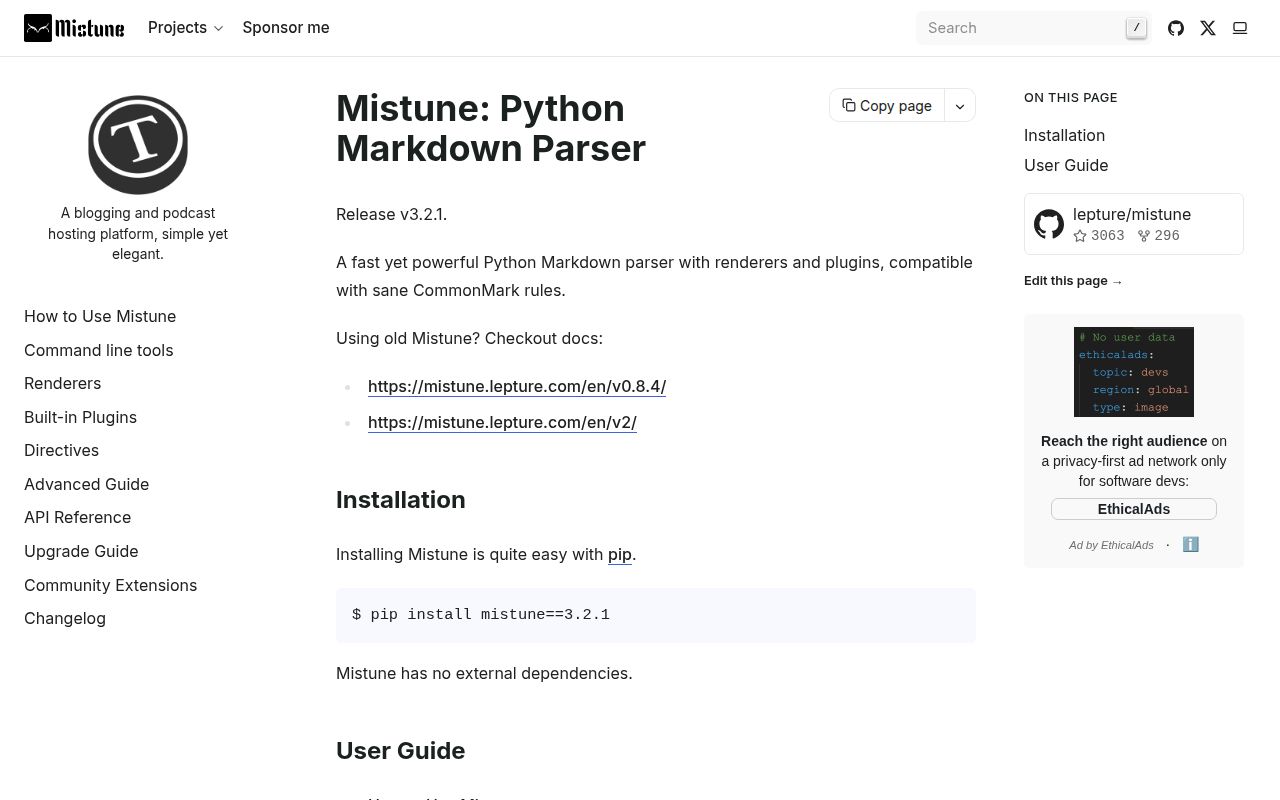
Choose the constructor deliberately. mistune.html(source) is the short path and allows raw HTML. mistune.create_markdown() builds an HTML renderer that escapes raw tags by default and enables no plugins. Escaping tags is not a full allowlist policy for links, attributes, or HTML emitted by custom code. For user-authored content, sanitize the rendered string with a package such as nh3 before placing it in a page.
Build the configured Markdown callable once and reuse it. Plugin names may be strings or callable registrations. FencedDirective and RSTDirective wrap different directive syntaxes, so registering an inner directive class alone is incomplete. Custom HTMLRenderer methods must use v3 signatures and escape any source text they interpolate. AST leaves commonly store raw, containers store children, and plugins can attach attrs; walkers should branch on node type instead of assuming one dictionary shape.
Release 3.3.4 changes output for several edge cases. A table-like block with an invalid delimiter row is rejected instead of being consumed as a table. A tab after a definition marker no longer turns the definition into code. Deep image-alt nesting is bounded, and inline parsing received correctness and speed changes. Snapshot rendered output around these cases before upgrading a publishing pipeline. The CLI helps inspect results, but it uses the same plugin and escaping choices as the Python API.
Patterns
Render trusted Markdown with the shortcut render-trusted-markdown
import mistune

html = mistune.html('# Status\n\n**ready**')
The shortcut accepts raw HTML. Reserve it for source whose embedded HTML is already trusted.
Create a renderer that escapes raw tags escape-source-html
import mistune

render = mistune.create_markdown(escape=True)
html = render('<script>alert(1)</script>')
Escaping prevents raw tags from passing through. Apply an HTML sanitizer as a separate step for user content.
Opt into the syntax your product accepts enable-syntax-plugins
import mistune

render = mistune.create_markdown(
    escape=True,
    plugins=['table', 'footnotes', 'task_lists'],
)
html = render('- [x] published')
create_markdown enables no plugins unless you supply them. A short explicit list keeps stored syntax predictable.
Reuse one parser across calls reuse-configured-parser
import mistune

render_article = mistune.create_markdown(
    escape=True, plugins=['table', 'strikethrough']
)

def to_html(source: str) -> str:
    return render_article(source)
Parser creation assembles rules and hooks. Construct it at module scope instead of rebuilding it per request.
Return AST dictionaries instead of HTML produce-syntax-tree
import mistune

parse = mistune.create_markdown(renderer=None)
nodes = parse('hello **world**')
Expect raw on many leaves, children on containers, and attrs on some plugin nodes. Node type should drive traversal.
Collect plain text from an AST walk-text-nodes
def collect_text(node):
    if 'raw' in node:
        return node['raw']
    return ''.join(collect_text(child) for child in node.get('children', []))

plain = ''.join(collect_text(node) for node in nodes)
This deliberately discards structure and plugin metadata. Use type-specific branches for a semantic transformation.
Override fenced code rendering customize-code-blocks
import mistune

class CodeRenderer(mistune.HTMLRenderer):
    def block_code(self, code, info=None):
        escaped = mistune.escape(code)
        return f'<pre><code>{escaped}</code></pre>\n'

render = mistune.create_markdown(renderer=CodeRenderer())
Escape source when composing HTML yourself. Renderer method signatures from older Mistune majors are not interchangeable with v3.
Write normalized Markdown output normalize-markdown
import mistune
from mistune.renderers.markdown import MarkdownRenderer

normalize = mistune.create_markdown(renderer=MarkdownRenderer())
clean = normalize('# Title\n\nText')
A target renderer may lack methods for an enabled plugin. Test the complete syntax list before using this for round trips.
Render reStructuredText convert-to-rst
import mistune
from mistune.renderers.rst import RSTRenderer

to_rst = mistune.create_markdown(renderer=RSTRenderer())
rst = to_rst('# Title\n\nSome **bold** text.')
Markdown extensions without an equivalent reStructuredText node need a custom method or a documented fallback.
Enable fenced admonitions register-fenced-directive
import mistune
from mistune.directives import Admonition, FencedDirective

render = mistune.create_markdown(plugins=[
    FencedDirective([Admonition()]),
])
html = render('~~~{warning}\nCheck the input\n~~~')
RSTDirective handles the double-dot form. The wrapper selects parsing rules for the directive syntax.
Mark math for a later typesetter preserve-math
import mistune

render = mistune.create_markdown(plugins=['math'])
html = render('Inline $a^2$ and block: \n\n$$b^2$$')
The plugin emits math markers; KaTeX, MathJax, or another renderer must still typeset the expression.
Compare HTML and AST output from the shell inspect-from-cli
python -m mistune -f README.md -o readme.html
python -m mistune -f README.md -r ast
Use CLI output for diagnosis. Reproduce the application's renderer, escape, and plugin settings before comparing results.
Alternatives
| Package | Registry | Pick it when |
|---|---|---|
| markdown-it-py | PyPI | Use it for a CommonMark-oriented token stream and compatibility with markdown-it concepts |
| Markdown | PyPI | Use Python-Markdown when its extension catalog is the deciding requirement |
| wenmode | PyPI | Use the same author's newer parser for mdast output, streaming, and safer HTML defaults |
| mistletoe | PyPI | Use it when a CommonMark AST and renderer-first design better fit your transformations |
More utils guides
lru-cache · type-fest · ajv · zod · p-limit · find-up · the whole shelf →
How this guide is made: grounded in the library's documentation, release notes, changelog, and issue history, on a fixed rubric — not a hands-on install of every release. The 50 most-downloaded entries are additionally install-verified in clean containers. Corrections: contact the desk.