pymdown-extensions review
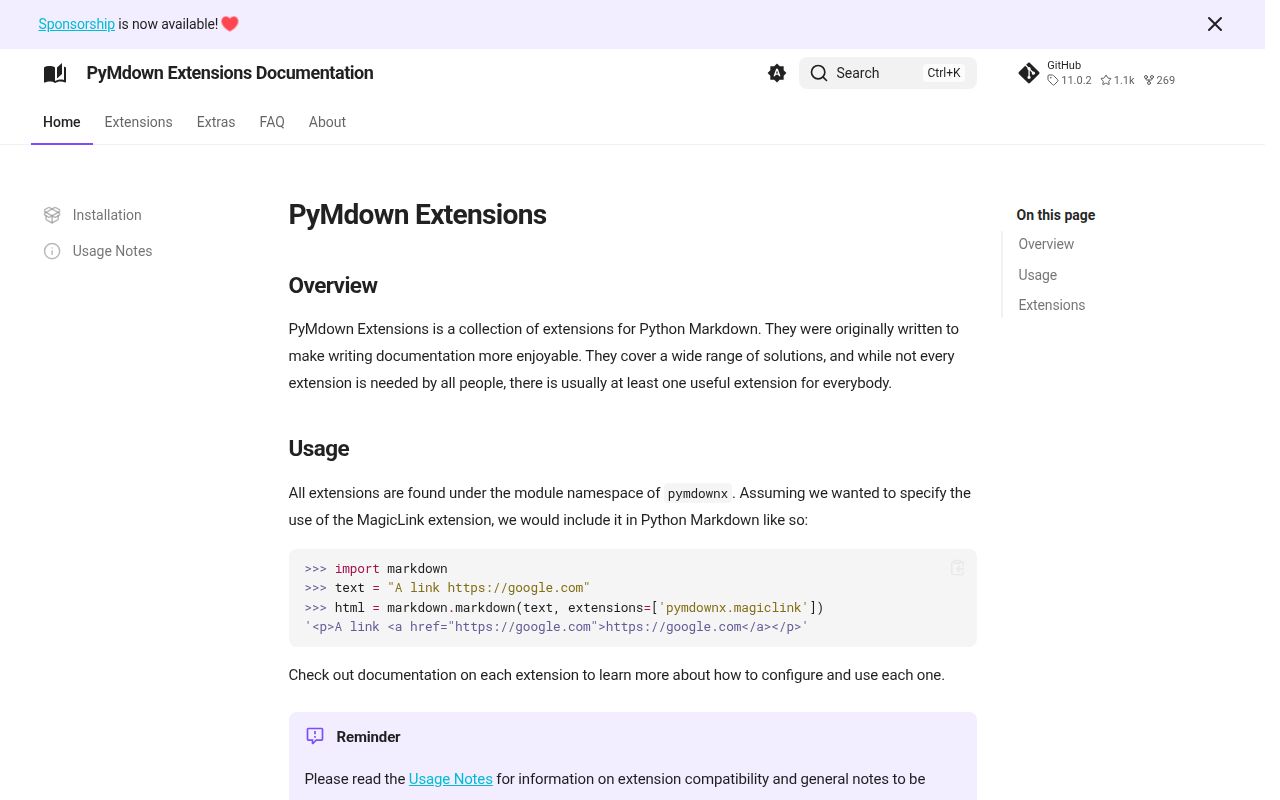
PyMdown Extensions 11.0.2 is a set of opt-in plugins for Python-Markdown. The package adds nested fences, code highlighting, math wrappers, tabs, details blocks, task lists, snippets, emoji, keyboard-key notation, critic markup, and other authoring syntax. It emits HTML tags and classes rather than a finished site, so CSS, JavaScript, Pygments, MathJax, or KaTeX may still be required. The current 11.0.2 patch improves matching performance in InlineHilite and Keys and fixes regex backtracking in Blocks.HTML, useful changes for documents with lots of inline code, key syntax, or HTML.
pymdown-extensions 11.0.1 installed in 0.3 seconds and 5 MB in our sandbox, while 11.0.2 fixes matching and backtracking costs in 3 syntax extensions. Install it for a Python-Markdown site that owns its HTML and theme assets; skip it when portable Markdown matters more than richer authoring syntax.
We installed it
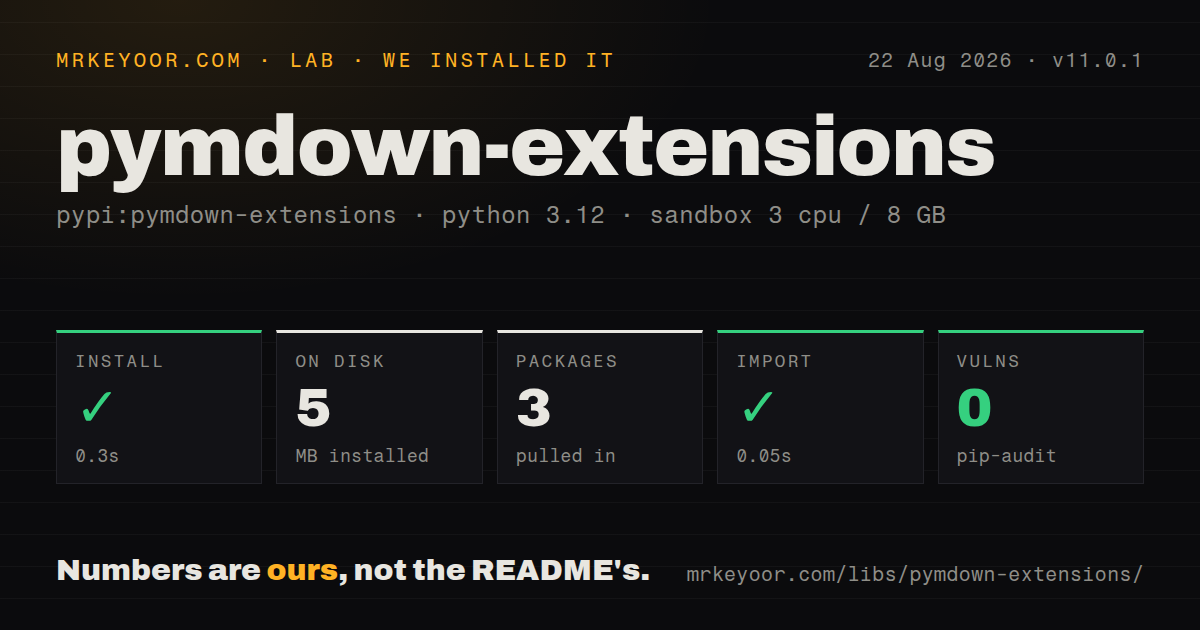
| Install | ✓ · 0.3s | 3 packages on disk · 5 MB |
| Import | ✓ | import pymdownx in 0.05s · pure Python · requires Python >=3.10 |
| Known vulns | 0 | (pip-audit) |
Answers from our run
Does pymdown-extensions install cleanly?
Yes. In a fresh container with an empty cache, pip install pymdown-extensions finished in 0.3s, leaving 3 packages and 5 MB on disk. pip-audit reported no known vulnerabilities.
What does pymdown-extensions need to run?
Python >=3.10, and nothing compiled: it is pure Python. In our run import pymdownx succeeded in 0.05s.
pymdown-extensions or markdown: which should you use?
markdown: Use Python-Markdown alone when its built-in extras cover tables, fences, a table of contents, and code highlighting. pymdown-extensions 11.0.1 installed in 0.3 seconds and 5 MB in our sandbox, while 11.0.2 fixes matching and backtracking costs in 3 syntax extensions.
When should you not use pymdown-extensions?
Your renderer is markdown-it, Mistune, CommonMark, or a JavaScript pipeline; pymdownx plugins only run inside Python-Markdown
Use it if
- A Python-Markdown or MkDocs site needs nested code fences, tabs, task lists, snippets, or math notation
- You want Highlight settings shared by fenced, indented, and inline code
- Your documentation theme already styles the pymdownx HTML conventions you plan to enable
- You control authoring syntax and can snapshot rendered HTML across package upgrades
- Your renderer is markdown-it, Mistune, CommonMark, or a JavaScript pipeline; pymdownx plugins only run inside Python-Markdown
- Production is fixed on Python 3.9; the 11.x line requires Python 3.10 or newer
- You expect the Python install to supply the finished frontend; math, highlighted code, tabs, and task lists need matching browser assets or theme styles
- Untrusted authors can choose snippet paths or URLs; file inclusion needs a restricted base path, and remote includes add network input to the build
- Built-in Python-Markdown tables, fenced_code, toc, and codehilite already cover the site; a large syntax dialect makes documents less portable
Setup reality
Our Python 3.12 sandbox installed pymdown-extensions 11.0.1 in 0.3 seconds. It left 3 packages and 5 MB on disk, declared 3 direct dependencies, and imported pymdownx in 0.05 seconds. The measured build is pure Python, carries an MIT License, has no py.typed marker, and produced no known findings in pip-audit. The current registry version is 11.0.2, one patch newer than the package we measured.
Python-Markdown remains the parser. Add exact pymdownx extension names to its extensions list and put settings under matching keys in extension_configs. Python 3.10 and Markdown 3.6 are the current minimums. Pygments is attached to the optional extra rather than the plain install. SuperFences handles nested and custom fences, while Highlight controls server-side or client-side code markup. Ordering and combinations can change the HTML.
Generated markup needs a frontend. Pygments output requires its stylesheet; disabling Pygments only emits language classes for a browser highlighter. Arithmatex wraps math and leaves typesetting to MathJax or KaTeX. Tabs, task lists, details, progress bars, and keyboard keys rely on theme CSS, with some features also needing JavaScript. Test output in every supported theme instead of assuming one MkDocs theme's styling travels with the package.
Snippets reads files during the documentation build. Set base_path, keep restrict_base_path enabled, and use check_paths when a missing include should fail CI. Avoid URL includes for reproducible offline builds. Version 11 dropped Python 3.9 and tightened path behavior; 11.0.2 also changes regex execution in 3 extensions. Pin the major and compare representative rendered HTML after upgrades, because a source file can stay unchanged while its output shifts.
Patterns
Render with three selected plugins enable-extensions
import markdown

html = markdown.markdown(
    source,
    extensions=[
        'pymdownx.superfences',
        'pymdownx.highlight',
        'pymdownx.tasklist',
    ],
)
Python-Markdown does the parsing. Each pymdownx name activates one installed extension.
Configure code highlighting once highlight-fences
md = markdown.Markdown(
    extensions=['pymdownx.superfences', 'pymdownx.highlight'],
    extension_configs={
        'pymdownx.highlight': {
            'use_pygments': True,
            'linenums': None,
            'anchor_linenums': True,
        }
    },
)
html = md.convert(source)
Pygments output still needs a stylesheet. linenums set to None allows individual code fences to choose line numbers.
Leave highlighting to the browser client-highlighting
html = markdown.markdown(
    source,
    extensions=['pymdownx.superfences', 'pymdownx.highlight'],
    extension_configs={
        'pymdownx.highlight': {'use_pygments': False}
    },
)
This emits language-aware markup only. Load the browser highlighter and its CSS separately.
Render custom task checkboxes task-list
source = '- [x] shipped\n- [ ] document it'
html = markdown.markdown(
    source,
    extensions=['pymdownx.tasklist'],
    extension_configs={
        'pymdownx.tasklist': {'custom_checkbox': True}
    },
)
The checkboxes are document markup rather than saved form inputs; theme CSS determines their visible design.
Confine file includes to one directory include-snippets
html = markdown.markdown(
    source,
    extensions=['pymdownx.snippets'],
    extension_configs={
        'pymdownx.snippets': {
            'base_path': ['docs/snippets'],
            'restrict_base_path': True,
            'check_paths': True,
        }
    },
)
The 11.x path controls matter for safety and repeatability. check_paths makes a missing file fail instead of silently disappearing.
Wrap expressions for a math engine render-math
source = 'Inline $x^2$ and block:\n\n$$y = mx + b$$'
html = markdown.markdown(
    source,
    extensions=['pymdownx.arithmatex'],
    extension_configs={
        'pymdownx.arithmatex': {'generic': True}
    },
)
Arithmatex does not draw formulas. Load and configure MathJax or KaTeX on the resulting page.
Highlight a language-tagged inline span inline-code-highlight
html = markdown.markdown(
    'Use `#!python print(\"hi\")` here.',
    extensions=['pymdownx.inlinehilite', 'pymdownx.highlight'],
)
Version 11.0.2 improves InlineHilite matching performance. Highlight settings control the generated code markup.
Register a fenced diagram block custom-fence
from pymdownx.superfences import fence_div_format

config = {
    'pymdownx.superfences': {
        'custom_fences': [{
            'name': 'diagram',
            'class': 'diagram',
            'format': fence_div_format,
        }]
    }
}
html = markdown.markdown(
    source,
    extensions=['pymdownx.superfences'],
    extension_configs=config,
)
The formatter defines HTML shape only. Diagram execution and content-security rules remain part of the site.
Enable alternate content tabs tabbed-content
html = markdown.markdown(
    source,
    extensions=[
        'pymdownx.superfences',
        'pymdownx.tabbed',
    ],
    extension_configs={
        'pymdownx.tabbed': {'alternate_style': True}
    },
)
Tabbed output requires matching CSS, and interactive behavior may depend on the documentation theme's JavaScript.
Reset state between documents reuse-parser
md = markdown.Markdown(extensions=['pymdownx.extra'])

for source in documents:
    html = md.reset().convert(source)
    publish(html)
A Markdown instance and its extensions can retain document state. reset starts each independent input cleanly.
Declare pymdownx plugins in MkDocs configure-mkdocs
markdown_extensions:
  - pymdownx.superfences
  - pymdownx.highlight:
      anchor_linenums: true
      linenums: null
  - pymdownx.tasklist:
      custom_checkbox: true
The YAML keys must match extension names exactly. Confirm that the selected MkDocs theme styles their emitted classes.
Render collapsible details syntax details-block
source = '''
??? note \"Build details\"
    The measured build used Python 3.12.
'''
html = markdown.markdown(
    source,
    extensions=['pymdownx.details'],
)
Details emits HTML disclosure elements and classes. Theme styling is separate from the Python extension.
Alternatives
| Package | Registry | Pick it when |
|---|---|---|
| markdown | PyPI | Use Python-Markdown alone when its built-in extras cover tables, fences, a table of contents, and code highlighting |
| markdown-it-py | PyPI | Use it for a CommonMark-oriented token parser and the markdown-it plugin model |
| mistune | PyPI | Use it when direct renderer control and a smaller plugin surface fit better than the pymdownx syntax set |
More utils guides
lru-cache · type-fest · ajv · zod · p-limit · find-up · the whole shelf →
How this guide is made: grounded in the library's documentation, release notes, changelog, and issue history, on a fixed rubric — not a hands-on install of every release. The 50 most-downloaded entries are additionally install-verified in clean containers. Corrections: contact the desk.