langfuse review
Langfuse 4.14.5 is the Python client for sending LLM traces to Langfuse Cloud or a self-hosted Langfuse server. Its OpenTelemetry-based observations capture nested spans and model generations, while integrations instrument OpenAI and LangChain calls. The same client fetches versioned prompts, submits scores, runs dataset experiments, and exposes the platform REST API. This release fixes serialization of `NaN` and infinite floats nested inside Pydantic models and refreshes the generated API specification. Our measured 4.14.4 install shipped typing metadata and imported successfully.
Langfuse 4.14.4 installed in 0.7 seconds, used 24 MB in our sandbox, imported in 1.05 seconds, and had 0 audit findings. Adopt the current 4.x API when a team needs hosted or self-hosted LLM tracing and evaluations; skip it if operating a telemetry backend and flushing background events exceeds the problem.
We installed it
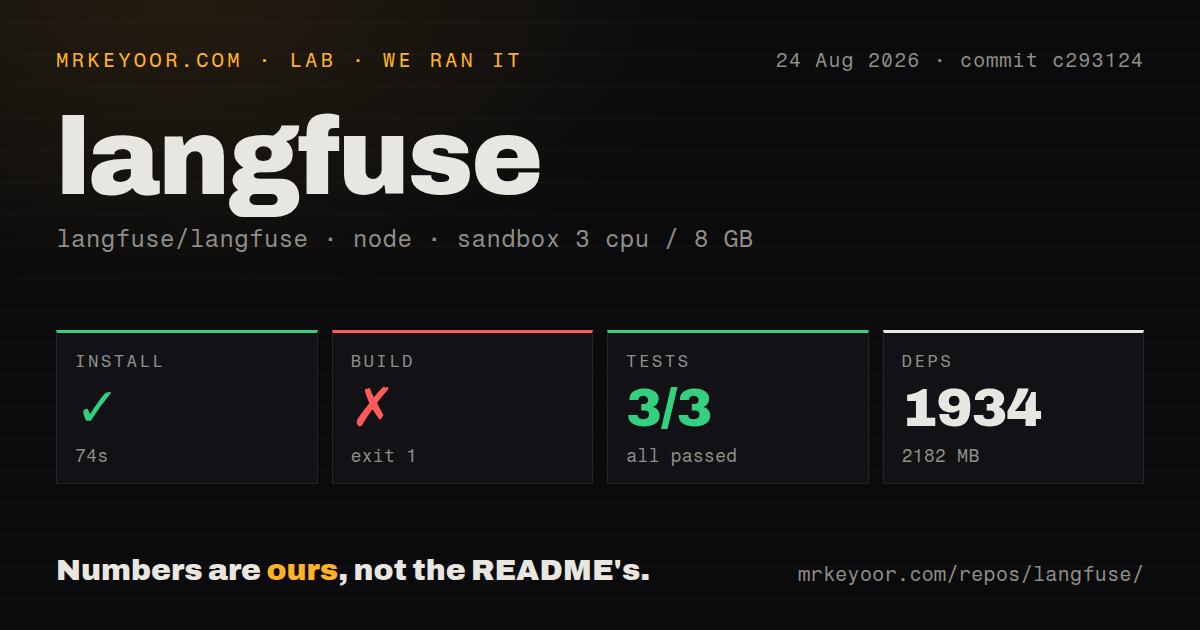
| Install | ✓ · 0.7s | 26 packages on disk · 24 MB |
| Import | ✓ | import langfuse in 1.05s · pure Python · py.typed · requires Python >=3.10, <4.0 |
| Known vulns | 0 | (pip-audit) |
Answers from our run
Does langfuse install cleanly?
Yes. In a fresh container with an empty cache, pip install langfuse finished in 0.7s, leaving 26 packages and 24 MB on disk. pip-audit reported no known vulnerabilities.
What does langfuse need to run?
Python >=3.10, <4.0, and nothing compiled: it is pure Python. In our run import langfuse succeeded in 1.05s, and the package ships py.typed for type checkers.
langfuse or langsmith: which should you use?
langsmith: Choose it when LangChain and LangGraph are the application core and first-party tracing matters most. Langfuse 4.14.4 installed in 0.7 seconds, used 24 MB in our sandbox, imported in 1.05 seconds, and had 0 audit findings.
When should you not use langfuse?
You want a local library with no backend. The SDK only becomes useful after connecting to Langfuse Cloud or operating the separate server stack.
Use it if
- Production debugging needs linked traces, nested generations, model metadata, token usage, latency, and application attributes.
- OpenAI or LangChain calls should be instrumented through maintained integrations instead of custom logging at each call site.
- Prompt versions and labels need to change independently of an application deployment, with a local cache for reads.
- The team will operate Langfuse itself for data control or use its hosted service and accept the telemetry boundary.
- You want a local library with no backend. The SDK only becomes useful after connecting to Langfuse Cloud or operating the separate server stack.
- Your code examples target v2 or v3. Version 4 was a March 2026 rewrite, and old `trace()` or v3 observation calls require the official migration guide.
- Telemetry must never leave the process and your team will not run the self-hosted services. A structured local logger is the smaller choice.
- Your LangChain deployment needs one vendor's tracing, evaluation, and framework support. LangSmith has the first-party integration advantage there.
- Short jobs cannot guarantee a final blocking flush. Langfuse batches events, so a process that exits immediately can lose queued observations.
Setup reality
We installed langfuse 4.14.4 in a fresh Python 3.12 Bookworm sandbox in 0.7 seconds. The environment ended with 26 packages and 24 MB on disk; pip-audit found 0 known vulnerabilities. The pure-Python distribution declares 8 direct dependencies, requires Python 3.10 through the 3.x line, includes py.typed, and completed import langfuse in 1.05 seconds.
A working client needs LANGFUSE_PUBLIC_KEY and LANGFUSE_SECRET_KEY. Set the base URL for the chosen cloud region or self-hosted endpoint rather than assuming the default host matches your deployment. The Python package does not contain the Langfuse service. Self-hosting means deploying and securing the platform's database, analytics store, cache, and object storage dependencies separately.
Version 4 builds tracing on OpenTelemetry context. Use start_as_current_observation, @observe, or a maintained integration, and follow the v3-to-v4 guide before copying older examples. Attribute propagation affects nested observations, so user IDs, sessions, tags, and environment labels should be attached at the intended scope. Treat captured prompts and outputs as production telemetry and configure masking before sending sensitive application data.
Events are queued and exported in the background. Long-running services can batch normally, but scripts, cron jobs, tests, and serverless handlers must call flush() before returning if delivery matters. Call shutdown() during a controlled process stop. A flush adds exit latency and may encounter network failure, so do not confuse an instrumented request succeeding with its trace reaching the server.
Patterns
Create nested spans and generations trace-spans-generations
# env: LANGFUSE_PUBLIC_KEY, LANGFUSE_SECRET_KEY, LANGFUSE_BASE_URL
from langfuse import get_client

langfuse = get_client()

with langfuse.start_as_current_observation(as_type="span", name="process-request") as span:
    span.update(input={"query": "user question"})

    with langfuse.start_as_current_observation(as_type="generation", name="llm-response", model="gpt-4o") as generation:
        # your LLM call here
        generation.update(output="Generated response")

    span.update(output="Processing complete")

langfuse.flush()
These are 4.x observation calls. The context managers close their spans; v2 `trace()` examples are not compatible.
Trace functions with the @observe decorator observe-decorator
from langfuse import observe, get_client

@observe()
def retrieve(query: str) -> list[str]:
    return ["doc1", "doc2"]

@observe()
def answer(query: str) -> str:
    docs = retrieve(query)
    return f"answer based on {len(docs)} docs"

answer("what is caching?")
get_client().flush()
Decorated calls nest under the active observation. Arguments and returns are captured unless that behavior is disabled.
Trace OpenAI calls with the drop-in wrapper openai-drop-in
from langfuse.openai import openai  # instead of: import openai

client = openai.OpenAI()
resp = client.chat.completions.create(
    model="gpt-4o",
    messages=[{"role": "user", "content": "Hello"}],
)
print(resp.choices[0].message.content)
Changing the import instruments synchronous, asynchronous, and streaming OpenAI clients with model and usage data.
Trace LangChain with the CallbackHandler langchain-callback
from langfuse.langchain import CallbackHandler

handler = CallbackHandler()

chain = prompt | model | parser
result = chain.invoke(
    {"topic": "observability"},
    config={"callbacks": [handler]},
)
Pass this handler in each invocation config so chains, tools, and retrievers appear under the same trace.
Attach user, session, and tags to all spans user-session-attributes
from langfuse import get_client, propagate_attributes

langfuse = get_client()

with propagate_attributes(user_id="user-123", session_id="chat-42", tags=["beta"]):
    with langfuse.start_as_current_observation(as_type="span", name="handle-message") as span:
        ...  # everything in here carries user_id and session_id
`propagate_attributes` is the 4.x route for these trace attributes, and a session groups related conversations in the UI.
Score output for evals or user feedback score-a-trace
from langfuse import get_client

langfuse = get_client()

with langfuse.start_as_current_observation(as_type="span", name="qa") as span:
    span.update(output="the answer")
    span.score(name="user-feedback", value=1, data_type="BOOLEAN")

# or later, detached, using ids you stored:
langfuse.create_score(name="accuracy", value=0.9, trace_id="<trace-id>")
A score can be numeric, boolean, or categorical. Store the trace ID when feedback will arrive after the observation closes.
Fetch and compile a managed prompt prompt-management
from langfuse import get_client

langfuse = get_client()

prompt = langfuse.get_prompt("movie-critic", label="production")
text = prompt.compile(movie="Dune 2")

# prompt.config can carry model settings alongside the template
model = prompt.config.get("model", "gpt-4o")
Prompt labels select a version without a code change. The client cache can serve a prior value during a fetch failure.
Do not lose traces in scripts and serverless flush-short-lived
from langfuse import get_client

langfuse = get_client()

def handler(event, context):
    with langfuse.start_as_current_observation(as_type="span", name="lambda-job") as span:
        span.update(output="done")
    langfuse.flush()  # blocks until queued events are sent
    return {"ok": True}
Exports are buffered. `flush()` blocks until the queue is sent, which short jobs need before returning.
Run an experiment against a dataset datasets-experiments
from langfuse import get_client, Evaluation

langfuse = get_client()
dataset = langfuse.get_dataset("qa-golden-set")

def my_task(*, item, **kwargs):
    return my_app(item.input)

def exact_match(*, input, output, expected_output, **kwargs):
    return Evaluation(name="exact_match", value=float(output == expected_output))

result = dataset.run_experiment(
    name="prompt-v2",
    task=my_task,
    evaluators=[exact_match],
)
print(result.format())
Each result links back to its dataset item, letting the Langfuse UI compare the same cases across experiment runs.
Use the raw REST API client rest-api-client
from langfuse import get_client

langfuse = get_client()

traces = langfuse.api.trace.list(limit=10)
for t in traces.data:
    print(t.id, t.name, t.latency)
The generated synchronous and async clients cover platform operations missing from the higher-level helpers.
Alternatives
| Package | Registry | Pick it when |
|---|---|---|
| langsmith | PyPI | Choose it when LangChain and LangGraph are the application core and first-party tracing matters most. |
| arize-phoenix | PyPI | Choose it for local OpenTelemetry traces and evaluations centered on the Phoenix application. |
| logfire | PyPI | Choose it when LLM calls should sit beside ordinary Python logs, metrics, and application traces. |
More ai / ml guides
@modelcontextprotocol/sdk · openai · mcp · huggingface-hub · @anthropic-ai/sdk · openai · the whole shelf →
How this guide is made: grounded in the library's documentation, release notes, changelog, and issue history, on a fixed rubric — not a hands-on install of every release. The 50 most-downloaded entries are additionally install-verified in clean containers. Corrections: contact the desk.