getopts review
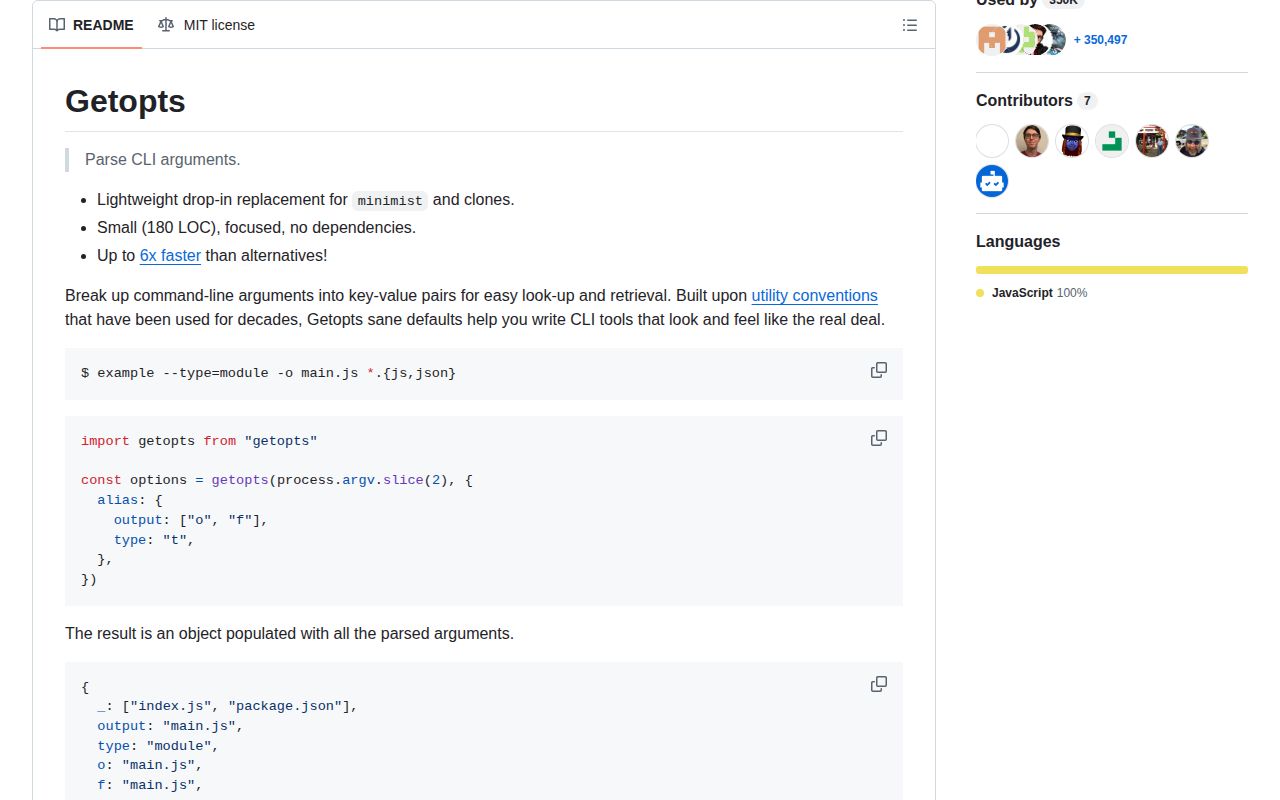
getopts 2.3.0 is a 40 KB argument parser for Node command lines. Give it the user portion of `process.argv` and it returns named options plus `_`, an array of operands. Its rules cover clustered short flags, `--name=value`, aliases, fixed string or boolean keys, defaults, repeated flags, `--no-` negation, the `--` separator, unknown-option filtering, and early stopping for subcommands. Version 2.3.0 changed the package to ESM while retaining a conditional CommonJS export and bundled declarations. It does no command routing, usage generation, value validation, completion, or error presentation.
getopts 2.3.0 installed in 0.7 seconds, left one package and 1 MB in our sandbox, and loaded through both module systems with zero audit findings. It is a good fit for a small CLI only when you deliberately own coercion checks, help output, and the scalar-to-array transition for repeated options.
We installed it
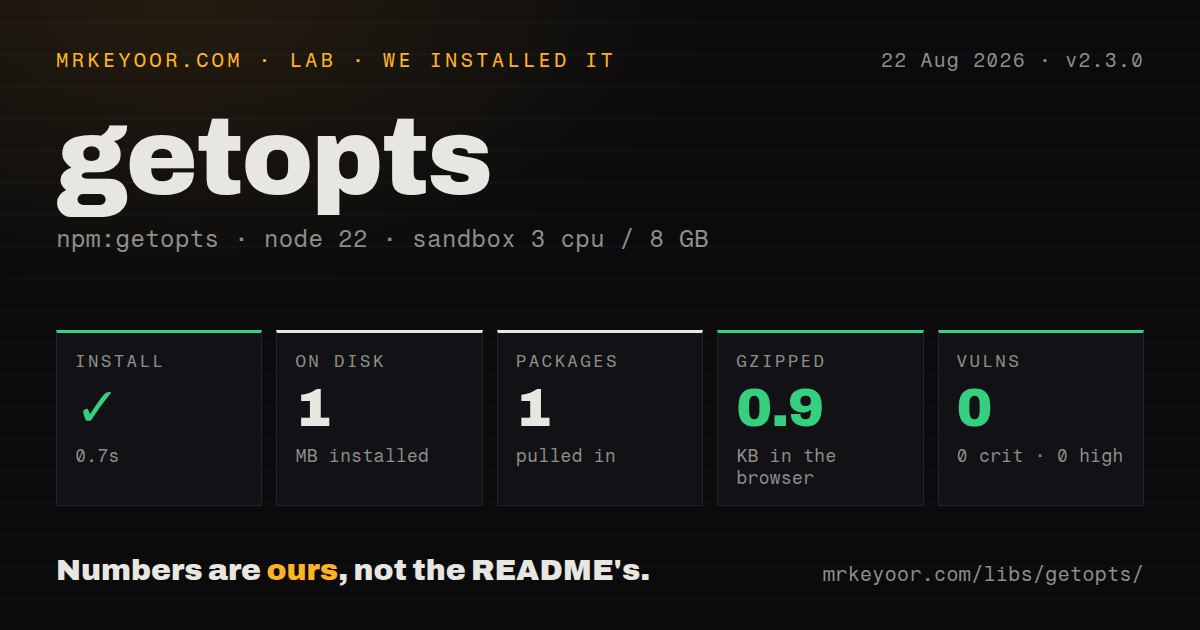
| Install | ✓ · 0.7s | 1 package on disk · 1 MB |
| Import | ✓ | ESM import works · require() works · ESM package with exports map |
| Browser | 0.9 KB | gzipped (1.9 KB minified), bundled with esbuild |
| Types | ✓ | TypeScript types bundled |
| Known vulns | 0 | 0 critical · 0 high · 0 moderate · 0 low (npm audit) |
Answers from our run
Does getopts install cleanly?
Yes. In a fresh container with an empty cache, npm install getopts finished in 0.7s, leaving 1 package and 1 MB on disk. npm audit reported no known vulnerabilities.
How much does getopts add to a browser bundle?
0.9 KB gzipped (1.9 KB minified) when the whole package is bundled for the browser with esbuild. Importing only part of it is usually smaller.
Does getopts work with both ESM and CommonJS?
Yes. Both import 'getopts' and require('getopts') worked in Node 22 in our run. The package is published as ESM with an exports map.
Does getopts include TypeScript types?
Yes, type declarations ship inside the package, so no @types install is needed.
getopts or minimist: which should you use?
minimist: Use it when an existing tool or test suite depends on minimist's exact coercion and alias behavior. getopts 2.3.0 installed in 0.7 seconds, left one package and 1 MB in our sandbox, and loaded through both module systems with zero audit findings.
When should you not use getopts?
The CLI needs generated help, nested commands, shell completion, suggestions, or action handlers. getopts returns an object and stops there.
Use it if
- A small Node script needs flags and operands, while help text and validation already belong to your code.
- You want zero runtime dependencies and a parser result close to minimist rather than a command-object framework.
- The package must load through both `import` and `require()` without an adapter layer.
- A hand-written subcommand dispatcher can use `stopEarly` to pass untouched tokens into a second parse.
- The CLI needs generated help, nested commands, shell completion, suggestions, or action handlers. getopts returns an object and stops there.
- Numeric-looking values must remain exact strings by default. Unless a key is declared in `string`, `001` becomes 1 and the text `false` becomes boolean false.
- You need a fixed return type. A key is scalar on its first occurrence and becomes an array when repeated, while the declaration permits arbitrary keys with `any` values.
- Required flags, enumerated choices, conflicts, and numeric ranges should produce parser-owned errors. The `unknown` callback can discard names, but there is no validation schema.
- You require recent releases for a security or support policy. The current 2.3.0 release dates to February 2021, despite a repository push in July 2025.
Setup reality
We installed getopts 2.3.0 in a clean Node 22 sandbox in 0.7 seconds. The result was one package and 1 MB on disk; npm lists 40 KB unpacked, zero direct dependencies, zero peer dependencies, and an MIT license. npm audit found zero known vulnerabilities. The package supplies TypeScript declarations. Both require() and ESM import worked, and our browser build measured 1.9 KB minified or 0.9 KB gzipped.
Pass process.argv.slice(2). Sending all of process.argv makes the Node path and script filename look like operands. No config file or environment variable is read. The option declaration controls parsing: mark booleans so they do not consume the following filename, and mark identifiers, ZIP codes, and other numeric-looking text as strings. Missing declared booleans and strings still appear as false and "".
Repeated keys change shape after the second value, so normalize them before business logic. A separate negative token such as -5 begins like an option; --offset=-5 binds it unambiguously. The unknown callback is a filter, not an error system: returning false removes the flag. Throw or collect an error yourself when a typo must fail the command.
stopEarly places the first operand and every later token into _, which is useful for a two-stage subcommand parser. Parsing itself is synchronous and keeps no shared state. There are no credentials, native builds, caches, or first-run downloads. The remaining work is application work: usage text, exit codes, required-option checks, and consistent handling of scalar versus array values.
Patterns
Read flags and operands parse-command-line
import getopts from 'getopts';

const args = getopts(process.argv.slice(2));
console.log(args.verbose, args._);
Slice away the Node executable and script path. Positional input is stored in `args._`.
Map short names to a long key declare-option-aliases
const args = getopts(['-o', 'dist/app.js'], {
  alias: { output: ['o', 'f'] },
});

console.log(args.output, args.o, args.f);
The result contains every alias. A later repeated value is reflected through the canonical name and its aliases.
Stop a boolean consuming a filename protect-positional-file
const args = getopts(['--verbose', 'report.txt'], {
  boolean: ['verbose'],
});

console.log(args.verbose); // true
console.log(args._); // ['report.txt']
Without the boolean declaration, the following operand becomes the value of `verbose`.
Keep leading zeroes in a string option preserve-numeric-text
const args = getopts(['--postal=00123'], {
  string: ['postal'],
});

console.log(args.postal); // '00123'
Undeclared numeric-looking input is converted with JavaScript number rules, which would remove the leading zeroes.
Set a default through an alias group apply-default-options
const args = getopts([], {
  alias: { port: 'p' },
  default: { port: 3000 },
});

console.log(args.port, args.p); // 3000 3000
A default is copied to its aliases. An argv value replaces it across the same alias group.
Collect one or many tag flags normalize-repeated-values
const args = getopts(['--tag=docs', '--tag=release']);
const tags = args.tag == null
  ? []
  : Array.isArray(args.tag) ? args.tag : [args.tag];

console.log(tags);
One `--tag` produces a scalar; the second changes that property to an array. Normalize before iterating.
Parse a no-prefixed flag disable-default-boolean
const args = getopts(['--no-color'], {
  boolean: ['color'],
  default: { color: true },
});

console.log(args.color); // false
A `--no-` prefix stores false under the positive key name.
Preserve flags after the separator pass-child-arguments
const args = getopts(['--quiet', '--', '--inspect', 'job.js'], {
  boolean: ['quiet'],
});

console.log(args._); // ['--inspect', 'job.js']
Every token after standalone `--` is treated as an operand, including strings that begin with a dash.
Turn an unknown name into an error reject-unknown-options
const known = new Set(['verbose', 'v', 'output', 'o']);
const args = getopts(process.argv.slice(2), {
  alias: { verbose: 'v', output: 'o' },
  unknown(name) {
    if (!known.has(name)) throw new Error(`Unknown option: ${name}`);
    return true;
  },
});
Returning false would silently discard the unknown option. Throwing gives the caller a chance to print usage and set an exit code.
Parse root flags before a subcommand dispatch-subcommand
const root = getopts(process.argv.slice(2), {
  boolean: ['verbose'],
  stopEarly: true,
});

const [command, ...subargv] = root._;
if (command === 'build') {
  const build = getopts(subargv, { string: ['out'] });
  runBuild(build);
}
After the first operand, `stopEarly` leaves every token in `_`. Parse the remaining array with rules for the selected command.
Attach a negative numeric value parse-negative-number
const args = getopts(['--offset=-5']);
console.log(args.offset); // -5
A separate `-5` token resembles an option. Equals syntax binds the negative number to `offset`.
Require the CommonJS entry load-from-commonjs
const getopts = require('getopts');

const args = getopts(process.argv.slice(2), {
  boolean: ['help'],
});
The exports map sends `require()` to `index.cjs`; no `.default` property is needed.
Alternatives
| Package | Registry | Pick it when |
|---|---|---|
| minimist | npm | Use it when an existing tool or test suite depends on minimist's exact coercion and alias behavior. |
| mri | npm | Choose it for another small argv-to-object parser and compare its treatment of aliases, booleans, and unknown flags against your fixtures. |
| yargs-parser | npm | Use it when parsing needs dot notation, camel-case expansion, arrays, counts, configuration objects, or other adjustable rules. |
| commander | npm | Install it when commands, option validation, generated help, and action dispatch should come from one maintained interface. |
More cli & tooling guides
commander · chalk · typescript · esbuild · yargs · click · the whole shelf →
How this guide is made: grounded in the library's documentation, release notes, changelog, and issue history, on a fixed rubric — not a hands-on install of every release. The 50 most-downloaded entries are additionally install-verified in clean containers. Corrections: contact the desk.