csv-parse review
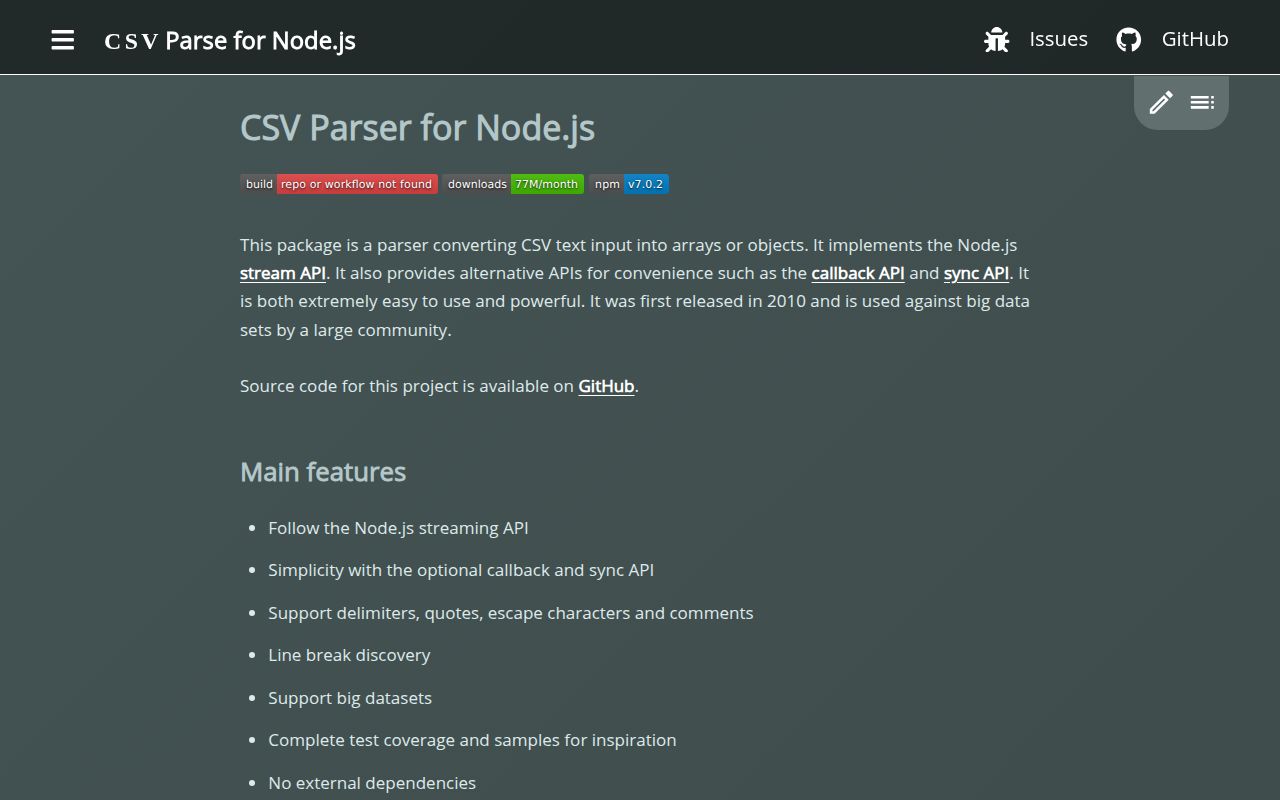
csv-parse 7.0.2 reads delimited text through a Node Transform stream, a callback, or a separate synchronous entry. It understands quoted line breaks, byte-order marks, comments, alternate separators, duplicate columns, casting hooks, record filters, and parse-location metadata. Version 7 introduced automatic delimiter detection and exported CsvError; 7.0.2 prevents column names from replacing an object's prototype and cuts a buffer allocation. This package stops at parsing. It does not read Excel workbooks or prove that a row matches a business schema. Our ordinary browser build failed because the main entry follows Node stream code.
csv-parse 7.0.2 installed in 0.6 seconds as one 2 MB package with no audit findings in our sandbox, while its normal browser bundle failed. Install it for messy or unbounded CSV on Node; choose a browser-first parser, workbook library, or schema validator when that is the actual job.
We installed it
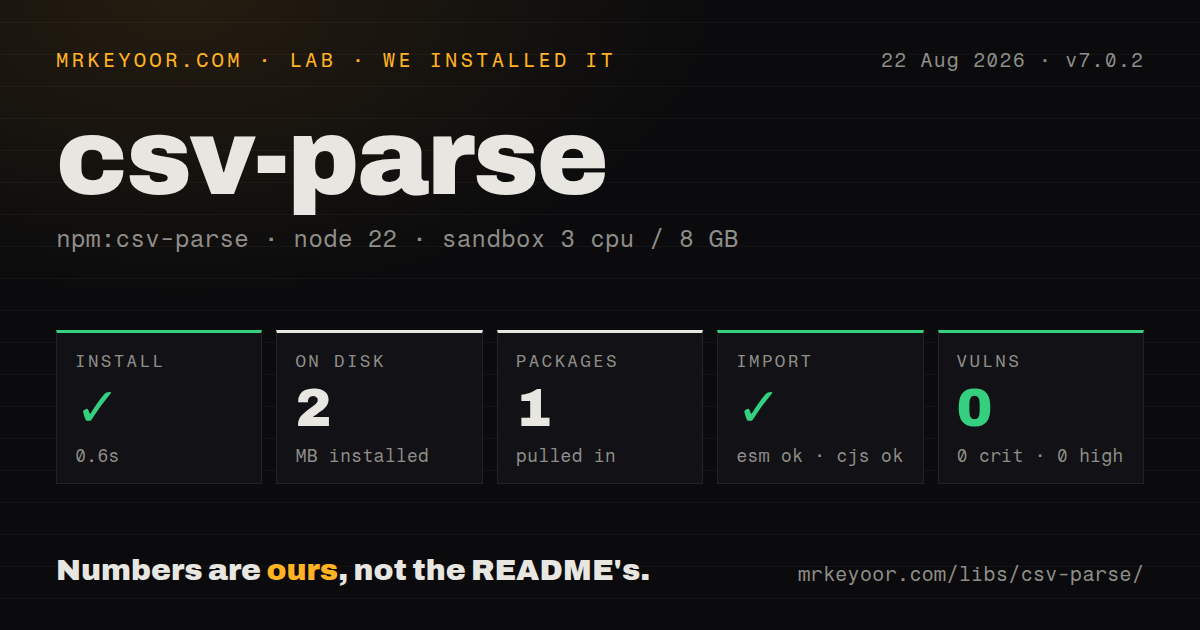
| Install | ✓ · 0.6s | 1 package on disk · 2 MB |
| Import | ✓ | ESM import works · require() works · ESM package with exports map |
| Browser | n/a | could not be bundled for the browser (Node-only code, most likely) |
| Types | ✓ | TypeScript types bundled |
| Known vulns | 0 | 0 critical · 0 high · 0 moderate · 0 low (npm audit) |
Answers from our run
Does csv-parse install cleanly?
Yes. In a fresh container with an empty cache, npm install csv-parse finished in 0.6s, leaving 1 package and 2 MB on disk. npm audit reported no known vulnerabilities.
Can csv-parse run in a browser?
Not directly: esbuild could not bundle it for the browser in our run, which normally means it depends on Node built-ins. Use it on the server, or find a browser-targeted alternative.
Does csv-parse work with both ESM and CommonJS?
Yes. Both import 'csv-parse' and require('csv-parse') worked in Node 22 in our run. The package is published as ESM with an exports map.
Does csv-parse include TypeScript types?
Yes, type declarations ship inside the package, so no @types install is needed.
csv-parse or papaparse: which should you use?
papaparse: Choose it for browser uploads, workers, progress callbacks, and a UI-led parsing flow. csv-parse 7.0.2 installed in 0.6 seconds as one 2 MB package with no audit findings in our sandbox, while its normal browser bundle failed.
When should you not use csv-parse?
The source is XLSX and its formulas, sheets, or cell types matter. CSV has no representation for those workbook features.
Use it if
- A multi-gigabyte import must yield records under Node stream backpressure instead of collecting the file in memory.
- Supplier files contain quoted newlines, comments, BOMs, unusual delimiters, or inconsistent record widths.
- Import errors need line, byte, header, and record context that can be shown back to the file owner.
- One codebase needs a synchronous helper for bounded fixtures and an async iterator for production files.
- The source is XLSX and its formulas, sheets, or cell types matter. CSV has no representation for those workbook features.
- Parsing runs primarily in a browser worker. The package has browser subpaths, but the default import failed our esbuild browser build.
- Rows need required-field, enum, date, or cross-field validation. Casting changes values but does not validate the resulting object.
- The input is a tiny trusted fixture with a fixed format. The parser's option surface may cost more review time than the job warrants.
- Malformed records must never disappear. Options such as skip_records_with_error and relax_column_count can produce a partial import unless you account for every rejection.
Setup reality
We installed csv-parse 7.0.2 in a clean Node 22 Bookworm sandbox. npm completed in 0.6 seconds, leaving one package and 2 MB on disk. The package was 1,684 KB unpacked with 0 direct dependencies and 0 peers. Its TypeScript declarations are included. npm audit found 0 known vulnerabilities. Although package.json marks it as ESM and defines exports, both require() and ESM import worked in our checks.
No service account, secret, or project config is needed. Choose the API based on the input ceiling: csv-parse/sync retains every record, and the callback API also returns a complete array. For files that can grow, pipe createReadStream() into parse() and consume the parser with for await. Awaiting database work inside that loop lets stream backpressure limit queued records.
columns: true turns the first row into object keys. Set bom: true when UTF-8 files may begin with a marker, or the marker becomes part of the first header. A cast callback also receives header cells, so check context.header before converting quantities or dates. Treat its output as untrusted data and validate each record before a write.
The default behavior stops on malformed CSV. If policy allows skipped or ragged rows, attach on_skip and return rejection counts with the import result. Physical lines and logical records diverge when a quoted cell contains a newline. Version 7.0.2 blocks a prototype replacement route through column names, but downstream code should still whitelist fields. Our browser-targeted esbuild attempt failed, so use the documented browser entry deliberately rather than importing the Node stream path.
Patterns
Parse a bounded CSV string parse-bounded-text
import { parse } from 'csv-parse/sync';

const records = parse(text, {
  columns: true,
  bom: true,
  skip_empty_lines: true,
});
The sync entry holds all records and throws at the first parse error, so give it input with a known size limit.
Consume a file with backpressure stream-file-records
import { createReadStream } from 'node:fs';
import { parse } from 'csv-parse';

const rows = createReadStream('orders.csv').pipe(parse({ columns: true, bom: true }));
for await (const row of rows) await storeOrder(row);
Awaiting each store operation slows the source. Catch errors around the loop because malformed input rejects the stream.
Detect a delimiter discover-separator
const records = parse(text, {
  delimiter_auto: true,
  delimiter_auto_sample: 32 * 1024,
  columns: true,
});
Version 7 added delimiter discovery. Reject a detected separator that your import contract does not permit.
Convert selected values cast-one-column
const parser = parse({
  columns: true,
  cast(value, context) {
    if (context.header) return value;
    return context.column === 'quantity' ? Number(value) : value;
  },
});
cast runs for headers too. Check for NaN and validate the completed record separately.
Keep evidence for rejected rows audit-skipped-rows
const rejected = [];
const parser = parse({
  columns: true,
  skip_records_with_error: true,
  on_skip(error, raw) { rejected.push({ code: error.code, line: error.lines, raw }); },
});
A skipped record is data loss unless the importer reports it. Set an acceptable rejection limit outside the parser.
Group repeated column names preserve-duplicate-headers
const records = parse(text, {
  columns: true,
  group_columns_by_name: true,
});
Repeated names become arrays only with group_columns_by_name; otherwise a later value replaces the earlier one.
Filter and map during parsing reshape-each-record
const parser = parse({
  columns: true,
  on_record(row, info) {
    if (!row.email) return null;
    return { email: row.email.trim().toLowerCase(), sourceLine: info.lines };
  },
});
Returning null removes a record. Keep network and database calls outside this synchronous parsing hook.
Attach parse positions emit-location-info
const parser = parse({ columns: true, info: true });
for await (const item of parser) {
  console.log(item.info.lines, item.info.bytes, item.record);
}
info: true wraps each record, changing the emitted shape expected by downstream consumers.
Collect records with a callback parse-with-callback
parse(text, { columns: true }, (error, records, info) => {
  if (error) return finish(error);
  console.log(records.length, info.lines);
  finish();
});
The callback receives the complete array, so its memory profile suits bounded input rather than open-ended files.
Ignore comments and empty records handle-comment-lines
const parser = parse({
  columns: true,
  comment: '#',
  comment_no_infix: true,
  skip_empty_lines: true,
  skip_records_with_empty_values: true,
});
comment_no_infix recognizes comments only at line starts, preserving hash characters inside ordinary fields.
Select a logical record range read-record-window
const records = parse(text, { columns: true, from: 51, to: 100 });from and to count records. The from_line and to_line options count physical lines, which differ when cells contain newlines.
Branch on a CSV error code classify-parser-error
import { CsvError, parse } from 'csv-parse/sync';

try {
  parse(text, { columns: true });
} catch (error) {
  if (error instanceof CsvError) console.error(error.code, error.lines);
  else throw error;
}
Use CsvError.code instead of matching messages. Major releases have renamed codes, so cover this policy with tests.
Alternatives
| Package | Registry | Pick it when |
|---|---|---|
| papaparse | npm | Choose it for browser uploads, workers, progress callbacks, and a UI-led parsing flow. |
| fast-csv | npm | Choose it when Node stream parsing and formatting should come from one project. |
| csv-parser | npm | Choose it for a narrower Node stream parser with fewer switches. |
More data guides
numpy · pandas · fsspec · pyarrow · lxml · sqlalchemy · the whole shelf →
How this guide is made: grounded in the library's documentation, release notes, changelog, and issue history, on a fixed rubric — not a hands-on install of every release. The 50 most-downloaded entries are additionally install-verified in clean containers. Corrections: contact the desk.