cloudpathlib review
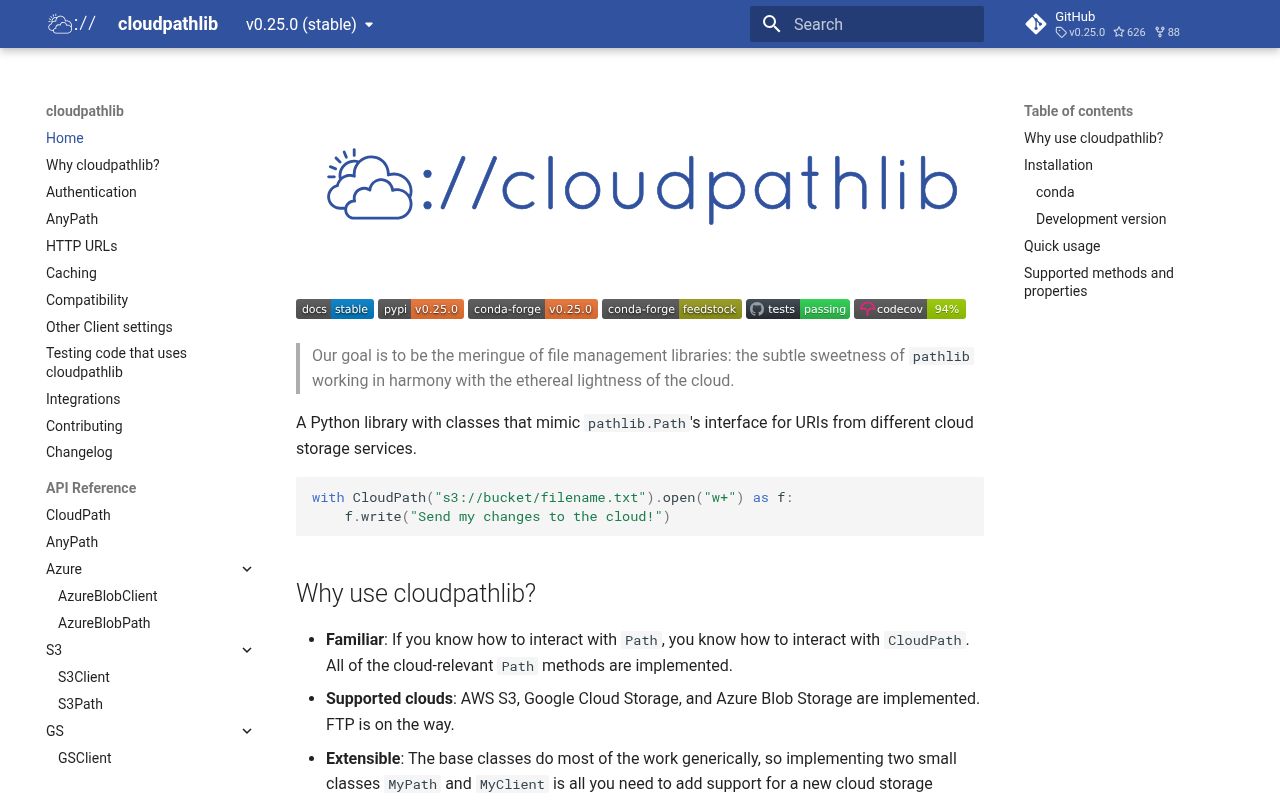
cloudpathlib puts a pathlib-shaped API over S3, Google Cloud Storage, Azure Blob Storage, and HTTPS resources. A CloudPath can join URI segments, list object prefixes, read into a local cache, and upload changes when a file closes. Version 0.25.0 closes a cache path-traversal hole, adds lazy directory walking that callers can prune, teaches local test clients to return presigned URLs, and changes S3 metadata reads to HeadObject. Our fresh-sandbox import check was against 0.24.0, so the security fix is a reason to update rather than treat that tested build as the recommended version.
Install cloudpathlib when path-shaped synchronous code is worth the local caching and narrower backend list. Use 0.25.0 or newer because that release fixes object keys escaping the intended cache or download directory.
We installed it
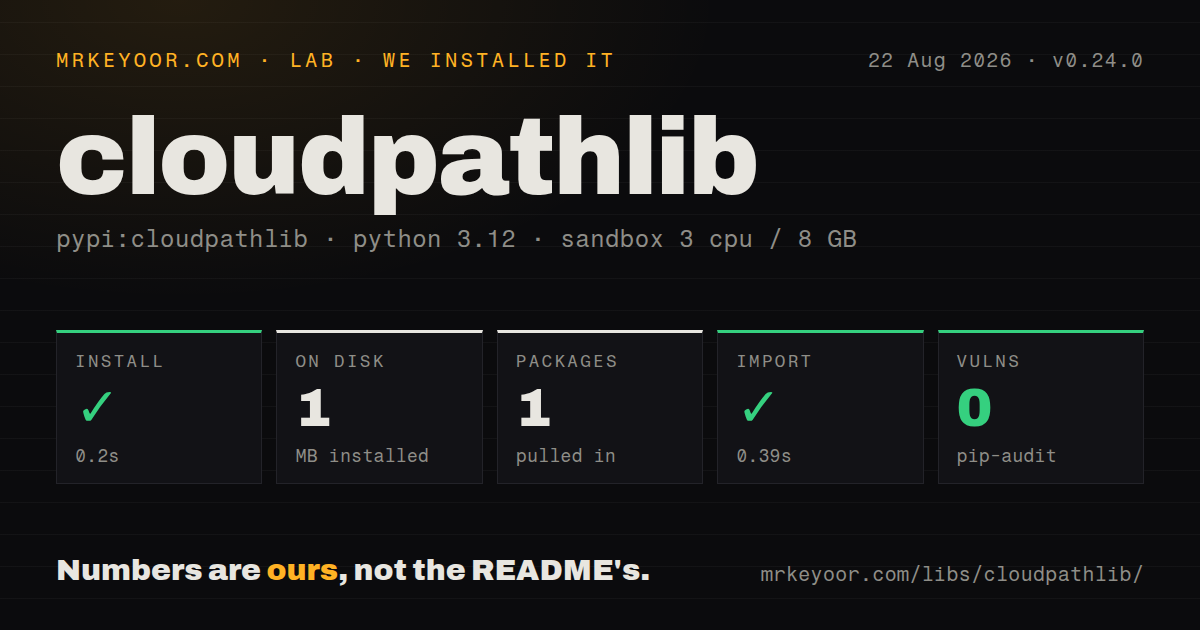
| Install | ✓ · 0.2s | 1 package on disk · 1 MB |
| Import | ✓ | import cloudpathlib in 0.39s · pure Python · py.typed · requires Python >=3.9 |
| Known vulns | 0 | (pip-audit) |
Answers from our run
Does cloudpathlib install cleanly?
Yes. In a fresh container with an empty cache, pip install cloudpathlib finished in 0.2s, leaving 1 package and 1 MB on disk. pip-audit reported no known vulnerabilities.
What does cloudpathlib need to run?
Python >=3.9, and nothing compiled: it is pure Python. In our run import cloudpathlib succeeded in 0.39s, and the package ships py.typed for type checkers.
cloudpathlib or fsspec: which should you use?
fsspec: Choose it for a larger protocol catalog, async-capable implementations, or integrations built around filesystem URLs rather than pathlib objects. Install cloudpathlib when path-shaped synchronous code is worth the local caching and narrower backend list.
When should you not use cloudpathlib?
You expect all of pathlib: the published method table excludes chmod, symlink_to, readlink, owner, cwd, home, and other local-filesystem operations
Use it if
- You have functions written around pathlib operations and need them to accept S3, GCS, or Azure object URIs with limited branching
- Downloading an object to a managed local cache is useful because a downstream tool insists on receiving a filesystem path
- Your test suite needs LocalS3Client, LocalGSClient, or LocalAzureBlobClient in place of live cloud accounts
- Your storage work is synchronous and mostly consists of path joins, listings, reads, writes, copies, and downloads
- You expect all of pathlib: the published method table excludes chmod, symlink_to, readlink, owner, cwd, home, and other local-filesystem operations
- Your event loop cannot block on storage calls. CloudPath file methods use synchronous provider clients and do not expose an async file API
- You need FTP, SSH, memory filesystems, or the long tail of fsspec protocols. The README currently lists only S3, GCS, Azure, and HTTPS
- You require provider controls on every request, such as conditional writes, detailed retry tuning, or service-specific pagination. The common path interface does not surface every SDK option
- You cannot stage remote bytes on local disk. open, read_text, fspath, and similar calls map objects into a cache before ordinary file access
Setup reality
In our clean Python 3.12 container, cloudpathlib 0.24.0 installed in 0.2 seconds. The environment held 1 package and used 1 MB afterward. The package declared 8 direct dependencies, required Python 3.9 or newer, shipped pure Python and py.typed, and imported in 0.39 seconds. pip-audit reported no known vulnerabilities in that tested environment. Current release 0.25.0 fixes a local cache path-traversal advisory, so do not pin the measured build.
The base install does not include a working S3, GCS, or Azure SDK. Choose an extra such as cloudpathlib[s3], cloudpathlib[gs], or cloudpathlib[azure]. Authentication then follows the selected vendor SDK. That means AWS profiles or roles, Google Application Default Credentials, and Azure credentials remain separate deployment concerns. Public buckets may allow unsigned access, but a private bucket still needs the provider's normal credential chain.
Remote content lands in a local cache. A client can use a temporary directory or an explicit local_cache_dir; persistent mode never cleans that directory for you. The close_file mode only removes a cached file after a handle opened through CloudPath.open closes. If both the cached copy and cloud object changed, cloudpathlib raises and asks you to choose a force_overwrite direction.
Object prefixes only resemble directories. A broad glob or default walk can list an entire subtree, and copytree or directory downloads recurse through every child. Version 0.25.0 adds walk(lazy=True), which lists one directory at a time and permits top-down pruning. That reduces calls when you will skip branches, while the default recursive listing is faster when you need the whole tree.
Patterns
Pick a path class from the URI dispatch-from-uri
from cloudpathlib import CloudPath

report = CloudPath("s3://company-reports/2026/august.csv")
print(type(report).__name__)
print(report.bucket, report.key)
URI dispatch selects the path class, but constructing a usable provider client still requires the matching install extra.
Accept either kind of path accept-local-or-remote
from cloudpathlib import AnyPath

def read_config(location: str) -> str:
    path = AnyPath(location)
    return path.read_text(encoding="utf-8")
The same function can now perform local disk I/O or a network-backed cached read. Keep that difference visible to callers that have latency limits.
Install only the provider you use install-provider-extra
pip install "cloudpathlib[s3]"
# Other choices: cloudpathlib[gs], cloudpathlib[azure], cloudpathlib[all]
A plain cloudpathlib install supplies the base classes but not the vendor SDK needed for these concrete cloud paths.
Edit a cloud object as text read-and-write-text
from cloudpathlib import S3Path

source = S3Path("s3://documents/inbox/message.txt")
target = source.parent / "processed.txt"
target.write_text(source.read_text(encoding="utf-8").upper(), encoding="utf-8")
Both calls are synchronous. The read uses a local cached file, and the write uploads the changed file.
Use the file context manager open-a-cloud-file
from cloudpathlib import CloudPath

log = CloudPath("gs://service-logs/current.ndjson")
with log.open("rt", encoding="utf-8") as handle:
    for line in handle:
        consume(line)
open presents a normal local file handle after caching the object. It is different from iterating a provider-native response stream.
Glob below a cloud prefix list-matching-objects
from cloudpathlib import CloudPath

root = CloudPath("s3://warehouse/daily/")
for parquet_file in root.glob("2026/**/*.parquet"):
    print(parquet_file)
A recursive glob turns into remote listing work. Narrow the prefix before applying a double-star pattern on a large bucket.
Skip branches during a lazy walk prune-a-cloud-walk
from cloudpathlib import CloudPath

root = CloudPath("s3://warehouse/")
for directory, dirnames, filenames in root.walk(top_down=True, lazy=True):
    dirnames[:] = [name for name in dirnames if name != "archive"]
    for name in filenames:
        print(directory / name)
lazy=True was added in 0.25.0. It lists directories on demand, so pruning dirnames prevents listings inside the skipped branch.
Download an object to a local path download-to-disk
from pathlib import Path
from cloudpathlib import CloudPath

remote = CloudPath("azure://exports/monthly/report.pdf")
local = remote.download_to(Path("artifacts/report.pdf"))
print(local)
Version 0.25.0 checks that object keys cannot escape the chosen download directory through parent segments or Windows path tricks.
Copy a local tree into storage upload-a-directory
from cloudpathlib import CloudPath

destination = CloudPath("gs://static-site/releases/2026-08/")
uploaded = destination.upload_from("dist")
print(uploaded)
A directory upload recurses through the local tree. Review the destination prefix and overwrite behavior before using it in a deployment job.
Attach an explicit S3 client select-an-aws-profile
from cloudpathlib import S3Client, S3Path

client = S3Client(profile_name="analytics-prod")
report = S3Path("s3://private-data/latest.csv", client=client)
print(report.read_text(encoding="utf-8"))
The named profile is resolved by boto3. Keep secrets out of source and let the normal profile, role, or environment chain supply them.
Choose where cached files live keep-a-persistent-cache
from cloudpathlib import FileCacheMode, S3Client

client = S3Client(
    local_cache_dir="/var/tmp/cloud-files",
    file_cache_mode=FileCacheMode.persistent,
)
path = client.CloudPath("s3://media/original.mov")
Persistent mode requires local_cache_dir and leaves cleanup to your process or an external disk policy.
Replace S3 with local fixtures test-with-local-s3
from pathlib import Path
from cloudpathlib.local import LocalS3Client

client = LocalS3Client(local_storage_dir=Path("tests/storage"))
fixture = client.CloudPath("s3://fixtures/input.txt")
assert fixture.read_text(encoding="utf-8") == "hello"
The local client exercises cloudpathlib calls, including mock presigned URLs in 0.25.0. It does not reproduce IAM, provider throttling, or every S3 error.
Alternatives
| Package | Registry | Pick it when |
|---|---|---|
| fsspec | PyPI | Choose it for a larger protocol catalog, async-capable implementations, or integrations built around filesystem URLs rather than pathlib objects |
| s3fs | PyPI | Choose it when the target is only S3 and pandas, Dask, or another fsspec consumer drives the design |
| smart-open | PyPI | Choose it when the main job is opening a large remote stream without keeping a pathlib-style local cache |
| universal-pathlib | PyPI | Choose it when pathlib syntax matters but the backend needs to come from fsspec's wider filesystem set |
More utils guides
lru-cache · type-fest · ajv · zod · p-limit · find-up · the whole shelf →
How this guide is made: grounded in the library's documentation, release notes, changelog, and issue history, on a fixed rubric — not a hands-on install of every release. The 50 most-downloaded entries are additionally install-verified in clean containers. Corrections: contact the desk.