chromadb review
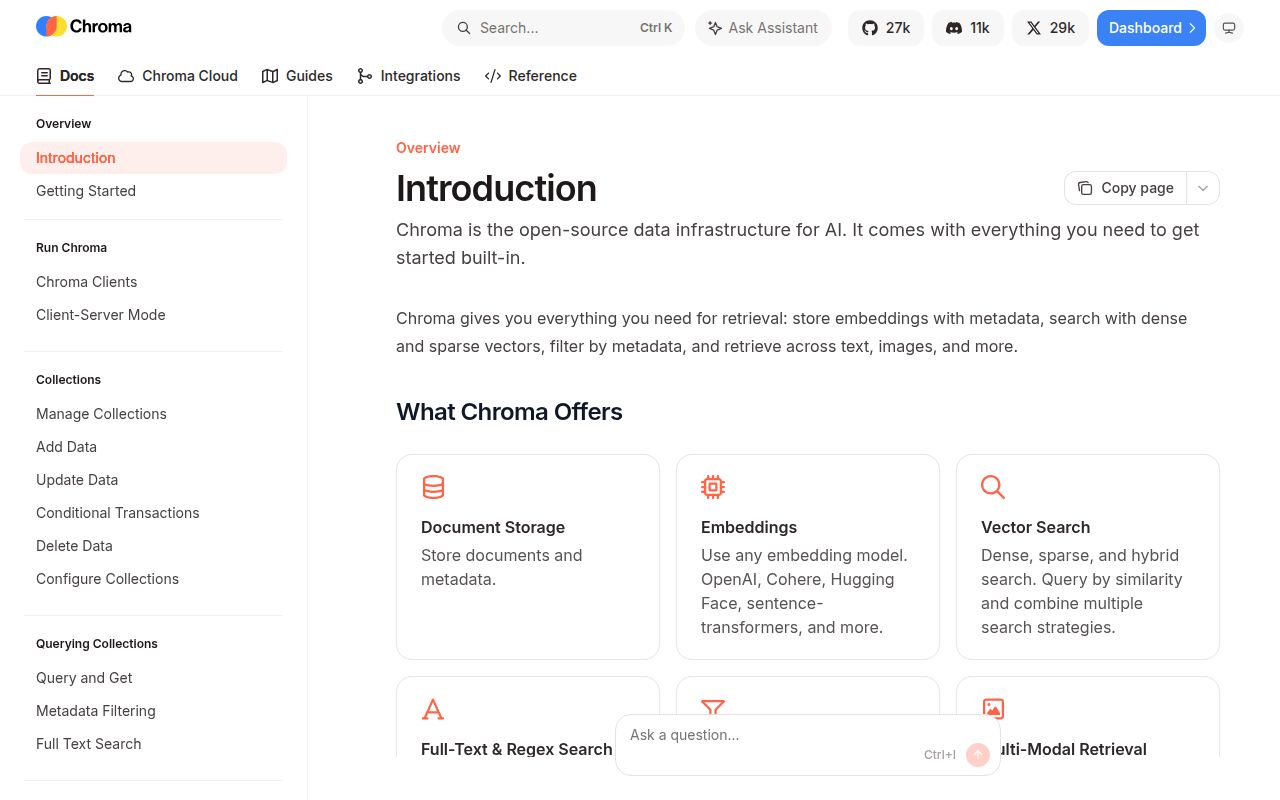
ChromaDB 1.5.9 is a Python vector database for storing embeddings, attached text, and metadata, then retrieving nearby records with optional filters. It can live inside one Python process through `PersistentClient`, sit behind its own HTTP server, or connect to Chroma Cloud. The package can generate embeddings when you add documents, but it also accepts vectors from your own model. Release 1.5.9 mostly works below that familiar collection API: it added sharded collection rebuild and group-by work, preserved legacy HNSW metadata during system-database changes, and rejects NaN or Infinity in base64-encoded embeddings.
ChromaDB 1.5.9 installed in 1.8 seconds but left 79 packages and 329 MB in our sandbox, with one pip-audit finding, so its easy local API carries a real dependency cost. Install it for Python retrieval work that benefits from collections and built-in embeddings; use the thin client or another store when the application only needs remote vector queries.
We installed it
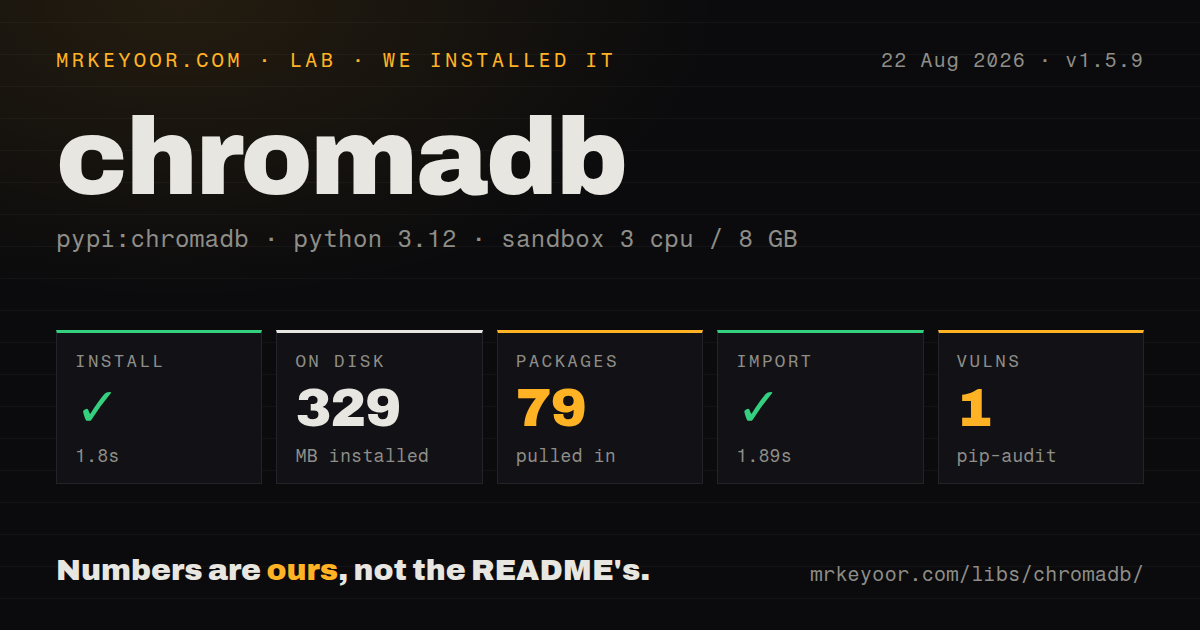
| Install | ✓ · 1.8s | 79 packages on disk · 329 MB |
| Import | ✓ | import chromadb in 1.89s · compiled extensions · py.typed · requires Python >=3.9 |
| Known vulns | 1 | (pip-audit) |
Answers from our run
Does chromadb install cleanly?
Yes. In a fresh container with an empty cache, pip install chromadb finished in 2 seconds, leaving 79 packages and 329 MB on disk. pip-audit reported 1 known vulnerability.
What does chromadb need to run?
Python >=3.9, and a platform wheel with compiled extensions. In our run import chromadb succeeded in 1.89s, and the package ships py.typed for type checkers.
chromadb or qdrant-client: which should you use?
qdrant-client: Choose it when a separately operated Qdrant service and its filtering model fit the production architecture. ChromaDB 1.5.9 installed in 1.8 seconds but left 79 packages and 329 MB in our sandbox, with one pip-audit finding, so its easy local API carries a real dependency cost.
When should you not use chromadb?
A small client cannot absorb 79 installed packages and 329 MB. The official chromadb-client package is the narrower choice when a separate Chroma server already exists.
Use it if
- A Python prototype needs local vector search with persistence and no separate database process.
- Your retrieval layer is naturally expressed as collections of IDs, documents, embeddings, and metadata filters.
- You want the same client vocabulary for an in-memory test, a self-hosted HTTP server, and Chroma Cloud.
- The application benefits from a built-in embedding function but still needs the option to supply model-specific vectors.
- A small client cannot absorb 79 installed packages and 329 MB. The official `chromadb-client` package is the narrower choice when a separate Chroma server already exists.
- Your production design needs an embedded database shared by several worker processes. The official Python reference calls `PersistentClient` a local development and testing option and recommends a server-backed instance for production.
- You need identical features in local and distributed deployments. The open-source roadmap says the two modes use different storage systems and local Chroma can temporarily lack distributed features or behavior.
- Your type checker must rely on a fully described public API. The wheel has `py.typed`, but the project changes weekly and collection configuration, cloud search, and local query APIs do not all share one surface.
- A clean dependency audit is a release gate. pip-audit found one known vulnerability in our fresh 1.5.9 installation, so this version needs an advisory review before approval.
Setup reality
We installed chromadb 1.5.9 in a fresh Python 3.12 Bookworm sandbox. The install succeeded in 1.8 seconds, left 79 packages using 329 MB, and brought 31 direct dependencies. import chromadb worked in 1.89 seconds. The distribution requires Python 3.9 or newer, includes compiled .so files and a py.typed marker, and pip-audit reported one known vulnerability.
An in-memory Client() needs no credentials. PersistentClient(path=...) writes under the given directory, or .chroma when no path is supplied, and reloads that data on startup. Its reset() method erases the database and cannot be reversed. For Cloud, provide CHROMA_API_KEY, CHROMA_TENANT, and CHROMA_DATABASE; a key scoped to one database lets the client resolve the last two values. Regional databases also need the matching cloud host.
Adding documents without vectors invokes the collection's embedding function. The full package includes a default function, while the thin chromadb-client package has none, so a thin client must receive embeddings or an explicitly configured function with its own dependencies. Pick the distance space when creating the collection. Single-node Chroma defaults to squared L2, and changing HNSW construction values later is restricted even though some query-time settings can be modified.
For a deployed service, run chroma run --path ... or the official container and use HttpClient; AsyncHttpClient exposes awaitable versions of blocking calls. The server-backed client is also the documented production configuration for multiple clients. Version 1.5.9 ships platform wheels with compiled code, so unsupported platforms may fall back to a source build. Review the one pip-audit finding in the resolved environment rather than treating the Apache 2.0 license as a security signal.
Patterns
Create a throwaway database create-ephemeral-client
import chromadb

client = chromadb.Client()
collection = client.create_collection(name="scratch")
`Client()` keeps the database in memory, so its records disappear when the process exits. Use it for tests and experiments.
Persist a collection on disk persist-local-data
import chromadb

client = chromadb.PersistentClient(path="./data/chroma")
collection = client.get_or_create_collection(name="support_docs")
`PersistentClient` reloads files from the chosen path on restart. The Python reference recommends a server-backed client for production.
Create a cosine-distance collection configure-cosine-index
collection = client.create_collection(
    name="articles",
    configuration={
        "hnsw": {
            "space": "cosine",
            "ef_construction": 200,
        }
    },
)
Single-node collections default to squared L2 distance. Set the space at collection creation so it matches the embedding model.
Embed and add text records add-documents
collection.add(
    ids=["refunds", "shipping"],
    documents=["Refunds take five business days.", "Orders ship on weekdays."],
    metadatas=[{"section": "billing"}, {"section": "delivery"}],
)
With no vectors supplied, Chroma calls the collection's embedding function. IDs must be unique within that collection.
Store vectors from another model add-own-embeddings
collection.add(
    ids=["doc-1", "doc-2"],
    embeddings=[
        [0.12, -0.08, 0.44],
        [0.03, 0.51, -0.19],
    ],
    metadatas=[{"source": "manual"}, {"source": "manual"}],
)
Every vector in one collection must use the same dimension and embedding space. Version 1.5.9 rejects NaN and Infinity in encoded embeddings.
Find nearby documents query-by-text
results = collection.query(
    query_texts=["How long does a refund take?"],
    n_results=3,
    include=["documents", "metadatas", "distances"],
)

first_document = results["documents"][0][0]
`query()` is a batch API, so each result field has one inner list per query. Lower distance values mean closer matches.
Limit search by metadata filter-metadata
results = collection.query(
    query_texts=["late delivery"],
    n_results=10,
    where={
        "$and": [
            {"section": {"$eq": "delivery"}},
            {"year": {"$gte": 2025}},
        ]
    },
)
The `where` clause filters metadata before results return. `$and` and `$or` combine comparison expressions.
Require text in stored documents filter-document-text
results = collection.query(
    query_texts=["payment timing"],
    n_results=5,
    where_document={"$contains": "business days"},
)
`where_document` searches stored document content, while `where` targets metadata. Both filters can be used in the same query.
Read records without similarity search fetch-records
records = collection.get(
    ids=["refunds", "shipping"],
    include=["documents", "metadatas"],
)
`get()` retrieves stored records by ID or filter. Embeddings are omitted unless `include` explicitly requests them.
Insert or replace known IDs upsert-records
collection.upsert(
    ids=["refunds"],
    documents=["Approved refunds take three to five business days."],
    metadatas=[{"section": "billing", "reviewed": True}],
)
`upsert()` adds a missing ID and updates an existing one. Changing a document without supplying a vector makes the embedding function run again.
Delete a scoped set of records delete-filtered-records
collection.delete(
    where={"source": {"$eq": "expired-import"}},
)
A filtered delete removes every matching record. Inspect the same filter with `get()` before running it against persistent data.
Call a Chroma server asynchronously use-async-http-client
import chromadb

async def search():
    client = await chromadb.AsyncHttpClient(host="localhost", port=8000)
    collection = await client.get_collection(name="support_docs")
    return await collection.query(
        query_texts=["refund window"],
        n_results=5,
    )
`AsyncHttpClient` connects to a running server and makes blocking client operations awaitable. The local server must be started separately.
Alternatives
| Package | Registry | Pick it when |
|---|---|---|
| qdrant-client | PyPI | Choose it when a separately operated Qdrant service and its filtering model fit the production architecture. |
| faiss-cpu | PyPI | Choose it for nearest-neighbor indexing inside Python when you will build persistence, metadata, and service APIs yourself. |
| pgvector | PyPI | Choose it when embeddings belong beside relational rows and transactions in an existing PostgreSQL database. |
| lancedb | PyPI | Choose it when an embedded vector store built around Lance datasets suits the data pipeline better. |
More ai / ml guides
@modelcontextprotocol/sdk · openai · mcp · huggingface-hub · @anthropic-ai/sdk · openai · the whole shelf →
How this guide is made: grounded in the library's documentation, release notes, changelog, and issue history, on a fixed rubric — not a hands-on install of every release. The 50 most-downloaded entries are additionally install-verified in clean containers. Corrections: contact the desk.