cheerio review
Cheerio 1.2.0 reads HTML or XML into an in-memory tree, then exposes CSS selectors and familiar jQuery methods for traversal, text, attributes, and mutation. It works when the response already contains the markup you need. It supplies neither a browser window nor script execution, events, layout, or computed styles. This release corrected scoped selectors inside .find(), added button support to .val(), and made isHtml reject invalid input types at runtime. Our full browser import reached 373.1 KB minified and 123.3 KB gzipped, which makes its server-first design hard to ignore.
Cheerio 1.2.0 installed in 2.2 seconds and occupied 10 MB across 21 packages in our sandbox, with 0 audit findings, so it is an easy server-side choice for HTML that already contains the data. Skip it for rendered web apps or a lean browser bundle, where its missing browser runtime and 123.3 KB gzipped import decide the case.
We installed it
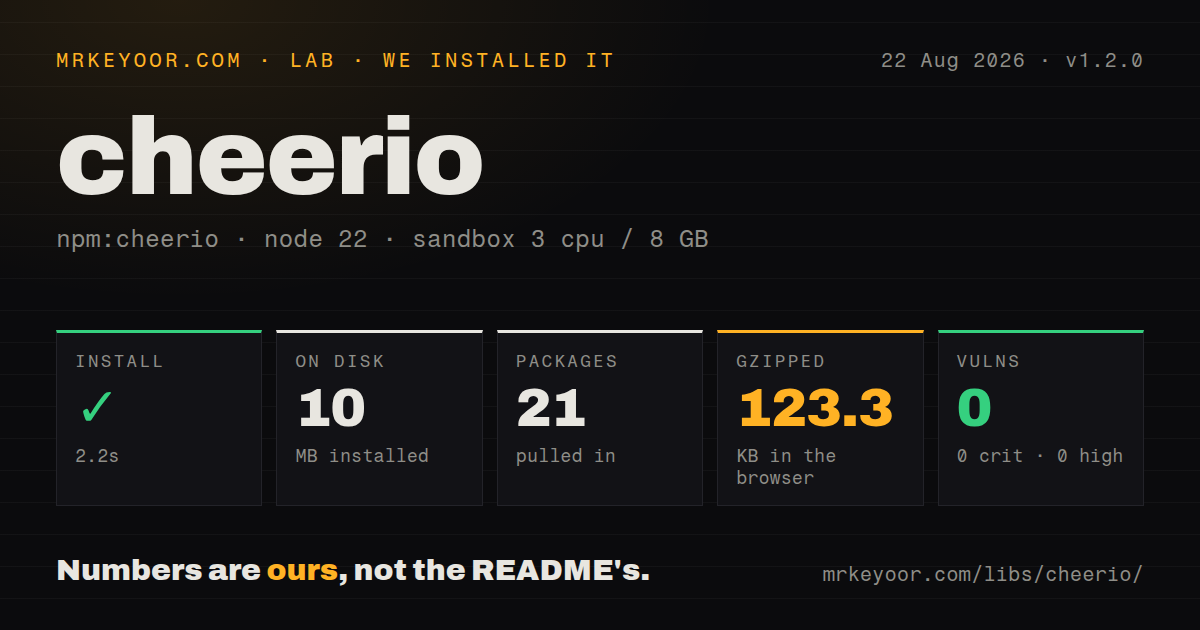
| Install | ✓ · 2.2s | 21 packages on disk · 10 MB · 1 deprecation warning |
| Import | ✓ | ESM import works · require() works · ESM package with exports map |
| Browser | 123.3 KB | gzipped (373.1 KB minified), bundled with esbuild |
| Types | ✓ | TypeScript types bundled |
| Known vulns | 0 | 0 critical · 0 high · 0 moderate · 0 low (npm audit) |
Answers from our run
Does cheerio install cleanly?
Yes. In a fresh container with an empty cache, npm install cheerio finished in 2 seconds, leaving 21 packages and 10 MB on disk. npm audit reported no known vulnerabilities. The install printed 1 deprecation warning.
How much does cheerio add to a browser bundle?
123.3 KB gzipped (373.1 KB minified) when the whole package is bundled for the browser with esbuild. Importing only part of it is usually smaller.
Does cheerio work with both ESM and CommonJS?
Yes. Both import 'cheerio' and require('cheerio') worked in Node 22 in our run. The package is published as ESM with an exports map.
Does cheerio include TypeScript types?
Yes, type declarations ship inside the package, so no @types install is needed.
cheerio or jsdom: which should you use?
jsdom: Choose it when tested code needs document, window, events, and a wider DOM implementation. Cheerio 1.2.0 installed in 2.2 seconds and occupied 10 MB across 21 packages in our sandbox, with 0 audit findings, so it is an easy server-side choice for HTML that already contains the data.
When should you not use cheerio?
The useful page content appears only after client JavaScript runs, because Cheerio never executes that JavaScript; Playwright fits that job
Use it if
- A crawler receives complete HTML and needs CSS selectors to pull links, prices, table rows, or metadata
- A mail, publishing, or migration job must edit a markup tree and serialize the result
- The codebase already uses jQuery-style traversal such as find, closest, children, and attr
- An XML feed needs case-sensitive parsing and selection without a browser process
- The useful page content appears only after client JavaScript runs, because Cheerio never executes that JavaScript; Playwright fits that job
- Your dependency expects document, window, events, MutationObserver, or layout measurements; Cheerio nodes expose only a partial DOM-like shape
- Production still runs below Node 20.18.1, the minimum declared by Cheerio 1.2.0
- The parser belongs in a small browser payload; our namespace import measured 373.1 KB minified and 123.3 KB gzipped
- You expect Ajax, animations, or the complete jQuery surface; Cheerio implements the parsing and tree-manipulation portion
Setup reality
We installed Cheerio 1.2.0 in a fresh Node 22 container in 2.2 seconds. The install left 21 packages and 10 MB on disk, while npm printed 1 deprecation warning. The package itself has 11 direct dependencies, no peers, bundled TypeScript declarations, and a 1,580 KB unpacked size. npm audit reported 0 known vulnerabilities. Node 20.18.1 is the declared floor, so an older production image stops this upgrade before application code starts.
Parsing a string needs no account, secret, or config file. Network collection is separate application work even though the full build includes fromURL: you still own cookies, login state, request headers, rate limits, retries, and permission to fetch. A login page or bot challenge is valid HTML to Cheerio. Check the status and an expected selector before accepting extracted data, because an empty selection normally returns an empty value instead of raising an error.
Cheerio 1.2.0 is published as an ESM package with an exports map, and both require() and ESM import worked in our sandbox. Import the namespace rather than calling a default export. load() treats input as a document and can insert html, head, and body nodes. Pass false as the third argument to retain a fragment. XML mode switches parsing rules, including case-sensitive names, so do not share selector assumptions blindly between HTML and feeds.
Our esbuild browser test produced 373.1 KB minified and 123.3 KB gzipped for a namespace import. The cheerio/slim entry drops the network and streaming loaders and selects htmlparser2, which can build a different tree for broken markup. Streams reduce the extra input buffer, but selection begins after the tree exists in memory. Cheerio supplies no request queue or concurrency limit, so cap parallel fetches in the caller and keep large responses bounded there.
Patterns
Parse a complete HTML document parse-document
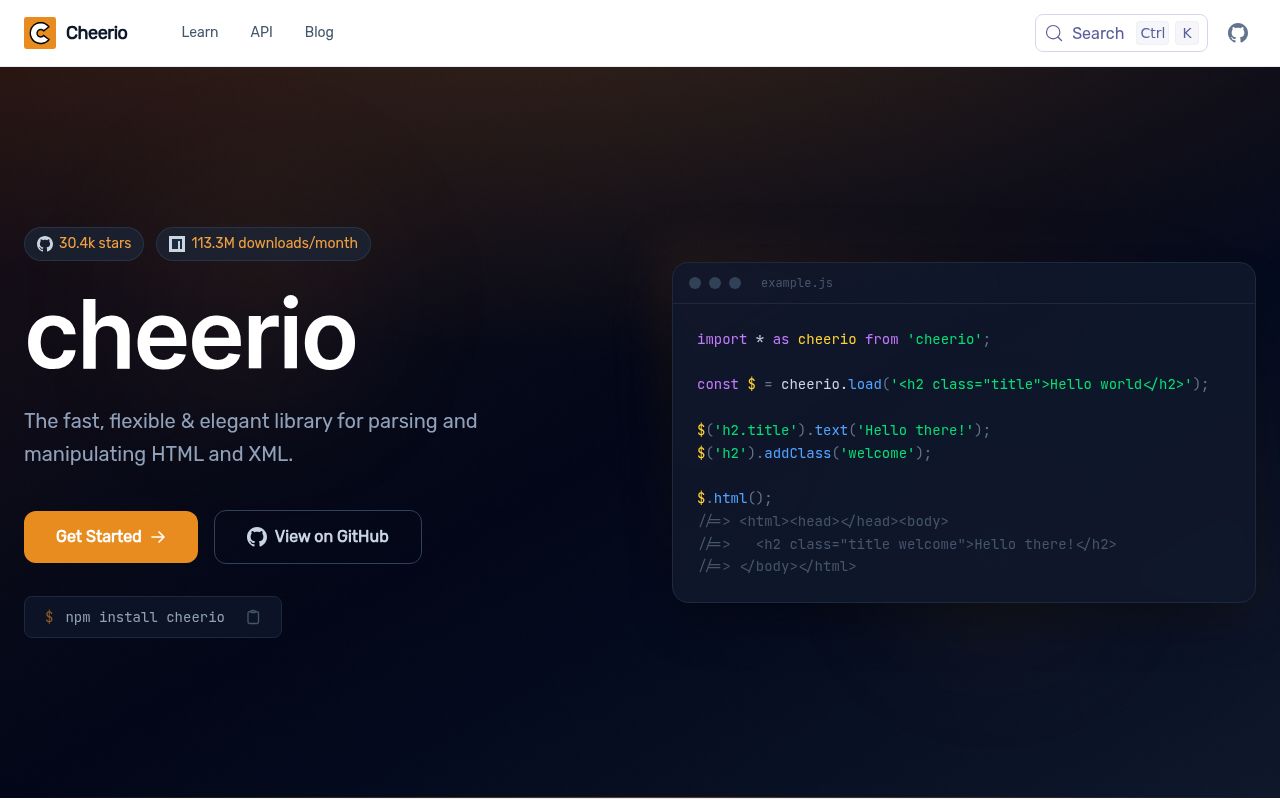
import * as cheerio from 'cheerio';

const $ = cheerio.load('<main><h1>Report</h1></main>');
console.log($('main > h1').text());
Cheerio 1.2.0 adds html, head, and body elements when load receives document-style HTML.
Keep an HTML fragment unwrapped parse-fragment
const $ = cheerio.load('<i>one</i><i>two</i>', {}, false);
console.log($.html());
The third load argument is false here, so serialization does not add document wrapper elements.
Collect text and href values collect-links
const links = $('article a[href]').toArray().map((node) => ({
  label: $(node).text().trim(),
  href: $(node).attr('href'),
}));
attr can return undefined even after a broad selection changes, so callers should validate required values.
Resolve links against a page URL resolve-relative-url
const pageUrl = new URL('https://example.com/news/');
const absolute = $('a[href]').toArray().flatMap((node) => {
  const href = $(node).attr('href');
  return href ? [new URL(href, pageUrl).href] : [];
});
Cheerio leaves href text unchanged; the URL constructor performs resolution and can reject malformed values.
Extract repeated structured records extract-records
const data = $.extract({
  items: [{ selector: '.item', value: { name: '.name', id: { selector: '[data-id]', value: 'data-id' } } }],
});
A string extraction reads text, while the object form can select an attribute such as data-id.
Remove and add markup edit-markup
$('script, iframe').remove();
$('img').attr('loading', 'lazy');
$('body').append('<footer>Archived copy</footer>');
const output = $.html();
Mutation changes the loaded tree in place; $.html() then serializes the current document tree.
Serialize one matched element read-outer-html
const card = $('.card').first().prop('outerHTML');
if (typeof card !== 'string') throw new Error('card missing');
prop('outerHTML') returns the selected element rather than the wrappers around the entire loaded document.
Parse an XML feed parse-xml
const $ = cheerio.load(feedXml, { xml: true });
const titles = $('item > title').toArray().map((node) => $(node).text());
XML mode keeps names case-sensitive and does not apply HTML document insertion rules.
Fetch a static page with a user agent fetch-static-page
const $ = await cheerio.fromURL('https://example.com/catalog', {
  requestOptions: { headers: { 'user-agent': 'catalog-audit/1.0' } },
});
fromURL downloads returned markup but executes 0 page scripts, so an app shell stays an app shell.
Use the slim parser entry use-slim-entry
import { load } from 'cheerio/slim';
const $ = load('<section><p>Saved</p></section>');
cheerio/slim uses htmlparser2 and omits the full build's URL and stream loading helpers.
Load Cheerio from CommonJS require-commonjs
const cheerio = require('cheerio');
const $ = cheerio.load('<b>ok</b>');
require() worked in our Node 22 test even though Cheerio 1.2.0 declares type: module.
Fail when page structure drifts assert-selector-count
const rows = $('table.results > tbody > tr');
if (rows.length === 0) throw new Error('results table has no rows');
An empty Cheerio selection usually returns empty output instead of throwing, so a count check catches changed pages.
Alternatives
| Package | Registry | Pick it when |
|---|---|---|
| jsdom | npm | Choose it when tested code needs document, window, events, and a wider DOM implementation |
| node-html-parser | npm | Choose it for server-side parsing with querySelector methods and less jQuery vocabulary |
| playwright | npm | Choose it when the page must execute JavaScript or be driven through a logged-in browser session |
| linkedom | npm | Choose it when standard DOM methods matter more than Cheerio's jQuery-shaped API |
More data guides
numpy · pandas · fsspec · pyarrow · lxml · sqlalchemy · the whole shelf →
How this guide is made: grounded in the library's documentation, release notes, changelog, and issue history, on a fixed rubric — not a hands-on install of every release. The 50 most-downloaded entries are additionally install-verified in clean containers. Corrections: contact the desk.