jsdom review
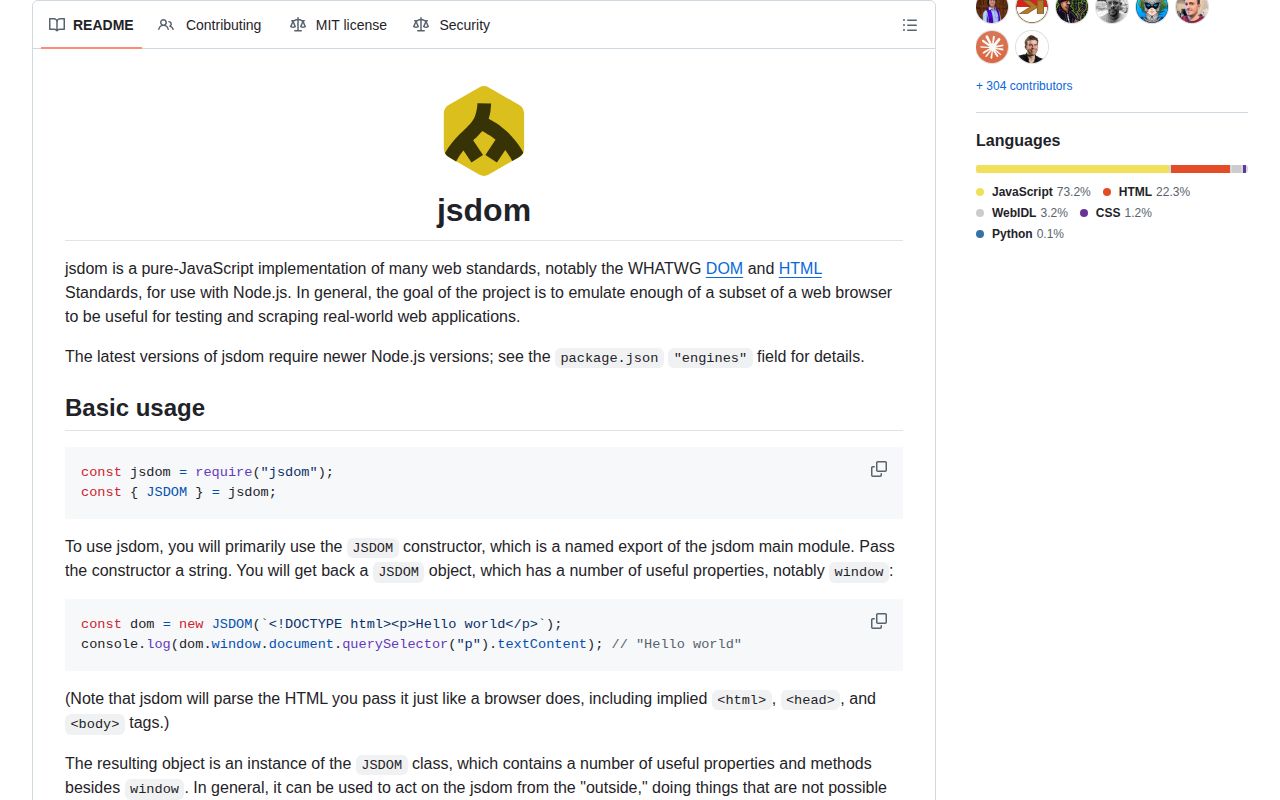
jsdom 30.0.1 creates a browser-shaped window and document inside Node for HTML parsing, selectors, events, forms, cookies, storage, and controlled script execution. Its target is a useful subset of WHATWG DOM and HTML behavior, not a rendered browser: navigation and layout remain outside the implementation. The 30.0.1 patch fixes getComputedStyle() failures around calc() values and improves Range performance on large trees. Our install took 27 MB and its browser bundle could not be built, both consistent with a Node test environment rather than frontend code.
Our jsdom 30.0.1 install took 5 seconds, consumed 27 MB across 37 packages, had no audit findings, and failed the browser-bundle check. Use it for DOM semantics in supported Node releases; use a real browser for pixels or navigation, and never execute untrusted page scripts with it.
We installed it
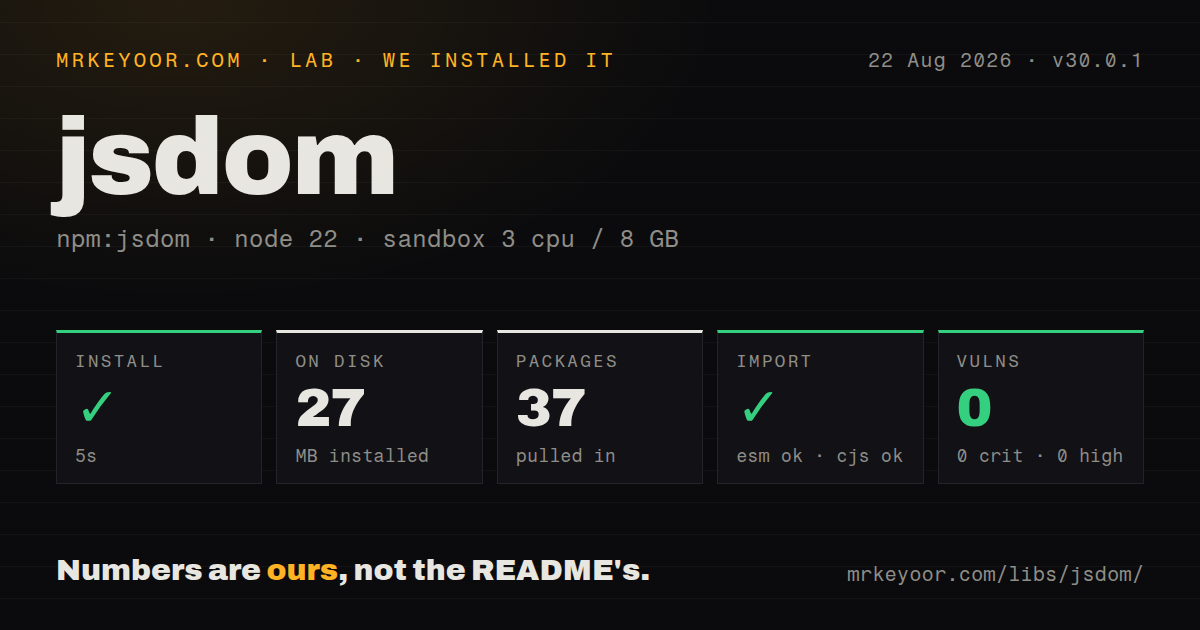
| Install | ✓ · 5s | 37 packages on disk · 27 MB |
| Import | ✓ | ESM import works · require() works · CommonJS package |
| Browser | n/a | could not be bundled for the browser (Node-only code, most likely) |
| Types | — | no TypeScript types found |
| Known vulns | 0 | 0 critical · 0 high · 0 moderate · 0 low (npm audit) |
Answers from our run
Does jsdom install cleanly?
Yes. In a fresh container with an empty cache, npm install jsdom finished in 5 seconds, leaving 37 packages and 27 MB on disk. npm audit reported no known vulnerabilities.
Can jsdom run in a browser?
Not directly: esbuild could not bundle it for the browser in our run, which normally means it depends on Node built-ins. Use it on the server, or find a browser-targeted alternative.
Does jsdom work with both ESM and CommonJS?
Yes. Both import 'jsdom' and require('jsdom') worked in Node 22 in our run. The package is published as CommonJS.
Does jsdom include TypeScript types?
No type declarations were found in our install, so TypeScript users need their own declarations.
jsdom or happy-dom: which should you use?
happy-dom: Choose it when faster test startup matters and its implemented browser APIs cover the component. Our jsdom 30.0.1 install took 5 seconds, consumed 27 MB across 37 packages, had no audit findings, and failed the browser-bundle check.
When should you not use jsdom?
Results depend on computed geometry, paint, screenshots, navigation, or a real networking stack; jsdom documents layout and navigation as missing
Discussed on
- hnUsing jQuery and node.js to scrape html pages in 5 lines133 points
- hnScraping Web Pages With jQuery, Node.js and Jsdom88 points
- hnSimplify templating with node.js, jsdom 0.2.0 and weld47 points
- hnFrom Karma to Mocha, with a taste of jsdom31 points
- hnJsdom 4.0 – JavaScript standards-compliant DOM for io.js18 points
Use it if
- Node tests need selectors, events, forms, storage, or cookies without paying for a browser process
- A scraper benefits from HTML-standard parsing, a configurable base URL, a cookie jar, and controlled resource fetching
- Tests need source offsets for parsed nodes or a VM context tied to a particular document
- The assertion concerns DOM state and events while pixels, geometry, and navigation are deliberately excluded
- Results depend on computed geometry, paint, screenshots, navigation, or a real networking stack; jsdom documents layout and navigation as missing
- Input HTML can contain hostile scripts; runScripts: 'dangerously' can expose the host Node process and is not an isolation boundary
- Only CSS selection and HTML mutation are needed; Cheerio avoids the window, timers, event model, and 27 MB measured install
- CI runs Node 25, Node below 22.22.2, or Node 24 below 24.15.0; none satisfies the 30.0.1 engine expression
- Types must come from the runtime distribution itself; our package inspection found no bundled TypeScript declarations
Setup reality
Our jsdom 30.0.1 install completed in 5 seconds inside an unprivileged Node 22 Bookworm sandbox. It left 37 packages occupying 27 MB. The distribution was 8,712 KB unpacked, declared 21 direct dependencies plus 1 peer, and produced 0 npm audit findings. It is CommonJS without an exports map, although both require() and ESM import succeeded. We found no TypeScript declarations.
Version 30.0.1 accepts Node ^22.22.2 || ^24.15.0 || >=26.0.0, so a generic Node 22 or 24 label is insufficient. canvas is an optional peer compatible with 3.2.3; without it, installing jsdom does not provide a functional canvas implementation. Our esbuild browser attempt failed. That is a useful boundary: this package emulates browser APIs for Node and should not be pushed into client code.
A new JSDOM neither executes embedded scripts nor fetches subresources. Trusted inline code requires runScripts: 'dangerously'. External scripts also require resources: 'usable' and a non-blank URL because about:blank cannot resolve relative paths. The README warns that dangerous execution can escape to Node. Custom resource interceptors and Undici dispatchers also cannot control synchronous XMLHttpRequest, since that path crosses a process boundary.
pretendToBeVisual exposes visibility state and requestAnimationFrame, but it still calculates no layout. Pages that start asynchronous work do not offer jsdom a universal completion signal; tests need an event or callback owned by the page. Close every window when finished. A pending window timer keeps the Node process alive and retains its document. includeNodeLocations adds parsing cost and works only with HTML, not XML.
Patterns
Query a parsed heading parse-html
const {JSDOM} = require('jsdom');

const dom = new JSDOM('<main><h1>Hello</h1></main>');
console.log(dom.window.document.querySelector('h1').textContent);
dom.window.close();
HTML parsing creates the omitted html, head, and body nodes around this fragment.
Resolve a relative link from its origin set-base-url
const dom = new JSDOM('<a href="/docs">Docs</a>', {
  url: 'https://example.com/start',
});
console.log(dom.window.document.querySelector('a').href);
Without url, the document uses about:blank and root-relative paths cannot be resolved.
Run test code inside the document VM run-controlled-script
const dom = new JSDOM('<p id="out"></p>', {runScripts: 'outside-only'});
dom.window.eval(`document.querySelector('#out').textContent = 'done'`);
outside-only supplies fresh globals and window.eval while leaving script elements in the HTML inactive.
Fetch and execute a trusted page's assets load-page-resources
const dom = new JSDOM(html, {
  url: 'https://example.test/',
  runScripts: 'dangerously',
  resources: 'usable',
});
dangerously permits page JavaScript to reach the host, so arbitrary user or internet content is unsafe here.
Collect jsdom failures in a dedicated logger capture-jsdom-errors
const {JSDOM, VirtualConsole} = require('jsdom');
const vc = new VirtualConsole();
vc.on('jsdomError', error => logger.warn({type: error.type, error}));
const dom = new JSDOM(html, {virtualConsole: vc});
Register the listener before new JSDOM(), since parsing can emit a failure during construction.
Build detached list items parse-fragment
const fragment = JSDOM.fragment('<li>one</li><li>two</li>');
console.log([...fragment.children].map(node => node.textContent));
fragment() provides no window or options and never starts subresource loading.
Recover a node's HTML offsets find-source-location
const dom = new JSDOM(source, {includeNodeLocations: true});
const node = dom.window.document.querySelector('[data-id]');
console.log(dom.nodeLocation(node));
includeNodeLocations costs parsing time and cannot be combined with XML content types.
Dispose of a test window in finally close-window
const dom = new JSDOM(html, {runScripts: 'outside-only'});
try {
  await runChecks(dom.window);
} finally {
  dom.window.close();
}
A live window timer can hold both the DOM and the Node process until close() runs.
Alternatives
| Package | Registry | Pick it when |
|---|---|---|
| happy-dom | npm | Choose it when faster test startup matters and its implemented browser APIs cover the component. |
| linkedom | npm | Choose it for a smaller DOM parser and tree API without jsdom's wider browser state. |
| cheerio | npm | Choose it for server-side selectors and markup edits that need no window or event loop. |
| playwright | npm | Choose it when Chromium, Firefox, or WebKit must calculate layout and display the result. |
More testing guides
pytest · chai · vitest · playwright · axe-core · @testing-library/react · the whole shelf →
How this guide is made: grounded in the library's documentation, release notes, changelog, and issue history, on a fixed rubric — not a hands-on install of every release. The 50 most-downloaded entries are additionally install-verified in clean containers. Corrections: contact the desk.