build review
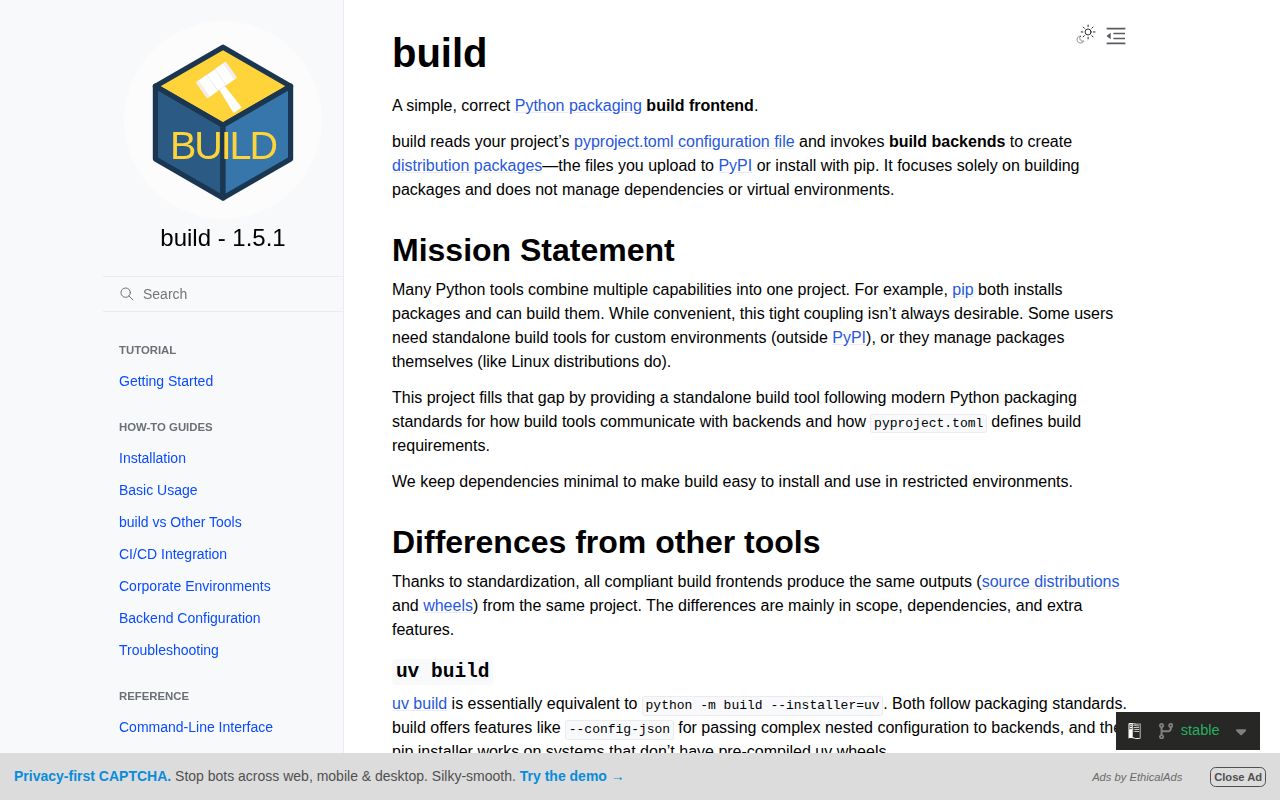
`build` 1.5.0 is PyPA's focused frontend for producing a source distribution and wheel from a Python project. It reads `[build-system]` in `pyproject.toml`, installs that backend's requirements in an isolated environment, and invokes the PEP 517 hooks. The backend still does the packaging work. Our Python 3.12 sandbox needed three installed packages and 1 MB for the tool, so it is a modest CI addition when Hatch, Poetry, PDM, or another project manager does not already own the release command. The 1.5.0 Python API also fixes handling of build requirements that are already installed.
`build` 1.5.0 installed in 0.2 seconds and occupied 1 MB across three packages in our sandbox, with 0 pip-audit findings. Add it for a backend-neutral artifact step; leave it out when your existing Python project manager already produces and publishes the release files.
We installed it
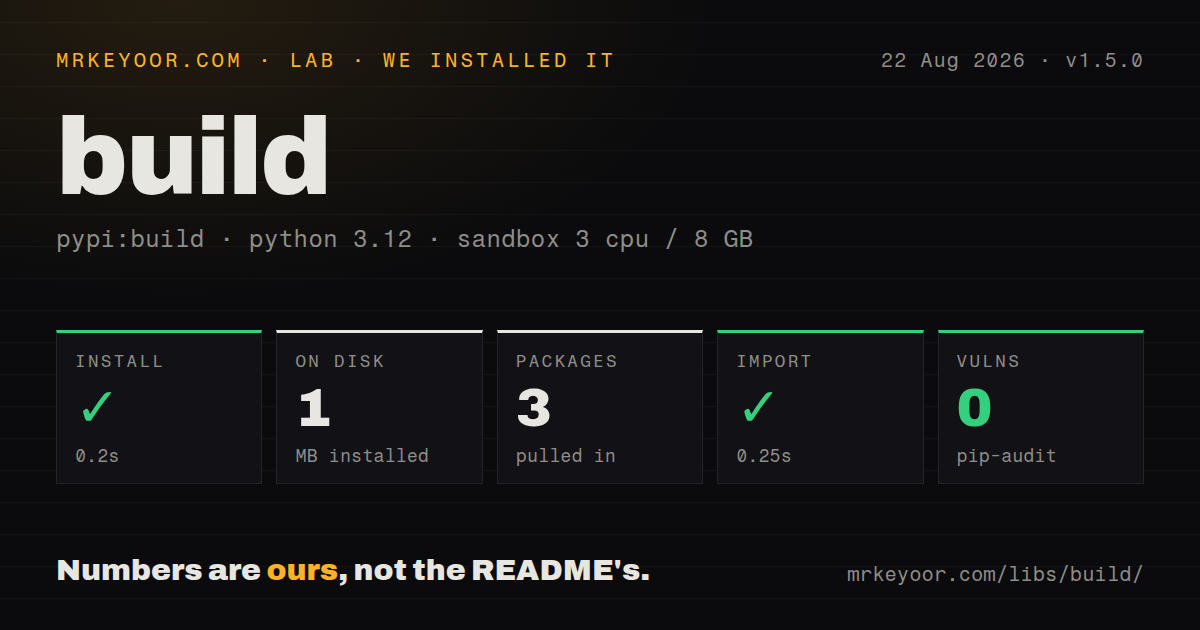
| Install | ✓ · 0.2s | 3 packages on disk · 1 MB |
| Import | ✓ | import build in 0.25s · pure Python · py.typed · requires Python >= 3.10 |
| Known vulns | 0 | (pip-audit) |
Answers from our run
Does build install cleanly?
Yes. In a fresh container with an empty cache, pip install build finished in 0.2s, leaving 3 packages and 1 MB on disk. pip-audit reported no known vulnerabilities.
What does build need to run?
Python >= 3.10, and nothing compiled: it is pure Python. In our run import build succeeded in 0.25s, and the package ships py.typed for type checkers.
build or hatch: which should you use?
hatch: Use it when environments, versioning, builds, and publishing should share one project tool. build 1.5.0 installed in 0.2 seconds and occupied 1 MB across three packages in our sandbox, with 0 pip-audit findings.
When should you not use build?
Hatch, Flit, Poetry, PDM, or uv already builds the same artifacts in your established workflow; another frontend adds no useful boundary.
Use it if
- CI needs one command that works across setuptools, Hatchling, Flit, and other PEP 517 backends.
- You want the release wheel built from the sdist so missing files in the source archive fail before upload.
- Build requirements should be isolated from whatever happens to be installed in a developer or runner environment.
- A release script needs `ProjectBuilder` to choose artifact type, destination, and backend settings programmatically.
- Hatch, Flit, Poetry, PDM, or uv already builds the same artifacts in your established workflow; another frontend adds no useful boundary.
- You need upload, signing, or release publishing. `build` stops after writing local artifacts, so those steps require Twine or another release tool.
- The runner is offline and the backend requirements are not preinstalled. Isolated builds ask the selected installer to obtain requirements from an index.
- Python 3.9 must remain supported in the build job. Release 1.5.0 requires Python 3.10 or newer.
- You are looking for a packaging backend or dependency resolver. `build` calls the backend named in `pyproject.toml` and does neither job itself.
Setup reality
We installed build 1.5.0 in a fresh Python 3.12 Bookworm container. Installation succeeded in 0.2 seconds, and the environment held three packages using 1 MB afterward. pip-audit found 0 known vulnerabilities. Our package inspection counted nine direct dependency declarations, confirmed pure Python code and py.typed, and loaded import build in 0.25 seconds. The measured metadata did not identify a license.
The command has no credentials file. Your project needs a valid [build-system] table in pyproject.toml, including the backend and its requirements. python -m build creates an isolated environment, installs those requirements, then writes an sdist and a wheel to dist/. The pyproject-build console command reaches the same frontend. Version 1.5.0 now lets Python API callers account correctly for requirements already installed in their chosen environment.
Isolation can trigger network access after the frontend itself is present. For an offline runner, provision every backend requirement first and use --no-isolation. Dependency checking remains useful there because it reports absent or incompatible requirements before a backend hook runs. --skip-dependency-check suppresses that early warning. The optional uv installer works only when uv is on PATH or supplied through the uv extra.
A normal invocation builds the wheel from the newly created sdist, which catches packages that forgot to include source files. --wheel instead builds directly from the working tree. Settings supplied with -C or --config-json pass untouched to the backend, and setuptools accepts only some of them. No command here tests, signs, or uploads the artifacts, so release automation still needs those explicit stages.
Patterns
Build an sdist and wheel build-release-artifacts
python -m buildThe default creates both files and deliberately builds the wheel from the generated sdist.
Build only a wheel build-wheel-only
python -m build --wheelThis skips the sdist check and builds the wheel straight from the source directory.
Build only an sdist build-sdist-only
python -m build --sdistThe result is only the source archive; no wheel appears unless a later step builds one.
Write artifacts to a CI directory choose-output-directory
python -m build --outdir build-artifacts/ .The trailing dot names the source tree, while `--outdir` changes the artifact destination.
Run without a persistent install run-with-pipx
pipx run buildpipx gives the frontend its own temporary tool environment instead of adding it to application dependencies.
Use uv inside the isolated build use-uv-installer
pipx run 'build[uv]' --installer uvThe `uv` extra makes uv available, and `--installer uv` applies only to isolated requirement installation.
Use preinstalled build requirements disable-isolation
python -m build --no-isolationEvery backend requirement must already exist in the active Python environment.
Bypass the non-isolated requirement check skip-dependency-check
python -m build --no-isolation --skip-dependency-checkA missing backend package can then appear later as an import or hook failure.
Send a setting to the backend pass-backend-setting
python -m build -Cbuild-option=--verbose`build` forwards this value unchanged; only the selected backend can define or accept it.
Send structured backend settings pass-json-settings
python -m build --config-json '{"setup-args":["-Dfeature=true"]}'Version 1.5.0 rejects using `--config-json` together with any `-C` option.
Print build metadata as JSON read-project-metadata
python -m build --metadata | jq -r .versionMetadata mode emits JSON and cannot be combined with `--sdist` or `--wheel`.
Create a wheel through ProjectBuilder build-with-python-api
from build import ProjectBuilder

builder = ProjectBuilder('.')
missing = builder.check_dependencies('wheel')
if missing:
    raise RuntimeError(missing)
wheel = builder.build('wheel', 'dist')
print(wheel)
`ProjectBuilder` here uses the current environment, so satisfy the wheel requirements before calling `build()`.
Alternatives
| Package | Registry | Pick it when |
|---|---|---|
| hatch | PyPI | Use it when environments, versioning, builds, and publishing should share one project tool. |
| flit | PyPI | Use it for a small pure-Python package with a short build and publish path. |
| poetry | PyPI | Use it when dependency locking and publishing already run through Poetry. |
| pdm | PyPI | Use it when PDM already manages dependencies, scripts, environments, and releases. |
More cli & tooling guides
commander · chalk · typescript · esbuild · yargs · click · the whole shelf →
How this guide is made: grounded in the library's documentation, release notes, changelog, and issue history, on a fixed rubric — not a hands-on install of every release. The 50 most-downloaded entries are additionally install-verified in clean containers. Corrections: contact the desk.