accelerate review
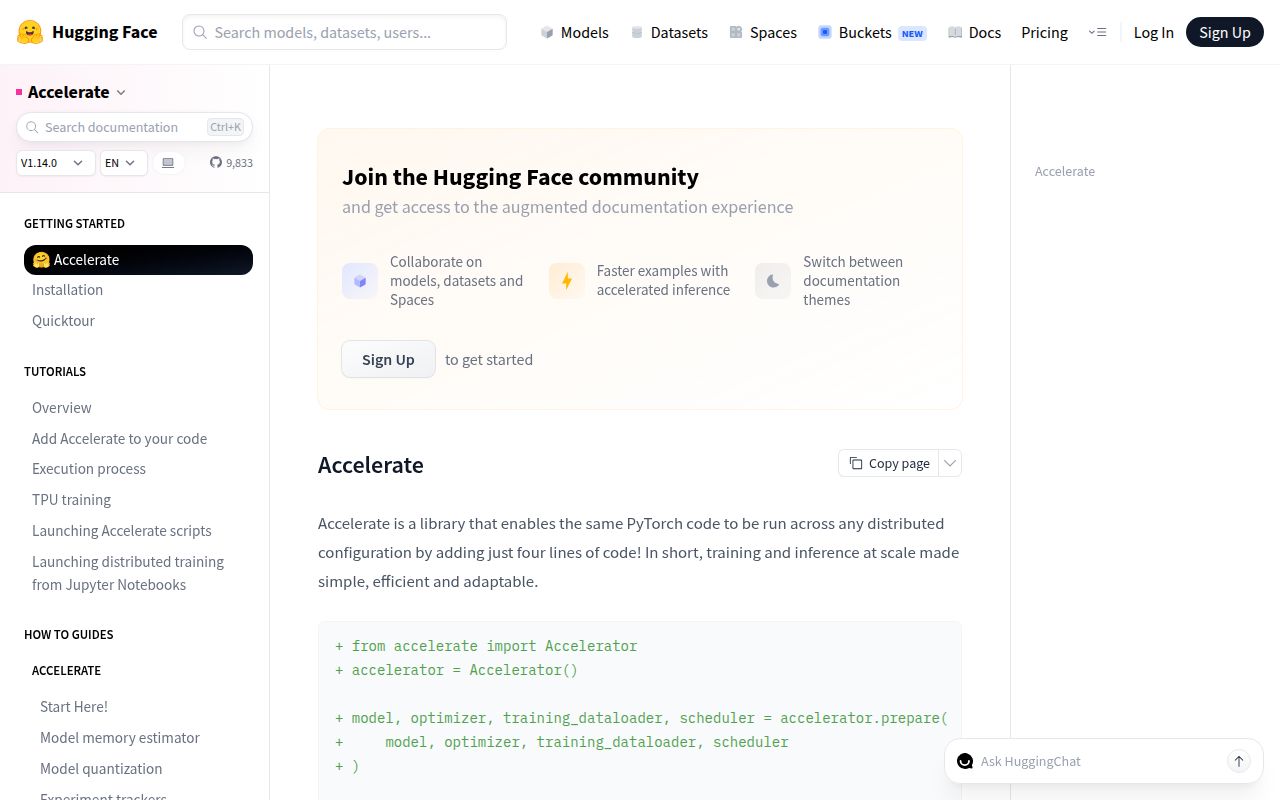
Accelerate 1.14.0 is a control layer for a PyTorch training loop you still write yourself. `Accelerator.prepare()` wraps the model, optimizer, scheduler, and data loaders for the selected device and distributed backend; `Accelerator.backward()` handles the matching backward pass. The current release adds end-to-end AMD ROCm support and fixes FSDP2 failures involving mixed-dtype state loading, QLoRA wrapping, embeddings, norms, and double-wrapped models. Our sandbox import worked, though the 4,643 MB environment shows that this is the PyTorch stack, not a tiny launcher.
Accelerate 1.14.0 imported in 3.38 seconds with 0 known vulnerabilities, but our install occupied 4,643 MB across 45 packages, so it earns its place only when one owned PyTorch loop must cross real hardware boundaries. Skip it for a single-device script or when a trainer framework should own the loop.
We installed it
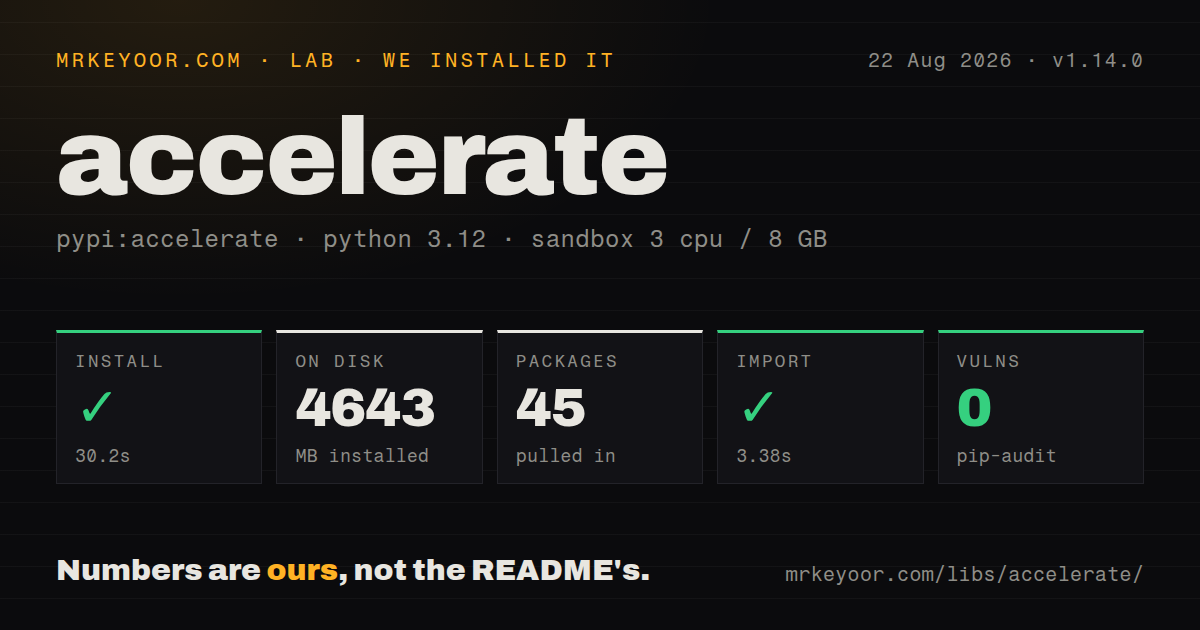
| Install | ✓ · 30.2s | 45 packages on disk · 4643 MB |
| Import | ✓ | import accelerate in 3.38s · pure Python · requires Python >=3.10.0 |
| Known vulns | 0 | (pip-audit) |
Answers from our run
Does accelerate install cleanly?
Yes. In a fresh container with an empty cache, pip install accelerate finished in 30 seconds, leaving 45 packages and 4643 MB on disk. pip-audit reported no known vulnerabilities.
What does accelerate need to run?
Python >=3.10.0, and nothing compiled: it is pure Python. In our run import accelerate succeeded in 3.38s.
accelerate or lightning: which should you use?
lightning: Choose Lightning when a Trainer should own the loop, callbacks, validation cadence, logging, and checkpoints. Accelerate 1.14.0 imported in 3.38 seconds with 0 known vulnerabilities, but our install occupied 4,643 MB across 45 packages, so it earns its place only when one owned PyTorch loop must cross real hardware boundaries.
When should you not use accelerate?
You want a framework to own epochs, callbacks, validation, and logging. Accelerate's README says users still write the PyTorch loop; Lightning is a better fit for a managed trainer
Use it if
- You have a hand-written PyTorch loop and need the same script to run on one device, several GPUs, or several nodes through `accelerate launch`
- You want to select DDP, FSDP, DeepSpeed, mixed precision, or AMD ROCm through launcher configuration while keeping model code recognizable
- You need `init_empty_weights()` and `load_checkpoint_and_dispatch()` to place an inference checkpoint across GPU memory, CPU RAM, and disk
- You run distributed work from Colab or Jupyter, where `notebook_launcher()` is more practical than starting a separate CLI process
- You want a framework to own epochs, callbacks, validation, and logging. Accelerate's README says users still write the PyTorch loop; Lightning is a better fit for a managed trainer
- A single-device PyTorch script already meets the requirement. Our install left 45 packages and 4,643 MB on disk, so the added layer is hard to justify
- Your production baseline is Python 3.9 or older. Accelerate 1.14.0 declares Python 3.10.0 or newer even though its README still mentions an older floor
- You need backend behavior to stay fixed across minor releases. Version 1.14.0 contains many FSDP2 corrections, while the README labels FSDP and DeepSpeed support experimental
- You expect wrapping the model to guarantee distributed correctness. Evaluation still needs `gather_for_metrics()`, side effects need process guards, and loaders must pass through `prepare()`
Setup reality
We installed Accelerate 1.14.0 in 30.2 seconds in a fresh Python 3.12 container. The environment ended with 45 packages occupying 4,643 MB, and import accelerate completed in 3.38 seconds. Pip-audit found 0 known vulnerabilities. The package is pure Python, declares 68 direct dependencies, requires Python 3.10.0 or newer, uses the Apache license, and does not ship py.typed. The large footprint comes with the machine-learning runtime it pulls onto the box.
Run accelerate config on each machine to create launcher YAML, or pass every choice on the command line. A saved config is read automatically by accelerate launch, so 2 hosts can run the same script with different process counts, precision, or backends. Keep that file in deployment configuration when repeatability matters. DeepSpeed, FP8 providers, and TPU support require their own packages and platform setup; Accelerate does not install hardware drivers.
prepare() changes runtime ownership. Use every returned model, optimizer, scheduler, and data loader. With 2 or more processes, guard file writes and external logging with is_main_process, then add a barrier before another worker reads shared output. Use gather_for_metrics() because distributed evaluation loaders may duplicate tail samples. save_state() is for resuming wrapped training state; export through unwrap_model() and Accelerate's save helpers.
The 1.14.0 release fixed FSDP2 dtype, QLoRA, auto-wrap, and checkpoint bugs. Pin the tested minor version for long jobs. notebook_launcher() must spawn before a notebook initializes CUDA. Multi-node runs still need matching code and configuration on every node, plus working rendezvous networking. NCCL errors, scheduler failures, CUDA or ROCm drivers, and backend memory limits remain outside this abstraction.
Patterns
Wrap a plain PyTorch loop prepare-training-loop
from accelerate import Accelerator

accelerator = Accelerator()
model, optimizer, loader = accelerator.prepare(model, optimizer, loader)
for batch in loader:
    optimizer.zero_grad()
    loss = compute_loss(model, batch)
    accelerator.backward(loss)
    optimizer.step()
`prepare()` returns the objects each process must use. Batches from its loader already follow Accelerate's device placement, so do not move them to a hard-coded CUDA device.
Create and inspect launch settings configure-launcher
accelerate config
accelerate env
accelerate test
accelerate launch train.py --epochs 3
`accelerate config` writes machine defaults that `accelerate launch` reads automatically. Store or generate that file when 2 machines must launch the same topology.
Launch without saved settings launch-two-gpus
accelerate launch --multi_gpu --num_processes 2 --mixed_precision bf16 train.py --batch-size 16Launcher options come before the script path. BF16 requires suitable hardware, so select FP16 or no mixed precision on an unsupported target.
Accumulate without syncing every batch accumulate-gradients
accelerator = Accelerator(gradient_accumulation_steps=4)
model, optimizer, loader = accelerator.prepare(model, optimizer, loader)
for batch in loader:
    with accelerator.accumulate(model):
        loss = compute_loss(model, batch)
        accelerator.backward(loss)
        optimizer.step()
        optimizer.zero_grad()
The context coordinates synchronization and prepared optimizer steps over 4 microbatches. Do not add a second manual accumulation counter around it.
Gather metrics without padded duplicates collect-evaluation-metrics
model.eval()
for batch in eval_loader:
    with torch.no_grad():
        logits = model(**batch).logits
    pred, target = accelerator.gather_for_metrics((logits.argmax(-1), batch['labels']))
Use a prepared evaluation loader. `gather_for_metrics()` removes duplicated tail samples used to divide work evenly; plain gather can leave them in the result.
Write once across many processes guard-side-effects
accelerator.print(f'workers={accelerator.num_processes}')
if accelerator.is_main_process:
    write_metrics(metrics)
accelerator.wait_for_everyone()
Every worker executes the whole script. The main-process guard prevents 2 or more workers from racing on the same file or external API.
Checkpoint wrapped training state save-resume-state
accelerator.save_state('checkpoints/step-1000')
# rebuild and prepare matching objects first
accelerator.load_state('checkpoints/step-1000')
`save_state()` captures registered model, optimizer, scaler, scheduler, and random-number state. Recreate the matching prepared objects before loading.
Export after distributed training export-model
accelerator.wait_for_everyone()
unwrapped = accelerator.unwrap_model(model)
unwrapped.save_pretrained('output', is_main_process=accelerator.is_main_process, save_function=accelerator.save, state_dict=accelerator.get_state_dict(model))
Unwrap before `save_pretrained()`. `get_state_dict()` is the Accelerate-aware path for collecting weights from sharded backends such as ZeRO or FSDP.
Place a checkpoint across memory tiers dispatch-large-checkpoint
from accelerate import init_empty_weights, load_checkpoint_and_dispatch
with init_empty_weights():
    model = Model(config)
model = load_checkpoint_and_dispatch(model, 'checkpoint', device_map='auto', offload_folder='offload')
Empty initialization avoids allocating the complete model first. Automatic placement may use GPU, CPU, then disk, which helps inference fit but can reduce throughput.
Start workers from a notebook launch-notebook-workers
from accelerate import Accelerator, notebook_launcher
def train():
    accelerator = Accelerator()
    run_training(accelerator)
notebook_launcher(train, num_processes=2)
Create `Accelerator` inside the launched function. If the notebook initializes CUDA before starting 2 workers, restart the kernel and move setup into `train()`.
Select DeepSpeed ZeRO in Python enable-deepspeed
from accelerate import Accelerator, DeepSpeedPlugin
plugin = DeepSpeedPlugin(zero_stage=2, gradient_accumulation_steps=4)
accelerator = Accelerator(mixed_precision='fp16', deepspeed_plugin=plugin)
model, optimizer, loader = accelerator.prepare(model, optimizer, loader)
DeepSpeed is a separate installation, and the README labels this integration experimental. The plugin must know the 4-step accumulation setting before wrapping objects.
Alternatives
| Package | Registry | Pick it when |
|---|---|---|
| lightning | PyPI | Choose Lightning when a Trainer should own the loop, callbacks, validation cadence, logging, and checkpoints. |
| deepspeed | PyPI | Use DeepSpeed directly when ZeRO partitioning, offload, communication, and engine settings are application concerns. |
| ray | PyPI | Use Ray Train when cluster scheduling, worker recovery, data pipelines, and distributed tuning matter more than preserving a local loop. |
More ai / ml guides
@modelcontextprotocol/sdk · openai · mcp · huggingface-hub · @anthropic-ai/sdk · openai · the whole shelf →
How this guide is made: grounded in the library's documentation, release notes, changelog, and issue history, on a fixed rubric — not a hands-on install of every release. The 50 most-downloaded entries are additionally install-verified in clean containers. Corrections: contact the desk.