One agent covers the TUI, scripts, and CI
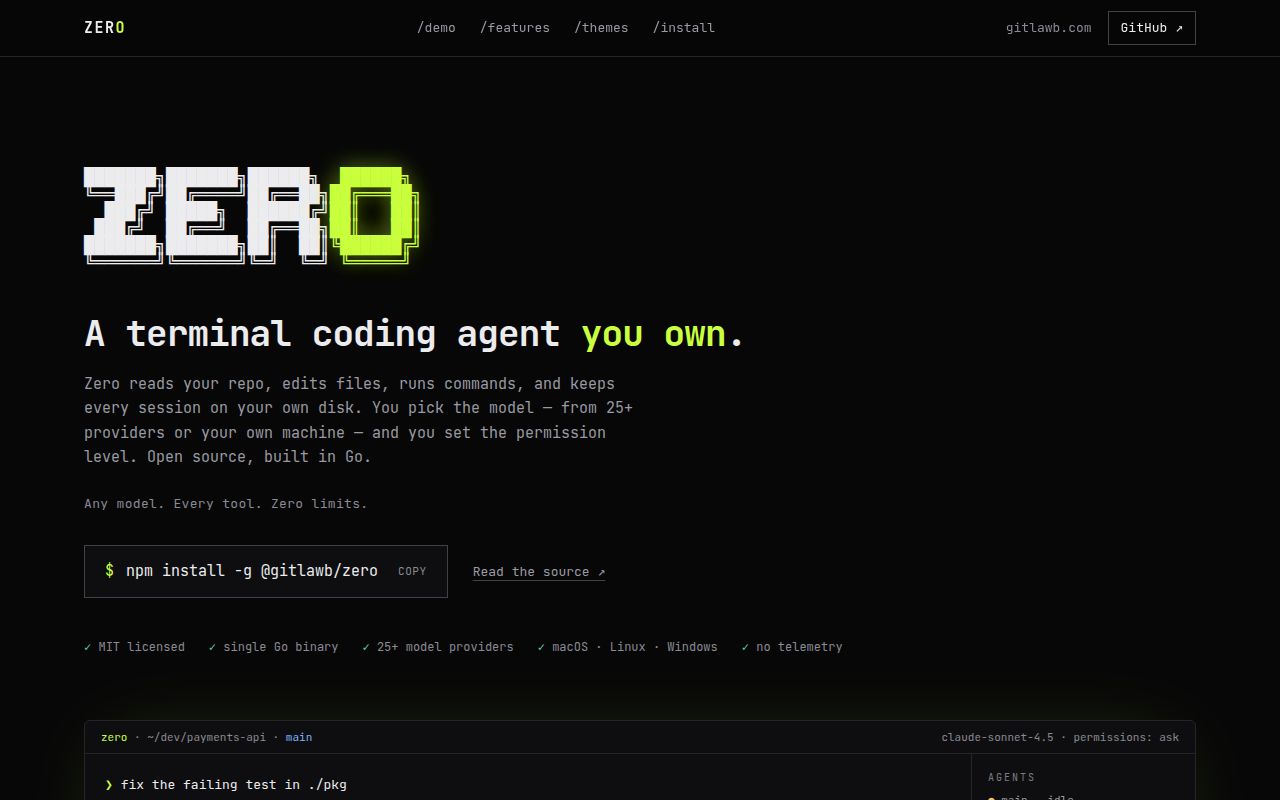
Zero's interactive mode has provider and model pickers, permission controls, plans, images, session resume, and repository tools. The same binary also runs a single prompt with zero exec, accepts stream JSON, returns meaningful exit codes, and can create an isolated worktree. A developer can explore in the TUI, then move a stable task into automation without changing products.
The breadth is substantial for version 0.8.0. The command list includes local session search, context reports, repository maps, verification, changes, schedules, plugins, skills, specialists, MCP, and provider setup. More capability means more policy surface. Decide which commands an automated run may execute, which directories it may write, and whether network access is allowed before placing it in a CI job or a repository with release credentials.
Provider freedom still leaves credentials and model behavior with you
The README names more than 25 providers and compatible endpoint types. Hosted choices require environment keys or setup-wizard entries; Ollama and LM Studio need local servers. Switching providers is useful for cost and privacy, but models do not share identical tool use, context limits, or authentication behavior. zero doctor, provider listing, and a small repository task should be part of onboarding for every selected profile.
Sessions stay on local disk, and the project says Zero does not upload them as telemetry. Local storage is useful for search, resume, fork, rewind, and side conversations. It also puts retention and workstation access under your control. A 32 KiB cap applies to the combined project instruction files, while each discovered instruction file is capped at 8 KiB. Teams with layered guidance should check which rules reached the prompt.
What happened when we ran it
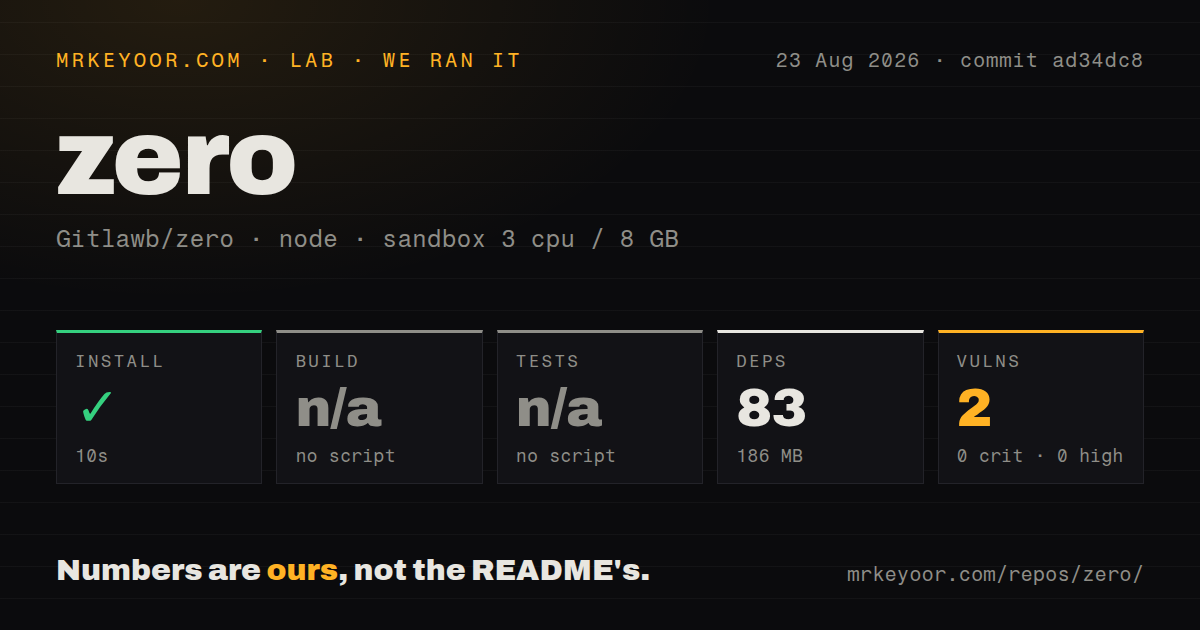
Our sandbox measured the npm package path at commit ad34dc8. Installation succeeded in 10 seconds, adding 83 packages and occupying 186 MB. The package exposed no build script or target, so the build step was skipped. It also exposed no test script or target, so our harness had no npm test suite to run.
Npm audit reported 2 known vulnerabilities, both moderate, with 0 critical and 0 high findings. The checkout contained 1,466 files and about 384,283 source lines in 13.8 MB. It had 5 CI workflow files, no Dockerfile, and no tests directory. These are measurements of the checked-out npm-oriented path, not evidence that the repository has no Go tests. The README explicitly directs source contributors to go test ./....
Our 3-CPU, 8 GB container had no secrets and did not connect Zero to a model provider. We did not judge edit quality, task completion, browser control, or sandbox escape resistance. The clean install proves the wrapper resolves in that environment. With no package build or test target, it gives less assurance about the Go agent than a green source test run would.
Permission controls have current edge cases
Zero gates writes, shell commands, network access, out-of-workspace paths, destructive commands, and elevated actions. Extra write roots are explicit, and unsafe modes require opt-in. Release v0.8.0 added a path-jail primitive, credential-store locking, and Git worktree hardening. Those are the right areas to address in a coding agent because a model's proposed command can carry real side effects.
Open pull request #866 documents a failure of the repeated-denial guard. A headless run made 384 denied calls over 26 minutes because each refusal string differed, so the streak never reached its stop threshold. Pull request #726 separately classifies git push as network-sensitive. Until those changes are in the release you deploy, a denied capability should trigger an external time or tool-call budget as well as Zero's internal policy.
File edits need extra care on Windows
Issue #967 reports that reading and rewriting a CRLF file can convert it to LF and remove a UTF-8 BOM. That can turn a small requested change into a whole-file diff or break tools that depend on the marker. Issue #963 reports another editing hazard: a fuzzy block match can accept changed interior lines and replace content that did not match the requested old string byte for byte.
Both reports were open on August 26, 2026, and each concerns a core coding-agent operation. Require diff review for project files with generated formats, Windows line endings, or fragile configuration. A worktree reduces cleanup cost, but it does not tell you whether the edit was semantically right. Teams should run format and test commands after every autonomous edit and reject unexpectedly broad diffs.
MCP and plugins turn configuration into code execution
Zero can connect to MCP servers, expose its own tools over MCP stdio, load markdown skills, and discover user or project plugins. Plugin manifests may declare commands, hooks, prompts, and tools. Project plugins resolve from the current working directory, while personal plugins live under the user configuration directory. These extension points can make one installation fit several teams and languages.
They also expand what must be reviewed. A hook can run before or after tools, and a plugin command is executable configuration. Keep trusted plugins under version control, review manifest changes, and avoid inheriting personal extensions in a controlled CI identity. The README's permission values help, but they cannot make an unknown command safe merely because it arrived through a named plugin.
August 2026 activity is intense and unfinished
GitHub recorded 1,631 stars, 115 combined issues and pull requests, and a last push on August 26, 2026. Release v0.8.0 arrived on August 21, while an automated v0.8.1 release pull request was already open by August 26. The queue includes fixes for TUI input, process timeouts, configuration preservation, Windows sandbox behavior, and secret redaction.
That pace shows active work and a product still discovering edge cases. The MIT license, detailed docs, platform packages, source instructions, and visible security discussions make Zero easier to evaluate than a closed agent. For everyday experimental coding, its range is appealing. For unattended changes to valuable repositories, pin a version, restrict credentials, cap runs externally, and promote upgrades only after platform-specific tests.