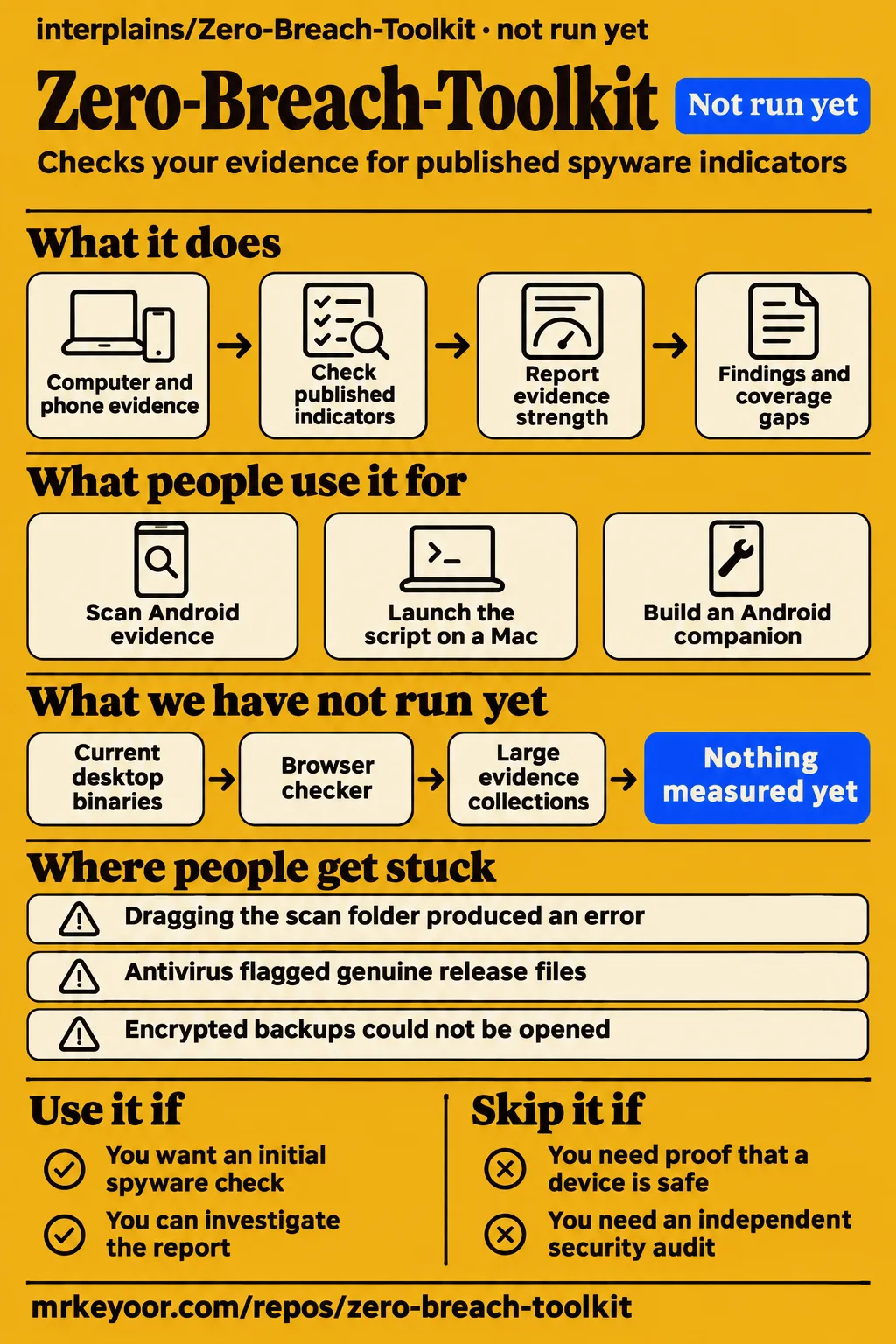
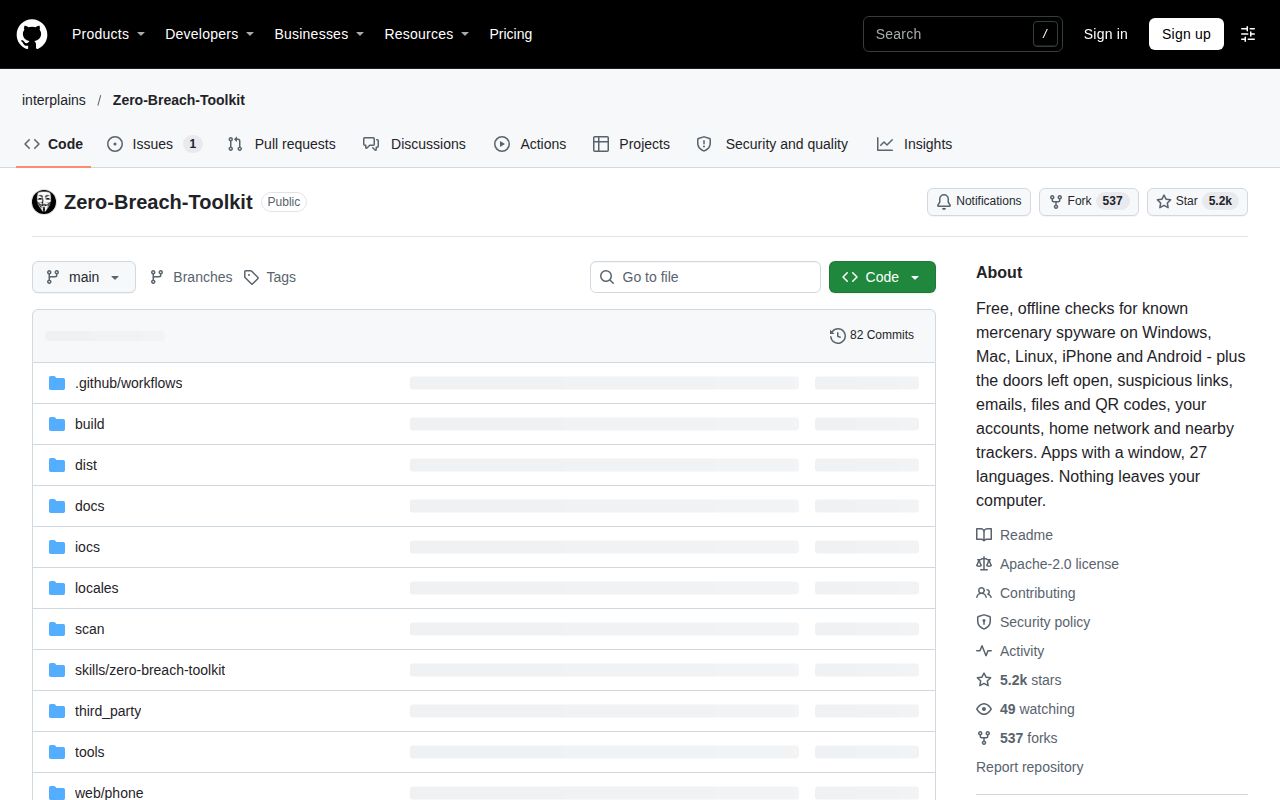
Zero Breach Toolkit checks supported evidence for published spyware indicators; a green result does not prove a device is safe. Use it if you want an initial check and can read the report's coverage gaps. Skip it if you need a clearance certificate or are treating a suspected targeted attack without expert help. Our sandbox did not run the Python project: the harness had no supported ecosystem path and found no Dockerfile. Project documentation
The most useful evidence comes from people who got past the download. A Pixel owner completed collection and received app findings. A Mac contributor caught a false operating-system warning and later confirmed its disappearance. Those reports support a narrower, more useful recommendation than a list of spyware names: this tool can produce leads worth discussing with someone who understands the evidence.
What people use Zero-Breach-Toolkit for
Users have reported a completed Pixel collection, a successful Mac launch and an Android companion built from the detection logic.
| Who | What they did | What came out |
|---|---|---|
| GitHub user TOTO222-1 | Collected evidence from a Pixel 9A running Android 17 and scanned it. | Reported findings involving an installed modded Twitter app and a previously removed Findmykids mod. The maintainer treated the certificate match as a reason to investigate. Issue #39 |
| GitHub user danaedana | Launched the Python script on a Mac after missing-file errors. | Confirmed that dragging the actual script into Terminal worked. The thread reports a successful launch rather than scan findings. Issue #22 |
| GitHub user BEKO2210 | Reimplemented Android detection logic in Kotlin as Spyhound for people without a computer. | Described an on-phone companion. The toolkit maintainer deferred recommending it pending a longer track record. Issue #40 |
The Pixel story is especially instructive. TOTO222-1 thought missing prompts and an AAPM message meant collection had gone wrong. After the maintainer explained the collection sequence, the user completed it and reported findings. The modded Twitter app shared a signing certificate with one associated with MobileTrackerFree in published research. The maintainer explicitly left two possibilities open: monitoring code in the mod, or reuse of the signing key. The user said they would act. The thread does not confirm infection or subsequent removal. Pixel discussion
That distinction is why I would keep the whole report rather than pass along a red or green badge. A certificate, a filename and a contacted domain mean different things. The README says the report includes evidence strength and places it could not check. Read those alongside the finding before deciding what it means for the device. Report scope
What happened when we ran it
Our November 18, 2026 sandbox did not run commit fe32f95: Python had no supported ecosystem path in the harness, and no Dockerfile was available.
| Recorded item | Result |
|---|---|
| Checkout | interplains/Zero-Breach-Toolkit at fe32f95 |
| Sandbox allocation | 3 CPUs, 8 GB RAM |
| Execution | NOT RUN: no supported ecosystem for Python; no Dockerfile |
| Runtime and operating system | Image recorded as n/a; actual versions require raw toolchain logs |
That is a boundary of our lab procedure, not evidence that the scanner fails on a supported computer. The desktop downloads described by upstream are a different distribution path. An allocation of 8 GB is also not a measured memory requirement: the scanner never reached a workload here.
The separate hands-on pack stopped at its safety step because it found none of compose.yaml, compose.yml, docker-compose.yaml or docker-compose.yml. Its rule required a Compose file. Teardown was recorded as successful. A generic run record says the project was deployed with its own Compose configuration, but that statement conflicts with the explicit safety failure and the NOT RUN measurement above. We therefore report no successful deployment, scan, build or test from this lab attempt.
Where people get stuck: launch paths, backup access and result interpretation
Reported obstacles include launching a folder instead of a script, missing backup support in the active Python environment and misunderstanding Android collection messages.
| Report | What happened | Resolution shown in the thread |
|---|---|---|
| danaedana, #22 | Terminal looked for the script under the user's home directory, then Python received the scan folder instead of its file. | Dragging zero-breach-toolkit.py itself worked; guidance was added in 0.1.13. Thread |
| daseknase, #26 | A dragged path produced a syntax error inside Python's interactive prompt. | The maintainer explained how to leave the prompt and launch from the shell; the user confirmed it looked correct. Thread |
| Windows Android reporter, #25 | Collector download stopped with CERTIFICATE_VERIFY_FAILED. | Version 0.1.14 added Windows-specific guidance and clarified that no phone data had been collected. No user-confirmed environment repair appears. Thread |
| Encrypted-backup reporter, #21 | The scan still reported missing cryptography after the user had installed it. | The maintainer attributed this to different Python environments; 0.1.13 added the interpreter name and matching installation command. No successful retry is recorded. Thread |
| edoredo, #15 | Menu choices and report.txt were typed after the toolkit had exited. | The maintainer explained the old save menu and later said version 2 saves directly to Downloads. The reporter did not confirm that newer behavior. Thread |
The Mac launch case is easy to recognize from the error. In #22, the missing path began under /Users/XXX/scan rather than the downloaded project. The next attempt supplied the scan directory, so Python complained about a missing main module. Neither message was a spyware finding. The final confirmation came after the user supplied the file itself. Separately, that user had deleted a candiru folder out of concern. The maintainer explained that third_party/candiru contains detection rules and advised a fresh download to restore it. Mac launch exchange
For Android, skipped intrusion logging has a different meaning. In #39 the maintainer explained that AndroidQF could not find available AAPM intrusion logging and that collection prompts appear as their steps are reached. The user then completed collection. A missing evidence source belongs in the report's coverage assessment; it should not be silently converted into either an infection claim or reassurance. Android collection exchange
A green phone result from 2.0.0 to 2.0.2 needs another check
Keenable's evidence card reports that version 2.0.4 advised users of 2.0.0 through 2.0.2 to update and recheck phones previously shown as green.
The card says those versions could overstate what had actually been checked. This is the release-history detail I would put ahead of any feature checklist. If your only record is an affected green phone result, follow the reported update-and-recheck advice. The supplied evidence is the card's account of that release note, rather than the release note itself. Phone-result correction
There is a separate, concrete Mac correction. In #33, s3ba-b reported that version 2.0.2 read CVE year fields as operating-system versions and produced false macOS update warnings. The maintainer reported the correction in 2.0.4. The contributor later ran 2.0.5 and confirmed the false warning was gone, along with corrected Full Disk Access advice. These are historical source-script results, not observations of the current desktop app. Mac regression report
Antivirus warnings require more than an official download link
Issue #41 records real detections on genuine release files and later vendor reversals, so an alert deserves investigation even when the download is authentic.
The maintainer confirmed that the initially reported Python file matched the genuine 2.0.5 release asset. They attributed behavioral sandbox warnings to activities a scanner also performs, such as reading browser folders and enumerating processes. Other commenters then reported Windows antivirus detections. In the later 3.0.2 update, the maintainer said Microsoft, CrowdStrike, Bitdefender and ALYac no longer flagged it, while Bkav, SecureAge and a separate Kaspersky detection were still being addressed. Those are the maintainer's reports, not results from our antivirus testing. Detection thread
A checksum answers whether you received the published file. A signature or build attestation adds provenance information. Neither answers every question about what the program can do. Keenable makes that distinction explicitly. My recommendation is to check origin and integrity, then make a separate trust decision about giving this software access to private records. The README also offers source execution and a phone-backup browser checker as alternative paths; choosing one changes the workflow, not the meaning of provenance. Release trust boundary, upstream download choices
Privacy depends on which step you are doing
The README promises no network requests during a scan, while indicator updates and Android collection use the network.
Read-only means preserving source evidence and system settings. The scanner can write temporary database snapshots and requested reports. Those outputs matter because they can contain private information. Agentbeam's documentation review warns that reports may include usernames, browsing details and SMS excerpts, and that cloud-synced folders can upload them. A local scan and a report saved into a synced directory have different exposure paths. README privacy statement, Agentbeam privacy review
The network guard operates inside Python. The project explicitly says it is not an operating-system network sandbox. The README's browser checker describes another boundary: selecting an existing phone-evidence folder in a page whose scanning component forbids network connections. It cannot inspect the computer's installed programs or startup entries. Match your choice to the evidence you actually hold, and distinguish acquiring phone evidence from examining an existing collection. Documented boundaries
Zero-Breach-Toolkit vs MVT and Spyhound
MVT focuses on mobile-device forensics, while Zero Breach Toolkit adds computer checks and Spyhound offers an Android-on-phone route.
| Option | Reason to consider it | Decision boundary |
|---|---|---|
| Zero Breach Toolkit | One documented workflow for supported computer records and supplied phone evidence. | Choose it for initial desktop-plus-phone triage and evidence grading. README |
| Mobile Verification Toolkit | MVT's own project describes mobile-device forensics for signs of potential compromise. | Choose it for mobile forensics with a trained investigator; its README explicitly excludes end-user self-assessment. A broader platform list does not demonstrate better detection. MVT project |
| Spyhound | BEKO2210 describes an Android implementation for people without a computer. | Consider the on-phone approach with its author's warning that it does not replace AndroidQF evidence checked by the desktop toolkit. The toolkit maintainer is waiting for a longer track record. Companion discussion |
| General YARA pattern matching | The supplied source analysis treats general pattern matching as a different layer. | The fork's optional toolkit mode describes limited Candiru rules and explicitly excludes added Pegasus detection. It is not evidence of broad spyware coverage. Scope comparison, fork documentation |
Beam also appears in the supplied comparison material, but its review describes monitoring coding-agent actions and scanning skills or MCP configurations. That serves a different need from investigating spyware traces on a device. Searching for an alternative should start with the job: checking mobile evidence, examining a computer, or supervising an agent. Treating every security tool as interchangeable would make this choice harder. Beam's comparison
What the other reviews get wrong
The launch's absolute privacy claims and older Python-only instructions omit boundaries stated in the current README.
The LinkedIn repost says the toolkit never writes to disk. The README allows temporary snapshots and requested reports. Agentbeam records the launch's broader no-internet claim, but distinguishes scans from updates and Android acquisition. Repowise's getting-started text similarly calls indicator updating the only online step, which describes its limited example rather than the full phone-collection workflow. LinkedIn repost, Agentbeam, Repowise, README
Archive Genocide's introduction video describes a Python-based launch path. The current README also offers desktop downloads without Python installation or commands. Elite Performance Exclusive's review calls the project three days old and identifies its checked release as 0.1.10. That age belongs to the early review, not the November snapshot, where Repowise lists 3.0.2 dated November 14. Preserve those version labels when comparing advice. Introduction video, early review, November listing
The README itself overreaches when it declares an antivirus warning a false alarm solely because the file came from the official release page. Issue #41 supports reversals by named vendors and remaining reports. It does not support dismissing every alert. This matters more than whether a review sounds enthusiastic: a reader needs to know which question the evidence actually answers. README warning, vendor discussion
Questions people ask
A nontechnical user can check a release's origin and checksum, but those checks alone cannot prove the program is safe. Provenance limits
How can a nontechnical user check that Zero Breach Toolkit does not contain malware itself?
Checksums, signatures and build attestations establish aspects of origin and integrity. They do not prove freedom from malicious behavior or bugs. Peter34787279 asked this trust question on X; Keenable's evidence card explains the distinction. If you cannot assess the software, ask a trusted helper before giving it access to private evidence. X question, evidence card
Why do antivirus engines and VirusTotal sandboxes flag Zero Breach Toolkit?
The maintainer attributes flags to scanner behavior resembling malware and to unsigned programs. Issue #41 records genuine detections, vendor reversals and remaining flags. That explanation is the maintainer's account, not a universal diagnosis of every antivirus warning. Issue #41
Does Zero Breach Toolkit send my data anywhere?
The README says scans make no network requests and have no upload feature. Updates and Android acquisition have separate network activity, and the Python guard is not an operating-system sandbox. A report saved into a cloud-synced folder can be uploaded by the sync service. README, privacy review
Does Zero Breach Toolkit really never write to disk?
It writes temporary database snapshots and reports you request. The read-only promise concerns source evidence and system settings, so it should not be read as a promise of zero filesystem writes. That distinction appears near the top of the README. Read-only definition
Does Zero Breach Toolkit require administrator rights or other special permissions?
Default Windows evidence readers are described as ordinary-account checks; optional extended Windows event readers may need administrator rights. On macOS, Safari access needs Full Disk Access for the app or Terminal. Android collection involves USB debugging permissions. Permission choices affect which evidence can be read. Coverage details, collection review
Can Zero Breach Toolkit detect Pegasus?
It checks supported evidence for published Pegasus indicators. A result depends on the indicators and evidence available to that check. The README explicitly warns that unpublished spyware will escape this method, so the product name and list of spyware families cannot serve as a guarantee. Documented detection boundary
Does a clean or green scan mean my device is safe?
No. Green means no matching published traces were found in the places the check could read. Keep the coverage gaps with that result. For affected historical phone versions, the reported 2.0.4 correction also calls for updating and rechecking. Result meaning, phone correction
How does Zero Breach Toolkit differ from MVT?
Zero Breach Toolkit checks supported computer records as well as supplied mobile evidence. MVT describes its purpose as mobile-device forensics. The difference is scope; the supplied comparisons do not turn it into a measured detection advantage for either tool. Toolkit, MVT
Who actually needs to be tested for mercenary spyware?
The README directs journalists, activists, human-rights defenders and civil society who think they are being targeted to Access Now or Amnesty's Security Lab. It explicitly says they need not run this tool before seeking help. A credible targeting concern is a reason to ask an expert directly. Help guidance
Why not use a standard antivirus scan to look for these spyware traces?
Zero Breach Toolkit's documented workflow examines browser, system and supplied phone artifacts against published indicators. That gives it a specific triage role alongside ordinary protection. The supplied overview video explains artifact comparison, but it supplies no head-to-head detection experiment against an antivirus product. Artifact review, overview video
How do I install Zero Breach Toolkit?
The README offers desktop applications for Windows, macOS and Linux without installing Python or typing commands. It also retains a Python source route and a browser checker for existing phone evidence. Choose the route for your platform and evidence; the Mac desktop app must be opened on the Mac's desktop rather than through SSH. Download instructions
Why does the Mac launch command say no such file or directory?
In danaedana's report, Terminal was still in the home directory, so the relative script path pointed to the wrong place. The successful remedy was to supply the path to zero-breach-toolkit.py itself. Dragging the containing scan folder produced another error, which the maintainer also explained. Issue #22
What we have not tested yet
Our lab attempt produced no scanner workload, so installation success, runtime speed, memory use and detection quality remain unmeasured by us.
The supplied research contains no infected-device benchmark, measured detection rate or measured false-positive rate. It also contains no comprehensive independent security audit. The code reader in #3 explicitly worked by inspection on 0.1.4, and the maintainer reported those findings shipped in 0.1.6. That is useful historical scrutiny, with a stated scope. It is not an audit of version 3. Source review, audit boundary
The concrete Mac reports concern 2.0.x source scripts and explicitly exclude DMGs. We have not tested the current desktop binaries, browser checker, encrypted backups, version 3 account or home-network guidance, or behavior across large evidence collections. The supplied RepoSquare extract contains a partial-testing disclosure and comments, without the commands or outputs needed for a comparative finding. SourceForge's supplied listing has no user reviews. Neither fills these gaps. Mac scope, comparison extract, mirror listing
Keep the software version, findings and unchecked evidence together. If you suspect active targeting, the README's next step is expert help, even after a green result. Upstream help guidance