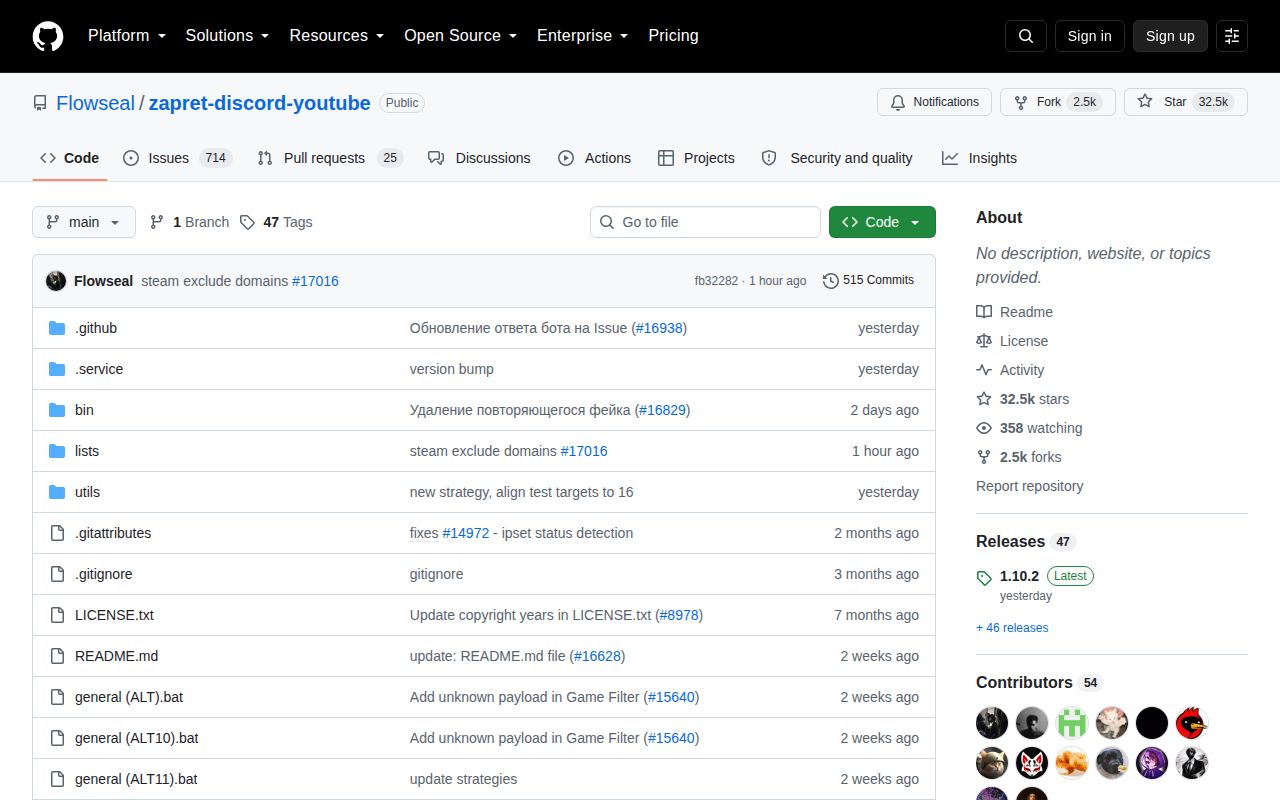
The bundle targets Windows and documents no English path
The repository state we reviewed on 2026-08-26 is a Windows distribution built around zapret and WinDivert. It supplies Batch files for different traffic-desynchronization strategies, domain and IP lists, diagnostics, update helpers, and service installation. The immediate target is access to Discord and YouTube when an internet provider's traffic inspection interferes with them. Users can extend the same mechanism to other domains and network ranges through local list files.
The language boundary is firm. The README, troubleshooting steps, menus, warnings, and issue titles are Russian. No English guide appears in the repository documentation we read. That is sensible for its main audience, but it matters because a mistake can alter DNS behavior, the Windows hosts file, packet routing, and services. Machine translation is a poor safety layer when an instruction tells you to reset networking or whitelist a driver in antivirus software.
A working strategy can stop when provider filtering changes
Release 1.10.2 has no single promised configuration. The instructions tell users to try general Batch files, including ALT and FAKE variants, until one works on their connection. A working strategy can later be installed through service.bat so it starts as a Windows service. The menu can remove services, report status, update IP lists, replace active fake payloads, update the hosts file, run diagnostics, and test targets.
The README directly warns that strategies can stop working after detection. It also explains that Discord, YouTube, Telegram, games, and unrelated websites may react differently. A broad IPSet mode can affect destinations the user never intended to touch; ipset any is specifically discouraged as a permanent setting because many sites may stop opening. This is ongoing network tuning, not a one-time installer with a stable green light.
Secure DNS is part of the documented setup. Chrome and Firefox users are told to select a provider rather than rely on the default, and Windows 11 can configure DNS over HTTPS at the operating-system level. Some Discord voice cases need a hosts-file addition. Games may need their addresses added to ipset-all.txt, while exclusions go into separate user files. Those changes are understandable once mapped out, though they can conflict with VPNs, endpoint security, company DNS, or another packet filter.
What happened when we ran it
We did not run it. On 2026-08-26 our lab received a repository whose detected language was Batchfile, with no Dockerfile and no ecosystem supported by the Debian harness. The sandbox was an unprivileged container with 3 CPUs, 8 GB of RAM, and no secrets. It could not reproduce a Windows host, load WinDivert, execute the service scripts, or test access through a real affected provider.
That means this page has no lab install time, build outcome, test count, dependency total, or vulnerability audit for the project. We will not convert the absence of a compatible runner into a pass. It also means we did not verify the binaries stored under bin. The README says those files come from zapret-win-bundle and zapret releases and urges users to confirm hashes or checksums before execution. That check is especially important for software granted administrator access to network traffic.
WinDivert can trigger antivirus risk-tool alerts
WinDivert captures and filters Windows network packets, and the README documents separate driver handling for Windows 7. The project warns that antivirus products may classify it as a risk tool or potentially unwanted application, even when the file itself is legitimate. Its suggested response is a carefully scoped exception or a change to potentially unwanted application detection. Either choice belongs to the owner of the machine. Disabling a security control because an archive says to do so is unsafe unless the archive source and hashes have been checked independently.
The scripts can also install persistent services and edit networking state. Removal is documented, including commands for a WinDivert service left behind, but rollback still requires administrative competence. On a personal PC that trade may be acceptable. On a company laptop, school device, gaming tournament machine, or computer with sensitive client access, endpoint policy should decide first. A service that intentionally changes inspected traffic may be blocked even when its use is lawful.
Current maintenance follows fast-changing breakage
The repository was pushed on 2026-08-26, two days after release 1.10.2 appeared on 2026-08-24. GitHub listed 739 open issues and pull requests combined. Recent reports on August 26 covered provider strategies, CloudFront responses, Discord TLS errors, games, WARP connection behavior, and scripts that would not start. This is active maintenance, and the traffic also shows how many failures depend on provider, destination, or another network product.
The troubleshooting material is unusually specific for a community bundle. It covers Secure DNS, service cleanup, full reinstall steps, Discord cache, Windows 7 driver files, antivirus detection, hosts entries, games, custom domains, and IP exclusions. The downside is discoverability: one long Russian README carries much of the operational burden, while issue volume makes diagnosis noisy. A user can find relevant advice, but may need to compare several strategies and discussions before knowing whether a fault is local or shared.
Use it only if you can reverse its service and network changes
On 2026-08-24, release 1.10.2 gave its intended audience a packaged route through the upstream Windows toolkit. Download a release, choose a strategy, verify the affected services, then install the selected option as a service. The presets and Russian troubleshooting reduce the amount of raw zapret parameter work. The MIT license covers the project, while bundled components and binaries should still be checked at their stated upstream sources.
The missing lab run prevents a blanket recommendation. A Russian-speaking home user who understands administrator scripts and can recover Windows networking has a reasonable trial path. Everyone else should start with the upstream zapret documentation, compare GoodbyeDPI, or avoid system-level interception. Before keeping any strategy, verify checksums, record how to remove its service, test unrelated sites and games, and retain a clean network configuration to restore.