The README promises a portable Windows music client
The user-facing pitch is short: download a ZIP, extract it with the password ytm4all, and run youtube-music-free.exe. The README says the client streams audio like a browser, does not download tracks or bypass DRM, and is not affiliated with Google. Search, background playback, local playlists, media keys, and dark mode are the named features.
Release v1.0.0 narrows the supported platform to Windows 10 and 11. It says the app needs no login and stores playlists locally, which suits someone who wants a disposable player rather than their existing YouTube Music account. That same choice rules out users who expect subscribed artists, liked songs, cloud playlists, or account history to appear. The README does not explain how catalog availability or playback changes when YouTube alters its service.
Package metadata identifies a different project and author
The checked-out package.json does not describe ytm4all version 1.0.0. It declares a package named youtube-music at version 3.12.0, uses the product name YouTube Music, credits th-ch, and sets the repository field to pear-devs/pear-desktop. Its description calls the code a YouTube Music desktop app with custom plugins. The failing test also names Pear Desktop.
That mismatch may have an explanation, but neither the README nor the v1.0.0 notes provides one. A buyer should not have to infer whether this is a fork, a repackaging, or a renamed build. Clear provenance matters more when the distributed artifact is a password-protected EXE and the visible repository identity differs from the package's author and repository fields. Until documented, inspect the source and build the executable yourself.
What happened when we ran it
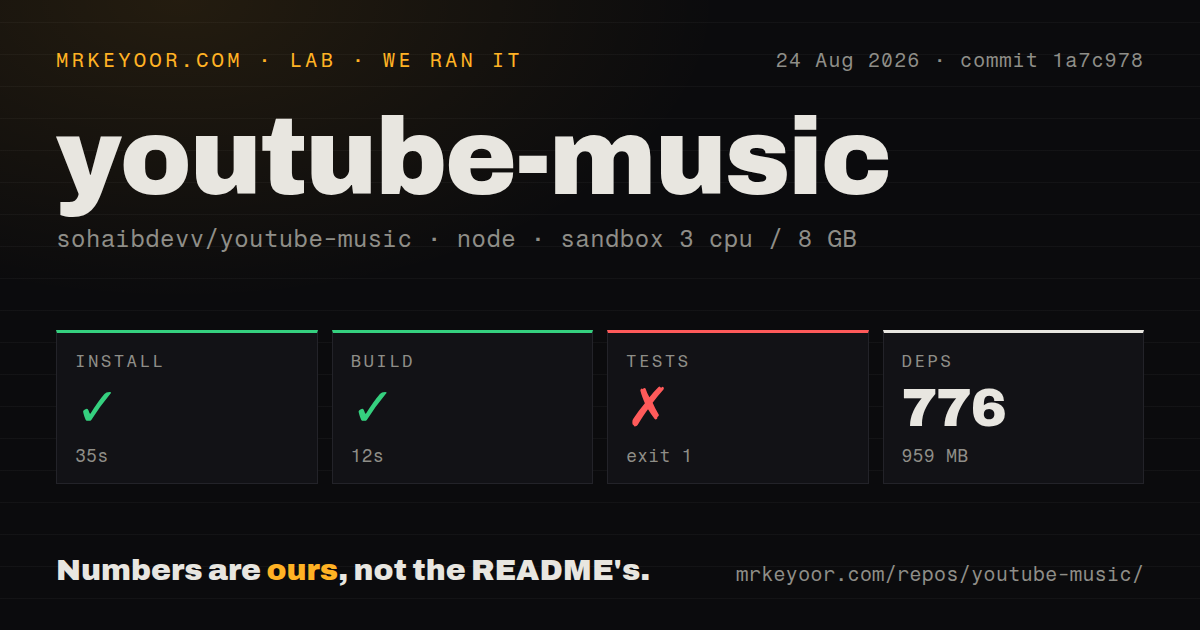
Our unprivileged Debian sandbox installed 776 pnpm packages in 35 seconds, using 959 MB on disk. commit 1a7c978 contained 412 files, about 33,598 lines of source, and a 6.4 MB checkout. The build succeeded in 12 seconds. We found 7 CI workflow files, a tests directory, and monorepo workspaces, but no Dockerfile.
The Playwright test step failed with exit code 1 after 22 seconds. Five tests passed and one failed in 15.6 seconds of reported Playwright time. The failed case is named Pear Desktop App - With default settings, app is launched and visible. Its error points to tests/index.test.js and an error-context Markdown file.
The log tail does not state whether Electron failed to start, started without a usable display, or opened invisibly for an application reason. Because the sandbox had no desktop secrets and ran as an unprivileged container, more than one explanation is possible. We report the failed visibility assertion, not a diagnosis. The successful 12-second build shows the source compiled in that environment.
Source development is much larger than the one-EXE pitch
The source requires Node 22 or later and pnpm 11 or later. It uses Electron, Vite, Solid, Playwright, an ad blocker, media libraries, local configuration storage, updater code, and youtubei.js. Build scripts target Windows, macOS, Linux, and ARM packages even though this repository's public README only offers the Windows archive. A contributor therefore inherits a full cross-platform Electron application rather than a tiny launcher.
Our install's 776 packages and 959 MB are the practical measure of that difference. The repository offers scripts for linting, formatting, type checking, packaging, and platform releases. What it does not document is how the source at version 3.12.0 produces the public v1.0.0 binary, which commit built the archive, or why the repository field points elsewhere. Reproducible build instructions would answer more than another feature list.
No login trades account features for a smaller data footprint
A no-login player can avoid handing Google credentials to another desktop wrapper. Local playlists also keep that list on the machine according to the README. Those are sensible privacy properties if implemented as described. They do not make the application anonymous: streaming requests still reach YouTube, and an Electron client has network access plus local file and update code.
The README's disclaimer says it streams like a browser and performs no DRM bypass. It does not document telemetry, update signing, playlist file location, export, or the behavior of its ad-blocking dependency. Users should block automatic trust, watch network destinations, and keep a recoverable copy of local playlists. With 0 open issues and pull requests shown by GitHub, the tracker offers little public operating history.
One August release is too little history for the provenance gap
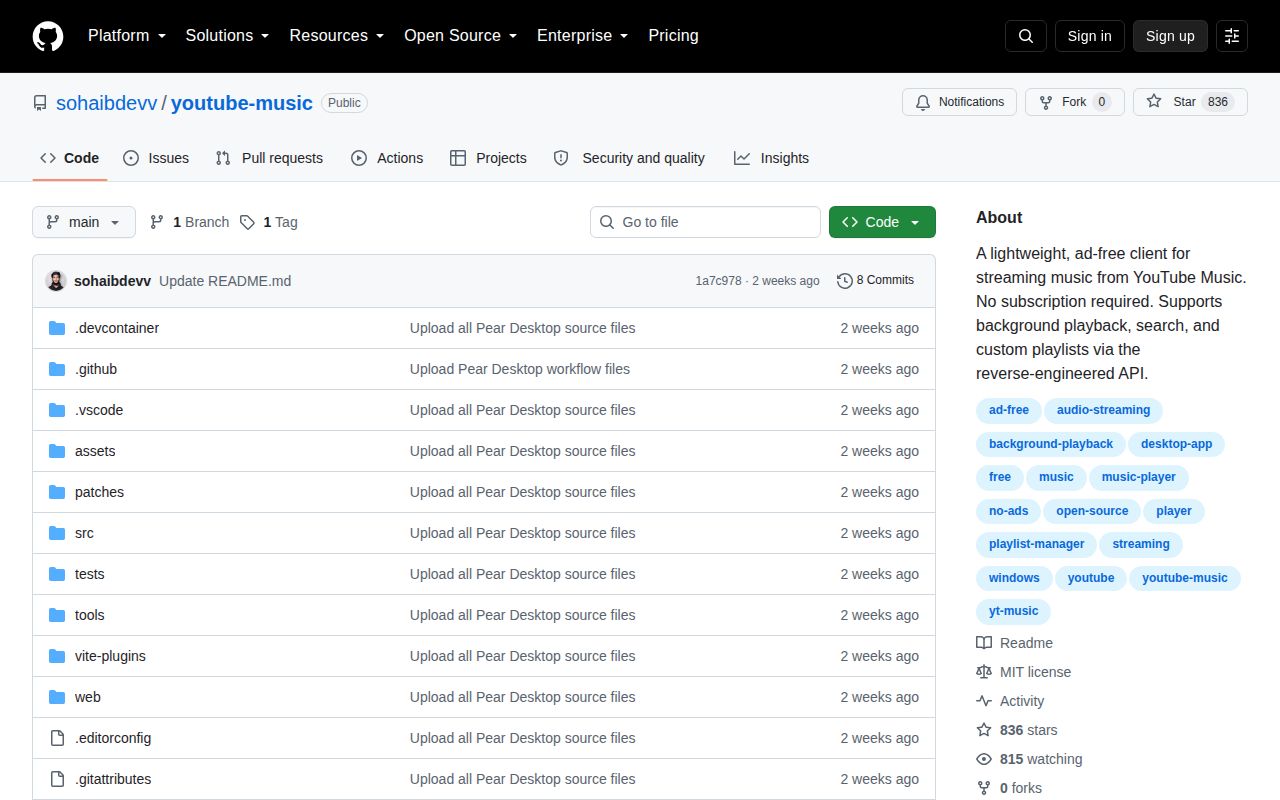
GitHub showed 836 stars, an MIT license, 0 open issues and pull requests, and a last push on August 11, 2026. Release v1.0.0 was published the same day and calls itself the first public release. Fresh activity is clear, but there is no series of releases here showing how updates, regressions, or service breakage are handled.
The measured build is better than a repository containing only an opaque binary. The 5 passing tests are also useful. Neither result resolves why the package points to Pear Desktop or how the passworded EXE maps to this commit. That unanswered chain is the deciding fact. Try ytmdesktop/ytmdesktop or the declared Pear Desktop source before trusting this release on a daily Windows account.