AgentTube covers the channel after rendering
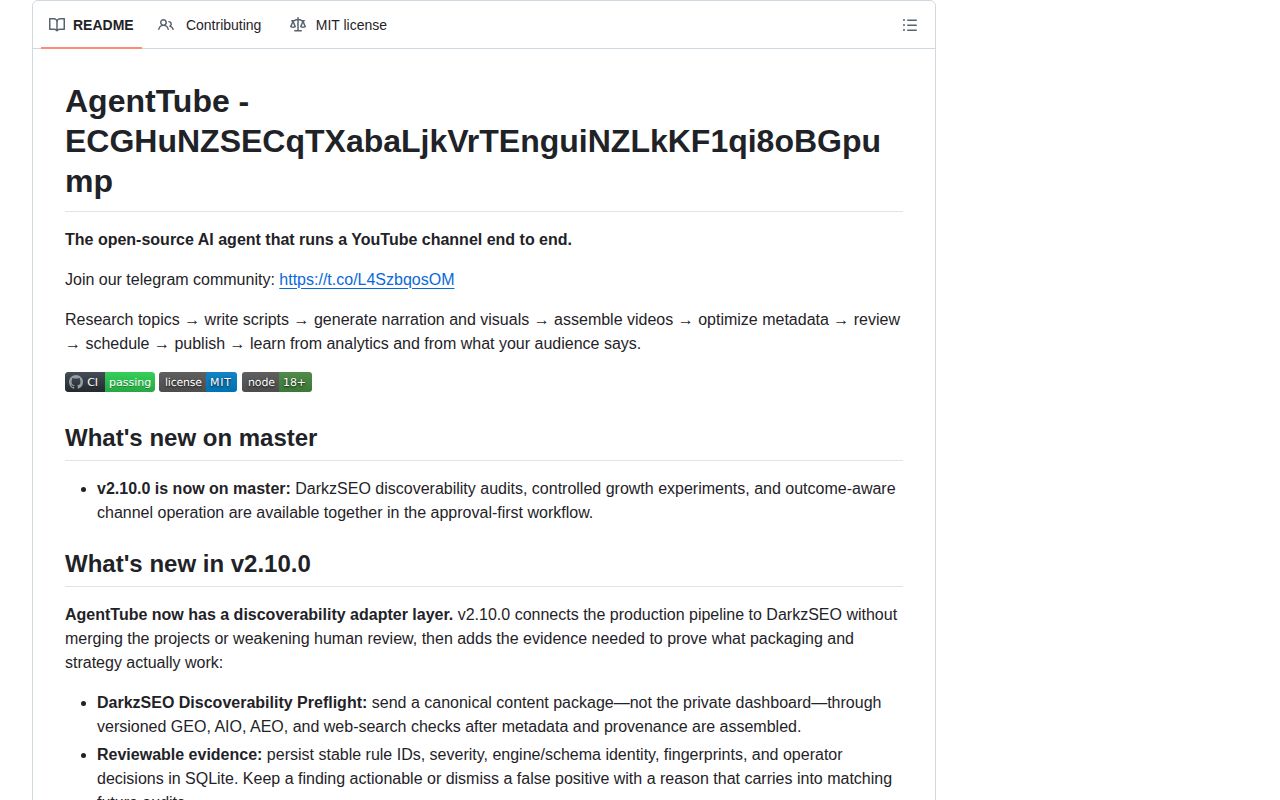
AgentTube is a Node.js application for taking a topic through research, script writing, narration, visuals, video assembly, review, scheduling, publishing, and analytics. Its named modules divide those jobs, while an Express dashboard and SQLite database hold the workflow together. The current master branch calls itself v2.10.0 and adds discoverability checks, controlled packaging experiments, and outcome tracking beyond the older generation pipeline.
The breadth is useful because a YouTube workflow continues after an MP4 exists. AgentTube stores upload state, preserves checkpoints, schedules approved productions, watches 24-hour and 7-day analytics, and can turn accepted findings into later planning constraints. It also distinguishes simulated fallbacks from publishable output. A gradient or silent placeholder can exercise local plumbing, but it cannot enter the approval and publishing path as a finished video.
This is an opinionated channel application, not a general agent framework. A technical creator can change each JavaScript stage, but the default workflow expects its own scene records, review states, provider adapters, and publishing queue.
What happened when we ran it
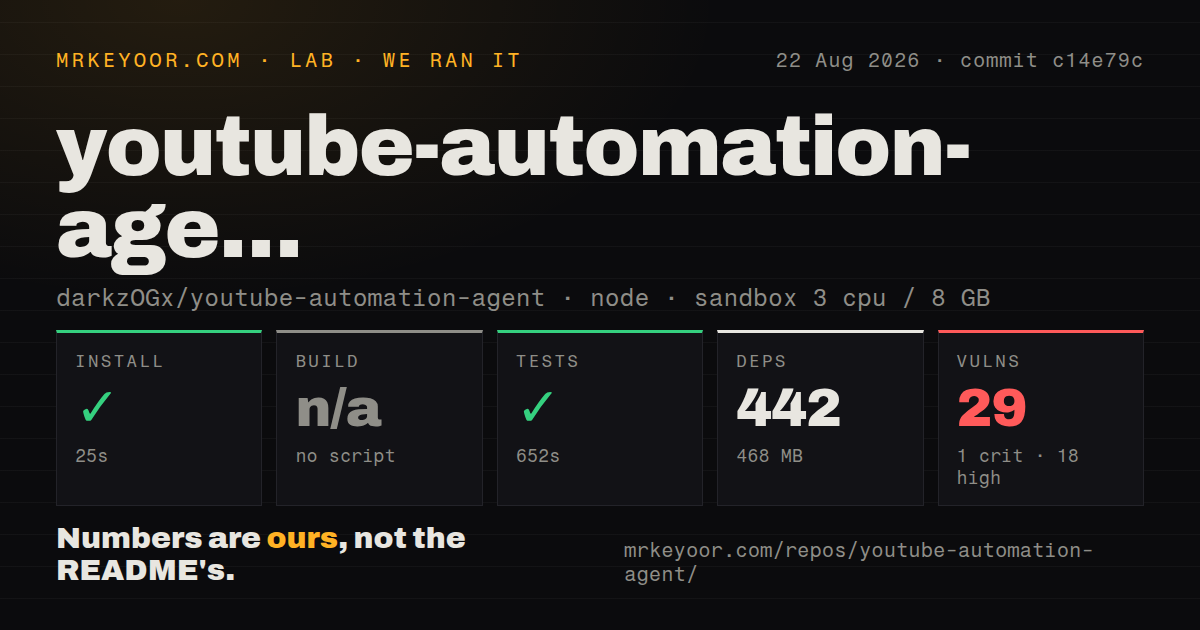
Our sandbox installed 442 npm packages in 25 seconds and used 468 MB on disk. The repository had no build script or target, so we skipped the build step. The supplied tests passed in 652 seconds, the slowest successful step in this group of checks. Npm audit reported 29 known vulnerabilities: 1 critical, 18 high, 8 moderate, and 2 low.
The run used commit c14e79c in an unprivileged Debian container with 3 CPUs, 8 GB of RAM, Node.js 22, and no secrets. The 1.6 MB checkout contained 62 files and about 20,065 source lines. Our scan found 1 CI workflow, no Dockerfile, and no tests directory. Passing tests show that the supplied command completed; we did not connect Google OAuth, call media providers, render a channel video, or upload to YouTube.
Approval gates now sit in the publishing path
The current README says finished work waits for factual review, media-rights confirmation, and explicit approval. Unsupported factual claims remain blocking unless a reviewer records a waiver. Uploaded replacement media requires a rights confirmation, and realistic altered media can carry the YouTube disclosure choice. Silence also needs a stored reason of at least 10 characters rather than being inferred from a failed narration request.
Those controls address the largest risk in this category: a scheduler publishing plausible but wrong or unlicensed output. They still require a person who can judge the evidence, assets, script, and channel fit. AgentTube does not turn those editorial decisions into model calls. A channel seeking unattended volume without review is choosing against the documented operating model.
The production-readiness screen makes small live text and narration requests, checks YouTube access, and creates and decodes a temporary MP4. Paid image and video probes are separate opt-ins. A blocking result stops autonomous generation and publishing until another check passes, while old readiness results expire after 24 hours.
Scene repair avoids paying for a complete rerun
Each production stores a scene manifest with narration, visual prompt, timing, provider identity, rights state, evidence, and revision history. Scene Repair Studio can reorder a scene, edit its text, lock good work, upload a licensed replacement, or regenerate only the failed segment. Narration edits invalidate that scene's audio and factual review, and final approval waits until stale or missing assets are rebuilt.
Approved videos can also produce 3 Short drafts using windows from the stored timeline. The default path reuses source video and narration, adds a selected 9:16 layout, burns captions, and writes an SRT file. Each Short has its own approval and schedule. This is more controlled than asking a model to make an unrelated short, though it is still composition around generated scenes rather than a conventional free-form editor.
Interrupted runs resume from SQLite checkpoints. If an upload may have reached YouTube without returning an ID, the system asks for channel reconciliation before retrying. That fail-closed rule matters because a blind retry could publish a duplicate.
Provider setup is the practical installation cost
The walkthrough starts with Node.js 18+, FFmpeg through ffmpeg-static, and at least 1 text provider. Google Cloud setup adds YouTube Data API v3, an OAuth desktop client, local credentials, and authorization for the target channel. Image, narration, and paid video options add their own keys, model availability, quotas, and billing. Optional DarkzSEO checks require Python 3.9 or newer and DarkzSEO 1.4 or newer.
Local slideshow rendering remains the default. Paid video providers create bounded clips that AgentTube mixes with local sections, so a long production does not imply an equally long generated clip. Operators set a paid-seconds cap and explicitly enable a paid readiness probe. Those controls help with cost, but 29 audit findings still deserve dependency triage before the dashboard receives valuable credentials.
Master has moved far past the latest release tag
GitHub showed 2,666 stars, 9 combined issues and pull requests, and a last push on August 25, 2026. The open issue list contained no issues, which means the 9 open items were pull requests. The latest GitHub release remains v2.4.0 from July 16, while the README says v2.10.0 is on master. Anyone deploying the newer approval and analytics features therefore needs a commit pin instead of assuming the latest release asset contains them.
AgentTube has become far more careful than its original autopilot framing suggests. The 652-second passing test run, resumable stages, and explicit review states justify a private evaluation. The audit result and release gap argue for a deliberate deployment: pin code, remediate dependencies, keep credentials local, run paid probes knowingly, and publish privately until a human has checked several complete productions.