The extension turns each frame into a soft backlight
Ambient light for YouTube samples the video and spreads its colors beyond the player. The result resembles light reflecting from a television onto the wall behind it. This is a narrow extension with a clear job, and that focus is its advantage. It does not ask you to replace YouTube's player or learn a separate media app. Install it, open a watch page, and adjust the effect inside the player.
The README lists Chrome, Edge, Firefox, and Opera store releases. Chromium 80 and Firefox 74 are the stated minimum versions because the code uses optional chaining. Controls cover blur, spread, edge size, black-bar handling, frame-rate limits, WebGL resolution, synchronization, and motion smoothing. Those settings matter because the same glow can be cheap on one GPU and distracting on another.
Hardware acceleration decides whether the glow feels free
The project recommends a graphics card with at least 1000 points in PassMark's Video Card Benchmark. Below that mark, the extension may still work, but the README warns about a slow or stuttering YouTube page. The performance guide also tells users to confirm that browser compositing, video decoding, and WebGL are hardware accelerated. This effect is continuous rendering work, not a static theme.
Its suggested low-cost baseline is concrete: cap the effect at 30 fps, enable the WebGL renderer, and set WebGL resolution to 25%. The guide also recommends disabling frame blending and keeping blur and spread at 30% or lower while troubleshooting. That gives users a sensible starting point. It also shows why a clean npm build says little about the experience during a 4K60 video.
What happened when we ran it
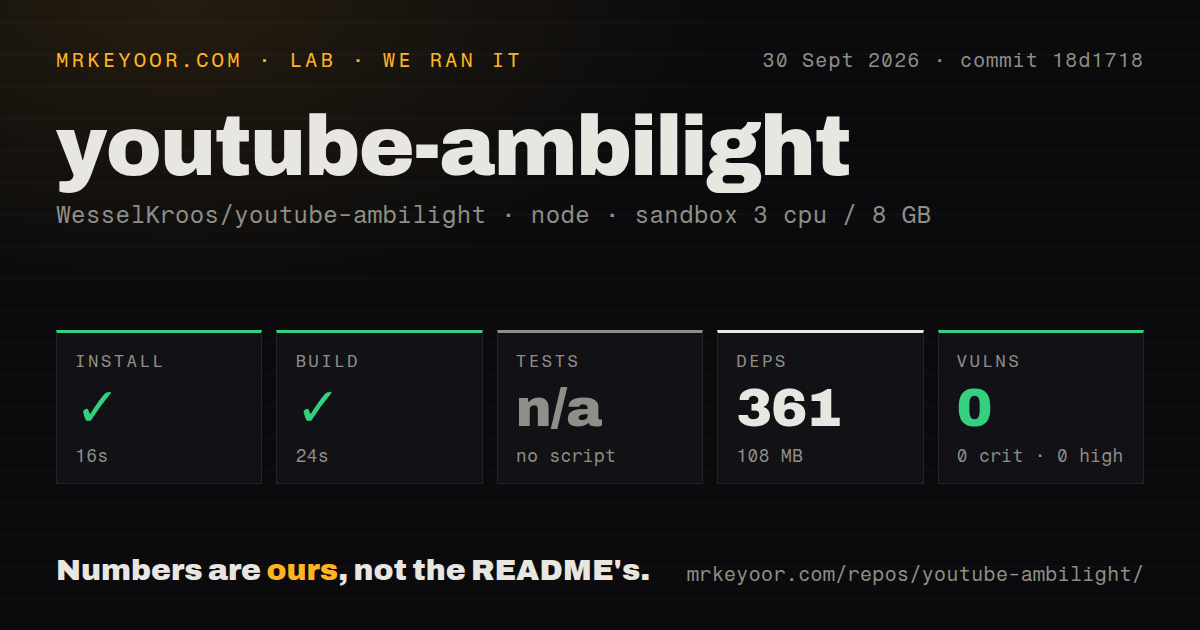
Our run cloned commit 18d1718 into an unprivileged Debian container with 3 CPUs, 8 GB of RAM, Node 22, and no secrets. Npm installed 361 packages in 16 seconds, using 108 MB on disk. The build completed in 24 seconds. Npm audit reported 0 known vulnerabilities across all severity levels.
There was no test script or target, so the test step was skipped. The repository scan found 104 files, about 17,367 lines of source, and a 66.9 MB checkout. It also found 0 CI workflow files, no Dockerfile, and no tests directory. We verified that this commit installs and builds; we did not verify browser rendering, frame pacing, or store-package behavior in the sandbox.
That boundary matters for an extension tied closely to YouTube's page structure and browser graphics paths. A generated /dist directory proves that Rollup, Sass, the manifest copy, and asset steps finished. It cannot catch a changed YouTube selector, a fullscreen restoration bug, or a line that appears only with WebGL on a particular GPU. A contributor should load the unpacked extension in every supported browser after the 24-second build.
High-resolution video brings GPU-specific compromises
The troubleshooting guide records several problems outside the extension's direct control. Chromium configurations can freeze video when another visible window renders animation. Some Nvidia setups can drop frames at 4K and 50 or 60 fps. RTX Video Super Resolution and HDR can conflict with black-bar removal or artifact workarounds because those features depend on Windows Multi-Plane Overlay. The fixes vary by driver, browser backend, and display path.
Open issue 318 reports visible lines at low edge sizes with WebGL enabled on an AMD Radeon 780M under Linux; disabling WebGL removed them for the reporter. Issue 308 describes the ambient light failing to recover after a Firefox video error on Windows until the page is reloaded. These are specific reports, not failures from our run, but they identify the manual cases worth checking.
Crash reports can include the watched video
The privacy policy says the extension runs only on YouTube URLs and activates the effect on /watch. It says the only outbound requests are crash reports, which can be turned off and are deleted after 30 days. A report may include the current URL and video ID, along with browser version, operating system version, display capabilities, player state, layout state, and extension errors.
That policy is better than vague telemetry language because it names the data. Still, a YouTube URL can reveal what a person watched. Privacy-sensitive users should inspect the crash-report controls before playback rather than assume a visual extension never sends data. Firefox's newer built-in consent workflow was still tracked in open issue 302, so browser-level consent behavior may change independently of the project's custom controls.
Current pull requests outpace the last merged release
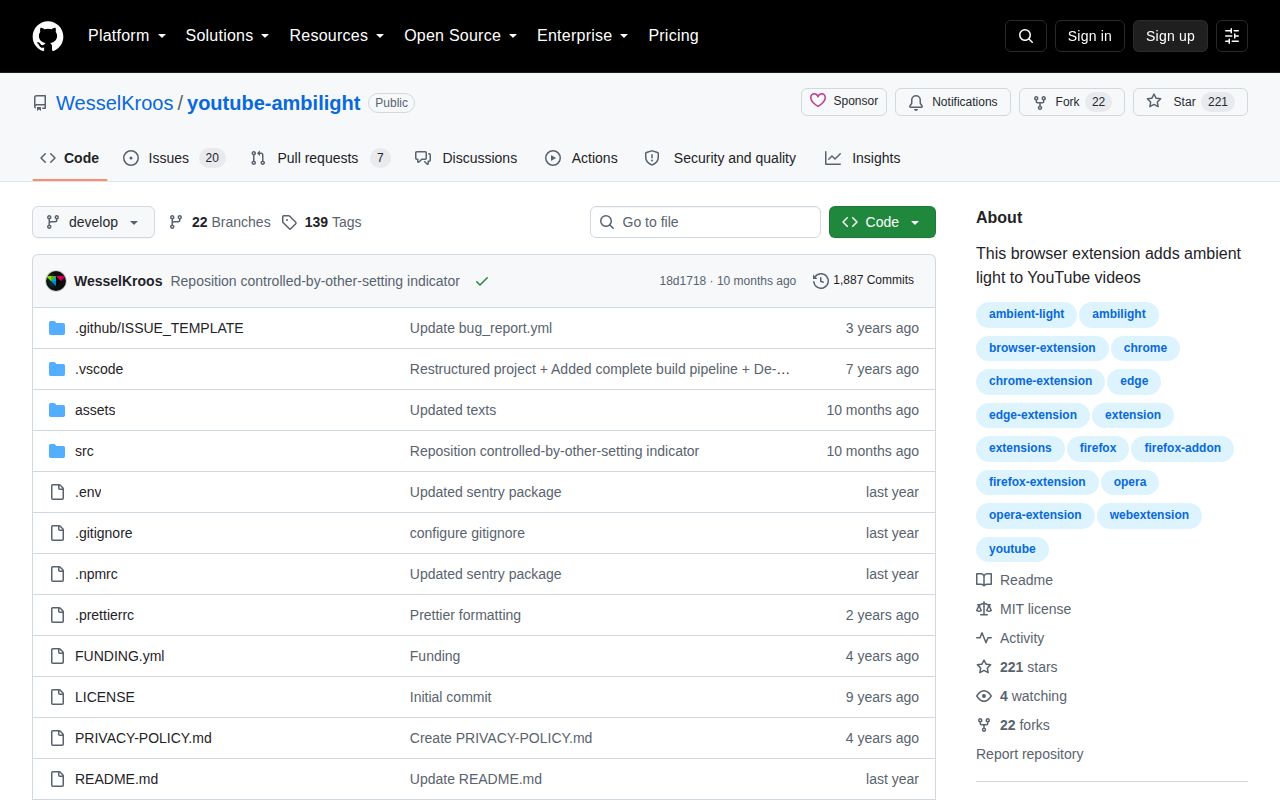
GitHub showed 221 stars and 27 open issues and pull requests. The API split those into 20 issues and 7 pull requests on September 30, 2026. Contributors were actively proposing Safari support, a toggle keybinding, style fixes, and a WebGL artifact fix. Yet the default branch's last push was November 21, 2025, eight days after release 2.38.17. That mix suggests live contributor interest without recent merged maintenance.
For most viewers, the store build is the sensible choice. The extension does one visible job and documents how to lower its GPU cost. Developers can reproduce the build quickly, but there is no automated safety net for a UI that depends on YouTube and several graphics stacks. Use it if the glow earns its rendering cost on your own machine, and keep the 30 fps, 25% resolution baseline nearby when playback starts to stumble.